1. परिचय
This manual provides comprehensive instructions for the ESR Shift Series Magnetic Detachable Keyboard Case, designed specifically for the iPad Pro 13-inch (M5/M4, 2025/2024). Please read this manual thoroughly before using the product to ensure proper operation and to maximize its features.
१०.२. सुसंगतता
This keyboard case is compatible exclusively with the following iPad models:
- iPad Pro 13" (M5, 2025) - Model numbers: A3360, A3361, A3362
- iPad Pro 13" (M4, 2024) - Model numbers: A2925, A2926, A3007
To verify your iPad model number, navigate to सेटिंग्ज > सामान्य > बद्दल तुमच्या iPad वर.

Image: Compatibility chart for ESR Shift Series Keyboard Case.
3. उत्पादनाची वैशिष्ट्ये
- Magnetic Detachable Design: The keyboard connects securely via magnets, allowing for easy attachment for typing or removal for a streamlined tablet experience.
- Ultimate Flexibility: Supports effortless switching between portrait and landscape modes. The adjustable landscape stand offers angles from 20° to 75°, while a sturdy 20° low-angle magnetic support is provided for writing or drawing. The iPad can also be detached for single-case mode.
- Larger Click-Anywhere Trackpad: Features a 112 × 70 mm trackpad, offering 65% more surface area compared to standard trackpads. It provides smoother, more precise control with full iOS gesture support for navigation, editing, and app switching.
- बॅकलिट की: Integrated backlit keys enhance visibility in various lighting conditions.
- अति-पातळ आणि हलके: With a thickness of 7.2 mm, the case is designed for portability without adding significant bulk.
- Full Protection with Pencil Holder: A durable form-fit cover with reinforced Air Guard corners protects the iPad from scratches, drops, and dust. An integrated stylus holder secures your Apple Pencil.

Image: ESR Shift Series Keyboard Case showcasing multiple usage modes.
व्हिडिओ: संपलाview of the ESR Shift Keyboard Case for iPad Pro 13" (M4) 2024, demonstrating its detachable keyboard and flexible modes.
4. सेटअप
4.1 Attaching Your iPad
- Align your iPad Pro 13" with the case.
- Gently press the iPad into the protective frame until it is securely seated. The reinforced Air Guard corners should fit snugly around your device.
4.2 Powering On and Bluetooth Pairing
- Locate the power switch on the side of the keyboard and slide it to the 'On' position.
- To initiate Bluetooth pairing, press and hold the Fn+B keys simultaneously for 3 seconds. A blue light on the keyboard will flash, indicating it is in pairing mode.
- On your iPad, go to सेटिंग्ज > ब्लूटूथ and ensure Bluetooth is enabled.
- Select "ESR Shift Keyboard" from the list of available devices.
- Confirm the pairing request on your iPad. The blue light on the keyboard will stop flashing once successfully paired.
The keyboard will automatically reconnect to the last paired device within 5 seconds of being powered on.

Image: Easy to Power, Pair & Reconnect instructions.
4.3 Customizing Trackpad Tracking Speed
- Once your keyboard is connected, go to your iPad's सेटिंग्ज.
- वर नेव्हिगेट करा सामान्य > ट्रॅकपॅड.
- Adjust the tracking speed slider to your preference (10 levels available; a setting above 5 is generally recommended).
Image: Instructions for customizing trackpad tracking speed on iPad.
5. ऑपरेटिंग सूचना
5.1 Using the Detachable Keyboard
The keyboard can be magnetically attached to the case for a laptop-like experience or detached for a more flexible tablet use. Simply pull the iPad section away from the keyboard base to separate them.
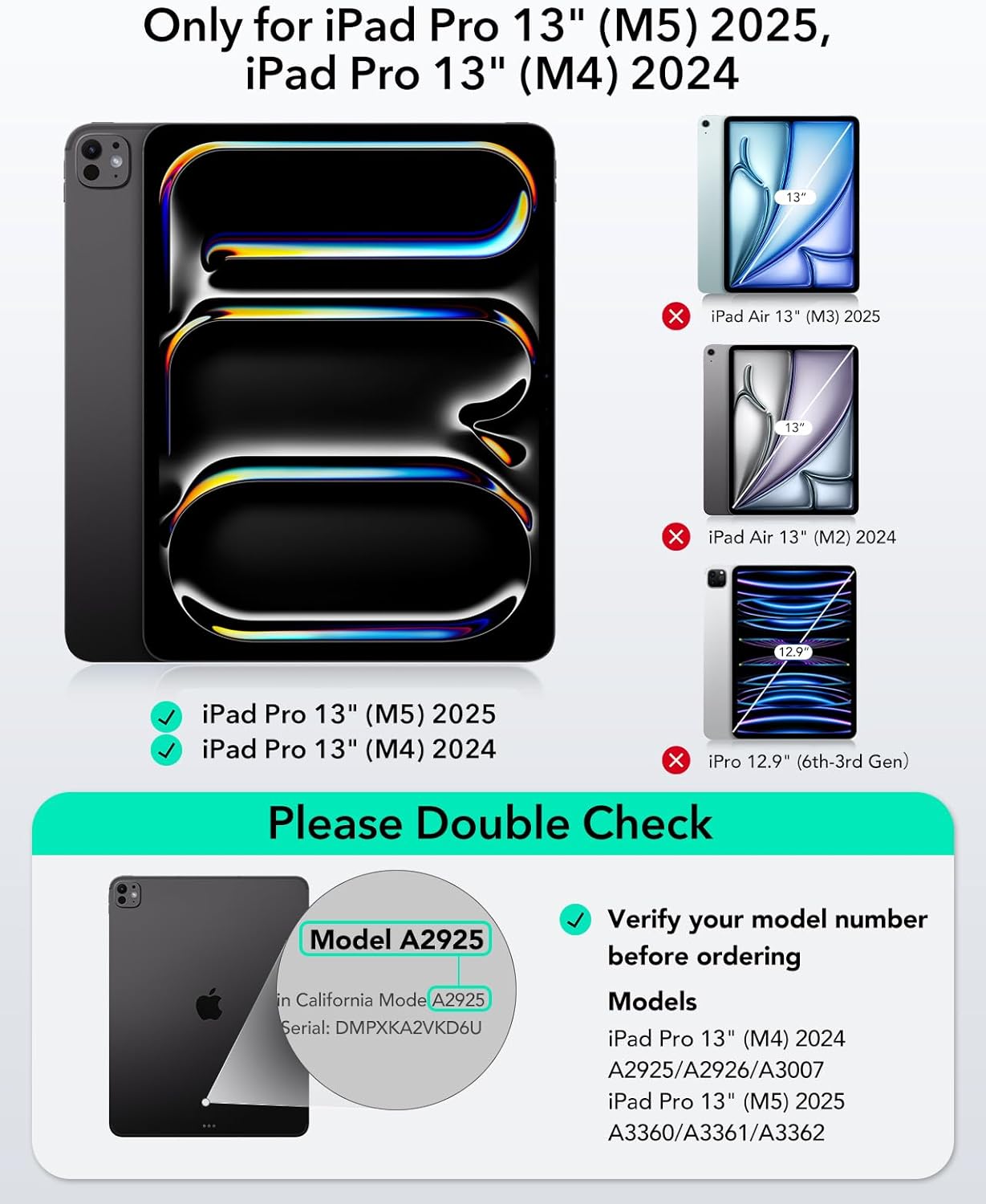
Image: Detachable keyboard feature.
5.2 समायोजित करणे Viewing Angles and Modes
The case offers multiple modes to suit various activities:
- Landscape Mode (20°–75°): Ideal for typing, viewing, or presentations. Adjust the kickstand to your desired angle.
- Portrait Mode (70°): Suitable for browsing, reading, or video calls. The iPad can be rotated to a vertical orientation.
- Drawing/Writing Mode (20° Low-Angle): Provides a stable, ergonomic angle for creative tasks.
- Single-Case Mode: Detach the keyboard for a lightweight tablet experience, perfect for gaming or handheld use.

Image: Adjustable angles for work and play.
5.3 Using the Trackpad
The large, click-anywhere trackpad supports full iOS gestures for efficient navigation:
- क्लिक करा: Press down anywhere on the trackpad.
- स्क्रोल करा: Use two fingers to scroll up or down.
- झूम: झूम इन किंवा आउट करण्यासाठी दोन बोटांनी पिंच करा.
- Switch Apps: तीन बोटांनी डावीकडे किंवा उजवीकडे स्वाइप करा.

Image: Edge-to-edge trackpad for easy control.
5.4 Backlit Keys
The keyboard features adjustable backlighting. Use the dedicated function keys (usually indicated by a light bulb icon) to cycle through brightness levels or turn the backlight on/off.
6. देखभाल
6.1 स्वच्छता
To clean the case and keyboard, use a soft, lint-free cloth. For stubborn marks, slightly dampकापड पाण्याने किंवा सौम्य, अपघर्षक नसलेल्या क्लिनरने स्वच्छ धुवा. जास्त ओलावा आणि कठोर रसायने टाळा.
6.2 बॅटरी माहिती
The keyboard features a long-lasting rechargeable battery. Expected battery life is approximately 195 days without backlight and 13 hours with maximum backlight, based on 2 hours of daily active use. A full charge takes approximately 3.3 hours.

Image: Long-lasting battery performance details.
6.3 Pencil Holder
The integrated stylus holder is designed to keep your Apple Pencil secure and prevent it from being scratched or falling off. Ensure the pencil is properly seated in the holder when not in use.
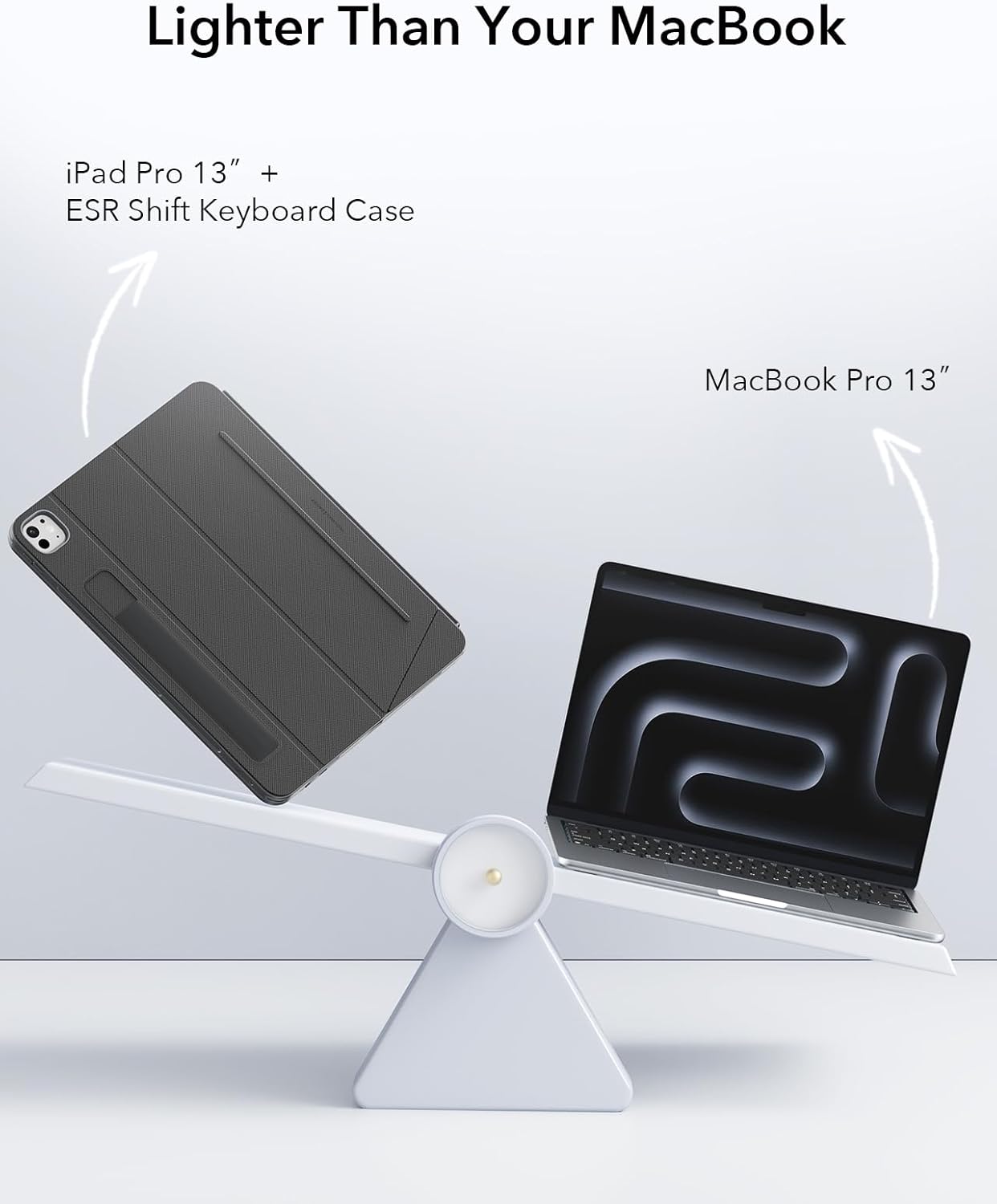
Image: Dual Smart Pencil Storage.
7. समस्या निवारण
- कीबोर्ड ब्लूटूथद्वारे कनेक्ट होत नाही:
Ensure the keyboard is powered on and fully charged. Re-enter pairing mode (Fn + B for 3 seconds) and check your iPad's Bluetooth settings to reconnect. If issues persist, try forgetting the device on your iPad and re-pairing. - Trackpad not responding:
Verify the keyboard is connected via Bluetooth. Check iPad settings under सामान्य > ट्रॅकपॅड to ensure it's enabled and tracking speed is set appropriately. - Keys not typing:
Confirm the keyboard is powered on and paired. Ensure the iPad is correctly positioned in the case and the keyboard is not obstructed. Check battery level. - बॅकलाइट काम करत नाही:
Press the backlight function key to ensure it's turned on and adjust brightness levels. Check battery level, as low battery might disable backlighting.
8. तपशील
| वैशिष्ट्य | तपशील |
|---|---|
| मॉडेल क्रमांक | 6B030 |
| सुसंगत साधने | iPad Pro 13" (M5/M4, 2025/2024) |
| कनेक्टिव्हिटी तंत्रज्ञान | ब्लूटूथ |
| कीबोर्ड लेआउट | QWERTY |
| विशेष वैशिष्ट्ये | Ergonomic, Flexible, Shift Series, Magnetic, Detachable, Backlit Keys, Large Trackpad |
| रंग | गडद राखाडी |
| आयटम वजन | 2.2 पाउंड |
| पॅकेजचे परिमाण | 13.43 x 9.92 x 1.1 इंच |
| उत्पादक | इलेक्ट्रॉनिक सिल्क रोड कॉर्प |
9. हमी आणि समर्थन
For warranty information or technical support, please refer to the official ESR website or contact ESR customer service directly. Keep your purchase receipt for warranty claims.


