परिचय
The Razer BlackShark V3 Pro is an advanced wireless ANC esports headset designed for elite console and PC gamers. This headset is officially licensed for PlayStation and offers versatile connectivity options including Razer HyperSpeed Wireless Gen-2, Bluetooth, and 3.5mm wired connection. It features a detachable Razer HyperClear Full Band 12 mm microphone, Hybrid Active Noise Cancellation, and Razer TriForce Bio-Cellulose 50 mm Drivers Gen-2 for high-fidelity audio. The headset is compatible with PS5, PC, Mac, smartphones, tablets, and handheld gaming devices.
बॉक्समध्ये काय आहे
- Razer BlackShark V3 Pro Headset
- रेझर हायपरस्पीड वायरलेस जेन-२ डोंगल
- Detachable Razer HyperClear Full Band 12mm Mic
- यूएसबी टाइप ए ते टाइप सी केबल
- 3.5mm TRRS Analog to USB-C Converter Cable
- वापरकर्ता मॅन्युअल

Image: The Razer BlackShark V3 Pro headset and its included accessories laid out, showing the wireless dongle, detachable microphone, charging cables, and user manual.
उत्पादन वैशिष्ट्ये
- HyperSpeed Wireless Gen-2: Optimized for ultra-low latency (as low as 10 ms) for near-instantaneous audio response.
- Detachable HyperClear Full Band 12mm Mic: Large 12 mm capsule captures clear voice details and suppresses background noise with a unidirectional pick-up pattern.
- संकरित सक्रिय आवाज रद्दीकरण (ANC): Blocks distractions for enhanced focus during gameplay.
- TriForce Bio-Cellulose 50mm Drivers Gen-2: Tuned for improved clarity and positional performance, delivering natural, powerful sound.
- कनेक्टिव्हिटीचे ३ प्रकार: Seamlessly switch between 2.4 GHz wireless, Bluetooth, and 3.5mm wired connections. Supports simultaneous 2.4 GHz and Bluetooth audio on two devices.
- नेक्स्ट-जनरल सराउंड साउंड: Features PlayStation Tempest 3D Audio and THX Spatial Audio on PC (Windows 10 64-bit or higher).
- प्रो-ट्यून केलेले एफपीएस प्रोfiles आणि सानुकूल करण्यायोग्य EQ: Unlock audio advantages with game-specific EQ profiles and custom settings via Razer Synapse 4.

Image: Close-up of the Razer HyperSpeed Wireless Gen-2 dongle, emphasizing its advanced wireless technology.

प्रतिमा: सविस्तर view of the detachable Razer HyperClear Full Band 12mm microphone, showing its design for clear voice pickup.

Image: A gamer wearing the headset in a focused stance, illustrating the Hybrid Active Noise Cancellation feature.

प्रतिमा: एक स्फोट झाला view of the Razer TriForce Bio-Cellulose 50mm Drivers Gen-2, showcasing their internal structure.
सेटअप
1. हेडसेट चार्ज करणे
Before first use, fully charge your Razer BlackShark V3 Pro headset using the provided USB Type A to Type C cable. Connect the USB-C end to the headset's charging port and the USB-A end to a powered USB port (e.g., computer, wall adapter).
१. मायक्रोफोन जोडणे
Align the detachable Razer HyperClear Full Band 12mm Mic with the microphone port on the headset and push it firmly until it clicks into place. Ensure the pop filter is correctly positioned over the microphone for optimal voice clarity.

प्रतिमा: सविस्तर view of the detachable microphone, showing its connection point and the foam pop filter.
२. उपकरणांशी कनेक्ट करणे
The Razer BlackShark V3 Pro offers three primary connection methods:
- रेझर हायपरस्पीड वायरलेस (२.४ GHz): Insert the Razer HyperSpeed Wireless Gen-2 Dongle into a USB-A port on your PS5, PC, Mac, or compatible handheld device. The headset will automatically connect.
- ब्लूटूथ: Power on the headset and activate Bluetooth pairing mode (refer to Operating Instructions). Select "Razer BlackShark V3 Pro" from your device's Bluetooth settings.
- ३.५ मिमी वायर्ड: Connect the 3.5mm TRRS Analog to USB-C Converter Cable to the headset's 3.5mm port and the other end to your device's 3.5mm audio jack.

Image: The Razer HyperSpeed Wireless Gen-2 Dongle, indicating its use for 2.4 GHz wireless connection.
ऑपरेटिंग सूचना
पॉवर चालू/बंद
Press and hold the Power button located on the left earcup for a few seconds until the LED indicator lights up/turns off.
आवाज नियंत्रण
Rotate the volume wheel on the left earcup up or down to adjust the audio output level.
मायक्रोफोन नि: शब्द / सशब्द करा
Press the Microphone Mute button on the left earcup to toggle microphone mute on or off. An LED indicator will show the microphone status.
ANC / Transparency Mode
Press the ANC button on the right earcup to cycle through Active Noise Cancellation, Transparency Mode, and Off. Transparency Mode allows you to hear your surroundings while wearing the headset.
EQ प्रोfiles
Cycle through pre-set or custom EQ profiles by pressing the EQ button on the right earcup. Further customization is available via Razer Synapse 4 software.
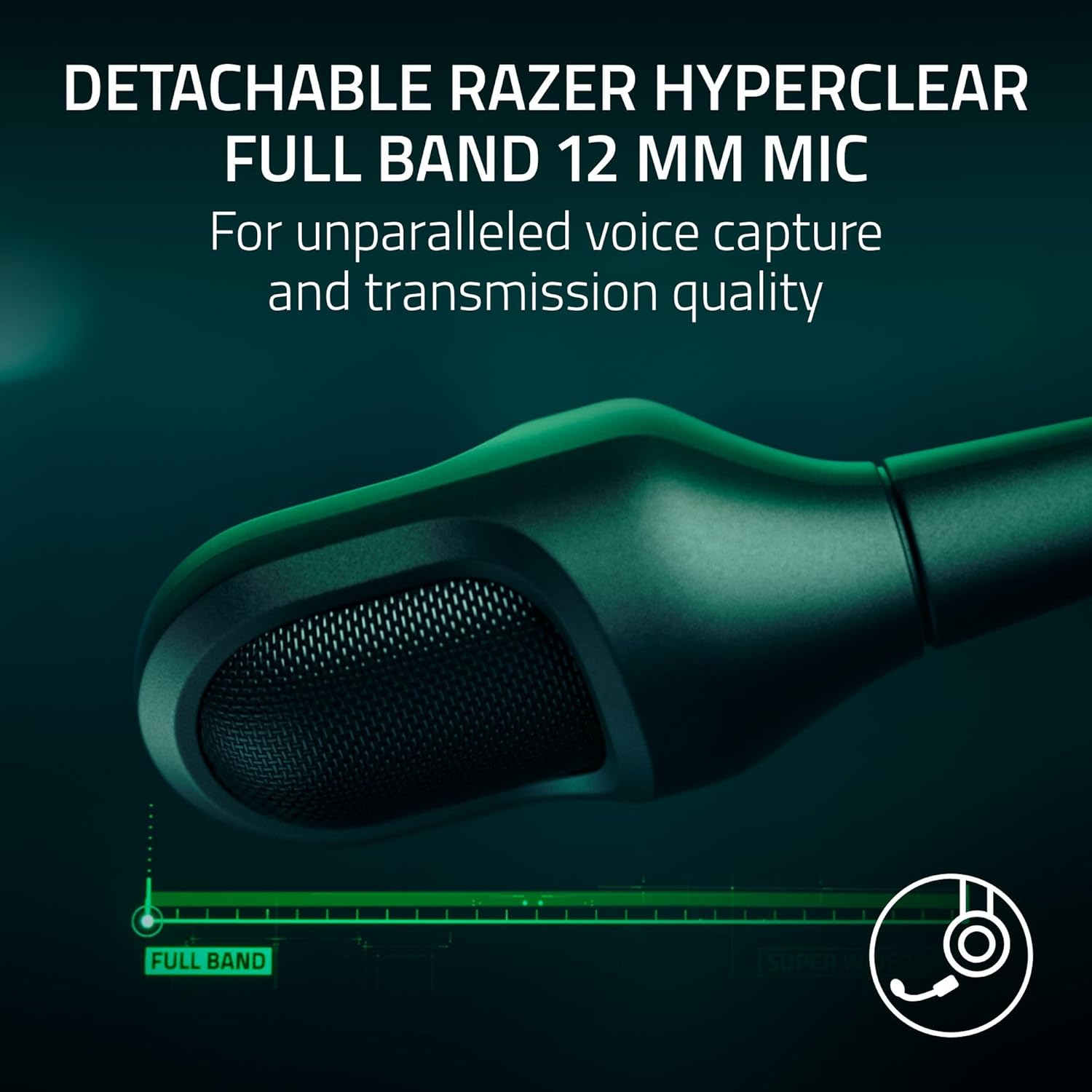
Image: The left earcup of the headset, highlighting the power button and volume control for easy access.

Image: The right earcup of the headset, showing the ANC and EQ buttons for sound customization.
कनेक्टिव्हिटी
The Razer BlackShark V3 Pro offers flexible connectivity to suit various gaming and audio needs:
- २.४ GHz वायरलेस (रेझर हायपरस्पीड वायरलेस जनरल-२): Provides ultra-low latency connection for competitive gaming on PS5, PC, Mac, and Nintendo Switch (docked mode).
- ब्लूटूथ 5.3: Ideal for mobile gaming, music, and calls on smartphones, tablets, and handheld gaming devices.
- 3.5mm Analog: For universal compatibility with devices that have a 3.5mm audio jack, ensuring connectivity even when battery is low or wireless is not preferred.
- Simultaneous Audio: The headset supports mixing 2.4 GHz and Bluetooth audio from two devices concurrently, allowing you to game and take calls or listen to music simultaneously.
ऑडिओ सानुकूलन
Enhance your audio experience with Razer Synapse 4 (for PC) or the Razer Audio App (for mobile devices). These applications allow you to:
- Create and manage custom EQ profileवेगवेगळ्या खेळांसाठी किंवा माध्यमांसाठी.
- Access pro-tuned FPS profiles for competitive advantage.
- Adjust microphone settings, including volume normalization, noise cancellation, and voice clarity.
- Configure THX Spatial Audio settings for immersive 7.1.4 surround sound on PC.

Image: A visual representation of the Razer Synapse 4 software interface, demonstrating the customizable EQ and microphone settings.
देखभाल
To ensure the longevity and optimal performance of your Razer BlackShark V3 Pro headset, follow these maintenance guidelines:
- स्वच्छता: Use a soft, dry cloth to wipe down the headset. For earcups, gently remove them if possible (refer to product manual for specific instructions) and clean with a mild, non-abrasive cleaner. Ensure they are completely dry before reattaching.
- स्टोरेज: हेडसेट थेट सूर्यप्रकाश आणि अति तापमानापासून दूर थंड, कोरड्या जागी ठेवा.
- केबल केअर: नुकसान टाळण्यासाठी केबल्सवर तीक्ष्ण वाकणे किंवा जास्त ओढणे टाळा.
- फर्मवेअर अद्यतने: Regularly check for and install firmware updates via Razer Synapse 4 or the Razer Audio App to ensure the best performance and latest features.
समस्यानिवारण
If you encounter issues with your Razer BlackShark V3 Pro, consider the following:
- ऑडिओ नाही/खराब ऑडिओ गुणवत्ता:
- Ensure the headset is powered on and correctly connected (2.4 GHz dongle, Bluetooth, or 3.5mm cable).
- Check device volume settings and headset volume wheel.
- Verify the correct audio output device is selected in your system settings.
- For PC, ensure Razer Synapse 4 is updated and the headset firmware is current.
- मायक्रोफोन समस्या:
- मायक्रोफोन सुरक्षितपणे जोडलेला आहे आणि म्यूट केलेला नाही याची खात्री करा.
- Check microphone input levels in your device's sound settings.
- Update headset firmware via Razer Synapse 4, as updates often improve microphone performance.
- कनेक्टिव्हिटी समस्या:
- For 2.4 GHz, try re-pairing the dongle with the headset (refer to the full user manual for pairing instructions).
- For Bluetooth, ensure the headset is in pairing mode and your device's Bluetooth is enabled. Try forgetting the device and re-pairing.
- Ensure the dongle is not too far from the headset or obstructed by other devices.
- बॅटरी लाइफ चिंता:
- हेडसेट पूर्णपणे चार्ज झाला असल्याची खात्री करा.
- Note that using Hybrid Active Noise Cancellation and simultaneous audio may reduce battery life.
तपशील
| वैशिष्ट्य | तपशील |
|---|---|
| मॉडेलचे नाव | ब्लॅकशार्क V3 प्रो |
| ध्वनी नियंत्रण | सक्रिय आवाज रद्द करणे |
| वारंवारता प्रतिसाद | 28 KHz |
| संवेदनशीलता | 108 dB |
| हेडफोन जॅक | 3.5 मिमी जॅक |
| कनेक्टिव्हिटी तंत्रज्ञान | 3.5mm, Bluetooth, Wireless (2.4 GHz) |
| वायरलेस कम्युनिकेशन तंत्रज्ञान | २.४ GHz, ब्लूटूथ |
| ब्लूटूथ आवृत्ती | 5.3 |
| ऑडिओ ड्रायव्हरचा प्रकार | डायनॅमिक ड्रायव्हर |
| ऑडिओ ड्रायव्हरचा आकार | 50 मिलीमीटर |
| सुसंगत साधने | Mac, Nintendo Switch, PC, PlayStation, Steam Deck |
| आयटम वजन | २० किलोग्रॅम (४४.१ पौंड) |
| साहित्य | Plastic, Foam |
| बॅटरी प्रकार | 1 लिथियम आयन बॅटरी (समाविष्ट) |
| उत्पादक | रेझर |
| आयटम मॉडेल क्रमांक | RZ04-05400500-R3UA लक्ष द्या |
| UPC | 840272919552 |
अधिकृत उत्पादन व्हिडिओ
Video: Razer BlackShark V3 Line Overview. हा व्हिडिओ एक सामान्य माहिती प्रदान करतोview of the Razer BlackShark V3 headset series, highlighting its key features and design.
Video: Razer BlackShark V3 Pro Wireless ANC Gaming Headset Features. This video showcases the specific features of the BlackShark V3 Pro, including its wireless capabilities and active noise cancellation.
Video: Razer BlackShark V3 Pro Unboxing and Review. This video provides an unboxing experience and a detailed review of the Razer BlackShark V3 Pro headset, covering its components and user experience.
Video: Razer BlackShark V3 Pro - Razer's Best Headset Ever. This video highlights the advanced features and superior performance of the Razer BlackShark V3 Pro, positioning it as a top-tier gaming headset.
हमी आणि समर्थन
Razer products are built to the highest standards of quality and durability. This product comes with a limited warranty. For detailed warranty information, technical support, and customer service, please visit the official Razer support webसाइटला भेट द्या किंवा तुमच्या उत्पादन पॅकेजिंगमध्ये समाविष्ट असलेल्या वॉरंटी कार्डचा संदर्भ घ्या.
तुम्ही खरेदी करण्याचा देखील विचार करू शकताasinअतिरिक्त कव्हरेजसाठी विस्तारित संरक्षण योजना:
- ३ वर्षांची संरक्षण योजना: $११.९९
- ३ वर्षांची संरक्षण योजना: $११.९९
- संपूर्ण संरक्षण: $१६.९९/महिना (सर्व पात्र मागील आणि भविष्यातील खरेदी कव्हर करते)


