परिचय
This manual provides detailed instructions for the installation, operation, and maintenance of your Veise VE012W Built-in WiFi Fingerprint Smart Lock. This smart deadbolt offers multiple access methods and remote management capabilities for enhanced home security.
महत्वाची सुरक्षितता माहिती
- स्थापना आणि वापरण्यापूर्वी सर्व सूचना वाचा.
- Do not use corrosive cleaners on the lock.
- स्थापनेदरम्यान योग्य बॅटरी पोलॅरिटी सुनिश्चित करा.
- Keep physical keys in a secure location outside the home.
- Regularly check battery levels and replace them as needed to avoid lock malfunction.
पॅकेज सामग्री
The Veise VE012W Smart Lock package includes:
- 1 x WiFi Fingerprint Lock (Exterior and Interior Assemblies)
- 1 x लॅच
- 1 x स्ट्राइक प्लेट
- २ x बॅकअप की
- 1 एक्स आरोहित प्लेट
- Screws (various sizes for installation)
- 1 x वापरकर्ता मॅन्युअल
- 1 x इंस्टॉलेशन मॅन्युअल
स्थापना मार्गदर्शक
The Veise VE012W Smart Lock is designed for easy DIY installation. A screwdriver is typically the only tool required. Refer to the included Installation Manual for detailed diagrams and steps.
दाराची तयारी
स्थापनेपूर्वी, तुमचा दरवाजा खालील वैशिष्ट्यांची पूर्तता करतो याची खात्री करा:
- Hole Diameter: 1-1/2" or 2-1/8" (38mm or 54mm)
- बॅकसेट: २-३/८" किंवा २-३/४" (६० मिमी किंवा ७० मिमी)
- Bore Diameter: 1" (25mm)
- Door Thickness: 1-3/8" - 2" (35mm - 50mm)
- Minimum Distance between handle and hole: 1-3/4" (45mm)

Text description: Diagram illustrating door measurements required for installation, including hole diameter, backset, bore diameter, and door thickness.
चरण-दर-चरण स्थापना
- लॅच स्थापित करा: Insert the latch into the door edge and secure it with screws. Ensure the latch is oriented correctly for your door's swing.
- बाह्य असेंब्ली स्थापित करा: Feed the cable from the exterior keypad assembly through the door hole and align the assembly with the latch.
- अंतर्गत माउंटिंग प्लेट स्थापित करा: Secure the interior mounting plate to the door using the provided screws, ensuring the cable passes through the plate.
- केबल कनेक्ट करा: बाह्य असेंब्लीपासून आतील असेंब्लीपर्यंत केबल कनेक्ट करा.
- इंटिरियर असेंब्ली स्थापित करा: Attach the interior assembly to the mounting plate, ensuring the thumb turn spindle engages correctly with the latch mechanism.
- बॅटरी घाला: Install 8 AA batteries (not included) into the interior assembly.
- लॉकची चाचणी घ्या: Manually test the lock and unlock function using the thumb turn and physical key.

Text description: A person installing the interior assembly of the smart lock onto a door with a screwdriver.
Initial Setup and Direction Identification
After physical installation, the lock needs to identify the door's direction. This is typically done through a reset process.
Text description: A video demonstrating the initial setup and direction identification process for the smart lock, including how to reset it.
तुमचे स्मार्ट लॉक चालवणे
The Veise VE012W offers multiple convenient ways to lock and unlock your door:
1. Fingerprint Access
Place your registered finger on the fingerprint sensor located on the exterior assembly. The lock will unlock if the fingerprint is recognized.

Text description: A close-up of the smart lock's fingerprint sensor, highlighting its quick recognition feature.
2. PIN Code Entry
Enter your programmed PIN code on the digital keypad. Press the checkmark button to confirm.
3. Physical Key
In case of battery depletion or electronic malfunction, use the provided physical backup keys to manually unlock the deadbolt.
4. Auto-Lock Feature
The lock can be configured to automatically lock after a set period (10-180 seconds) via the KK Home App.

Text description: An image showing the auto-lock feature settings within the KK Home App, allowing users to set a delay from 10 seconds to 3 minutes.
5. आवाज नियंत्रण
The lock is compatible with smart voice assistants like Alexa and Google Home. Link your lock through the KK Home App to enable voice commands for locking and unlocking.

Text description: An illustration showing the smart lock integrated with voice assistants like Alexa and Google Home, demonstrating voice commands for locking doors.
KK Home App Features
The KK Home App provides comprehensive control and monitoring of your Veise VE012W Smart Lock from anywhere with a Wi-Fi connection.
रिमोट कंट्रोल
- Lock/Unlock Remotely: कुठूनही तुमच्या दाराची स्थिती नियंत्रित करा.
- Create & Share Codes: Generate permanent, scheduled, recurring, or one-time passcodes and share them with family, guests, or service providers.
- Remote Access Sharing: Assign different levels of access permissions to users.

Text description: A visual representation of the KK Home App's remote management features, including creating and sharing codes, remote access, real-time alerts, and access logs.
Real-Time Monitoring & Alerts
- लॉक स्थिती: Check if your door is locked or unlocked at any time.
- प्रवेश नोंदी: Review a detailed history of who entered and when.
- रिअल-टाइम सूचना: Receive notifications for lock activity, low battery warnings, or abnormal lock events.
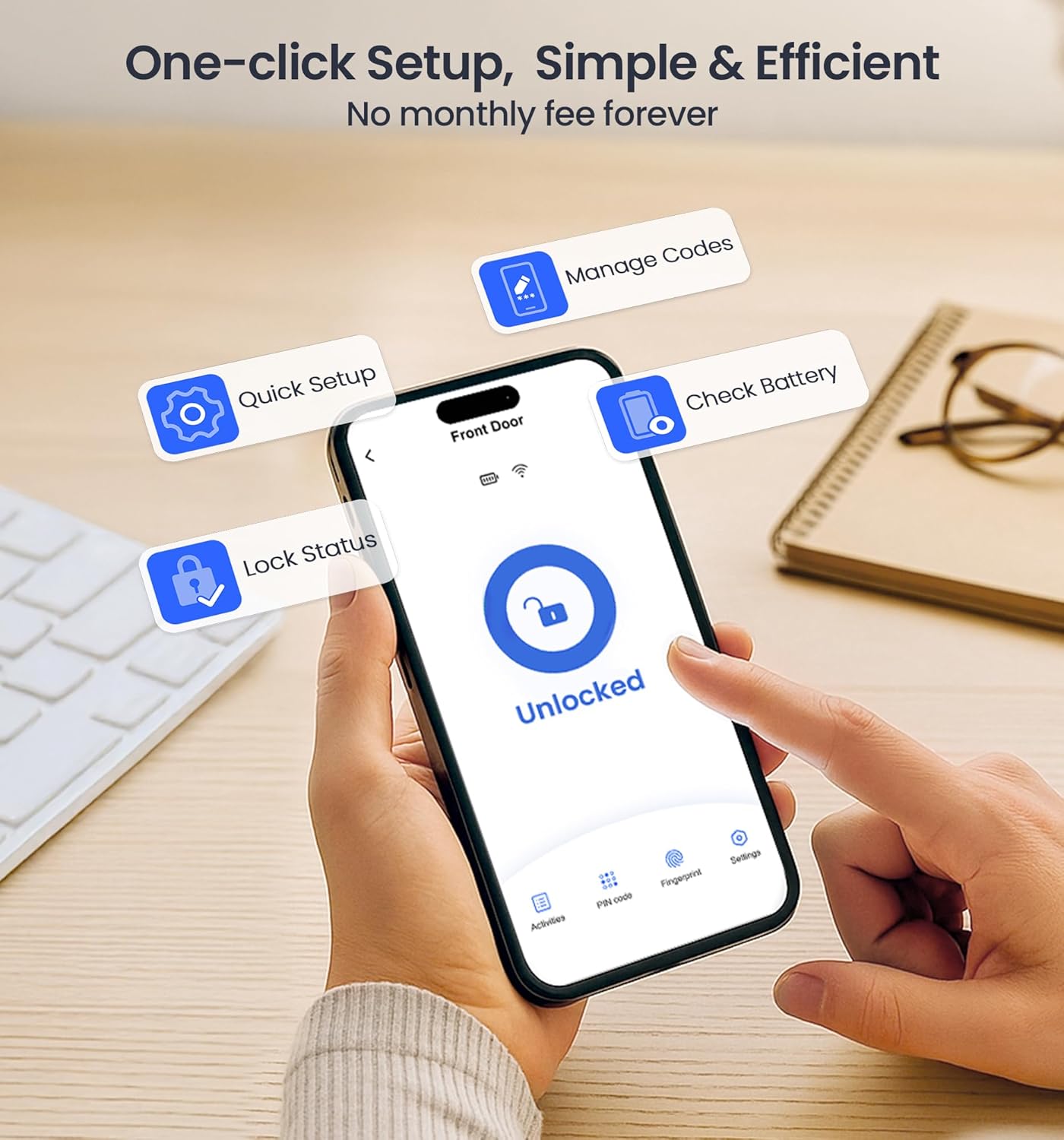
Text description: A smartphone screen displaying the KK Home App interface, showing real-time lock status, access logs, and alert notifications.
वाय-फाय कनेक्टिव्हिटी
The built-in Wi-Fi allows direct connection to your home network (2.4GHz only), eliminating the need for a separate hub.
Text description: A tutorial video demonstrating the steps to pair the Veise VE012W Smart Lock with the KK Home App and connect it to your home Wi-Fi network.
देखभाल
बॅटरी बदलणे
The lock requires 8 AA batteries. When the battery level is low, you will receive a notification via the KK Home App. Replace all 8 batteries simultaneously with new, high-quality alkaline batteries for optimal performance.

Text description: An image showing the interior battery compartment of the smart lock, indicating where to insert the 8 AA batteries.
साफसफाई
Clean the keypad and fingerprint sensor with a soft, dry cloth. Avoid using abrasive cleaners or solvents that could damage the finish or electronic components.
समस्यानिवारण
If you encounter issues with your Veise VE012W Smart Lock, refer to the following common solutions:
Lock Not Responding
- बॅटरी तपासा: बॅटरी योग्यरित्या बसवल्या आहेत आणि पुरेशा चार्ज आहेत याची खात्री करा. आवश्यक असल्यास बदला.
- लॉक रीसेट करा: Use the reset tool (provided in the package) to press and hold the reset button for 5 seconds until you hear a long beep and the latch bolt extends. This helps re-identify the door direction.
ॲप कनेक्शन समस्या
- ब्लूटूथ: Ensure Bluetooth is enabled on your phone and you are within 2 meters of the lock during pairing.
- वाय-फाय: Verify your Wi-Fi network is 2.4GHz. Keep the lock within 65 feet of your router with no walls in between. Avoid signal interference from microwaves.
- लॉक रीसेट करा: If connection fails, reset the lock and try pairing again.
Text description: A video guide providing solutions for common issues with the Veise VE012W Smart Lock, including deadbolt jamming and app connectivity problems.
उत्पादन तपशील
| वैशिष्ट्य | तपशील |
|---|---|
| ब्रँड | वेसे |
| मॉडेलचे नाव | VE012W |
| लॉक प्रकार | Biometric, Deadbolt, Keypad |
| विशेष वैशिष्ट्ये | Auto-Lock, Remote Access Sharing, Locally record activities, Back-Lit Keypad, Fingerprint, IP55 waterproof, Smart App Control |
| साहित्य | धातू |
| आयटमचे परिमाण (L x W x H) | 3 x 1.3 x 5.1 इंच |
| आयटम वजन | 1.68 पाउंड |
| उर्जा स्त्रोत | 8 AA बॅटरी (आवश्यक) |
| कनेक्टिव्हिटी प्रोटोकॉल | वाय-फाय |
| पाणी प्रतिकार | IP55 |
| सुरक्षा श्रेणी | BHMA ग्रेड 3 |
हमी आणि ग्राहक समर्थन
The Veise VE012W Smart Lock comes with a 1-year warranty.
For any questions or support, please contact Veise customer service:
- टोल फ्री: +५२ (८१) ८३८४-८३०० (USA) (Monday-Friday 9 AM–5 PM PST)
- ईमेल: support@iveise.com (24/7 email help)
You can also visit the official Veise webअधिक माहितीसाठी साइट: iveise.com

Text description: An image depicting customer support representatives, highlighting the availability of US-based phone and email support.


