1. परिचय
Thank you for choosing the Sonew Multifunctional CD Player. This device offers a versatile audio experience, supporting CD playback, Bluetooth 5.0 wireless streaming, USB flash drive playback, and TF memory card playback. It is designed for both home and outdoor use, featuring a built-in rechargeable battery and convenient infrared remote control. Please read this manual carefully to ensure proper use and maintenance of your device.
2. सुरक्षितता माहिती
- डिव्हाइसला पाऊस, ओलावा किंवा अति तापमानाच्या संपर्कात आणू नका.
- उष्णतेच्या स्त्रोतांजवळ किंवा थेट सूर्यप्रकाशात डिव्हाइस ठेवणे टाळा.
- डिव्हाइस स्वतः वेगळे करू नका किंवा दुरुस्त करण्याचा प्रयत्न करू नका. सर्व सर्व्हिसिंग पात्र कर्मचाऱ्यांना पाठवा.
- Use only the provided charging cable and remote control.
- डिव्हाइसला मजबूत चुंबकीय क्षेत्रापासून दूर ठेवा.
- ऑपरेशन दरम्यान उपकरणाभोवती योग्य वायुवीजन सुनिश्चित करा.
3. पॅकेज सामग्री
कृपया खालील वस्तूंसाठी पॅकेज तपासा:
- 1 x Sonew Multifunctional CD Player
- १ x चार्जिंग केबल (टाइप-सी)
- 1 एक्स अवरक्त रिमोट कंट्रोल
- 1 x User Instructions Manual
4. उत्पादन संपलेview
The Sonew CD Player features a compact, portable design with multiple playback options and intuitive controls.

आकृती 4.1: समोर view of the Sonew CD Player with the lid open, showing the CD tray and controls.
4.1. Control Panel and Ports
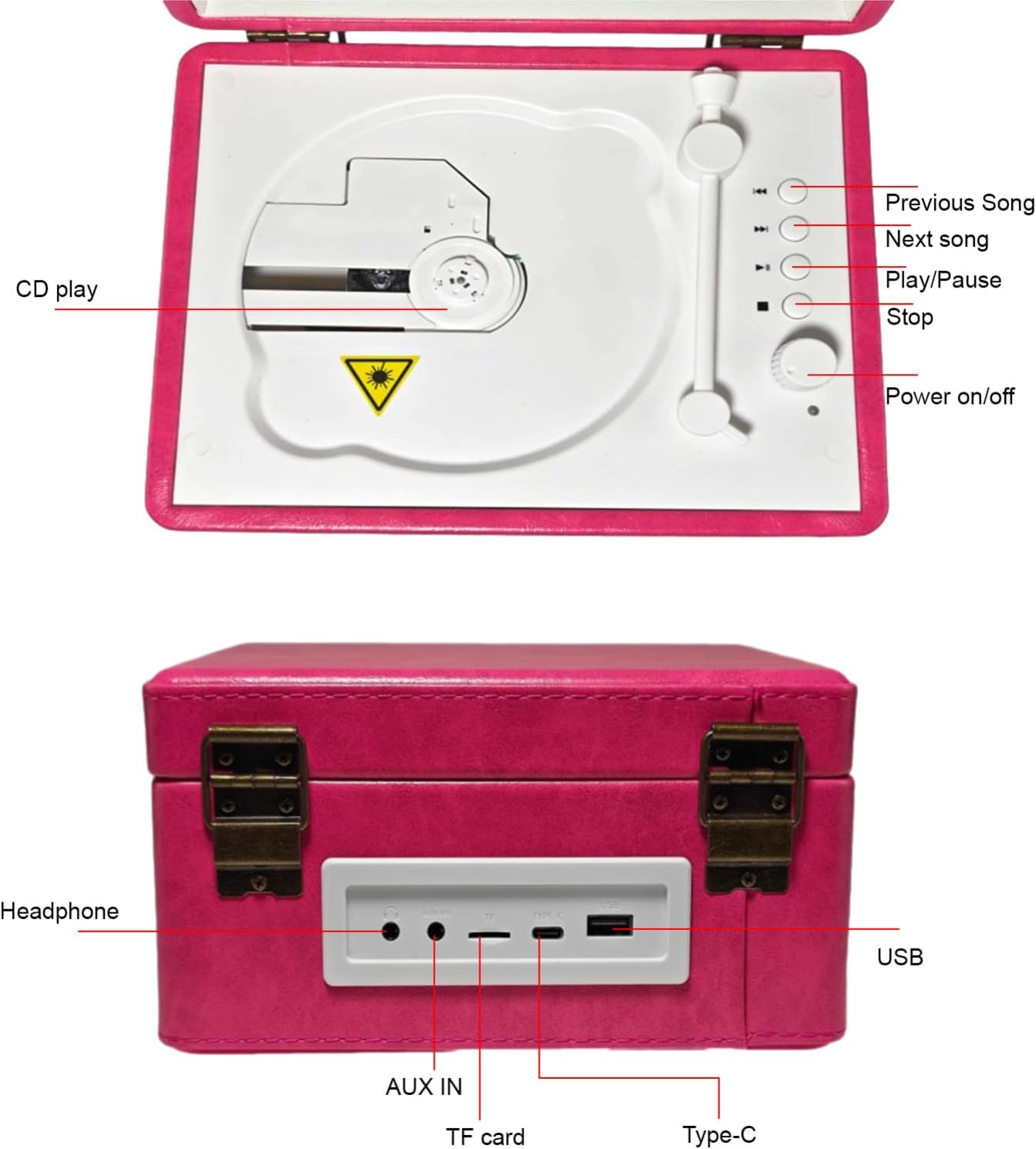
Figure 4.2: Top control panel layout. Includes buttons for CD play, previous song, next song, play/pause, stop, and power on/off.
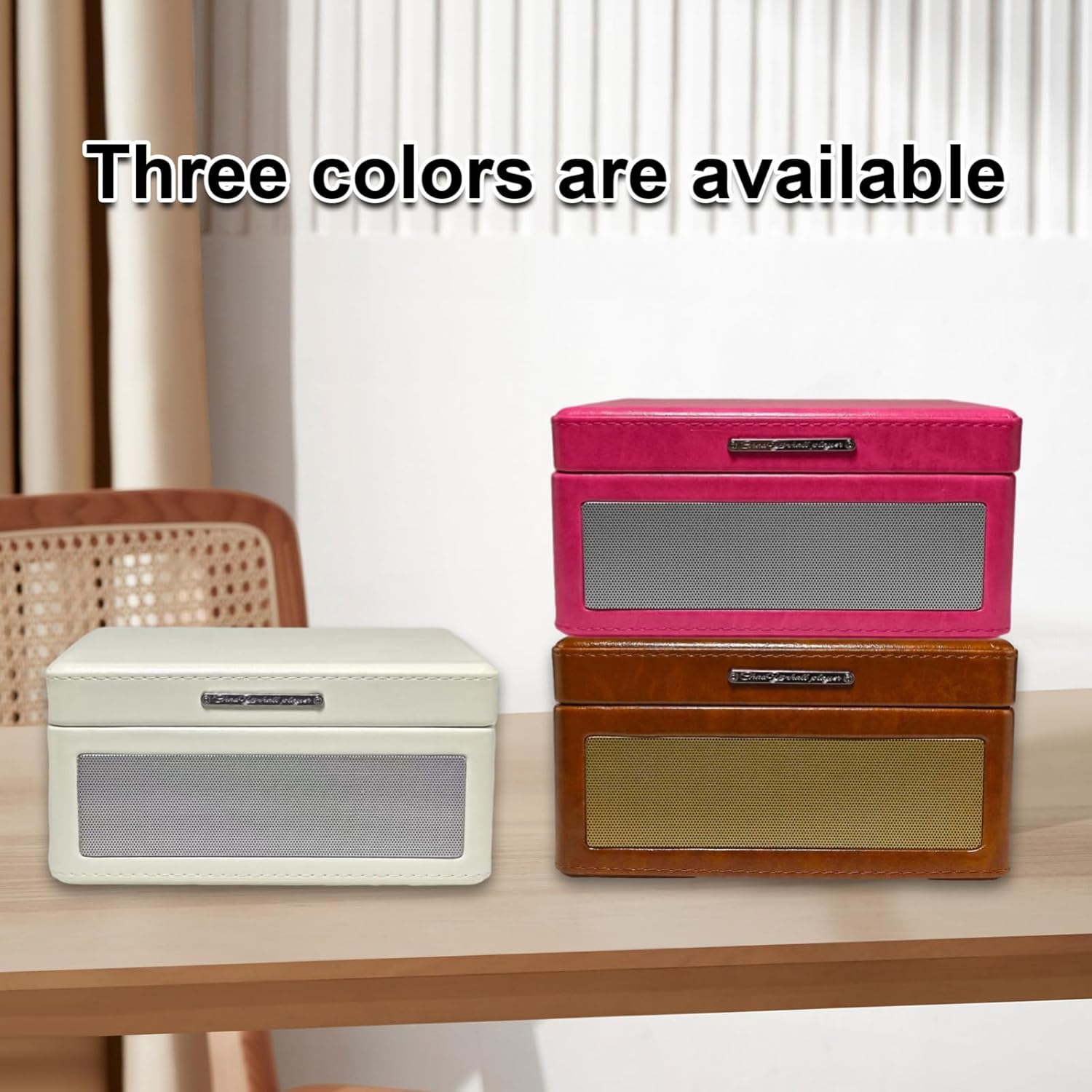
Figure 4.3: Rear panel with connectivity ports. From left to right: Headphone jack, AUX IN, TF card slot, Type-C charging port, and USB port.
4.2. प्रमुख वैशिष्ट्ये
- Tray-Type CD Player: Easy disc insertion for CD playback.
- ब्लूटूथ 5.0: Seamless wireless music streaming from smartphones and other Bluetooth-enabled devices.
- यूएसबी आणि टीएफ कार्ड प्लेबॅक: एमपी 3 चे समर्थन करते files from USB flash drives and TF memory cards.
- इन्फ्रारेड रिमोट कंट्रोल: दुरून सोयीस्कर ऑपरेशन.
- अंगभूत रिचार्जेबल बॅटरी: Provides 6-8 hours of continuous playback for portability.
- दुहेरी स्पीकर्स: Enhanced sound quality for an immersive audio experience.
- AUX इनपुट/आउटपुट: Connect external audio sources or output to external speakers.

Figure 4.4: Visual representation of the multiple playback modes supported by the device.
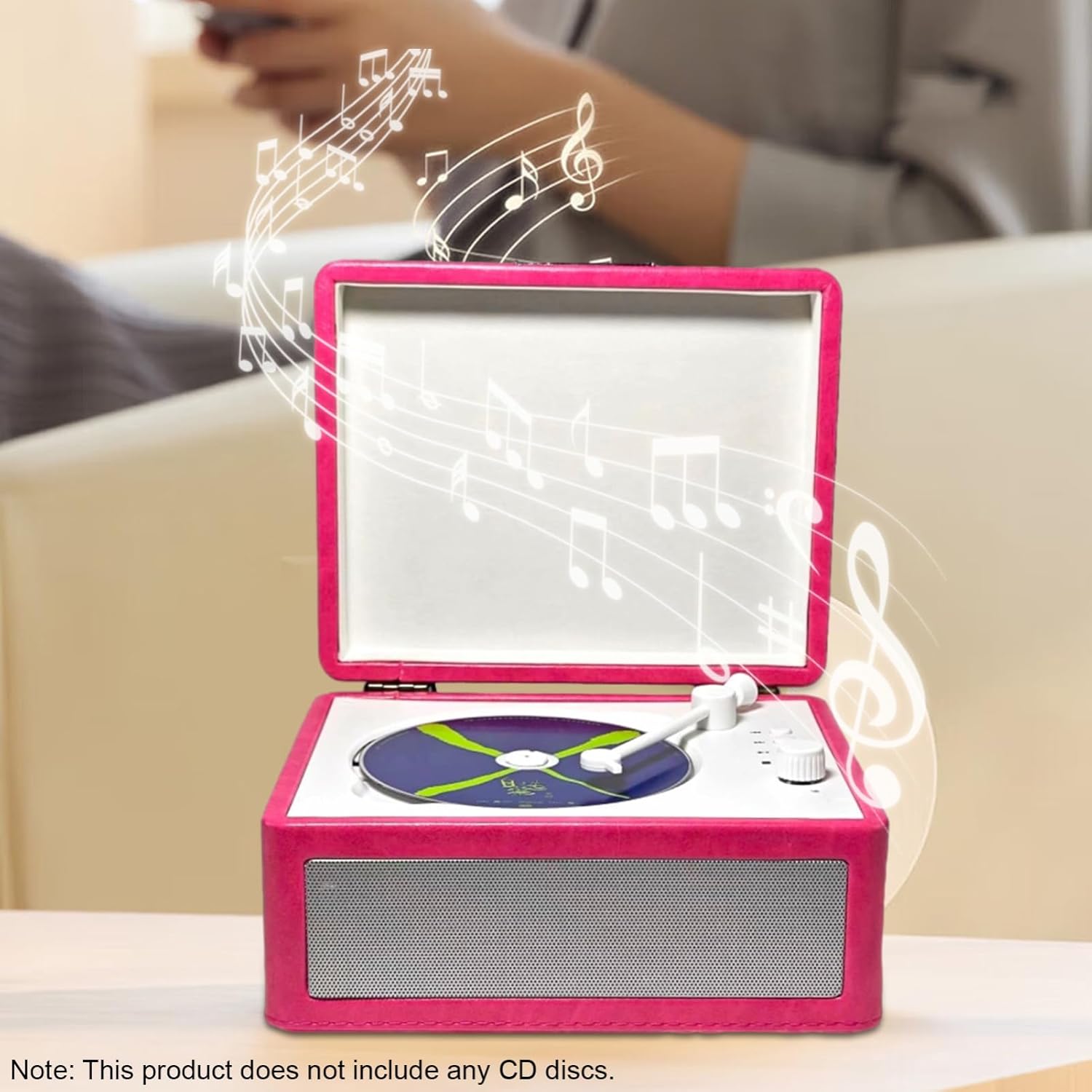
Figure 4.5: The device supports Bluetooth 5.0 for easy wireless connection to smartphones.
5. सेटअप
5.1. डिव्हाइस चार्ज करणे
- Locate the Type-C charging port on the rear of the device (refer to Figure 4.3).
- Connect the provided Type-C charging cable to the port.
- Plug the other end of the charging cable into a compatible USB power adapter (not included) or a computer's USB port.
- The charging indicator (if available) will illuminate during charging and turn off when fully charged.
पूर्ण चार्ज केल्याने अंदाजे ५-६ तासांचा प्लेबॅक वेळ मिळतो.
5.2. पॉवर चालू/बंद
- To power on, press and hold the 'Power on/off' button on the control panel (refer to Figure 4.2) or on the remote control.
- To power off, press and hold the 'Power on/off' button again.
6. ऑपरेटिंग सूचना
6.1. सीडी प्लेबॅक
- Open the lid of the CD player.
- Carefully place a CD onto the tray, ensuring it is centered.
- झाकण बंद करा.
- Press the 'CD play' button on the control panel or the 'Play/Pause' button on the remote control to start playback.
- Use the 'Previous Song' and 'Next Song' buttons to navigate tracks.
- Press 'Play/Pause' to pause or resume playback.
- Press 'Stop' to end CD playback.
6.2. Bluetooth (BT 5.0) Playback
- Power on the CD player.
- Switch the device to Bluetooth mode (usually indicated by a voice prompt or LED).
- आपल्या स्मार्टफोन किंवा इतर डिव्हाइसवर ब्लूटूथ सक्षम करा.
- साठी शोधा available devices and select "Sonew CD Player" (or similar name) from the list.
- Once paired, you can stream audio wirelessly from your device to the CD player.
- Use your connected device or the CD player's controls to manage playback.
6.3. USB Flash Drive / TF Card Playback
- Insert a USB flash drive into the USB port or a TF memory card into the TF card slot on the rear panel (refer to Figure 4.3).
- The device should automatically switch to USB or TF card mode and begin playing compatible MP3 files.
- Use the 'Previous Song', 'Next Song', 'Play/Pause', and 'Stop' buttons to control playback.
6.4. AUX Input/Output
- AUX इनपुट: Connect an external audio source (e.g., an MP3 player) to the 'AUX IN' port using a 3.5mm audio cable. The device will play audio from the connected source.
- हेडफोन आउटपुट: Connect headphones to the 'Headphone' jack for private listening.
१. रिमोट कंट्रोल वापर
The infrared remote control allows for convenient operation of all major functions, including power, mode selection, playback control (play/pause, stop, skip tracks), and volume adjustment. Ensure there is a clear line of sight between the remote and the player's infrared receiver.
7. देखभाल
- स्वच्छता: उपकरणाचा बाहेरील भाग स्वच्छ करण्यासाठी मऊ, कोरडा कापड वापरा. द्रव क्लीनर किंवा अपघर्षक पदार्थ वापरू नका.
- सीडी काळजी: Handle CDs by the edges. Clean CDs with a soft, lint-free cloth, wiping from the center outwards.
- स्टोरेज: जास्त काळ वापरात नसताना, उपकरण थंड, कोरड्या जागी ठेवा.
- बॅटरी: बॅटरीचे आयुष्य वाढवण्यासाठी, बॅटरी वारंवार पूर्णपणे डिस्चार्ज करणे टाळा. वापरात नसले तरीही, डिव्हाइस नियमितपणे चार्ज करा.
8. समस्या निवारण
| समस्या | संभाव्य कारण | उपाय |
|---|---|---|
| डिव्हाइस चालू होत नाही. | बॅटरी संपली आहे. | Connect the charging cable and charge the device. |
| प्लेबॅक दरम्यान आवाज नाही. | आवाज खूप कमी किंवा म्यूट आहे. चुकीचा मोड निवडला आहे. | Increase volume. Ensure correct playback mode (CD, BT, USB, TF, AUX) is selected. |
| सीडी वगळते किंवा वाजत नाही. | सीडी घाणेरडी आहे, ओरखडे पडलेली आहे किंवा चुकीच्या पद्धतीने घातली आहे. | Clean the CD. Ensure the CD is placed correctly on the tray. Try another CD. |
| ब्लूटूथ जोड्या अयशस्वी. | Device is not in pairing mode. Bluetooth is off on the source device. | Ensure the CD player is in Bluetooth mode. Turn Bluetooth on/off on your source device and try again. Move devices closer. |
| रिमोट कंट्रोल काम करत नाही. | Batteries are dead. Obstruction between remote and player. | Replace remote control batteries. Ensure clear line of sight to the player's infrared receiver. |
9. तपशील
| वैशिष्ट्य | तपशील |
|---|---|
| रेटेड पॉवर | 5W |
| रेट केलेली वारंवारता | २० हर्ट्झ - २० किलोहर्ट्झ |
| Disc Insertion Method | ट्रे प्रकार |
| स्पीकर इंटरफेस | 3.5mm input interface / 3.5mm output interface |
| रेट केलेले खंडtage | 5V |
| बॅटरी क्षमता | 2000mAh |
| बॅटरी वापर वेळ | अंदाजे 6-8 तास |
| उत्पादन साहित्य | Wood + ABS |
| उत्पादनाचा आकार (L x W x H) | ९.४ x ५.६ x २.५९ सेमी (३.७ x २.२१ x १.०२ इंच) |
| आयटम वजन | ४५४ ग्रॅम (१ पौंड) |
| मॉडेल क्रमांक | Sonew8eycf2xso1-2P |
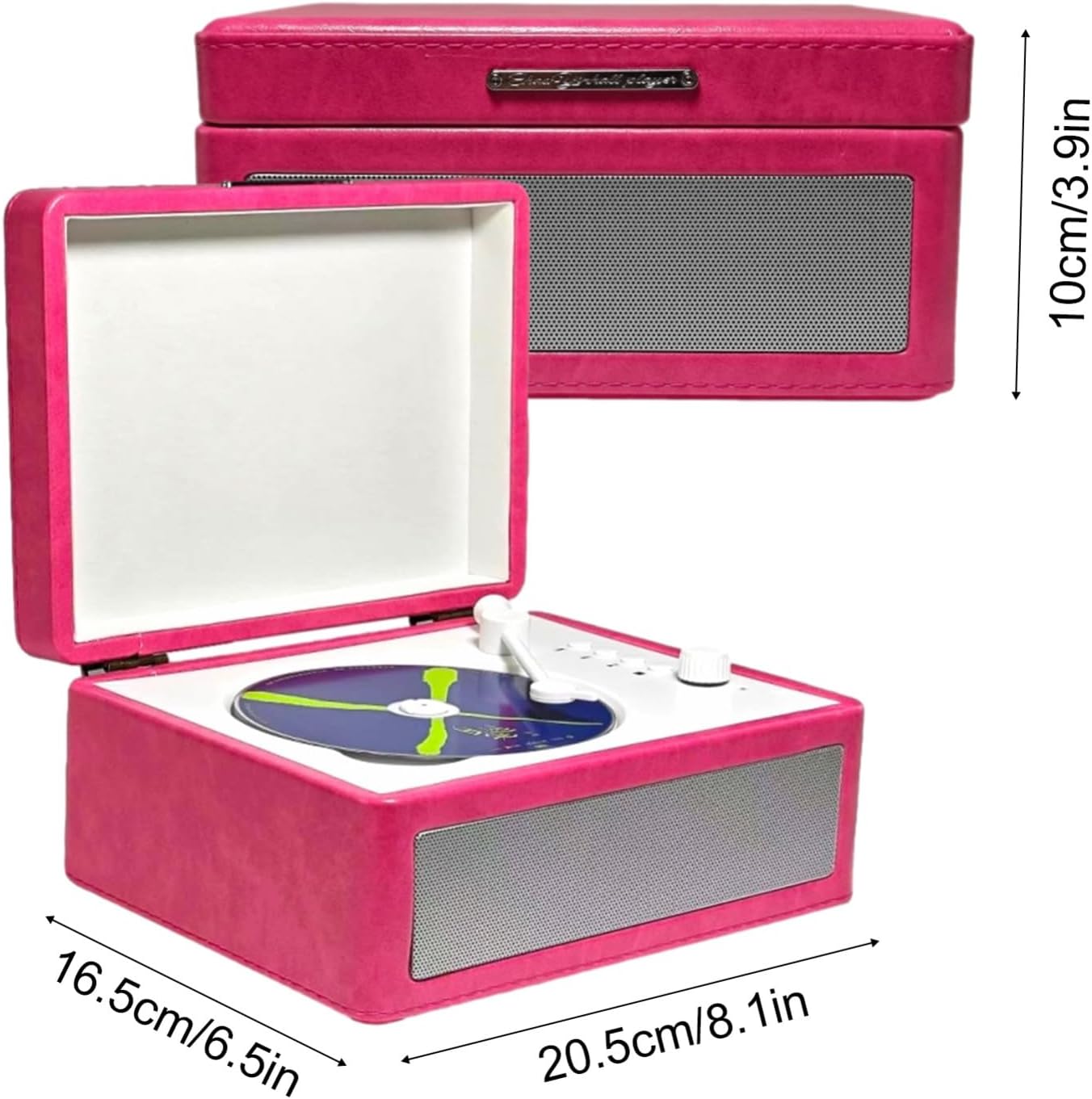
Figure 9.1: Product dimensions for the Sonew CD Player.
10. हमी आणि समर्थन
वॉरंटी माहिती आणि ग्राहक समर्थनासाठी, कृपया खरेदीच्या वेळी प्रदान केलेले दस्तऐवज पहा किंवा तुमच्या किरकोळ विक्रेत्याशी संपर्क साधा. कोणत्याही वॉरंटी दाव्यांसाठी तुमचा खरेदीचा पुरावा ठेवा.
१०. अधिकृत उत्पादन व्हिडिओ
या उत्पादनासाठी विक्रेत्याकडून कोणतेही अधिकृत उत्पादन व्हिडिओ आढळले नाहीत.


