1. परिचय
This manual provides detailed instructions for the installation, operation, and maintenance of your Luowice Solar Security Camera. This wireless outdoor camera features a 3W solar panel for continuous power, 360° pan and tilt functionality, 3MP color night vision, and is designed to be weatherproof for reliable outdoor use. Please read this manual thoroughly before use to ensure proper setup and functionality.

Image 1.1: Luowice Solar Security Camera with integrated solar panel.
2. उत्पादन संपलेview
2.1 प्रमुख वैशिष्ट्ये
- 100% Wire-Free Setup: Operates on WiFi and powered by a 3W solar panel, eliminating the need for frequent battery charging and complex wiring.
- वाइड अँगल कव्हरेज: Offers 355° horizontal and 90° vertical rotation for comprehensive area monitoring via the O-KAM PRO app.
- 3MP Color Night Vision: Provides clear, high-resolution video day and night, including full-color night vision with floodlights.
- Motion-Triggered Floodlights & Auto Tracking: Automatically activates floodlights and tracks human-shaped objects upon detection, enhancing security.
- द्वि-मार्ग ऑडिओ: Allows real-time communication with visitors or deterrence of intruders.
- स्थानिक आणि क्लाउड स्टोरेज: Supports micro SD card (up to 128GB, not included) for 24/7 loop recording and optional cloud storage services.
- वेदरप्रूफ डिझाइन: IP66 rated, ensuring reliable performance in various severe weather conditions.
- Multi-User Sharing & Data Encryption: Securely share camera access with family members with advanced encryption.
2.2 घटक
पॅकेजमध्ये सामान्यतः समाविष्ट असते:
- Luowice Solar Security Camera
- 3W Solar Panel (integrated or separate with mounting bracket)
- माउंटिंग ब्रॅकेट आणि स्क्रू
- यूएसबी चार्जिंग केबल
- वापरकर्ता मॅन्युअल
४. सेटअप सूचना
3.1 बॅटरी चार्ज करणे
Before initial use, fully charge the camera's internal battery using the provided USB cable. Connect the cable to the camera's charging port and a standard 5V USB power adapter (not included). The indicator light will show charging status.
३.२ अॅप इंस्टॉलेशन आणि अकाउंट तयार करणे
- डाउनलोड करा O-KAM PRO तुमच्या स्मार्टफोनच्या अॅप स्टोअरमधून (iOS किंवा Android) अॅप.
- अॅप उघडा आणि नवीन खाते तयार करण्यासाठी स्क्रीनवरील सूचनांचे अनुसरण करा किंवा जर तुमचे खाते आधीच असेल तर लॉग इन करा.
३.३ कॅमेरा वाय-फायशी जोडणे
- In the O-KAM PRO app, tap the "+" icon to add a new device.
- Select your camera model or scan the QR code on the camera if prompted.
- Follow the app's instructions to connect the camera to your 2.4 GHz Wi-Fi network. Ensure your phone is connected to the same 2.4 GHz network during setup.
- Once connected, the camera's indicator light will change, and you will receive a confirmation in the app.

Image 3.1: The camera supports 2.4 GHz Wi-Fi for stable data transmission.
3.4 कॅमेरा माउंट करणे
Choose a location with optimal sunlight exposure for the solar panel and a clear view of the area you wish to monitor. Ensure the camera is within range of your Wi-Fi network.
- Mark the drilling positions using the mounting bracket as a template.
- आवश्यक असल्यास छिद्रे ड्रिल करा आणि भिंतीवर अँकर घाला.
- Secure the mounting bracket to the wall with screws.
- Attach the camera to the mounting bracket. Adjust the angle of the solar panel to maximize sunlight exposure.

Image 3.2: Camera mounted outdoors, demonstrating continuous solar power.
4. ऑपरेटिंग सूचना
4.1 थेट View आणि पॅन/टिल्ट नियंत्रण
Open the O-KAM PRO app and select your camera to access the live view. Use the on-screen controls to pan (355° horizontal) and tilt (90° vertical) the camera to adjust its viewकोन.

Image 4.1: Remote pan and tilt control via the O-KAM PRO app.
४.४ टू-वे ऑडिओ
थेट पासून view, tap the microphone icon to speak through the camera's speaker. Tap the speaker icon to listen to audio from the camera's vicinity.

Image 4.2: Demonstrating two-way audio communication.
३.३ हालचाल शोधणे आणि सूचना
The camera features advanced motion detection with human shape recognition. When motion is detected, the camera can automatically turn on floodlights, track the object, and send instant alerts to your phone.
- Setting Detection Sensitivity: In the app settings, adjust the detection sensitivity to minimize false alarms.
- Defining Detection Zones: Create specific detection zones to focus monitoring on critical areas and ignore irrelevant movements.
- सूचना: Receive instant app notifications and email alerts when motion is detected.

Image 4.3: Motion detection with intelligent recognition for humans, vehicles, and pets.

Image 4.4: Configuring custom motion detection zones.
4.4 रेकॉर्डिंग आणि स्टोरेज
The camera supports two primary storage methods:
- मायक्रो एसडी कार्ड: Insert a micro SD card (up to 128GB, not included) into the designated slot for continuous 24/7 loop recording, even without network access.
- क्लाउड स्टोरेज: Optional cloud storage services are available through the O-KAM PRO app for secure, remote access to your footage.

Image 4.5: Micro SD card slot for local storage.
5. देखभाल
5.1 स्वच्छता
- कॅमेरा लेन्स आणि सोलर पॅनल नियमितपणे सॉफ्ट, डी ने पुसून टाका.amp cloth to remove dust and debris. This ensures optimal image clarity and solar charging efficiency.
- कठोर रसायने किंवा अपघर्षक क्लीनर वापरू नका.
5.2 हवामान संरक्षण
The camera is IP66 weatherproof, designed to withstand rain, snow, and dust. However, extreme weather conditions may temporarily affect performance. Ensure all ports are securely sealed.
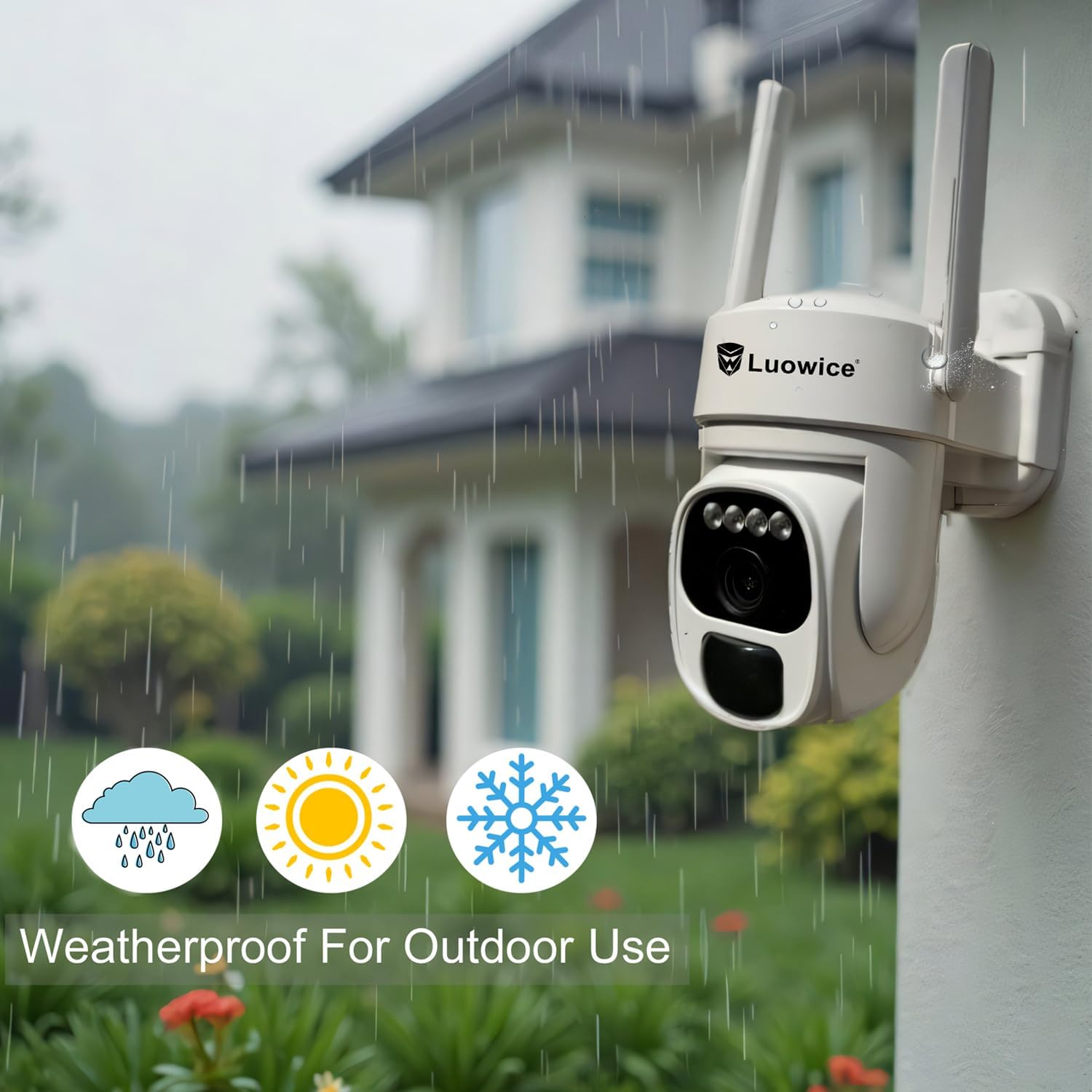
Image 5.1: The camera's weatherproof design for outdoor use.
6. समस्या निवारण
- कॅमेरा वाय-फायशी कनेक्ट होत नाही: Ensure your Wi-Fi is 2.4 GHz. Check Wi-Fi signal strength at the camera's location. Restart your router and the camera.
- बॅटरी चार्ज होत नाही: Verify the solar panel is clean and receiving direct sunlight. Check the USB charging cable connection. Ensure the ambient temperature is within the operating range for charging.
- खराब व्हिडिओ गुणवत्ता: Clean the camera lens. Ensure adequate lighting. Check your internet connection speed.
- खोट्या हालचाली सूचना: Adjust motion detection sensitivity in the app. Define specific detection zones to exclude irrelevant areas.
- Pan/Tilt not responding: Check app connectivity. Ensure there are no physical obstructions. Restart the camera.
7. तपशील
| वैशिष्ट्य | तपशील |
|---|---|
| व्हिडिओ कॅप्चर रिझोल्यूशन | 3 MP |
| उर्जा स्त्रोत | Solar Powered (3W Solar Panel) |
| कनेक्टिव्हिटी प्रोटोकॉल | वाय-फाय (2.4 GHz) |
| पॅन/टिल्ट श्रेणी | 355° क्षैतिज, 90° अनुलंब |
| नाईट व्हिजन | Color Night Vision with Floodlights |
| स्टोरेज पर्याय | मायक्रो एसडी कार्ड (१२८ जीबी पर्यंत), क्लाउड स्टोरेज |
| वेदरप्रूफ रेटिंग | IP66 |
| बॅटरी आवश्यक | 1 लिथियम आयन बॅटरी (समाविष्ट) |
| आयटम वजन | 1.85 पाउंड |
| परिमाण | २.९९ x २.९५ x १.७३ इंच (पॅकेज) |
| सुसंगत साधने | स्मार्टफोन, टॅब्लेट, संगणक |
8. हमी आणि समर्थन
8.1 हमी माहिती
Luowice products typically come with a manufacturer's warranty. Please refer to the product packaging or the official Luowice website for specific warranty terms and conditions. Optional extended protection plans may be available for purchase.
8.2 ग्राहक समर्थन
For technical assistance, troubleshooting, or warranty claims, please contact Luowice customer support through their official website or the contact information provided with your product. When contacting support, please have your product model (B0DF4TVZ7Z) and purchase details ready.