1. परिचय
Thank you for choosing the Codnida 4MP Outdoor Surveillance Camera System. This manual provides detailed instructions to help you install, operate, and maintain your security system effectively. Please read this manual thoroughly before use and retain it for future reference.
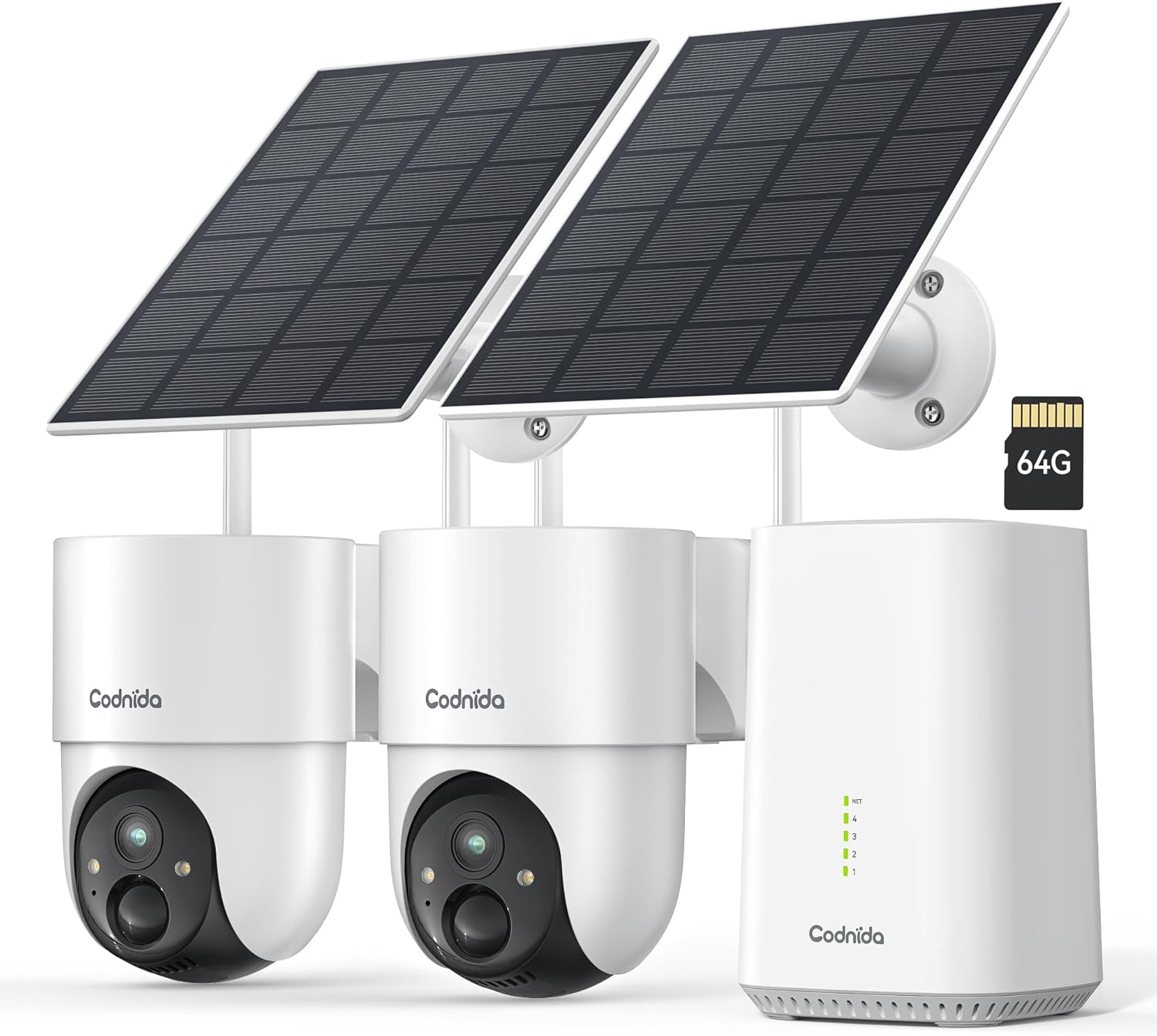
Image 1.1: Codnida 4MP Outdoor Surveillance Camera System components.
2. पॅकेज सामग्री
खाली सूचीबद्ध केलेल्या सर्व वस्तू तुमच्या पॅकेजमध्ये समाविष्ट आहेत याची खात्री करा. जर काही वस्तू गहाळ किंवा खराब झाल्या असतील तर कृपया ग्राहक समर्थनाशी संपर्क साधा.
- 2 x Codnida 4MP Outdoor Cameras
- 2 x सौर पॅनेल
- 1 x बेस स्टेशन
- 1 x HDMI केबल
- केबलसह 1 x पॉवर अडॅप्टर
- 1 x 64GB TF Memory Card (pre-installed or separate)
- 1 एक्स नेटवर्क केबल
- 4 x माउंटिंग स्क्रू
- २ x चेतावणी स्टिकर्स
- १ x वापरकर्ता मॅन्युअल (हे दस्तऐवज)
3. सेटअप मार्गदर्शक
3.1 Base Station Connection
- Connect the Base Station to a power outlet using the provided power adapter.
- Connect the Base Station to your router using the provided network cable.
- Optionally, connect the Base Station to a TV or monitor using the HDMI cable for a larger display.
3.2 कॅमेरा स्थापना
The cameras are designed for outdoor use and are solar-powered, minimizing the need for frequent battery charging.
- सौर पॅनेलसाठी इष्टतम सूर्यप्रकाश प्रदान करणारे आणि स्वच्छ असलेले माउंटिंग स्थान निवडा view तुम्ही निरीक्षण करू इच्छित असलेल्या क्षेत्राचे.
- Mount the camera and solar panel securely using the provided screws. Ensure the solar panel is angled to receive maximum direct sunlight.
- सोलर पॅनल केबल कॅमेऱ्याला जोडा.
- Ensure the camera is within range of the Base Station's Wi-Fi signal (2.4 GHz or 5 GHz).
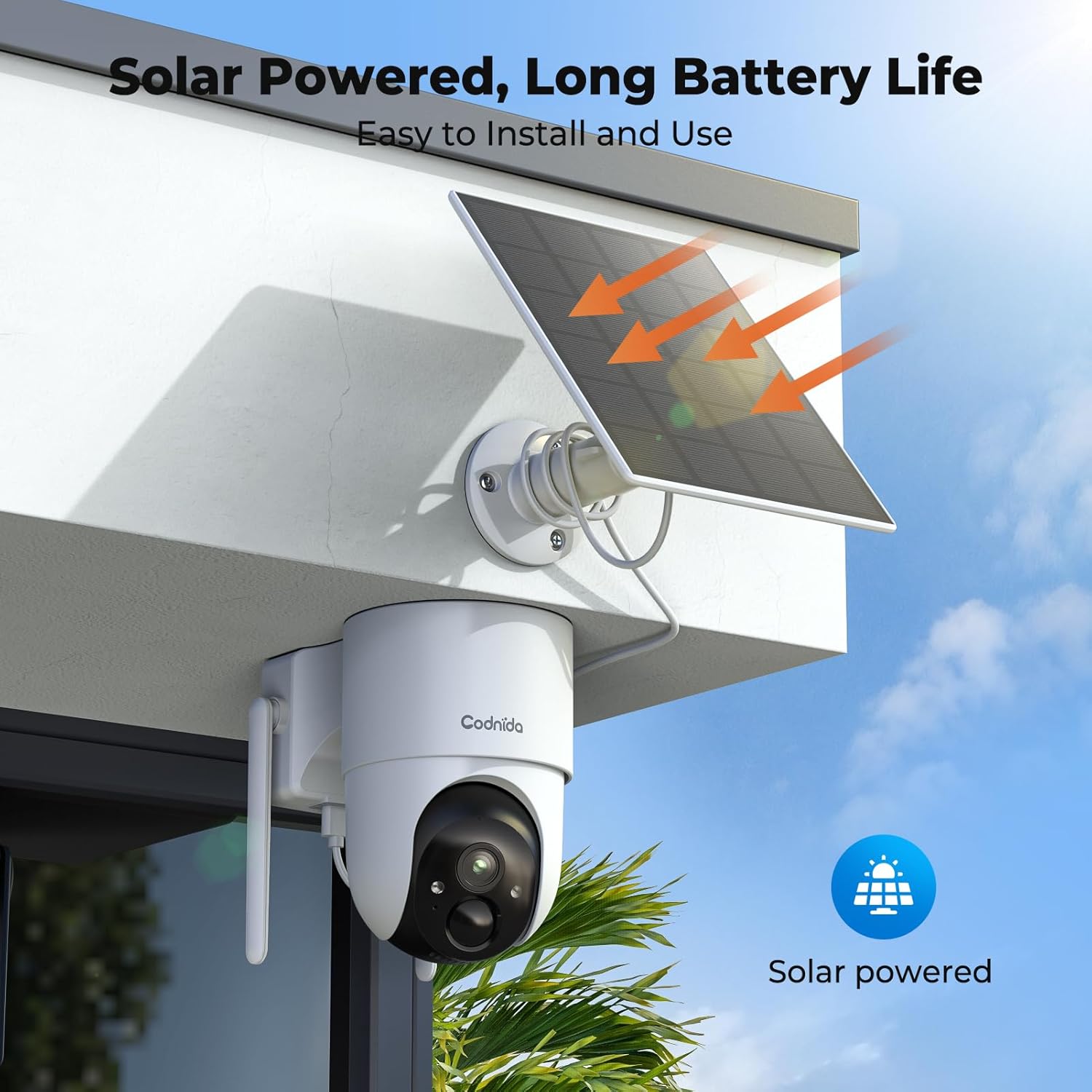
प्रतिमा ५.२: उदा.ample of solar-powered camera installation.
3.3 App Setup (EseeCloud)
- Download the "EseeCloud" app from your smartphone's app store.
- तुमच्याकडे आधीच खाते असल्यास किंवा लॉग इन करून नोंदणी करा.
- Follow the in-app instructions to add your Base Station and cameras. This typically involves scanning a QR code or manually entering device IDs.
- एकदा कनेक्ट झाल्यानंतर, आपण हे करू शकता view live feeds, access recordings, and configure settings.
4. ऑपरेटिंग सूचना
4.1 थेट View आणि रेकॉर्डिंग
Access the EseeCloud app or a connected monitor to view लाइव्ह फूtage from your cameras. The system supports 24/7 recording to the included 64GB TF card, providing up to 120 days of video storage.

Image 4.1.1: Live view display on a monitor.
५.१ पॅन-टिल्ट-झूम (PTZ) नियंत्रण
The cameras offer 355° pan and 90° tilt capabilities, providing a 360° view of your surroundings. Control these movements directly from the EseeCloud app.

Image 4.2.1: Pan-Tilt control via EseeCloud app.
३.३ हालचाल शोधणे आणि सूचना
The system features PIR motion detection, capable of identifying persons, vehicles, and animals. You will receive real-time notifications on your smartphone when motion is detected in designated areas.

Image 4.3.1: PIR motion detection identifying objects.
4.4 रात्रीची दृष्टी
The cameras provide crystal clear 4MP video quality, including two night vision modes: infrared and color night vision, effective up to 15 meters (65 feet).
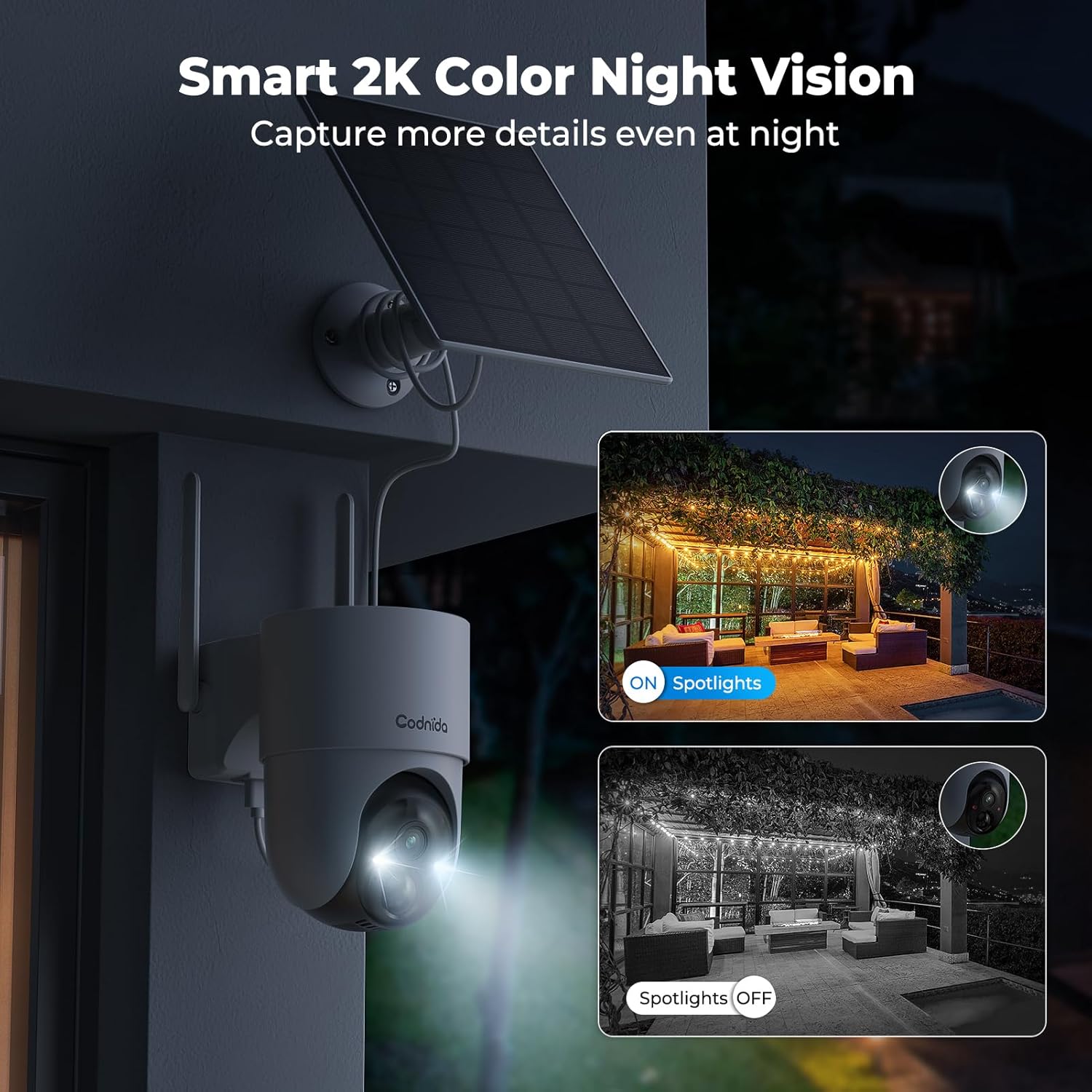
Image 4.4.1: Smart 2K color night vision with spotlights.
४.४ टू-वे ऑडिओ
Utilize the built-in microphone and speaker for two-way communication through the EseeCloud app. This allows you to speak to visitors or deter intruders remotely.

Image 4.5.1: Two-way audio functionality via smartphone.
5. देखभाल
४.१ सौर पॅनेलची काळजी
Regularly clean the surface of the solar panels to ensure optimal charging efficiency. Dust, dirt, and debris can reduce sunlight absorption. Use a soft, damp साफसफाईसाठी कापड.
5.2 Camera Cleaning
Wipe the camera lens and body with a soft, lint-free cloth to remove any smudges or dirt. Avoid using harsh chemicals that could damage the camera's finish or lens coating. The cameras are IP65 water-resistant, designed to withstand rain and snow.

Image 5.2.1: IP65 water resistance for all-weather protection.
5.3 फर्मवेअर अद्यतने
Periodically check the EseeCloud app for available firmware updates. Keeping your device's firmware updated ensures optimal performance, security, and access to new features.
6. समस्या निवारण
| समस्या | संभाव्य कारण | उपाय |
|---|---|---|
| Camera not connecting to Base Station | Out of range; Wi-Fi interference; incorrect pairing. | Move camera closer to Base Station; reduce interference; re-pair camera via EseeCloud app. |
| व्हिडिओ फीड नाही | Camera offline; network issue; power issue. | Check camera power and network connection; restart Base Station and router. |
| खराब प्रतिमा गुणवत्ता | Dirty lens; low network bandwidth; app setting. | Clean camera lens; ensure stable Wi-Fi; select HD quality in EseeCloud app. |
| सोलर पॅनल चार्ज होत नाही | पुरेसा सूर्यप्रकाश नाही; घाणेरडा पॅनेल; सदोष कनेक्शन. | Relocate panel for more sun; clean panel surface; check cable connection. |
| मोशन अलर्ट काम करत नाहीत | Motion detection disabled; incorrect sensitivity; app notification settings. | Enable motion detection in app; adjust sensitivity; check phone notification settings for EseeCloud. |
7. तपशील
| वैशिष्ट्य | तपशील |
|---|---|
| मॉडेल | COD-214 (D214) |
| व्हिडिओ रिझोल्यूशन | 4MP (1440p recording) |
| Viewकोन | ३६० अंश (३५५° पॅन, १४०° टिल्ट) |
| नाइट व्हिजन रेंज | ७.९२ मीटर (२६ फूट) |
| स्टोरेज | 64GB TF Card (included) |
| कनेक्टिव्हिटी | Wireless (Wi-Fi 2.4GHz/5GHz), HDMI |
| उर्जा स्त्रोत | Solar Powered (Lithium-ion battery) |
| पाणी प्रतिकार | IP65 (जलरोधक) |
| विशेष वैशिष्ट्ये | Two-way audio, Motion detection, HD Resolution, PTZ Technology, Night vision |
| सुसंगत साधने | Smartphone (EseeCloud app) |
| साहित्य | प्लास्टिक |
| वीज वापर | 5 वॅट्स |
| स्थापना प्रकार | Screw-in (Wall, Ceiling, Tree, Door mounting) |
8. हमी आणि समर्थन
8.1 उत्पादक हमी
The Codnida 4MP Outdoor Surveillance Camera System comes with a manufacturer's warranty of 1.5 years from the date of purchase. Please retain your proof of purchase for warranty claims.
8.2 ग्राहक समर्थन
For technical assistance, troubleshooting, or warranty inquiries, please contact Codnida customer support. Refer to the contact information provided on the product packaging or the official Codnida webसाइट


