परिचय
This manual provides essential information for the HP Victus Gaming Laptop, model 15-fa. It covers initial setup, operational guidelines, maintenance procedures, troubleshooting tips, and detailed product specifications. Please read this manual thoroughly to ensure proper use and longevity of your device.
The HP Victus Gaming Laptop is designed for performance, featuring a 12th Gen Intel Core i5-12450H processor, NVIDIA GeForce RTX 3050 graphics, 16GB RAM, and a 2TB PCIe 4.0 SSD, all housed within a 15.6-inch FHD 144Hz display. It operates on Windows 11 Pro.

Image: The HP Victus Gaming Laptop with its lid open, showcasing the 15.6-inch display with the Windows 11 Pro operating system interface.
व्हिडिओ: एक षटकview of the HP Victus Gaming Laptop, highlighting its design and key features. This video provides a visual introduction to the product.
सेटअप
1. अनबॉक्सिंग आणि प्रारंभिक तपासणी
पॅकेजिंगमधून सर्व घटक काळजीपूर्वक काढा. बॉक्समध्ये खालील गोष्टी असाव्यात:
- एचपी व्हिक्टस गेमिंग लॅपटॉप
- एसी अडॅप्टर
- Battery (may be integrated)
- दस्तऐवजीकरण
- HDMI केबल
Inspect the laptop and accessories for any signs of damage. If any components are missing or damaged, contact your retailer or HP support immediately.
2. चालू करणे आणि शुल्क आकारणे
- एसी अॅडॉप्टरला लॅपटॉपच्या पॉवर पोर्टशी आणि नंतर पॉवर आउटलेटशी जोडा.
- लॅपटॉप चालू करण्यासाठी पॉवर बटण दाबा.
- Allow the battery to fully charge before initial use, or continue using it while charging.
२. ऑपरेटिंग सिस्टम सेटअप (विंडोज ११ प्रो)
विंडोज ११ प्रो सेटअप पूर्ण करण्यासाठी स्क्रीनवरील सूचनांचे अनुसरण करा. यामध्ये सामान्यतः हे समाविष्ट असते:
- तुमचा प्रदेश आणि कीबोर्ड लेआउट निवडणे.
- वाय-फाय नेटवर्कशी कनेक्ट करत आहे.
- मायक्रोसॉफ्ट खात्यासह साइन इन करणे किंवा तयार करणे.
- गोपनीयता सेटिंग्ज सेट करत आहे.
4. पेरिफेरल्स कनेक्ट करणे
Your HP Victus laptop offers various ports for connecting external devices. Refer to the port diagram below for identification.

Image: A detailed diagram illustrating the various ports available on the HP Victus Gaming Laptop, including USB-C, USB-A, HDMI, RJ45, SD Card Reader, and headphone/microphone combo jack.
- USB-C (5Gbps signaling rate, DisplayPort 1.4, HP Sleep and Charge): For data transfer, video output, and charging compatible devices.
- USB Type-A (5Gbps signaling rate, HP Sleep and Charge): उंदीर, कीबोर्ड किंवा बाह्य ड्राइव्ह सारख्या USB डिव्हाइसेसना जोडण्यासाठी.
- HDMI2.1: बाह्य डिस्प्ले किंवा टीव्हीशी कनेक्ट करण्यासाठी.
- RJ-45: वायर्ड इथरनेट नेटवर्क कनेक्शनसाठी.
- मल्टी-फॉरमॅट एसडी मीडिया कार्ड रीडर: For reading SD memory cards.
- हेडफोन/मायक्रोफोन कॉम्बो: हेडफोन किंवा हेडसेट कनेक्ट करण्यासाठी.
तुमचा लॅपटॉप चालवणे
६.१. मूलभूत संवाद
The laptop features a full-size backlit keyboard and a precision touchpad for navigation. Familiarize yourself with common Windows gestures for efficient use.
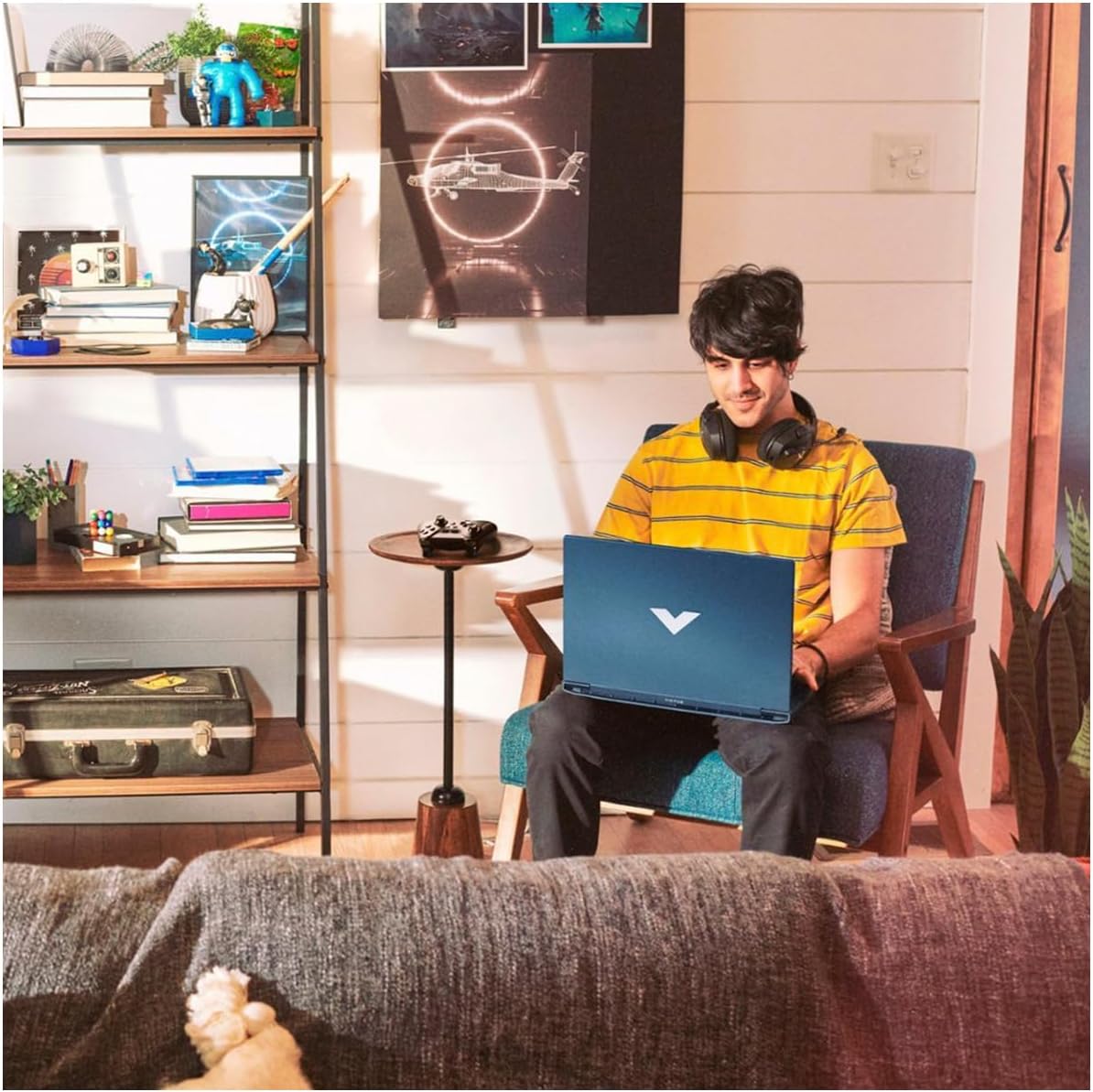
Image: A user comfortably operating the HP Victus Gaming Laptop in a home environment, demonstrating typical usage.

प्रतिमा: जवळून पाहिलेला फोटो view of hands interacting with an external gaming keyboard and mouse, with the HP Victus laptop visible nearby, illustrating its use with peripherals.
१. डिस्प्ले आणि ग्राफिक्स
Your laptop is equipped with a 15.6-inch FHD (1920 x 1080) 144Hz IPS anti-glare display, powered by an NVIDIA GeForce RTX 3050. This combination provides smooth visuals and high frame rates for gaming and multimedia. Adjust display settings via Windows Display Settings or NVIDIA Control Panel for optimal performance.
५. ऑडिओ वैशिष्ट्ये
Experience clear audio through HP Dual Speakers with HP Audio Boost, custom-tuned by B&O. Adjust volume and audio profiles through the Windows sound settings or dedicated HP audio software.
६.३. नेटवर्क आणि कनेक्टिव्हिटी
- Wi-Fi 6: Connect to wireless networks for internet access. Manage connections through the Windows network settings.
- ब्लूटूथ: हेडफोन, स्पीकर किंवा गेम कंट्रोलर सारख्या ब्लूटूथ-सक्षम डिव्हाइसेससह पेअर करा.
- आरजे-४५ (इथरनेट): For a stable, high-speed wired internet connection.
देखभाल
६.१. तुमचा लॅपटॉप साफ करणे
- मऊ, लिंट-फ्री कापड किंचित वापरा dampडिस्प्लेसाठी पाण्याने किंवा स्क्रीन क्लीनरने भिजवा.
- कीबोर्ड आणि चेसिससाठी, मऊ कापड वापरा. कठोर रसायने टाळा.
- Periodically use compressed air to clear dust from vents to maintain optimal cooling.
2. बॅटरी काळजी
- अति तापमान टाळा.
- बॅटरी वारंवार पूर्णपणे डिस्चार्ज करू नका.
- जर लॅपटॉप जास्त काळ साठवून ठेवत असाल तर बॅटरी सुमारे ५०-६०% चार्ज झाली आहे याची खात्री करा.
3. सॉफ्टवेअर अद्यतने
Regularly update Windows 11 Pro and device drivers (especially graphics drivers) to ensure security, performance, and compatibility. You can check for updates via Windows Update and the HP Support Assistant application.
4. स्टोरेज व्यवस्थापन
Your laptop comes with a 2TB PCIe 4.0 SSD. Regularly manage your storage by deleting unnecessary files, uninstalling unused applications, and utilizing cloud storage if needed, to maintain optimal system performance.
समस्यानिवारण
हा विभाग तुम्हाला येऊ शकणाऱ्या सामान्य समस्यांबद्दल चर्चा करतो. अधिक जटिल समस्यांसाठी, HP सपोर्ट पहा. webसाइट किंवा तांत्रिक समर्थनाशी संपर्क साधा.
१. लॅपटॉप चालू होत नाही
- एसी अॅडॉप्टर लॅपटॉप आणि कार्यरत पॉवर आउटलेटशी सुरक्षितपणे जोडलेले आहे याची खात्री करा.
- दुसरे उपकरण प्लग इन करून पॉवर आउटलेट कार्यरत आहे का ते तपासा.
- जर बॅटरी पूर्णपणे संपली असेल, तर पुन्हा चालू करण्याचा प्रयत्न करण्यापूर्वी ती किमान 30 मिनिटे चार्ज होऊ द्या.
१. डिस्प्ले समस्या
- स्क्रीनवर कोणतीही प्रतिमा नाही: Ensure the laptop is powered on. Try connecting an external monitor via HDMI to check if the issue is with the laptop's display or graphics output.
- चमकणारी किंवा विकृत प्रतिमा: Update your graphics drivers. Adjust display resolution and refresh rate in Windows settings.
५.३. कनेक्टिव्हिटी समस्या (वाय-फाय/ब्लूटूथ)
- वाय-फाय कनेक्ट होत नाही: Check if Wi-Fi is enabled in Windows settings. Restart your router and modem. Ensure you are entering the correct Wi-Fi password.
- ब्लूटूथ डिव्हाइस पेअर होत नाही: Ensure Bluetooth is enabled on both the laptop and the device. Place devices close to each other. Try removing and re-pairing the device.
६.३. कामगिरी समस्या
- मंद कामगिरी: अनावश्यक अॅप्लिकेशन्स बंद करा. जास्त CPU किंवा RAM वापरणाऱ्या प्रक्रियांसाठी टास्क मॅनेजर तपासा. SSD वर पुरेशी मोकळी जागा असल्याची खात्री करा.
- जास्त गरम होणे: Ensure vents are clear of obstructions. Use the laptop on a hard, flat surface. Consider using a cooling pad if persistent.
तपशील
Below are the key technical specifications for the HP Victus Gaming Laptop 15-fa:
| वैशिष्ट्य | तपशील |
|---|---|
| मॉडेलचे नाव | Victus 15-fa |
| प्रोसेसर | १०वी जनरल इंटेल कोर i5-12450H (६ कोर, ५.० GHz पर्यंत) |
| ग्राफिक्स | NVIDIA GeForce RTX 3050 (समर्पित) |
| डिस्प्ले | 15.6-inch FHD (1920 x 1080), 144 Hz, IPS, micro-edge, anti-glare, 250 nits, 45% NTSC |
| रॅम | 16 GB SO-DIMM |
| स्टोरेज | 2 TB PCIe 4.0 SSD |
| ऑपरेटिंग सिस्टम | विंडोज 11 प्रो |
| बंदरे | 1x USB-C (5Gbps, DisplayPort 1.4, HP Sleep and Charge), 2x USB-A (5Gbps, HP Sleep and Charge), 1x HDMI 2.1, 1x RJ45, 1x SD Card Reader, 1x Headphone/Microphone combo |
| वायरलेस कनेक्टिव्हिटी | वाय-फाय 6, ब्लूटूथ |
| ऑडिओ | HP Dual Speakers, HP Audio Boost, B&O Tuning |
| कीबोर्ड | न्यूमेरिक कीपॅडसह बॅकलिट कीबोर्ड |
| परिमाण (LxWxH) | 14.09 x 10.04 x 0.93 इंच |
| वजन | 5.06 पाउंड |
| रंग | Performance Blue |

Image: A diagram illustrating the physical dimensions (width, depth, height) of the HP Victus Gaming Laptop.
हमी आणि समर्थन
1. उत्पादन हमी
Your HP Victus Gaming Laptop comes with a ६ महिन्यांची वॉरंटी. This warranty covers manufacturing defects and hardware malfunctions under normal use. Please retain your proof of purchase for warranty claims. For detailed terms and conditions, refer to the warranty documentation included with your product or visit the official HP webसाइट
2. तांत्रिक सहाय्य
For technical assistance, troubleshooting beyond this manual, or warranty service, please contact HP Support. You can find support resources, drivers, and contact information on the official HP webसाइट:
When contacting support, have your laptop's serial number and model number (15-fa) ready. These can usually be found on a sticker on the bottom of the laptop or within the system information in Windows.