1. परिचय
This manual provides essential information for the safe and efficient use of your LG 86UQ7590PUD 86 Inch HDR 4K UHD Smart TV. Please read it thoroughly before operating the device and retain it for future reference.
2. सुरक्षितता माहिती
विजेचा धक्का, आग किंवा उत्पादनाचे नुकसान टाळण्यासाठी खालील सुरक्षा खबरदारी पाळा:
- वायुवीजन उघडण्यास अडथळा आणू नका.
- टीव्ही उष्णतेच्या स्रोतांजवळ ठेवू नका.
- पॉवर कॉर्ड चालू होण्यापासून किंवा पिंच करण्यापासून संरक्षण करा.
- केवळ निर्मात्याने निर्दिष्ट केलेल्या संलग्नक/ॲक्सेसरीज वापरा.
- वीज पडताना किंवा बराच काळ वापरात नसताना टीव्ही अनप्लग करा.
- सर्व सेवांचा संदर्भ पात्र सेवा कर्मचाऱ्यांना द्या.
२. बॉक्समध्ये काय आहे?
सर्व घटक उपस्थित आहेत याची खात्री करा:
- LG 86UQ7590PUD 86 Inch HDR 4K UHD Smart TV
- रिमोट कंट्रोल
- स्टँड (२ तुकडे)
- २ एए बॅटरी (रिमोटसाठी)
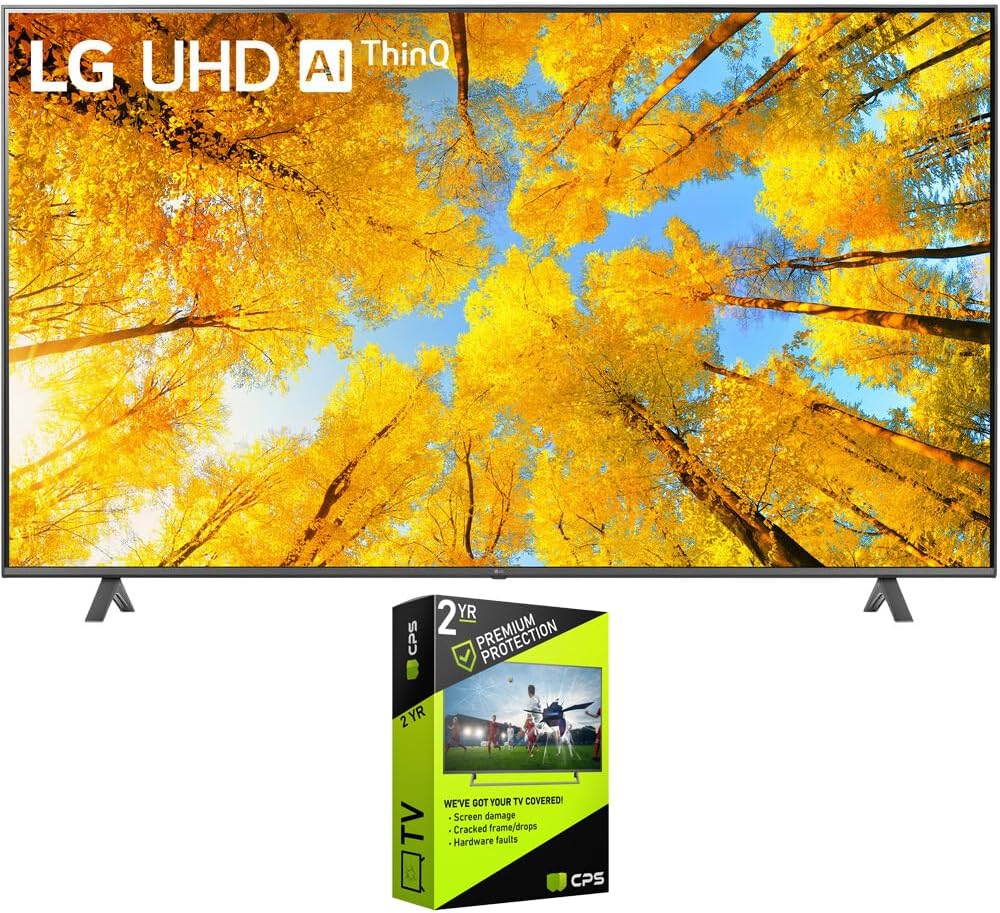
Figure 3.1: LG 86UQ7590PUD Smart TV with included stand and optional protection pack.
4. सेटअप
4.1 स्टँड स्थापना
Carefully attach the two stand pieces to the bottom of the TV using the provided screws. Ensure the stand is securely fastened before placing the TV on a stable, flat surface.
4.2 वॉल माउंटिंग
If wall-mounting, use a VESA-compatible wall mount (sold separately) appropriate for the TV's size and weight. Follow the wall mount manufacturer's instructions for installation. Ensure proper wall reinforcement.
आकृती २: साइड प्रोfile of the LG 86UQ7590PUD Smart TV, illustrating its slim design for stand or wall mounting.
4.3 कनेक्टिंग डिव्हाइसेस
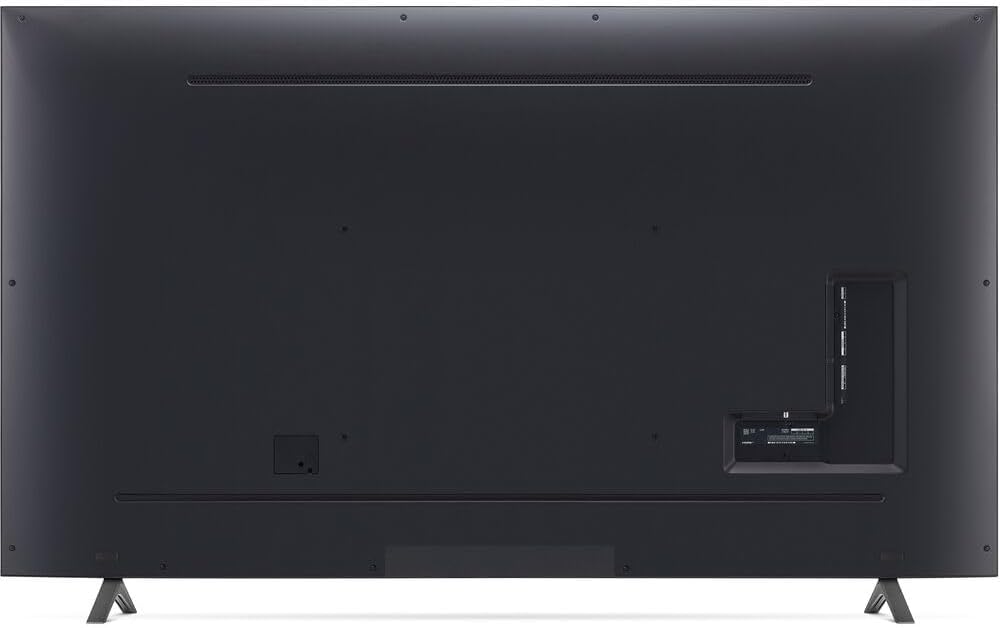
Connect external devices such as cable boxes, gaming consoles, or Blu-ray players to the HDMI ports located on the rear of the TV. For internet connectivity, connect an Ethernet cable to the LAN port or connect wirelessly via Wi-Fi during the initial setup.

आकृती 4.2: मागील view of the LG 86UQ7590PUD Smart TV, highlighting the various input ports for external device connections.
4.4 प्रारंभिक सेटअप
After connecting the power cord and turning on the TV, follow the on-screen instructions to complete the initial setup. This includes selecting your language, connecting to a Wi-Fi network, and configuring basic settings.
5. ऑपरेटिंग सूचना
5.1 रिमोट कंट्रोल
The included remote control allows navigation through the TV's interface and functions. Insert the two AA batteries as indicated in the battery compartment.
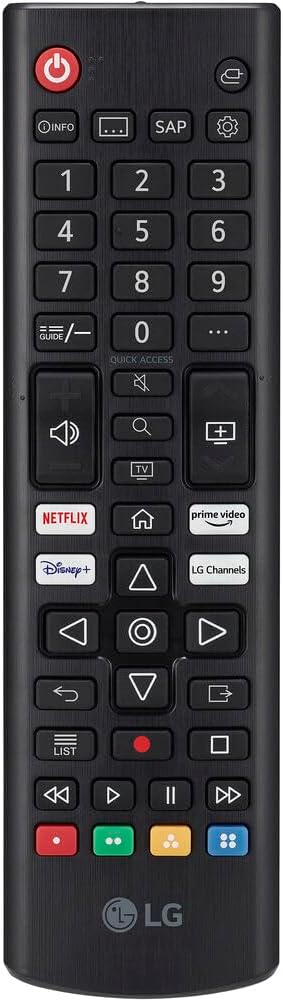
Figure 5.1: The LG Smart TV remote control, featuring dedicated buttons for popular streaming services and navigation.
२.१ मूलभूत नेव्हिगेशन
Use the directional pad and 'OK' button on the remote to navigate menus. Dedicated buttons for volume, channel, and smart features are also available.
5.3 इनपुट निवड
Press the 'Input' button on the remote to switch between connected devices (e.g., HDMI 1, HDMI 2, Live TV).
४. स्मार्ट टीव्ही वैशिष्ट्ये
तुमचा LG स्मार्ट टीव्ही वर चालतो webOS platform, offering a user-friendly interface and access to a wide range of applications.
6.1 WebOS and Applications
Access popular streaming services like Netflix, Prime Video, Disney+, Hulu, and YouTube directly from the TV's home screen. The TV also provides access to over 300 free LG Channels.
Video 6.1: Demonstration of LG's free app ecosystem and smart features.
व्हिडिओ १: संपलेview of the LG 86-inch Smart TV's features and user experience.
6.2 AI ThinQ and Voice Control
Utilize LG's AI ThinQ technology for intelligent control and personalized recommendations. The TV supports built-in Google Assistant and Alexa, allowing voice commands for various functions.

Figure 6.1: LG AI ThinQ integration with Google Assistant and Alexa for voice control.
३.३ स्क्रीन शेअरिंग
The TV supports Apple AirPlay and Miracast for wirelessly sharing content from compatible devices.
३. चित्र आणि ध्वनी सेटिंग्ज
Experience enhanced visuals and audio with the TV's advanced processing capabilities.
7.1 4K UHD and HDR
The 86-inch display offers 4K Ultra HD resolution and supports HDR (High Dynamic Range) for vibrant colors and improved contrast.

Figure 7.1: Visual comparison illustrating the enhanced detail and color of HDR 10 Pro versus conventional display.
7.2 AI Processor and Upscaling
The TV's AI Processor enhances picture and sound quality. It can upscale lower-resolution content to near 4K quality.

Figure 7.2: Diagram showing how 4K upscaling improves image clarity from lower resolutions.
7.3 AI Sound
The AI Sound feature optimizes audio based on content, providing a more immersive listening experience.

Figure 7.3: Visual representation of AI Sound adapting audio output for an enhanced experience.
६.६ फिल्ममेकर मोड
Filmmaker Mode preserves the original aspect ratios, colors, and frame rates, delivering content as intended by the creators.

Figure 7.4: Filmmaker Mode icon, indicating a viewing setting that preserves original cinematic intent.
५. गेमिंग वैशिष्ट्ये
The LG 86UQ7590PUD is equipped with features to enhance your gaming experience.
8.1 Game Optimizer and FreeSync
Game Optimizer provides settings to fine-tune your gaming experience. AMD FreeSync Premium ensures smooth gameplay by reducing screen tearing and stuttering, especially with the 120Hz refresh rate.

Figure 8.1: AMD FreeSync Premium logo, highlighting its role in providing smoother gaming visuals.

Figure 8.2: Game Optimizer interface, displaying options for optimizing game performance such as FPS and low latency.
9. देखभाल
9.1 स्वच्छता
Gently wipe the screen and exterior with a soft, dry cloth. Do not use abrasive cleaners or solvents.
9.2 सॉफ्टवेअर अद्यतने
Ensure your TV's software is up to date for optimal performance and security. Updates can typically be found in the TV's settings menu under 'Support' or 'About This TV'.
10. समस्या निवारण
If you encounter issues, try the following basic troubleshooting steps:
- शक्ती नाही: टीव्ही आणि वॉल आउटलेटमध्ये पॉवर कॉर्ड सुरक्षितपणे जोडलेला आहे का ते तपासा.
- चित्र/आवाज नाही: Verify that the correct input source is selected. Check all cable connections.
- रिमोट काम करत नाही: बॅटरी बदला. रिमोट आणि टीव्हीमध्ये कोणतेही अडथळे नाहीत याची खात्री करा.
- नेटवर्क कनेक्शन समस्या: Restart your router and modem. Reconnect the TV to the Wi-Fi network.
Video 10.1: A user's experience with the LG 86-inch TV, highlighting its large display and smart features.
11. तपशील
| वैशिष्ट्य | तपशील |
|---|---|
| ब्रँड नाव | LG |
| आयटम वजन | 124.7 पाउंड |
| उत्पादन परिमाणे | 89 x 26 x 14 इंच |
| आयटम मॉडेल क्रमांक | FBAAMZE99LG86UQ7590PUD |
| बॅटरीज | 2 AA बॅटरी आवश्यक आहेत. (समाविष्ट) |
| विशेष वैशिष्ट्ये | Browser, Built-In Speaker, Closed Captioning, Game Mode, Miracast, Parental Controls, Sleep Timer, Spatial Scaling Engine, Wide Viewकोन |
| स्थायी स्क्रीन डिस्प्ले आकार | 86 इंच |
| गुणोत्तर | १६:१० |
| प्रदर्शन तंत्रज्ञान | एलईडी |
| ठराव | 4K |
| रीफ्रेश दर | 120 |
| कनेक्टिव्हिटी तंत्रज्ञान | वाय-फाय |
| उत्पादनासाठी शिफारस केलेले वापर | घर Viewing |
12. हमी आणि समर्थन
Your LG 86UQ7590PUD Smart TV comes with a manufacturer's warranty. For detailed warranty information, product registration, or technical support, please refer to the official LG webसाइटवर किंवा LG ग्राहक सेवेशी संपर्क साधा. वॉरंटी दाव्यांसाठी तुमची खरेदी पावती जपून ठेवा.