1. उत्पादन संपलेview
The Acer Aspire 3 Slim Laptop is designed for everyday computing tasks, offering a balance of performance and portability. It features an AMD Ryzen 3 7320U processor, a 15.6-inch Full HD IPS display, 8GB of LPDDR5 RAM, and a 512GB PCIe SSD. The laptop operates on Windows 11 Home in S Mode, providing a streamlined and secure user experience. Its design emphasizes ease of use and efficient multitasking.

प्रतिमा 1.1: समोर view एसर अस्पायर ५ स्लिम लॅपटॉपचे, शोकasinडिस्प्ले आणि कीबोर्ड.
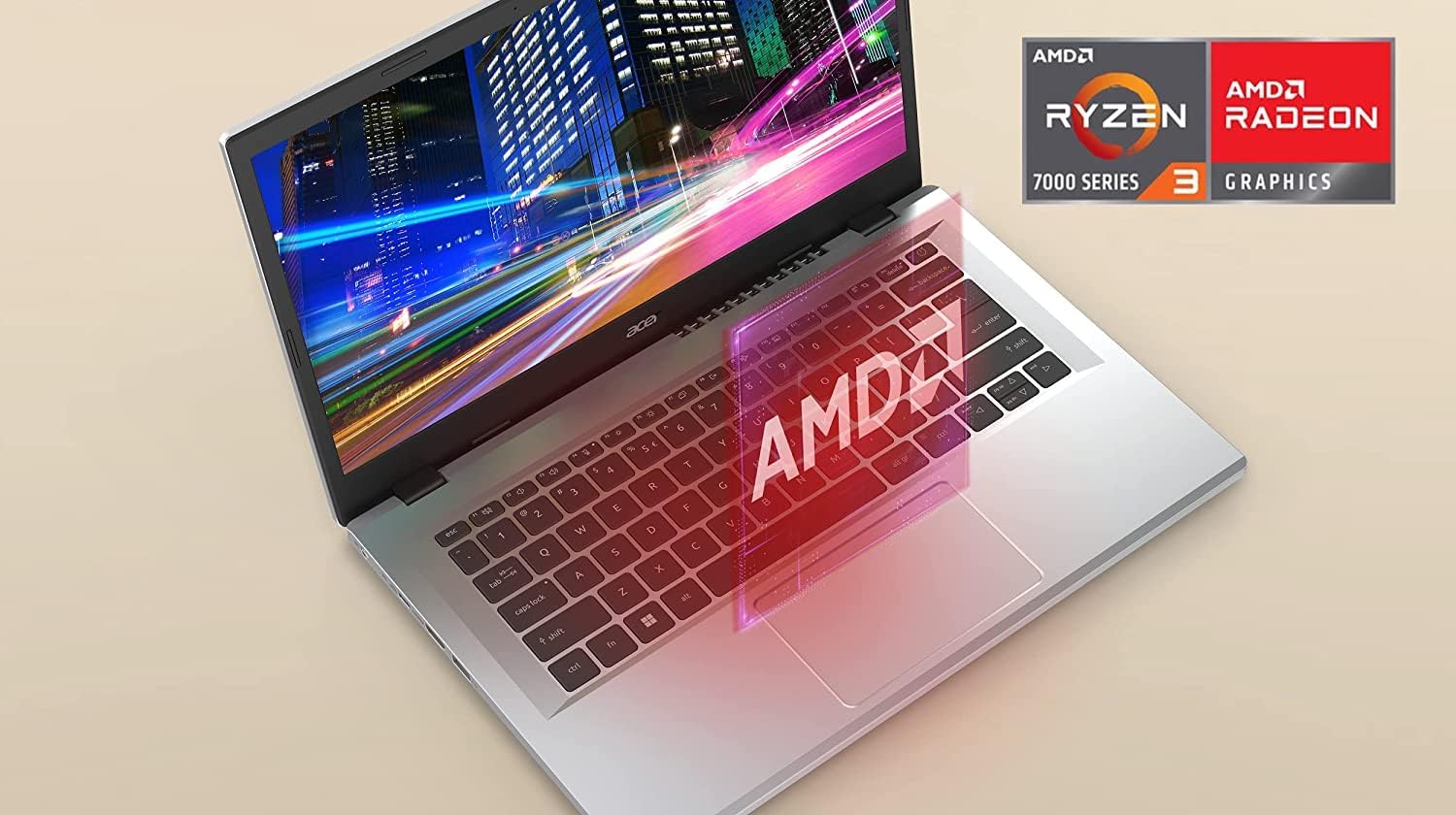
Image 1.2: The laptop display highlighting the AMD Ryzen processor and Radeon Graphics capabilities.
2. पॅकेज सामग्री
पॅकेजमध्ये सर्व वस्तू आहेत का ते तपासा:
- एसर अॅस्पायर ५ स्लिम लॅपटॉप
- एसी पॉवर अॅडॉप्टर
- बॅटरी (एकात्मिक)
3. प्रारंभिक सेटअप
3.1 कनेक्टिंग पॉवर
- Connect the AC adapter to the laptop's DC-in port.
- AC अडॅप्टर पॉवर आउटलेटमध्ये प्लग करा.
- सुरुवातीच्या वापरापूर्वी लॅपटॉपला किमान ३० मिनिटे चार्ज होऊ द्या.
१.३ पहिले बूट आणि विंडोज ११ सेटअप
- लॅपटॉप चालू करण्यासाठी पॉवर बटण दाबा.
- Follow the on-screen instructions to complete the Windows 11 Home in S Mode setup. This includes selecting your region, keyboard layout, connecting to a Wi-Fi network, and setting up your Microsoft account.
- Windows 11 Home in S Mode is designed for security and performance, primarily using apps from the Microsoft Store. You can switch out of S Mode if needed, but this action is irreversible.

प्रतिमा ४.२: बाजू view of the laptop illustrating the available ports, including USB Type-C, USB 3.2 Gen 1, and HDMI 2.1.
३. तुमचा लॅपटॉप चालवणे
4.1 पॉवर चालू/बंद
- पॉवर चालू: Press the power button located on the keyboard.
- वीज बंद: Click the Start button, then Power > Shut down. Alternatively, press and hold the power button for a few seconds to force a shutdown (not recommended for regular use).
4.2 डिस्प्ले
The laptop features a 15.6-inch Full HD (1920 x 1080) IPS display, providing clear visuals and wide viewकोन.

Image 4.1: Visual representation of the 1920x1080 Full HD and IPS display technology.
४.२ कीबोर्ड आणि टचपॅड
Utilize the full-size keyboard for typing and the precision touchpad for navigation. The touchpad supports multi-touch gestures for enhanced control.
३.२.३ कनेक्टिव्हिटी
- वाय-फाय ६ (८०२.११अॅक्स): Connect to wireless networks for internet access. The laptop supports 2x2 MU-MIMO technology for a stable connection.
- यूएसबी पोर्ट: Includes one USB Type-C Port (USB 3.2 Gen 2, up to 10 Gbps, with DisplayPort over USB Type-C & USB Charging) and two USB 3.2 Gen 1 Ports for connecting peripherals.
- एचडीएमआयः One HDMI 2.1 Port with HDCP support for connecting to external displays.
- ऑडिओ जॅक: A single Headphone/Speaker/Line-Out Jack for audio output.
३.४ कॅमेरा आणि ऑडिओ
- एचडी फ्रंट-फेसिंग कॅमेरा: Features Acer’s TNR (Temporal Noise Reduction) technology for improved image quality in low-light conditions during video calls.
- एसर प्युरिफाइडव्हॉइस: Equipped with AI Noise Reduction technology to filter out background noise for clear communication during online meetings.
5. देखभाल आणि काळजी
5.1 स्वच्छता
- स्क्रीन आणि बाह्य पृष्ठभाग स्वच्छ करण्यासाठी मऊ, लिंट-फ्री कापड वापरा.
- कठोर रसायने किंवा अपघर्षक क्लीनर वापरणे टाळा.
- For the display, use a screen-specific cleaner if necessary, applied to the cloth, not directly to the screen.
5.2 बॅटरी काळजी
- बॅटरीचे आयुष्य वाढवण्यासाठी, वारंवार बॅटरी पूर्णपणे डिस्चार्ज करणे टाळा.
- जास्त काळ वापरात नसताना लॅपटॉप थंड, कोरड्या जागी ठेवा.
२.२.३ औष्णिक व्यवस्थापन
The Acer Aspire 3 features an improved thermal system with a larger fan surface area, enhancing cooling efficiency. To ensure optimal performance and prevent overheating:
- वायुवीजन उघडण्यास अडथळा येत नाही याची खात्री करा.
- Use the laptop on a hard, flat surface rather than soft materials like blankets or pillows.

Image 5.1: Illustration of the improved thermal system and airflow within the laptop.
6. समस्या निवारण
हा विभाग तुम्हाला येऊ शकणाऱ्या सामान्य समस्यांचे निराकरण प्रदान करतो.
५.१ वीज नाही / लॅपटॉप चालू होत नाही
- एसी अॅडॉप्टर लॅपटॉप आणि कार्यरत पॉवर आउटलेटशी सुरक्षितपणे जोडलेले आहे याची खात्री करा.
- दुसरे उपकरण प्लग इन करून पॉवर आउटलेट कार्यरत आहे का ते तपासा.
- जर बॅटरी पूर्णपणे संपली असेल, तर चालू करण्याचा प्रयत्न करण्यापूर्वी ती किमान 30 मिनिटे चार्ज होऊ द्या.
6.2 समस्या प्रदर्शित करा
- If the screen is blank, try adjusting the display brightness using the function keys (Fn + F3/F4, or similar icons).
- If an external monitor is connected, ensure the correct display output is selected (Fn + F5, or similar icons).
- लॅपटॉप रीस्टार्ट करा.
५.३ वाय-फाय कनेक्टिव्हिटी समस्या
- विंडोज सेटिंग्जमध्ये वाय-फाय सक्षम असल्याची खात्री करा.
- Restart your wireless router and modem.
- इतर डिव्हाइसेस त्याच वाय-फाय नेटवर्कशी कनेक्ट होऊ शकतात का ते तपासा.
- Update Wi-Fi drivers through Windows Update or Acer's support webसाइट
7. तांत्रिक तपशील
| वैशिष्ट्य | तपशील |
|---|---|
| मॉडेलचे नाव | Acer Aspire 3 |
| आयटम मॉडेल क्रमांक | AMD Ryzen 3 7320U |
| डिस्प्ले आकार | 15.6 इंच |
| स्क्रीन रिझोल्यूशन | १९२० x १०८० पिक्सेल (फुल एचडी आयपीएस) |
| प्रोसेसर | एएमडी रायझन ७ ७७३०यू (४.५ गीगाहर्ट्झ पर्यंत) |
| रॅम | 8GB LPDDR5 |
| स्टोरेज | 512GB PCIe SSD |
| ग्राफिक्स | एएमडी रेडियन ग्राफिक्स (एकात्मिक) |
| वायरलेस कनेक्टिव्हिटी | Wi-Fi 6 (802.11ax), 2x2 MU-MIMO |
| बंदरे | १x यूएसबी टाइप-सी (यूएसबी ३.२ जनरेशन २, डिस्प्लेपोर्ट, यूएसबी चार्जिंग), २x यूएसबी ३.२ जनरेशन १, १x एचडीएमआय २.१, १x हेडफोन/स्पीकर/लाइन-आउट जॅक |
| ऑपरेटिंग सिस्टम | एस मोडमध्ये Windows 11 होम |
| परिमाण (LxWxH) | 14.29 x 9.35 x 0.74 इंच |
| आयटम वजन | 6 पाउंड |
8. हमी आणि समर्थन
8.1 हमी माहिती
This product includes a standard manufacturer's warranty. Additionally, a 1-year standard warranty is provided specifically for the upgraded SSD component.
8.2 ग्राहक समर्थन
For further assistance, technical support, or detailed warranty information, please visit the official Acer support website or contact their customer service. Refer to the documentation included with your product for specific contact details.


