परिचय
This manual provides detailed instructions for the setup, operation, maintenance, and troubleshooting of your Divoom Songbird Karaoke Bluetooth Speaker. Please read this manual thoroughly before using the product to ensure proper function and longevity.

Figure 1: The Divoom Songbird Karaoke Bluetooth Speaker system, including the main speaker unit, two wireless microphones, and their charging base.
पॅकेज सामग्री
Before proceeding with setup, please verify that all components are present in the package:
- 1 x SongBird-HQ Speaker Unit
- 2 एक्स वायरलेस मायक्रोफोन
- 1 x Microphone Charging Base
- १ x वापरकर्ता मॅन्युअल (हे दस्तऐवज)
- 1 एक्स यूएसबी-सी चार्जिंग केबल
- 1 x Aux केबल
- 1 x Giftbag (packaging)

Figure 2: All items included in the Divoom Songbird Karaoke Bluetooth Speaker package, showing the speaker, microphones, cables, and manual.
सेटअप
1. डिव्हाइस चार्ज करणे
The Divoom Songbird speaker and microphones are powered by internal Lithium Ion batteries. For optimal performance, fully charge all components before first use.
- Connect the provided USB-C cable to the charging port on the speaker unit and to a compatible USB power adapter (not included).
- Place the two microphones onto their charging base. Ensure they are seated correctly for charging.
- Charging indicators (LEDs) on the speaker and microphones will illuminate during charging and turn off or change color when fully charged.
४.३. सुरुवातीचा पॉवर ऑन
- To power on the speaker, locate the power button (refer to Figure 3 for control layout) and press and hold it until you hear an audible prompt or see an indicator light.
- To power on the microphones, slide the power switch on each microphone to the 'ON' position.

Figure 3: Top panel of the Divoom Songbird speaker, illustrating the various control knobs and buttons for operation.
ऑपरेटिंग सूचना
1. ब्लूटूथ कनेक्शन
The Divoom Songbird speaker uses Bluetooth for wireless audio streaming.
- Ensure the speaker is powered on and in Bluetooth pairing mode (usually indicated by a blinking LED).
- On your mobile device or computer, navigate to the Bluetooth settings.
- साठी शोधा available devices and select "Divoom Songbird" from the list.
- Once connected, the speaker will provide an audible confirmation, and the LED indicator will become solid.
2. Auxiliary (AUX) Connection
For wired audio playback, use the provided 3.5mm Aux cable.
- Connect one end of the Aux cable to the 3.5mm Aux-in port on the speaker.
- Connect the other end to the headphone jack or audio output of your audio source (e.g., smartphone, MP3 player).
- The speaker will automatically switch to AUX mode or may require manual selection via a mode button.
3. Using the Microphones for Karaoke
The two wireless microphones are designed for karaoke functionality.
- Ensure both the speaker and microphones are powered on.
- The microphones should automatically pair with the speaker. If not, refer to the troubleshooting section.
- Adjust microphone volume and echo effects using the dedicated knobs on the speaker's top panel (refer to Figure 3).
- Sing into the microphone while playing music through the speaker via Bluetooth or AUX.

Figure 4: The two wireless microphones for the Divoom Songbird speaker, shown resting in their charging base.
देखभाल
७.२. साफसफाई
तुमच्या स्पीकरचे स्वरूप आणि कार्यक्षमता राखण्यासाठी:
- बाहेरील पृष्ठभाग मऊ, कोरड्या, लिंट-फ्री कापडाने पुसून टाका.
- अपघर्षक क्लीनर, अल्कोहोल, बेंझिन किंवा इतर रासायनिक सॉल्व्हेंट्स वापरू नका, कारण ते फिनिशला नुकसान पोहोचवू शकतात.
- कोणत्याही छिद्रांमध्ये ओलावा जाण्यापासून टाळा.
2. स्टोरेज
जास्त काळ वापरात नसताना:
- Store the speaker and microphones in a cool, dry place, away from direct sunlight and extreme temperatures.
- Ensure the batteries are partially charged (around 50%) before long-term storage to preserve battery health.
3. बॅटरी काळजी
The device contains a built-in rechargeable Lithium Ion battery. To maximize battery lifespan:
- बॅटरी वारंवार पूर्णपणे डिस्चार्ज करणे टाळा.
- Avoid leaving the device plugged in constantly after it's fully charged.
- Charge the device at least once every three months if not in regular use.
समस्यानिवारण
If you encounter issues with your Divoom Songbird speaker, refer to the following common problems and solutions:
| समस्या | संभाव्य कारण | उपाय |
|---|---|---|
| No power/Device won't turn on | बॅटरी संपली आहे. | Charge the speaker and microphones fully using the provided USB-C cable. |
| ब्लूटूथद्वारे कनेक्ट करू शकत नाही | Speaker is not in pairing mode; device Bluetooth is off; too far from speaker. | Ensure speaker is in pairing mode. Turn Bluetooth off and on again on your device. Move closer to the speaker (within 10 meters). Forget the device on your phone and re-pair. |
| स्पीकरमधून आवाज नाही | Volume is too low; incorrect input mode; audio source issue. | Increase volume on both the speaker and your audio source. Ensure the correct input mode (Bluetooth/AUX) is selected. Check if the audio source is playing correctly. |
| Microphones not working | Microphones are off; not charged; not paired with speaker. | Ensure microphones are powered on and charged. Power cycle both the speaker and microphones. They should automatically pair. |
तपशील
Detailed technical specifications for the Divoom Songbird Karaoke Bluetooth Speaker:
- मॉडेल क्रमांक: 90100058218
- ब्रँड: Divoom
- उत्पादन परिमाणे: 28 x 10 x 25 सेमी
- आयटम वजन: 1.3 किलो
- उर्जा स्त्रोत: बॅटरीवर चालणारी (1 लिथियम आयन बॅटरी समाविष्ट आहे)
- ध्वनी उर्जा: ३०० वॅट
- मायक्रोफोन: Dual Microphone 24bit
- बॅटरी लाइफ: अंदाजे 8 तास
- कनेक्टिव्हिटी तंत्रज्ञान: Auxiliary, Bluetooth
- कनेक्टर प्रकार: 3.5 मिमी जॅक
- विशेष वैशिष्ट्ये: ब्लूटूथ, पोर्टेबल
- रंग: हिरवा
- शिफारस केलेले उपयोग: For music players, Karaoke
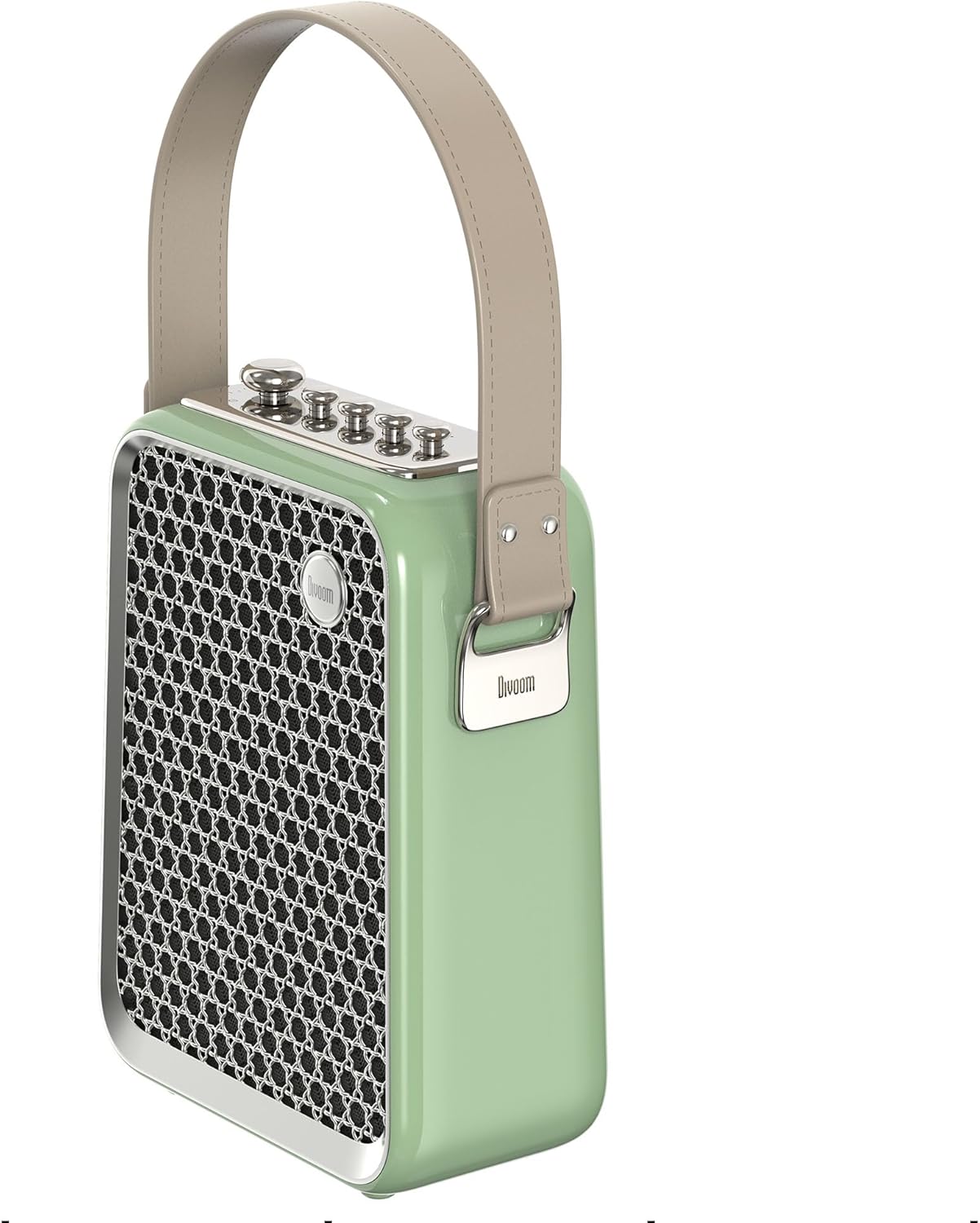
आकृती २: साइड प्रोfile of the Divoom Songbird speaker, highlighting its compact dimensions and integrated carrying handle.
हमी आणि समर्थन
हमी माहिती
This product may be eligible for extended warranty plans and accidental damage protection plans. Please refer to your purchase documentation or contact your retailer for specific warranty terms and conditions applicable to your region.
- १ वर्षाचा विस्तारित वॉरंटी प्लॅन: खरेदीसाठी उपलब्ध.
- 1 Year Accidental Damage Protection Plan: खरेदीसाठी उपलब्ध.
- २ वर्षांचा विस्तारित वॉरंटी प्लॅन: खरेदीसाठी उपलब्ध.
ग्राहक समर्थन
For technical assistance, troubleshooting beyond this manual, or warranty claims, please contact Divoom customer support. Visit the official Divoom website for contact information or refer to the support details provided with your product packaging.
आपण देखील भेट देऊ शकता Divoom brand page on Amazon अधिक माहितीसाठी.


