परिचय
This manual provides detailed instructions for the installation, operation, and maintenance of your CP PLUS CP-V41A 4MP Wi-Fi Camera. Please read this manual thoroughly before using the product to ensure correct usage and optimal performance. Keep this manual for future reference.
उत्पादन संपलेview
The CP PLUS CP-V41A is a 4MP Wi-Fi camera designed for home security and surveillance. It features high-resolution imaging, night vision capabilities, and smart integration options.
प्रमुख वैशिष्ट्ये:
- 4MP CMOS Image Sensor: स्पष्ट आणि तपशीलवार व्हिडिओ foo प्रदान करतेtage.
- ४.० मिमी लेन्स: ची विस्तृत फील्ड ऑफर करते view व्यापक कव्हरेजसाठी.
- H.265 व्हिडिओ कॉम्प्रेशन: Efficiently compresses video to save storage space without compromising quality.
- वाय-फाय सपोर्ट: Enables wireless connectivity for flexible placement.
- IR Distance of 15 Mtr.: Ensures clear night vision up to 15 meters.
- IP65 रेटिंग: Suitable for both indoor and outdoor use, offering protection against dust and water jets.
- स्मार्ट होम इंटिग्रेशन: Works with Google Assistant and Amazon Alexa for voice control and smart automation.
बॉक्समध्ये काय आहे:
- CP PLUS CP-V41A 4MP Wi-Fi Camera
- पॉवर अडॅप्टर
- माउंटिंग स्क्रू आणि प्लग
- जलद सुरुवात मार्गदर्शक (संपूर्ण तपशीलांसाठी या मॅन्युअलचा संदर्भ घ्या)

Image: The CP PLUS CP-V41A 4MP Wi-Fi Camera, highlighting its model and key features.
सेटअप
1. भौतिक स्थापना
- एक स्थान निवडा: तुमच्या कॅमेऱ्यासाठी योग्य जागा निवडा, इच्छित स्थानाचा विचार करा viewing area, Wi-Fi signal strength, and power source accessibility. The camera is rated IP65, making it suitable for both indoor and outdoor environments.
- कॅमेरा माउंट करा:
- Mark the drilling points on the wall or ceiling using the camera's mounting base as a template.
- छिद्रे पाडा आणि दिलेले वॉल प्लग घाला.
- Secure the camera's mounting base with the screws.
- आवश्यकतेनुसार कॅमेरा अँगल समायोजित करा.
- वीज कनेक्ट करा: Plug the power adapter into the camera's power input and then into a power outlet. The camera will power on and initiate its startup sequence.
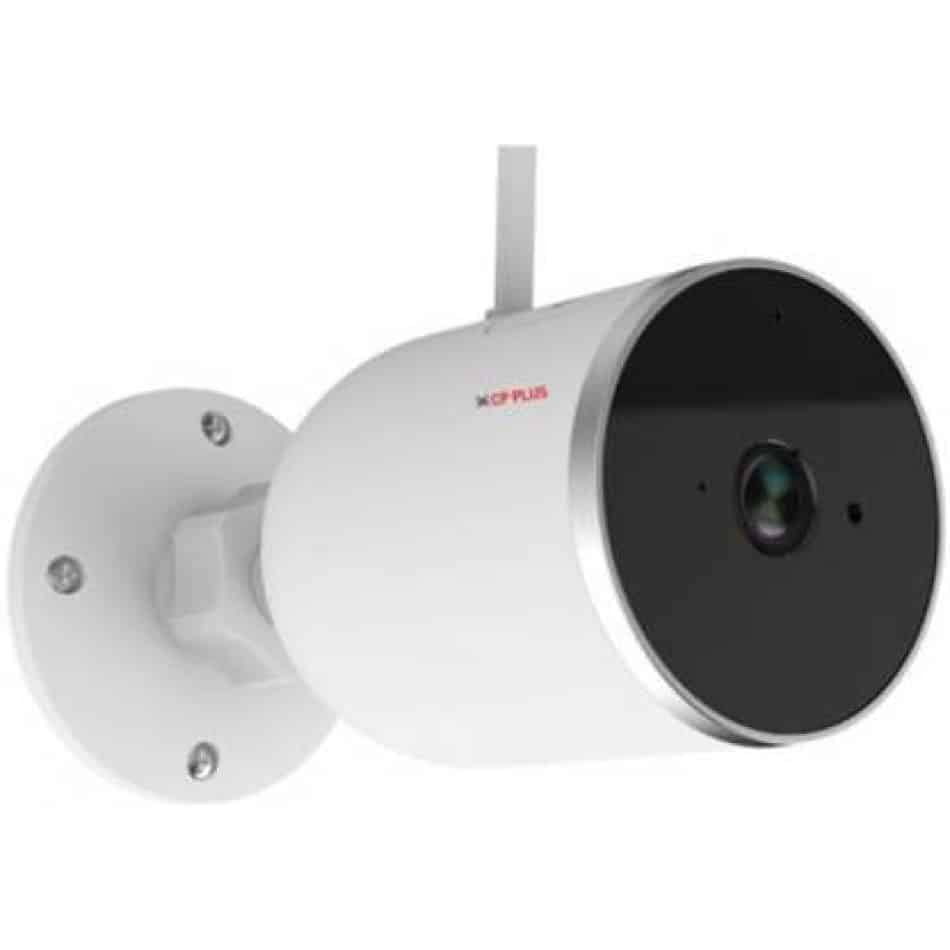
प्रतिमा: बाजू view of the CP PLUS CP-V41A camera showing its mounting base and antenna, illustrating physical installation.
३. नेटवर्क कनेक्शन (वाय-फाय)
- ॲप डाउनलोड करा: साठी शोधा the official CP PLUS mobile application on your smartphone's app store (iOS or Android) and install it.
- खाते तयार करा: अॅप उघडा आणि नवीन खाते नोंदणी करा किंवा तुमच्याकडे आधीच खाते असल्यास लॉग इन करा.
- डिव्हाइस जोडा: Follow the in-app instructions to add your new camera. This typically involves:
- Scanning a QR code on the camera.
- Connecting your phone to the camera's temporary Wi-Fi hotspot.
- Selecting your home Wi-Fi network and entering its password.
- पूर्णता: Once connected, the camera's status indicator will change, and you will see the camera online in your app.
ऑपरेटिंग सूचना
1. थेट View आणि रेकॉर्डिंग
- थेट प्रवेश करा View: Open the CP PLUS app and select your camera from the device list to view थेट फीड.
- मॅन्युअल रेकॉर्डिंग: Tap the record button in the app to start or stop manual video recording.
- स्नॅपशॉट: Use the snapshot button to capture still images from the live feed.
५.३. हालचाल शोधणे आणि सूचना
- गती शोध सक्षम करा: Navigate to the camera settings in the app and enable motion detection.
- संवेदनशीलता समायोजित करा: Set the motion detection sensitivity to minimize false alarms.
- Set Alert Schedule: Configure specific times or days for receiving motion alerts.
- सूचना प्राप्त करा: The app will send push notifications to your smartphone when motion is detected.
3. रात्रीची दृष्टी
The camera automatically switches to night vision mode in low-light conditions, utilizing its infrared (IR) LEDs to provide clear black-and-white video up to 15 meters. Ensure no obstructions block the IR lights for optimal performance.
4. Smart Home Integration (Google Assistant / Amazon Alexa)

Image: The CP PLUS CP-V41A camera integrated into a smart home environment, indicating compatibility with Google Assistant.
- खाते लिंक करा: In your Google Home or Amazon Alexa app, search for the CP PLUS skill/service and link your CP PLUS account.
- डिव्हाइस शोधा: एकदा लिंक झाल्यावर, तुमच्या स्मार्ट असिस्टंटला नवीन डिव्हाइस शोधण्यास सांगा.
- व्हॉइस कमांड: You can now use voice commands to view your camera feed on compatible smart displays (e.g., "Hey Google, show me the front door camera" or "Alexa, show me the living room camera").
देखभाल
- स्वच्छता:
- मऊ, कोरड्या कापडाने कॅमेरा लेन्स आणि बॉडी हळूवारपणे पुसून टाका.
- कठोर रसायने किंवा अपघर्षक क्लीनर वापरू नका.
- साफसफाई करण्यापूर्वी कॅमेरा बंद असल्याची खात्री करा.
- फर्मवेअर अद्यतने: Regularly check the CP PLUS app for available firmware updates. Updates often include performance improvements, new features, and security enhancements. Follow the in-app instructions to perform updates.
- स्टोरेज व्यवस्थापन: If using a local storage (e.g., microSD card, not included), periodically review आणि रेकॉर्ड केलेले foo व्यवस्थापित कराtage to ensure sufficient space.
समस्यानिवारण
| समस्या | संभाव्य कारण | उपाय |
|---|---|---|
| कॅमेरा चालू होत नाही. | पॉवर अॅडॉप्टर कनेक्ट केलेला नाही किंवा तो सदोष आहे. | Ensure the power adapter is securely connected to the camera and a working power outlet. Try a different outlet. |
| Wi-Fi शी कनेक्ट करू शकत नाही. | Incorrect Wi-Fi password, weak signal, or camera too far from router. | Verify Wi-Fi password. Move the camera closer to the router. Ensure your router is broadcasting a 2.4GHz network (5GHz is not supported by many smart devices). Reset the camera and try pairing again. |
| Poor image quality or blurry video. | Protective film on lens, dirty lens, or insufficient lighting. | Remove any protective film. Clean the lens with a soft cloth. Ensure adequate lighting or check night vision functionality. |
| मोशन डिटेक्शन काम करत नाही. | Motion detection disabled, sensitivity too low, or incorrect schedule. | Check app settings to ensure motion detection is enabled, sensitivity is appropriate, and the schedule is correctly configured. |
| No sound or poor audio. | Microphone/speaker blocked, app volume low, or network issues. | Ensure nothing is obstructing the microphone or speaker. Check volume settings in the app and on your phone. Verify stable network connection. |
तपशील
| वैशिष्ट्य | तपशील |
|---|---|
| मॉडेल क्रमांक | CP-V41A साठी चौकशी सबमिट करा, आम्ही तुमच्याशी २४ तासांत संपर्क करू. |
| प्रतिमा सेन्सर | 1/2.8” 4MP CMOS (0.9071cm) |
| लेन्स | 3.6 मिमी |
| व्हिडिओ कॉम्प्रेशन | H.265 |
| कनेक्टिव्हिटी | वाय-फाय, इथरनेट |
| IR अंतर | १० मीटर. |
| प्रवेश संरक्षण | IP65 |
| Smart Assistant Compatibility | गुगल असिस्टंट, अॅमेझॉन अलेक्सा |
| उर्जा स्त्रोत | कॉर्ड केलेले इलेक्ट्रिक |
| इनडोअर/आउटडोअर वापर | इनडोअर, आउटडोअर |
| आयटम वजन | 460 ग्रॅम |
| परिमाण (LxWxH) | 20 x 10 x 5 सेंटीमीटर |
| समाविष्ट घटक | अडॅप्टर |

Image: An office setting with the CP PLUS CP-V41A camera mounted, illustrating its 4MP CMOS image sensor capability.
हमी आणि समर्थन
CP PLUS उत्पादने विश्वासार्हता आणि कामगिरीसाठी डिझाइन केलेली आहेत. वॉरंटी माहितीसाठी, कृपया तुमच्या उत्पादनासोबत असलेले वॉरंटी कार्ड पहा किंवा अधिकृत CP PLUS ला भेट द्या. website. For technical support, troubleshooting assistance, or service inquiries, please contact CP PLUS customer support through their official channels.
टीप: उत्पादनाची वैशिष्ट्ये आणि वैशिष्ट्ये पूर्वसूचनेशिवाय बदलू शकतात.


