परिचय
This manual provides detailed instructions for the installation, operation, and maintenance of your DAYBETTER Smart Light Bulbs. Please read this manual thoroughly before use to ensure proper functionality and safety.
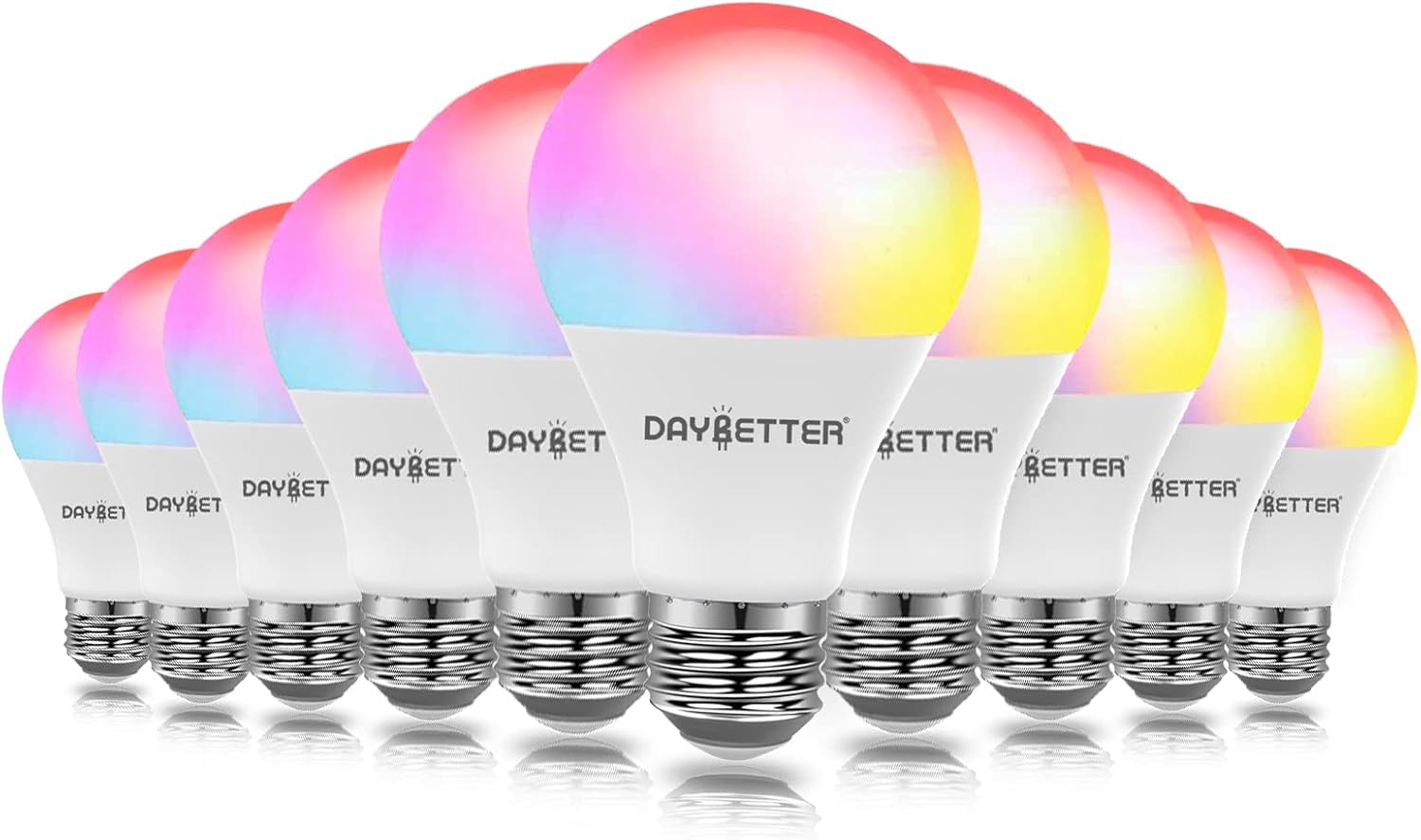
Image: A set of ten DAYBETTER Smart Light Bulbs, showcasing their ability to display a spectrum of colors.
उत्पादन वैशिष्ट्ये
- Control with Alexa & Google Assistant: Voice control for on/off, dimming, and color changes.
- Tuya Smart Application: Remote control, grouping, and scene creation via mobile app.
- टाइमर आणि वेळापत्रक: Automate lighting based on your daily routine.
- चमक मंद करण्यायोग्य: Adjustable brightness from 1% to 100% and tunable white light (2700K-6500K).
- ऊर्जा बचत: 9W LED equivalent to 60W incandescent, saving up to 80% energy.
- RGBCW Color Changing: 16 million colors for various moods and occasions.
सुरक्षितता माहिती
- Ensure power is off before installation or removal.
- Do not use with standard dimmers; use app or voice control for dimming.
- फक्त घरातील वापरासाठी.
- निर्दिष्ट व्हॉल्यूममध्ये कार्य कराtage range (100-120V AC, 60Hz).
- मुलांच्या आवाक्याबाहेर ठेवा.
सेटअप मार्गदर्शक
1. प्रारंभिक स्थापना
- वीज बंद: Ensure the power switch to the light fixture is in the OFF position before installing the bulb.
- बल्ब स्थापित करा: Screw the DAYBETTER Smart Light Bulb into any standard E26/E27 light socket or fixture.
- पॉवर चालू: Turn on the power switch to the light fixture. The bulb should blink rapidly, indicating it is in pairing mode. If it does not blink, turn it off and on three times quickly.

Image: Illustration of screwing the smart bulb into a standard light socket.
१२. अॅप डाउनलोड आणि कनेक्शन
The DAYBETTER Smart Light Bulbs require the Tuya Smart application for full functionality. Ensure your Wi-Fi network is 2.4GHz, as 5GHz networks are not supported for initial setup.
- अॅप डाउनलोड करा: साठी शोधा "Tuya Smart" in your mobile device's app store (iOS or Android) and download it.
- नोंदणी/लॉगिन: Open the Tuya Smart app and register a new account or log in if you already have one.
- डिव्हाइस जोडा: नवीन डिव्हाइस जोडण्यासाठी अॅपच्या वरच्या उजव्या कोपऱ्यात असलेल्या "+" चिन्हावर टॅप करा.
- डिव्हाइस प्रकार निवडा: Choose "Lighting" > "Light Source (Wi-Fi)".
- Confirm Blinking: Confirm that the bulb is blinking rapidly. If not, reset it by turning it off and on three times quickly.
- वाय-फाय तपशील प्रविष्ट करा: तुमचे २.४GHz वाय-फाय नेटवर्क निवडा आणि पासवर्ड एंटर करा.
- जोडणी: The app will begin pairing with the bulb. Once connected, the bulb will stop blinking and glow steadily.
- डिव्हाइसचे नाव बदला: You can rename the bulb for easier control (e.g., "Living Room Light").
Video: A step-by-step guide on connecting DAYBETTER Smart Bulbs to the phone application.

Image: The Tuya Smart app interface displaying various connected smart devices and rooms.
ऑपरेटिंग सूचना
1. ॲप नियंत्रण
- चालू/बंद: Tap the power icon next to the bulb's name to turn it on or off.
- रंग बदलणे: Select the bulb, then navigate to the "Color" tab. Choose from 16 million colors using the color wheel.
- ब्राइटनेस ऍडजस्टमेंट: Use the slider to adjust brightness from 1% to 100%.
- ट्यून करण्यायोग्य पांढरा: Adjust the white light temperature from warm white (2700K) to cool white (6500K).
- देखावा मोड: The app offers various pre-set scene modes (e.g., Reading, Party, Night) or allows you to create custom scenes.
- गटबद्ध करणे: Group multiple bulbs together to control them simultaneously with a single command.

Image: People enjoying a room illuminated by smart bulbs set to a purple hue, highlighting the color options and scene modes.

Image: A man reading under a tunable white light, illustrating the dimming and color temperature adjustment features.

Image: Multiple rooms showcasing the group control feature, allowing simultaneous management of several smart bulbs.
2. Voice Control (Alexa/Google Assistant)
To enable voice control, link your Tuya Smart account with Amazon Alexa or Google Assistant through their respective apps. Once linked, you can use commands such as:
- "अलेक्सा, [लाईट नेम] चालू कर."
- "Hey Google, dim [Light Name] to 50%."
- "Alexa, change [Light Name] to blue."
- "Hey Google, set [Light Name] to warm white."

Image: People in a kitchen, demonstrating voice control compatibility with Alexa and Google Assistant.
३. टाइमर आणि वेळापत्रक कार्ये
Within the Tuya Smart app, you can set schedules for your bulbs to turn on/off or change settings at specific times.
- Navigate to the bulb's settings in the app.
- Select "Schedule" or "Timer".
- Set desired times for actions (e.g., turn on at 7:30 AM, turn off at 11:00 PM).

Image: A person sleeping, illustrating the timer and schedule features for automated lighting.
देखभाल
DAYBETTER Smart Light Bulbs are designed for long-lasting performance with minimal maintenance. Follow these guidelines:
- स्वच्छता: साफ करण्यापूर्वी बल्ब बंद आणि थंड असल्याची खात्री करा. मऊ, कोरड्या कापडाने पुसून टाका. द्रव किंवा अपघर्षक क्लीनर वापरू नका.
- स्टोरेज: If storing bulbs, keep them in a cool, dry place away from direct sunlight and extreme temperatures.
- विल्हेवाट: Dispose of LED bulbs according to local electronic waste regulations.
समस्यानिवारण
| समस्या | संभाव्य कारण | उपाय |
|---|---|---|
| Bulb not connecting/blinking | Incorrect Wi-Fi frequency (not 2.4GHz); bulb not in pairing mode; weak Wi-Fi signal. | Ensure your router is set to 2.4GHz. Reset the bulb by turning it off and on three times quickly. Move closer to the router. |
| Bulb frequently disconnects or flashes randomly | Unstable Wi-Fi connection; interference; router settings. | Check Wi-Fi stability. Ensure 2.4GHz and 5GHz networks are properly separated if your router has both. Re-pair the bulb if necessary. |
| व्हॉइस कंट्रोल काम करत नाही | Account not linked; incorrect device name; internet connectivity issues. | Verify Tuya Smart account is linked to Alexa/Google Assistant. Check device name in the app. Ensure your smart speaker has internet access. |
| बल्ब अॅप कमांडला प्रतिसाद देत नाही. | Bulb is offline; app is outdated; phone's internet connection. | Check if the bulb is powered on. Ensure your phone has internet access. Update the Tuya Smart app to the latest version. |
Video: A demonstration of controlling the smart bulb using a smartphone, which can be helpful for troubleshooting connectivity issues.
तपशील
| वैशिष्ट्य | तपशील |
|---|---|
| ब्रँड | दिवस उत्तम |
| मॉडेलचे नाव | Daybetter-Led Strip Lights & Smart Home Lighting |
| आयटम मॉडेल क्रमांक | DBSWTYBRGB10 |
| हलका प्रकार | एलईडी |
| विशेष वैशिष्ट्य | मंद करण्यायोग्य, रंग बदलणे |
| वाटtage | 9 वॅट्स |
| बल्ब आकार आकार | A19 |
| बल्ब बेस | E27 |
| धूप समतुल्य वाटtage | 60 वॅट्स |
| चमक | 800 लुमेन |
| हलका रंग | Warm White, Multicolor (RGBCW) |
| रंग तापमान | 2700 Kelvin - 6500 Kelvin (Tunable White) |
| खंडtage | १००-१२० व्होल्ट (एसी) |
| वारंवारता | 60 हर्ट्झ |
| कनेक्टिव्हिटी तंत्रज्ञान | वाय-फाय (फक्त २.४GHz) |
| कंट्रोलर प्रकार | Google Assistant, Amazon Alexa, App |
| इनडोअर/आउटडोअर वापर | इनडोअर |
| आयुष्यभर | 15,000 तास |
हमी आणि समर्थन
For warranty information and technical support, please refer to the product packaging or contact DAYBETTER customer service directly. Contact details are typically available on the official DAYBETTER webसाइटवर किंवा तुमच्या खरेदी प्लॅटफॉर्मद्वारे.


