परिचय
This manual provides essential information for the safe and effective use of your iTEKIRO AC Adapter. This adapter is designed to power your compatible laptop and charge its battery. Please read this manual thoroughly before use and retain it for future reference.

Figure 1: iTEKIRO AC Adapter with its included power cords.
महत्वाची सुरक्षितता माहिती
- This 19V AC adapter is NOT compatible with laptops requiring 5V or 12V input. Always verify the input voltage on your laptop's bottom label before connecting.
- Use only with compatible devices as specified.
- अडॅप्टरला पाणी, ओलावा किंवा अति तापमानाच्या संपर्कात आणू नका.
- Do not disassemble or attempt to repair the adapter. Refer servicing to qualified personnel.
- Ensure proper ventilation around the adapter during use to prevent overheating.
- The included AC power cord is UL listed, ensuring safety standards are met.
सेटअप
- सुसंगतता सत्यापित करा: Before connecting, check your laptop's input voltage. This adapter is designed for 19V input laptops.
- एसी पॉवर कॉर्ड कनेक्ट करा: Insert the 2-prong end of the AC power cord into the adapter's input port.
- इलेक्ट्रिकल आउटलेटशी कनेक्ट करा: Plug the other end of the 2-prong AC power cord into a standard electrical outlet (AC 100-240V, 50-60Hz).
- लॅपटॉपशी कनेक्ट करा: Insert the DC barrel plug of the adapter's output cord into your laptop's power input port.
The adapter features an extra-long 6-foot 2-prong AC power cord and an additional 6-foot adapter DC power cord, providing ample reach without the need for extension cords.
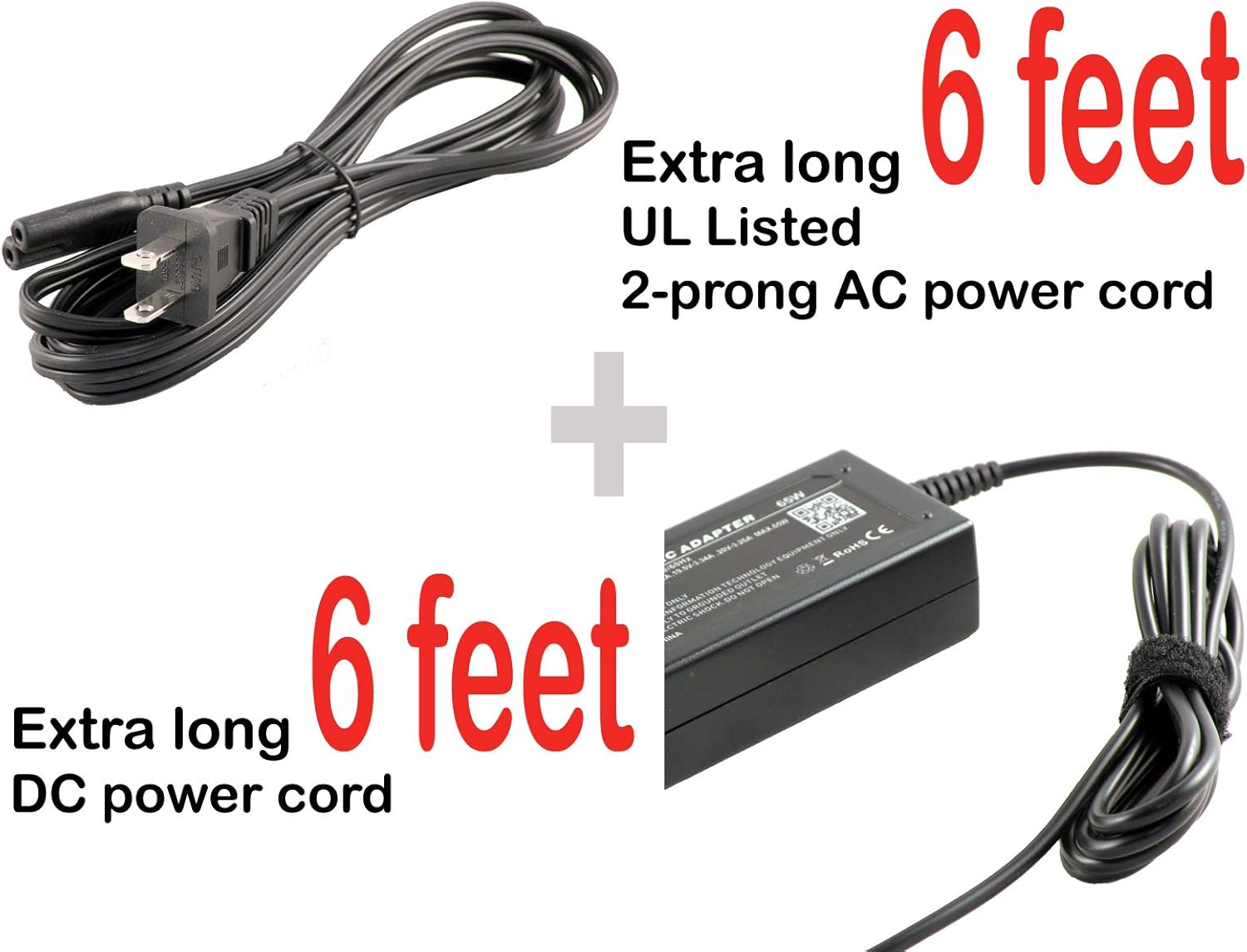
Figure 2: Illustration of the extra-long 6-foot AC and DC power cords for extended reach.

Figure 3: Close-up of the proprietary barrel plug connector that connects to your laptop.
ऑपरेटिंग सूचना
Once properly connected to an electrical outlet and your laptop, the iTEKIRO AC Adapter will automatically begin to power your laptop and charge its internal battery. This function operates whether your laptop is turned on or off.

Figure 4: The green LED power indicator illuminates when the adapter is receiving power.
देखभाल
To ensure the longevity and optimal performance of your iTEKIRO AC Adapter, follow these maintenance guidelines:
- स्वच्छता: Gently wipe the adapter with a dry, soft cloth. Do not use liquid cleaners or solvents.
- स्टोरेज: When not in use, store the adapter in a cool, dry place away from direct sunlight and moisture. Avoid tightly winding the cords to prevent damage.
- हाताळणी: Avoid dropping the adapter or subjecting it to strong impacts. The ruggedized case is designed to withstand harsh mobile environments, but excessive force can cause internal damage.
- ओलावा संरक्षण: The tight sealing provides protection against moisture and high humidity. However, avoid intentional exposure to liquids.
समस्यानिवारण
| समस्या | संभाव्य कारण | उपाय |
|---|---|---|
| Adapter not powering laptop or charging battery. | चुकीचे खंडtagई सुसंगतता. | Verify your laptop's input voltage matches the adapter's 19V output. This adapter is not compatible with 5V or 12V laptops. |
| पॉवर इंडिकेटर लाईट नाही. | Loose connection or no power from outlet. | Ensure all connections (AC cord to adapter, AC cord to outlet, DC plug to laptop) are secure. Test the electrical outlet with another device. |
| Adapter feels excessively hot. | Poor ventilation or overload. | Ensure the adapter is in a well-ventilated area and not covered. If overheating persists, discontinue use and contact support. |
| Laptop not recognizing adapter. | Damaged adapter or laptop port. | Inspect the adapter's DC plug and your laptop's power port for any visible damage. If issues persist, contact support. |
The adapter includes comprehensive internal safety features designed to filter input line voltage spikes or surges and limit output voltage or current, protecting your laptop from electrical hazards.
तपशील
| वैशिष्ट्य | तपशील |
|---|---|
| ब्रँड | iTEKIRO |
| मॉडेल क्रमांक | HXY065-19 |
| इनपुट व्हॉल्यूमtage | AC 100 ~ 240V / 50 ~ 60Hz (Worldwide Compatible) |
| आउटपुट व्हॉल्यूमtage | 19V |
| परिमाणे (अॅडॉप्टर बॉडी) | ८५.४" x ६२.२" x ३९" |
| वजन | 10.8 औंस |
| रंग | काळा |
| उर्जा स्त्रोत | कॉर्ड केलेले इलेक्ट्रिक |
| एसी पॉवर कॉर्डची लांबी | 6 feet (UL listed, 2-prong) |
| डीसी पॉवर कॉर्डची लांबी | 6 फूट |
| कनेक्टर प्रकार | Proprietary Barrel Plug |
| सुसंगत साधने | Laptops (specifically Gateway GWCC51416, GWCC71416, GWNC31514 series) |
| सुरक्षा प्रमाणपत्र | UL (for AC power cord) |
हमी आणि समर्थन
Your iTEKIRO AC Adapter comes with a 100% satisfaction guarantee, including a 90-day money-back guarantee and a 1-year replacement warranty.
For any questions, concerns, or support inquiries, please contact iTEKIRO customer service. We are committed to responding to your inquiry in a timely fashion.
Please refer to your purchase documentation or the seller's information for specific contact details.


