परिचय
This manual provides instructions for the Redlemon Retro Wireless Controller. It covers setup, operation, maintenance, and troubleshooting to ensure optimal performance and longevity of your device. This controller is designed for use with Nintendo Switch, Switch Lite, Switch OLED, PC, Android, and PS3 systems.

Image: Redlemon Retro Wireless Controller, front view. This image displays the overall design of the controller, featuring a classic retro aesthetic with modern button layouts including dual analog sticks, a D-pad, action buttons (A, B, X, Y), and system buttons.
सेटअप
कंट्रोलर चार्ज करत आहे
Before initial use, fully charge the controller. Connect the included USB-C cable to the controller's charging port and the other end to a USB power source (e.g., Nintendo Switch dock, PC, or USB wall adapter). The controller's LEDs will indicate charging status. A full charge typically takes approximately 2 hours and provides up to 5 hours of continuous use.
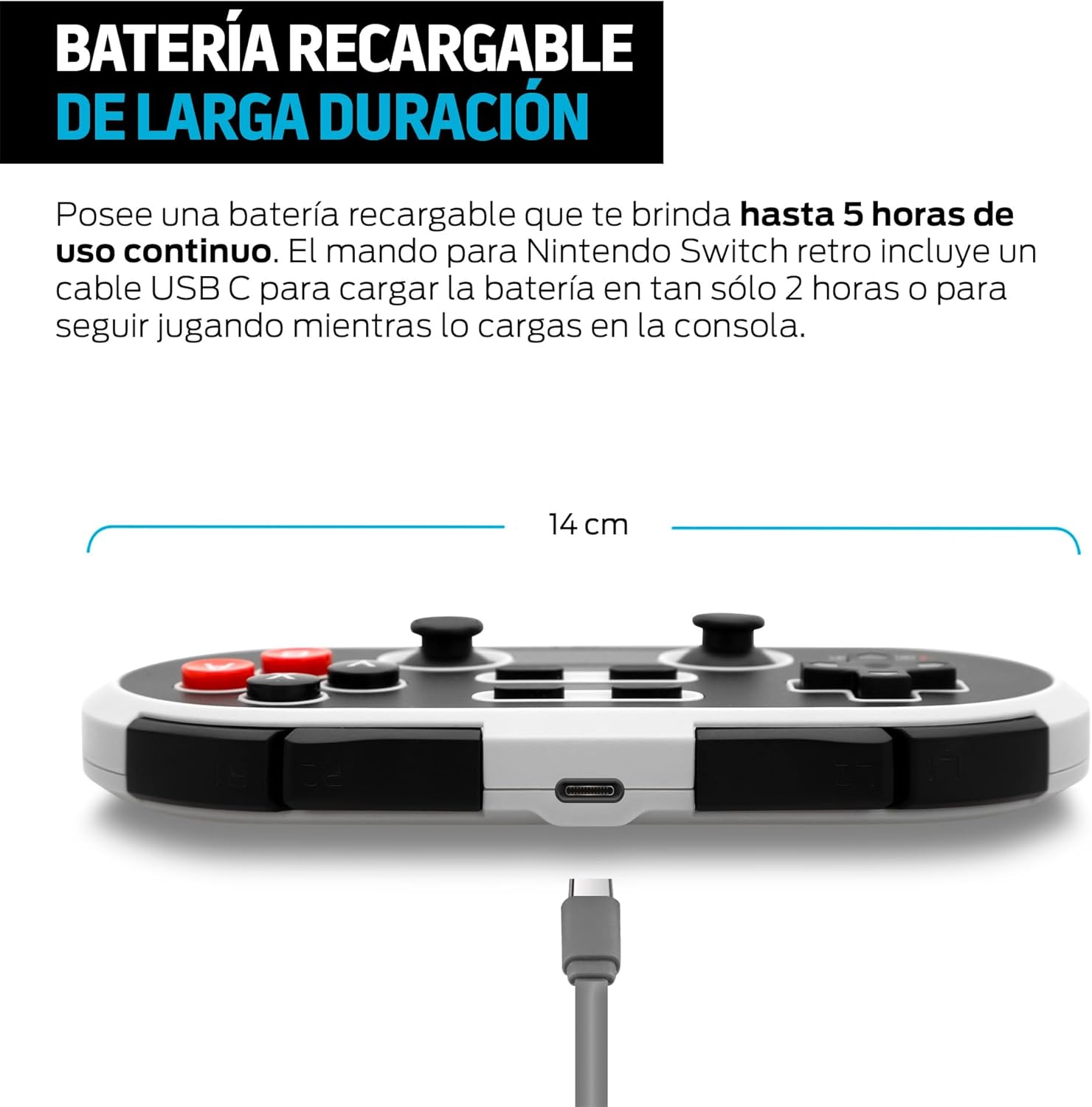
प्रतिमा: बाजू view of Redlemon Retro Wireless Controller showing USB-C charging port and cable. This image highlights the USB-C port on the top edge of the controller, with a charging cable connected, illustrating the charging process.
डिव्हाइसेससह पेअरिंग
The controller supports wireless Bluetooth connection and wired connection via USB-C.
Wireless Pairing (Bluetooth)
- निन्टेंडो स्विचसाठी:
- On your Nintendo Switch, go to the HOME Menu, select "Controllers," then "Change Grip/Order."
- दाबा आणि धरून ठेवा बी बटण आणि प्रारंभ बटण simultaneously on the Redlemon controller until the LED indicators begin to flash rapidly.
- Once paired, the controller's LED will light up solid, indicating a successful connection.
- For PC (Windows), Android, PS3:
- तुमच्या डिव्हाइसवर ब्लूटूथ सक्षम असल्याची खात्री करा.
- On the Redlemon controller, press and hold the बी बटण आणि प्रारंभ बटण simultaneously until the LED indicators flash rapidly.
- On your device, search for new Bluetooth devices and select "Redlemon Controller" (or similar) from the list.
- Confirm pairing. The controller's LED will light up solid upon successful connection.
वायर्ड कनेक्शन
Connect the controller to your PC or PS3 using the included USB-C cable. The controller will be recognized automatically by most systems. This method also allows you to play while charging.
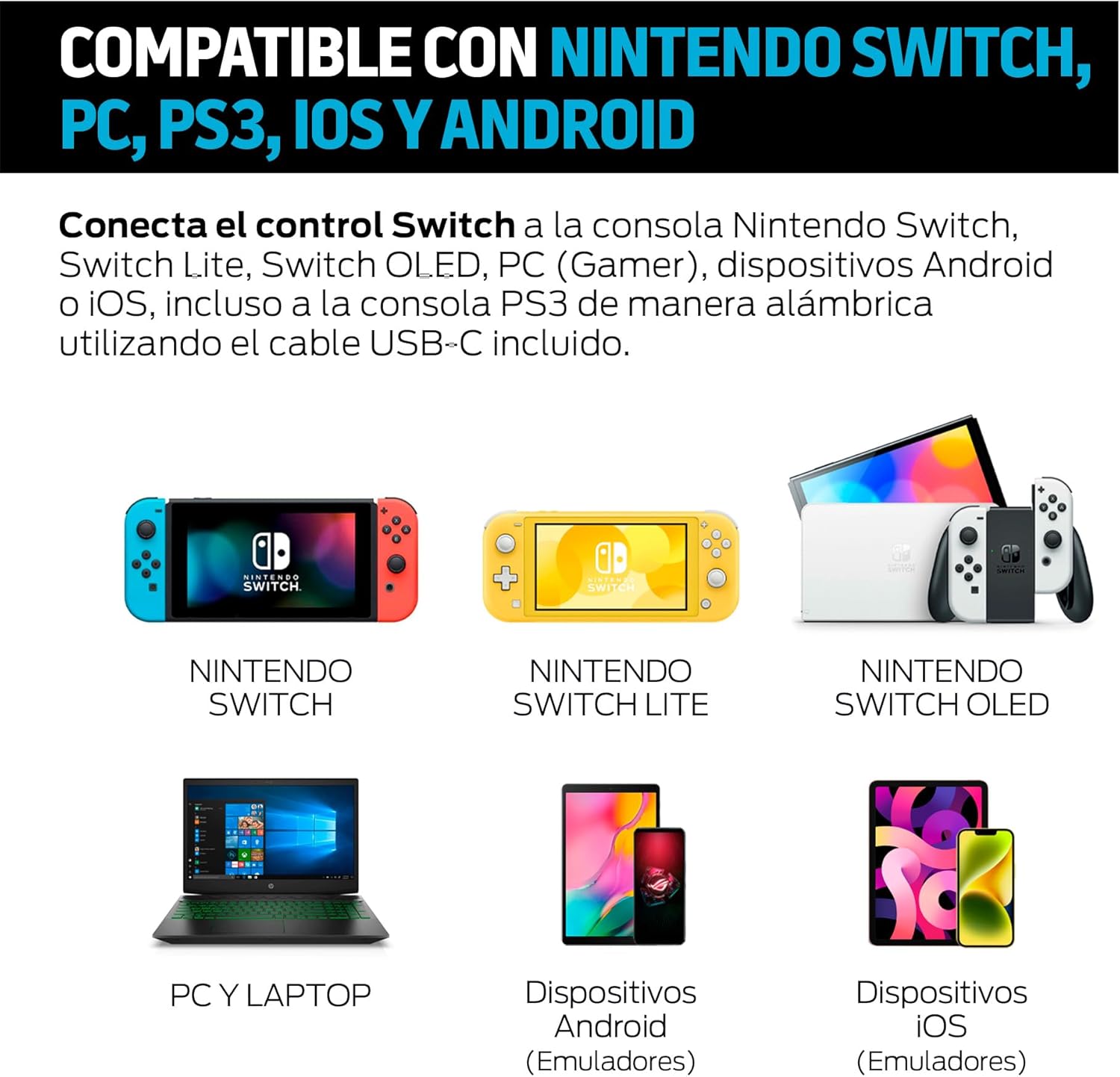
Image: Redlemon Retro Wireless Controller compatibility with Nintendo Switch, Switch Lite, Switch OLED, PC, Android, and iOS devices. This image visually confirms the controller's broad compatibility across multiple platforms, showing icons for each supported system.
ऑपरेटिंग सूचना
नियंत्रक मांडणी आणि कार्ये
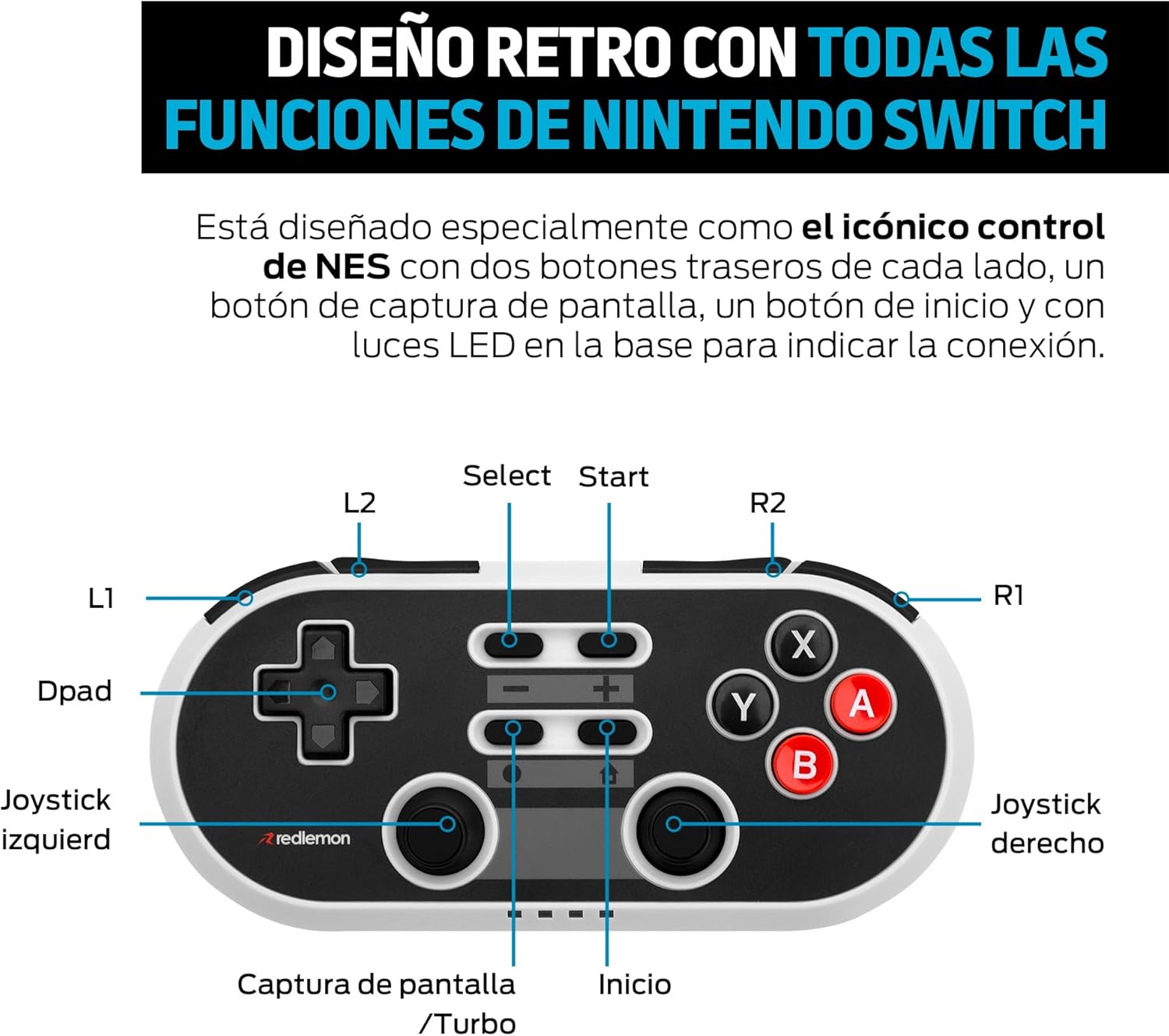
Image: Diagram of Redlemon Retro Wireless Controller buttons and their labels. This detailed diagram labels all buttons and joysticks, including L1, L2, R1, R2, Dpad, Left Joystick, Right Joystick, Select, Start, Capture/Turbo, Home, and action buttons (X, Y, A, B).
- डी-पॅड: दिशात्मक इनपुट.
- डाव्या/उजव्या जॉयस्टिक: Analog movement input.
- A, B, X, Y बटणे: कृती बटणे.
- L1, R1: खांद्याची बटणे.
- L2, R2: ट्रिगर बटणे.
- Select (-): System function button.
- Start (+): System function button.
- होम बटण: Returns to the system's home menu.
- Capture/Turbo Button: Takes screenshots (Switch) or activates Turbo function.
- एलईडी निर्देशक: Located at the base, these lights indicate connection status and player number.
टर्बो फंक्शन
The Turbo function allows for rapid, repeated input of a button press. To activate or deactivate Turbo mode:
- दाबा आणि धरून ठेवा Capture/Turbo button.
- While holding the Capture/Turbo button, press the desired action button (A, B, X, Y) or shoulder/trigger button (L1, R1, L2, R2) you wish to apply Turbo to.
- Release both buttons. The Turbo function is now active for that specific button.
- निष्क्रिय करण्यासाठी, प्रक्रिया पुन्हा करा.
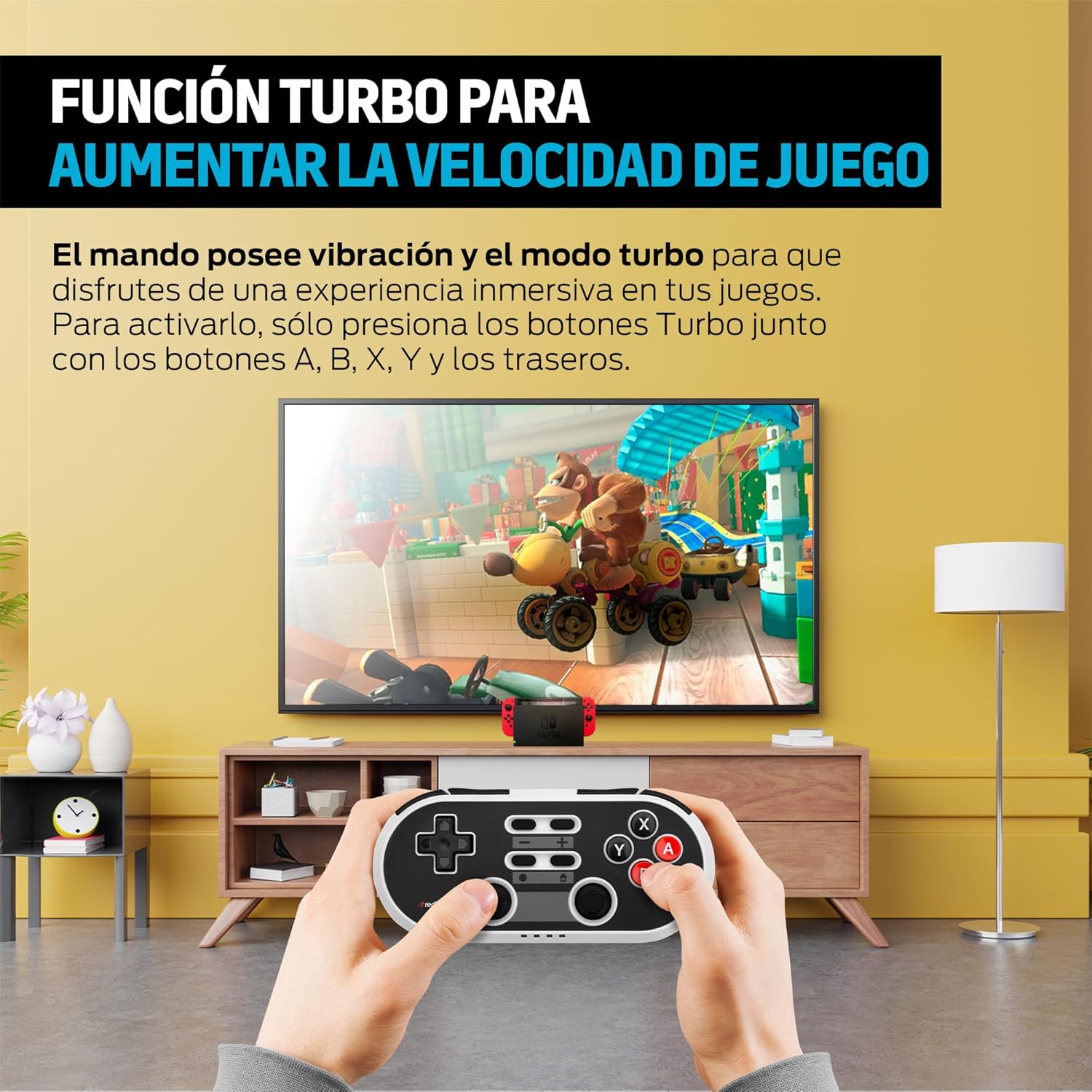
Image: User playing a game with the Redlemon Retro Wireless Controller, demonstrating the Turbo function. This image shows a user actively engaged in gameplay, holding the controller, with a game displayed on a television screen in the background, illustrating the practical use of the controller's features.
देखभाल
साफसफाई
कंट्रोलर स्वच्छ करण्यासाठी, मऊ, कोरडे कापड वापरा. हट्टी घाणीसाठी, किंचित डीampen the cloth with water. Avoid using harsh chemicals, solvents, or abrasive materials, as these can damage the controller's surface and internal components.
स्टोरेज
Store the controller in a cool, dry place away from direct sunlight, extreme temperatures, and high humidity. Do not place heavy objects on the controller.
बॅटरी काळजी
To prolong battery life, avoid fully discharging the controller frequently. If the controller will not be used for an extended period, charge it to approximately 50% before storing and recharge it every few months.
समस्यानिवारण
- कंट्रोलर चालू होत नाही: Ensure the battery is charged. Connect the controller to a power source using the USB-C cable.
- Controller does not connect via Bluetooth:
- Ensure the controller is in pairing mode (LEDs flashing rapidly).
- तुमच्या डिव्हाइसवर ब्लूटूथ सक्षम असल्याचे तपासा.
- Remove any previous pairings of the controller from your device's Bluetooth settings and attempt to pair again.
- Ensure the controller is within the 10-meter Bluetooth range.
- Buttons are unresponsive or delayed:
- Ensure the controller is fully charged. Low battery can affect performance.
- Try resetting the controller (if a reset button is available, otherwise power cycle).
- Ensure there are no obstructions or strong interference sources between the controller and the device.
- Controller disconnects frequently:
- कंट्रोलर पूर्णपणे चार्ज झाला आहे याची खात्री करा.
- Reduce the distance between the controller and the device.
- Minimize potential sources of wireless interference (e.g., Wi-Fi routers, other Bluetooth devices).
तपशील
| वैशिष्ट्य | तपशील |
|---|---|
| कनेक्टिव्हिटी | Bluetooth Wireless, USB-C Wired |
| वायरलेस श्रेणी | 10 मीटर पर्यंत |
| बॅटरी प्रकार | 1 लिथियम आयन (समाविष्ट) |
| बॅटरी आयुष्य | १२ तासांपर्यंत सतत वापर |
| चार्जिंग वेळ | अंदाजे 2 तास |
| सुसंगतता | Nintendo Switch, Switch Lite, Switch OLED, PC, Android, PS3 |
| परिमाण | 15.6 x 8.5 x 4.4 सेमी |
| वजन | 190 ग्रॅम |
हमी आणि समर्थन
हमी माहिती
This product is covered by the manufacturer's standard warranty. Please refer to the warranty card included with your purchase or visit the official Redlemon webतपशीलवार वॉरंटी अटी आणि शर्तींसाठी साइट.
ग्राहक समर्थन
For technical assistance, troubleshooting, or product inquiries, please contact Redlemon customer support. Contact information can typically be found on the Redlemon official webसाइटवर किंवा उत्पादन पॅकेजिंगवर.


