1. परिचय
This manual provides detailed instructions for the operation and maintenance of your COMICA BoomX-D2 PRO Wireless Lavalier Microphone system. Please read this manual thoroughly before use to ensure proper functionality and to maximize your product experience.
The COMICA BoomX-D2 PRO is a 2.4GHz wireless microphone system designed for high-quality audio recording across various platforms including cameras, smartphones, and computers. Key features include 16GB internal storage, multiple output modes (Safety, Mono, Stereo), and one-click noise cancellation.
२. बॉक्समध्ये काय आहे?
The COMICA BoomX-D2 PRO package includes the following components:
- २ x ट्रान्समीटर (TX)
- 1 x प्राप्तकर्ता (RX)
- एक्सएनयूएमएक्स एक्स कॅरी केस
- 2 x 3.5mm Mic Audio Input Cables
- 1 x 3.5mm TRS-TRRS Audio Cable (for Smartphones)
- 1 x 3.5mm TRS-TRS Audio Cable (for Cameras)
- 1 x 3-in-1 Charging/Output Cable
- २ x विंड मफ्स
- 1 एक्स रीसेट पिन
- 1 x पोर्टेबल बॅग
- 1 x वापरकर्ता मॅन्युअल
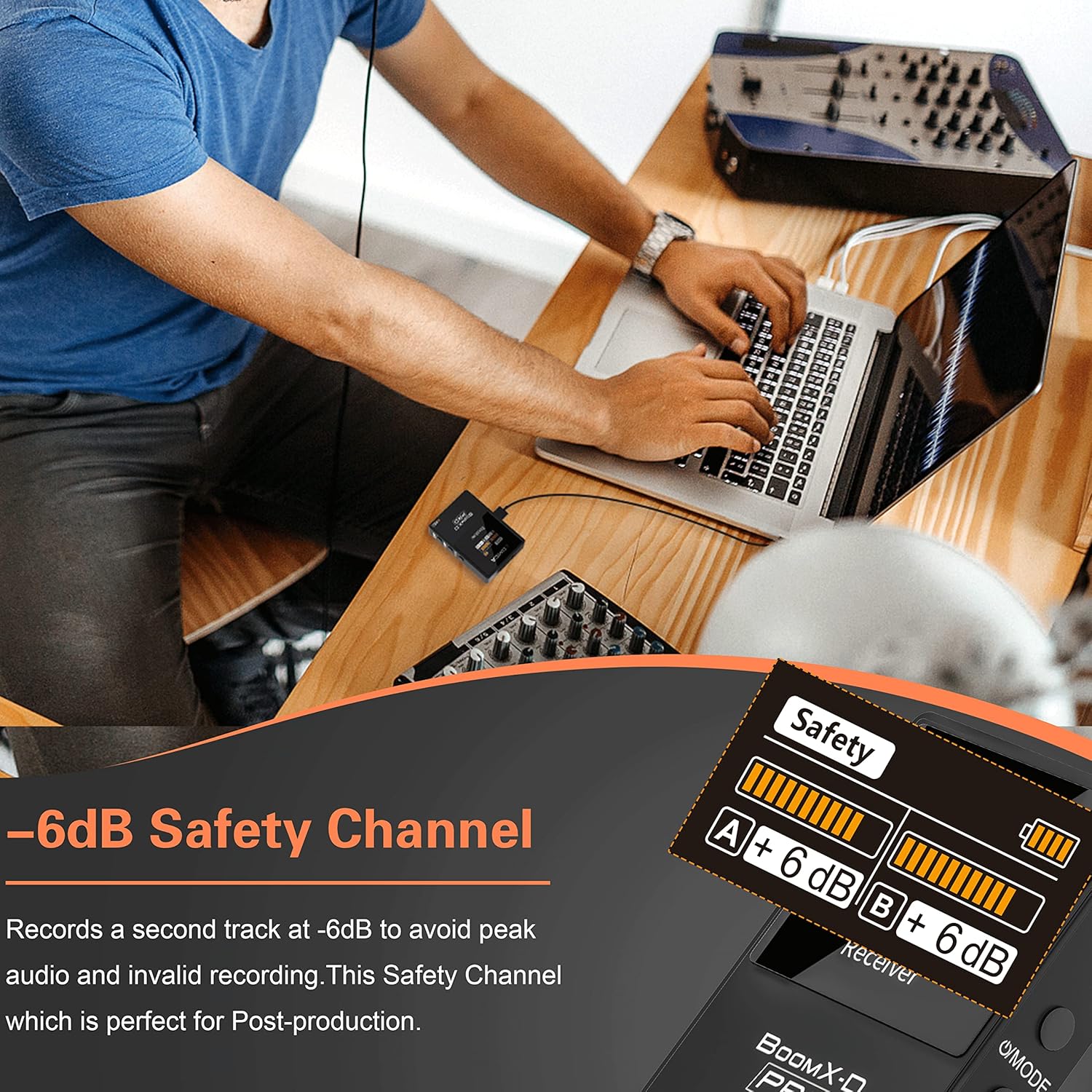
Image: All components included in the COMICA BoomX-D2 PRO Wireless Lavalier Microphone system package.
3. उत्पादन संपलेview
3.1. ट्रान्समीटर (TX)
- अंगभूत मायक्रोफोन: Omnidirectional condenser microphone for 360° sound pickup.
- 3.5mm MIC IN Port: For connecting external lavalier microphones.
- आरईसी बटण: Long-press to start/stop internal recording.
- पॉवर/म्यूट बटण: म्यूट/अनम्यूट करण्यासाठी शॉर्ट प्रेस, पॉवर चालू/बंद करण्यासाठी जास्त वेळ दाबा.
- यूएसबी-सी पोर्ट: For charging and data transfer (orange cable for data).
- डिस्प्ले स्क्रीन: Shows battery level, recording status, and audio levels.
3.2. प्राप्तकर्ता (RX)
- 3.5mm TRS आउटपुट: For connecting to cameras or other audio devices.
- 3.5 मिमी हेडफोन जॅक: रिअल-टाइम ऑडिओ मॉनिटरिंगसाठी.
- पॉवर / मोड बटण: Long press to power on/off, short press to switch between Mono, Stereo, and Safety modes.
- व्हॉल्यूम +/- बटणे: आउटपुट व्हॉल्यूम समायोजित करा.
- यूएसबी-सी पोर्ट: For charging and digital output.
- डिस्प्ले स्क्रीन: Shows battery levels, audio levels, and selected output mode.

प्रतिमा: तपशीलवार view of the transmitter and receiver units, showing their various controls and connection points.
4. सेटअप मार्गदर्शक
4.1. पॉवर चालू/बंद
- To power on, long-press the Power button on both the TX and RX units.
- To power off, long-press the Power button on both units.
4.2. जोडणी
The TX and RX units are pre-paired at the factory. If re-pairing is needed:
- Power on both the TX and RX units.
- On the RX unit, short press the 'Pair' button. The pairing indicator will flash.
- On the TX unit, short press the 'Pair' button. The pairing indicator will flash.
- Once successfully paired, the indicators on both units will turn solid blue.
२. उपकरणांशी कनेक्ट करणे
Use the appropriate cable to connect the RX unit to your recording device:
- कॅमेऱ्यांसाठी: Use the 3.5mm TRS-TRS Audio Cable. Connect one end to the RX 'OUT' port and the other to your camera's MIC IN port.
- स्मार्टफोनसाठी: Use the 3.5mm TRS-TRRS Audio Cable. Connect one end to the RX 'OUT' port and the other to your smartphone's 3.5mm jack. For iPhones without a 3.5mm jack, a Lightning adapter (not included) is required. For USB-C smartphones, a USB-C to 3.5mm adapter (not included) is required.
- For Computers/Laptops: Use the 3-in-1 Charging/Output Cable (orange end for data). Connect the USB-C end to the RX unit and the USB-A end to your computer. The system will function as an audio interface.

Image: The receiver unit mounted on a camera, demonstrating a typical setup for video recording.

Image: An illustration of the different cables provided for connecting the microphone system to various devices.
4.4. Using Built-in or External Lav Mic
- The TX unit has a built-in omnidirectional microphone. For direct use, simply clip the TX unit to your clothing.
- To use an external lavalier microphone, plug the 3.5mm Mic Audio Input Cable into the TX 'MIC' port. Ensure the external mic is securely connected.
३.२. ऑपरेटिंग मोड्स
The RX unit supports three output modes: Mono, Stereo, and Safety. Short press the 'Power/Mode' button on the RX unit to cycle through these modes.
5.1. मोनो मोड
In Mono mode, audio from both transmitters (TX1 and TX2) is mixed into a single mono track. This is ideal for single-person recordings or when you want both audio sources combined into one channel.
5.2. स्टीरिओ मोड
In Stereo mode, audio from TX1 is recorded to the left channel and audio from TX2 is recorded to the right channel. This allows for independent control and mixing of each audio source during post-production.
5.3. Safety Mode
Safety mode records two separate tracks. One track is the standard audio, and the second track is recorded at -6dB lower volume. This provides a backup audio track to prevent clipping or distortion in case the main audio level is too high.

Image: Visual representation of the different audio output modes available on the receiver unit.
5.4. One-click Noise Cancellation
The TX units feature a DSP denoise chip for one-click noise cancellation. Short press the noise cancellation button on the TX unit to activate or deactivate this feature. This helps to reduce environmental noise for clearer audio.

Image: A graphic demonstrating the effect of the one-click noise cancellation feature on audio quality.
5.5. Internal Recording (16GB Storage)
Each TX unit has 16GB of internal storage, capable of storing up to 48 hours of uncompressed audio. To start internal recording, long-press the 'REC' button on the TX unit. Long-press again to stop recording.
रेकॉर्ड केलेले हस्तांतरित करण्यासाठी files to a computer, connect the TX unit to your computer using the orange 3-in-1 Charging/Output Cable. Ensure the TX unit is powered on during file हस्तांतरण

Image: A transmitter unit connected to a laptop, illustrating the process of transferring internally recorded audio files.
5.6. Real-time Monitoring & Muting
- Plug headphones into the RX 3.5mm headphone jack for real-time audio monitoring.
- Short press the Power/Mute button on the TX unit to quickly mute or unmute the microphone during recording.
७. चार्जिंग आणि बॅटरी लाइफ
The COMICA BoomX-D2 PRO units are powered by built-in Lithium Polymer batteries.
- Use the provided 3-in-1 Charging/Output Cable to charge both TX units and the RX unit simultaneously.
- The battery life for the transmitters is approximately 4.5 hours, and for the receiver, it is approximately 6 hours.
- The charging case itself can provide additional charges to extend operational time.
- Battery level indicators are displayed on the screens of both TX and RX units.

Image: The three units (two transmitters and one receiver) being charged simultaneously using the included 3-in-1 USB-C cable.
7. तपशील
| वैशिष्ट्य | तपशील |
|---|---|
| आयटम वजन | ०.९८६ औंस (२७.९४ ग्रॅम) |
| मायक्रोफोन फॉर्म फॅक्टर | लावलियर |
| आयटमचे परिमाण (L x W x H) | 0.79 x 0.79 x 0.39 इंच |
| उर्जा स्त्रोत | बॅटरीवर चालणारी (1 लिथियम पॉलिमर बॅटरी समाविष्ट आहे) |
| साहित्य | धातू, प्लास्टिक |
| सिग्नल टू नॉईस रेश्यो | 70 dB |
| हार्डवेअर प्लॅटफॉर्म | कॅमकॉर्डर, कॅमेरा, स्मार्टफोन |
| चॅनेलची संख्या | 2 |
| कनेक्टिव्हिटी तंत्रज्ञान | 2.4GHZ |
| कनेक्टर प्रकार | 3.5 मिमी जॅक |
| ध्रुवीय नमुना | सर्वदिशा |
| ऑडिओ संवेदनशीलता | ३० डेसिबल |
| विशेष वैशिष्ट्ये | 16GB Internal Recording, Built-in or External Lav Mic, Dual-Channel Lossless Pickup, One-click Noise Cancellation, Safety, Mono, and Stereo Output |
8. समस्या निवारण
- आवाज नाही/कमी आवाज:
- Ensure both TX and RX units are powered on and successfully paired (solid blue indicator).
- Check all cable connections between the RX unit and your recording device.
- Verify the volume levels on the RX unit are adjusted appropriately.
- Confirm the recording device's input settings are correct and the microphone is selected.
- Audio Distortion/Clipping:
- Switch the RX unit to Safety Mode to record a backup track at a lower volume.
- Reduce the input gain on your recording device if possible.
- Interference/Poor Signal:
- Ensure the TX and RX units are within the specified operating range (up to 328' in open areas).
- Avoid obstacles between the TX and RX units.
- इतर २.४GHz उपकरणांमधून होणारा हस्तक्षेप कमी करा.
- Internal Recording Issues:
- Ensure the TX unit has sufficient battery life.
- Check if the 16GB storage is full. Older files will be overwritten if recording continues.
- हस्तांतरण करताना files, ensure the orange 3-in-1 cable is used and the TX unit is powered on.
9. देखभाल
- Keep the units clean and dry. Avoid exposure to moisture, dust, and extreme temperatures.
- Use a soft, dry cloth to clean the exterior of the units.
- Store the system in its provided carry case when not in use to protect it from damage.
- झीज किंवा नुकसानीच्या कोणत्याही लक्षणांसाठी केबल्स नियमितपणे तपासा.
- Ensure the charging contacts on the units and in the charging case are clean to maintain proper charging.
10. हमी आणि समर्थन
COMICA offers a 365-day replacement and lifetime service for its products. For warranty claims, technical support, or any inquiries, please contact COMICA customer service through their official channels or the retailer where the product was purchased.
You can visit the official COMICA Store for more information and support: COMICA Store
१०. अधिकृत उत्पादन व्हिडिओ
Below are official product videos from the seller demonstrating features and usage of the COMICA BoomX-D2 PRO.
After Owning for 2 Years - Mic Test and Detailed Unboxing
व्हिडिओ: एक व्यापक पुनर्विचारview and unboxing of the COMICA BoomX-D2 PRO, including a microphone test, after two years of ownership.
comica BoomX-D PRO Lav Mic and Built-in Mic
Video: Demonstration of both the lavalier microphone and the built-in microphone capabilities of the COMICA BoomX-D PRO.
comica BoomX-D PRO Wireless Lavalier Microphone
व्हिडिओ: एक षटकview of the COMICA BoomX-D PRO Wireless Lavalier Microphone system and its features.


