परिचय
Thank you for choosing the BOAVISION Wireless 4G LTE Solar Security Camera. This advanced surveillance system is designed for outdoor use, offering true wireless operation through its integrated solar panel, rechargeable battery, and 4G LTE cellular connectivity. With features like 5MP HD imaging, full-color night vision, PIR and radar motion detection, two-way audio, and pan/tilt capabilities, it provides comprehensive security monitoring. This manual will guide you through the setup, operation, and maintenance of your camera.
सुरक्षितता माहिती
- Ensure the camera is installed in a location where it is protected from extreme weather conditions beyond its IP65 rating.
- कॅमेरा वेगळे करण्याचा किंवा बदलण्याचा प्रयत्न करू नका. यामुळे वॉरंटी रद्द होईल आणि नुकसान होऊ शकते.
- Use only the specified power adapter or solar panel for charging.
- कॅमेरा आणि त्याचे घटक मुलांच्या पोहोचापासून दूर ठेवा.
- स्थानिक नियमांनुसार बॅटरीची योग्य विल्हेवाट लावा.
- This camera is designed for outdoor security surveillance. Do not use it for any illegal purposes.
पॅकेज सामग्री
पॅकेज उघडताना सर्व वस्तू तिथे आहेत आणि त्या सुरक्षित आहेत याची खात्री करण्यासाठी कृपया त्यातील सामग्री तपासा.
- BOAVISION 4G LTE Solar Security Camera (S10-4G(US))
- सौर पॅनेल (एकात्मिक)
- माउंटिंग ब्रॅकेट आणि स्क्रू
- यूएसबी चार्जिंग केबल
- वापरकर्ता मॅन्युअल
- 4G/LTE Data SIM Card (pre-installed or included separately, check packaging)
उत्पादन संपलेview
Familiarize yourself with the main components of your BOAVISION security camera.

Image: The BOAVISION 4G LTE Solar Security Camera, featuring the main camera unit, integrated solar panel, and mounting arm.
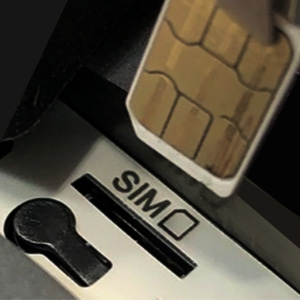
प्रतिमा: जवळून पाहिलेला फोटो view of the SIM card slot, indicating where the Nano-SIM card is inserted.
- कॅमेरा लेन्स: 5MP HD lens for clear image capture.
- इन्फ्रारेड एलईडी: काळ्या आणि पांढऱ्या रात्रीच्या दृष्टीसाठी.
- Floodlight LEDs: For full-color night vision and deterrence.
- पीआयआर सेन्सर: Passive Infrared sensor for motion detection.
- मायक्रोफोन: For audio input during two-way communication.
- वक्ता: For audio output during two-way communication and alarms.
- सौर पॅनेल: Charges the internal battery using sunlight.
- सिम कार्ड स्लॉट: For inserting the 4G LTE Nano-SIM card.
- टीएफ कार्ड स्लॉट: For local storage of recordings (supports up to 128GB, not included).
- रीसेट बटण: कॅमेरा फॅक्टरी सेटिंग्जवर रीसेट करण्यासाठी वापरला जातो.
- यूएसबी चार्जिंग पोर्ट: For initial charging or charging in low light conditions.
सेटअप मार्गदर्शक
१. सुरुवातीचे चार्जिंग
Before first use, fully charge the camera's internal 15600mAh battery using the provided USB cable and a 5V/2A power adapter (not included). A full charge ensures optimal performance, especially before solar charging takes over.
२. सिम कार्ड इंस्टॉलेशन
This camera operates on a 4G LTE cellular network. A Nano-SIM (4FF) card with an active data plan is required. The included SIM card provides 100MB of data for 30 days. For continued use, you will need to activate or purchase a data plan from a compatible carrier.
महत्त्वाची सूचना:
- Compatible US Network Operators: T-Mobile, AT&T (Prepaid Data Plan Recommended).
- NOT compatible with Verizon SIM cards.
- Ensure the SIM card has both a phone number and data plan.
- The camera is suitable for use in North American areas (US, Mexico, Canada).
- Locate the SIM card slot on the camera (usually protected by a rubber plug).
- Carefully insert the Nano-SIM card into the slot with the gold contacts facing down and the notched corner aligned correctly.
- सिम कार्ड जागी क्लिक करेपर्यंत आत ढकला.
- Replace the rubber plug firmly to ensure IP65 weatherproofing.

Image: Diagram showing 4G LTE network compatibility with T-Mobile and AT&T, and the data flow from camera to phone.
२. अॅप इंस्टॉलेशन आणि अकाउंट तयार करणे
Download the official BOAVISION app from the App Store (iOS) or Google Play Store (Android).
- साठी शोधा "BOAVISION" or refer to the QR code in the quick start guide.
- तुमच्या स्मार्टफोनवर ॲप इन्स्टॉल करा.
- Open the app and register a new account using your email address.
- Follow the on-screen prompts to complete the registration and login.
4. Camera Pairing/Connection
Once the SIM card is installed and the app is ready, connect your camera to the app.
- Power on the camera. Wait for the indicator light to show it's ready for connection (refer to app instructions for specific light patterns).
- अॅपमध्ये, "डिव्हाइस जोडा" किंवा "+" चिन्हावर टॅप करा.
- Select the appropriate camera model or scan the QR code on the camera.
- Follow the app's instructions to complete the pairing process. This usually involves the camera scanning a QR code displayed on your phone screen.
- Once connected, you can name your camera and access its live view.
5. कॅमेरा माउंट करणे
Choose a suitable outdoor location for optimal solar charging and surveillance coverage.
- यासह एक स्थान निवडा ample direct sunlight exposure for the solar panel throughout the day.
- तुम्ही ज्या भागाचे निरीक्षण करू इच्छिता त्या भागाकडे कॅमेऱ्याची दृष्टी स्पष्ट आहे याची खात्री करा.
- Use the provided mounting bracket and screws to securely attach the camera to a wall or sturdy surface.
- Adjust the angle of the solar panel to maximize sun exposure.
- The camera is IP65 weatherproof, suitable for outdoor conditions including rain, sun, dust, and lightning.
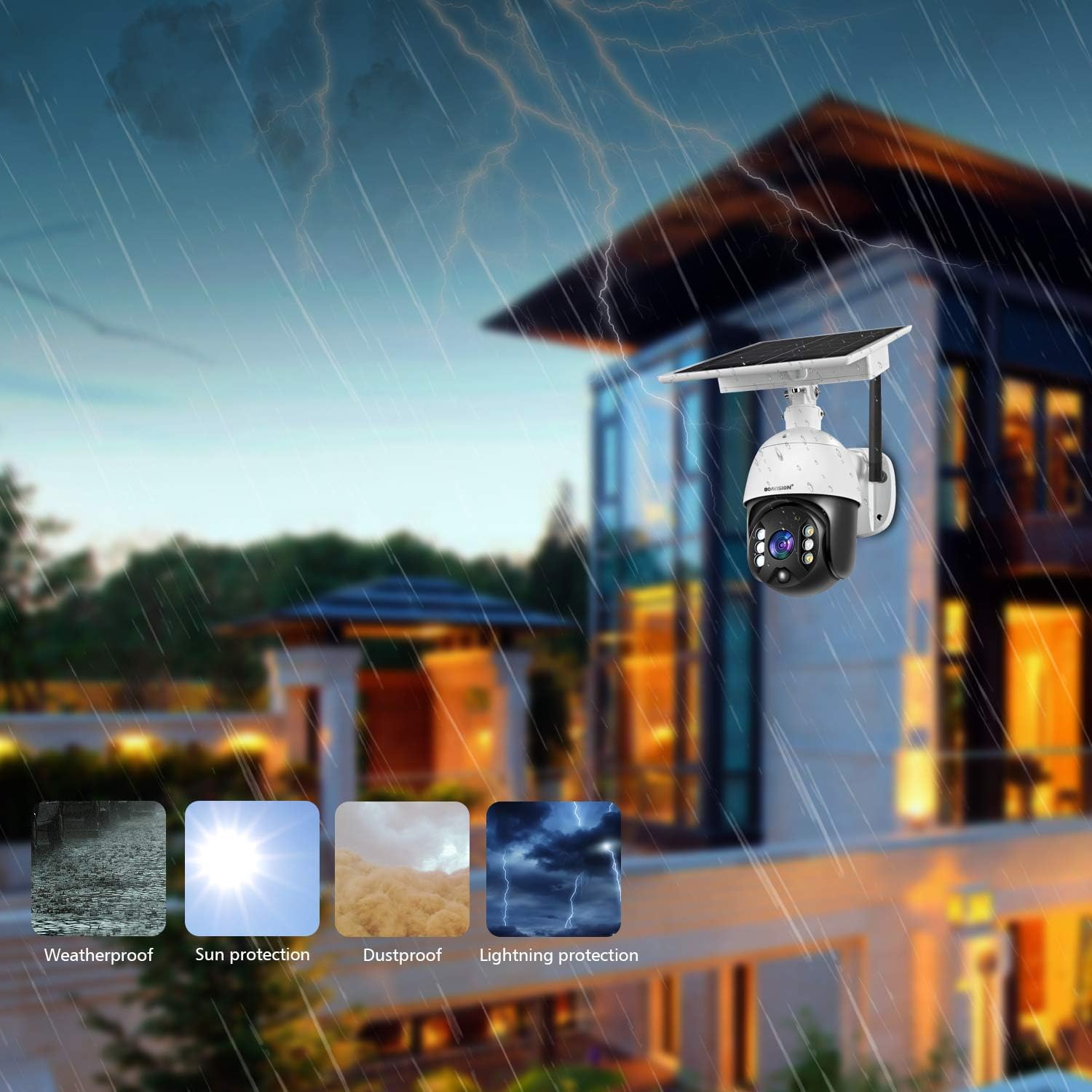
Image: The camera mounted on an outdoor wall, illustrating its weatherproof, sun protection, dustproof, and lightning protection capabilities.
ऑपरेटिंग सूचना
1. थेट View आणि पॅन/टिल्ट नियंत्रण
Access real-time video feed and control the camera's movement through the app.
- Open the BOAVISION app and select your camera from the device list.
- लाईव्ह व्हिडिओ फीड दिसेल.
- Use the on-screen joystick or swipe gestures to pan (rotate horizontally 360°) and tilt (rotate vertically 120°) the camera lens to view different angles.
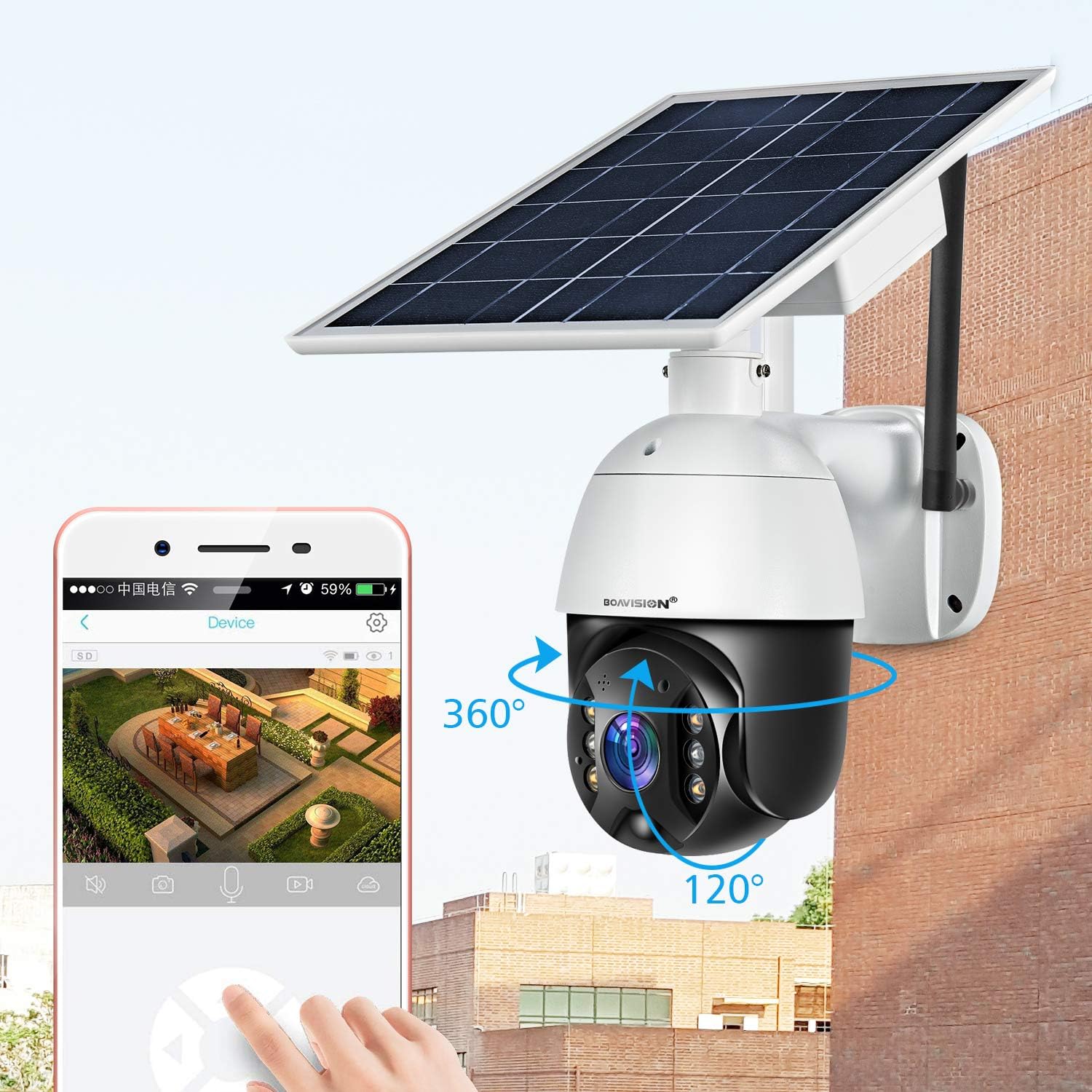
Image: A smartphone displaying the live feed from the camera, with arrows indicating 360° pan and 120° tilt functionality.
३. टू-वे ऑडिओ
अंगभूत मायक्रोफोन आणि स्पीकर वापरून अभ्यागतांशी संवाद साधा किंवा घुसखोरांना रोखा.
- लाईव्ह मध्ये असताना view, कॅमेऱ्याच्या स्पीकरमधून बोलण्यासाठी मायक्रोफोन आयकॉनवर टॅप करा.
- कॅमेऱ्याच्या आजूबाजूच्या परिसरातून ऑडिओ ऐकण्यासाठी स्पीकर आयकॉनवर टॅप करा.
५.३. हालचाल शोधणे आणि सूचना
The camera uses PIR and radar detection for accurate motion sensing, reducing false alarms.
- अॅपमधील कॅमेरा सेटिंग्जवर नेव्हिगेट करा.
- Adjust motion detection sensitivity and set detection zones if available.
- Enable push notifications to receive instant alerts on your phone when motion is detected.
- The camera can also trigger sound and light alarms upon detection.
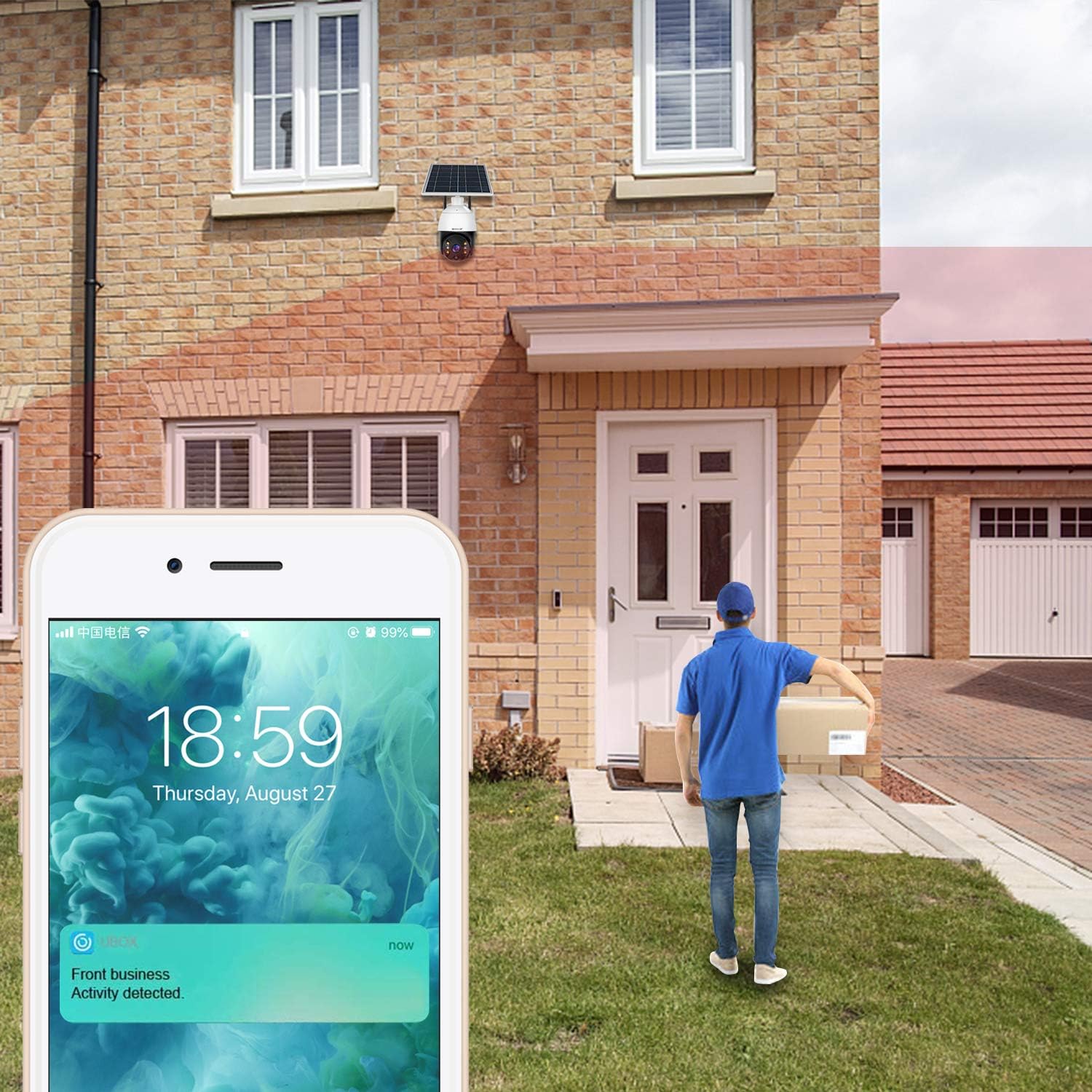
Image: A smartphone displaying a notification for detected activity, such as a delivery person at the door.
३. नाईट व्हिजन मोड्स
The camera offers both infrared (black and white) and full-color night vision.
- The camera automatically switches to night vision in low light conditions.
- Full-color night vision is activated by the built-in floodlights when motion is detected or can be manually toggled in the app.
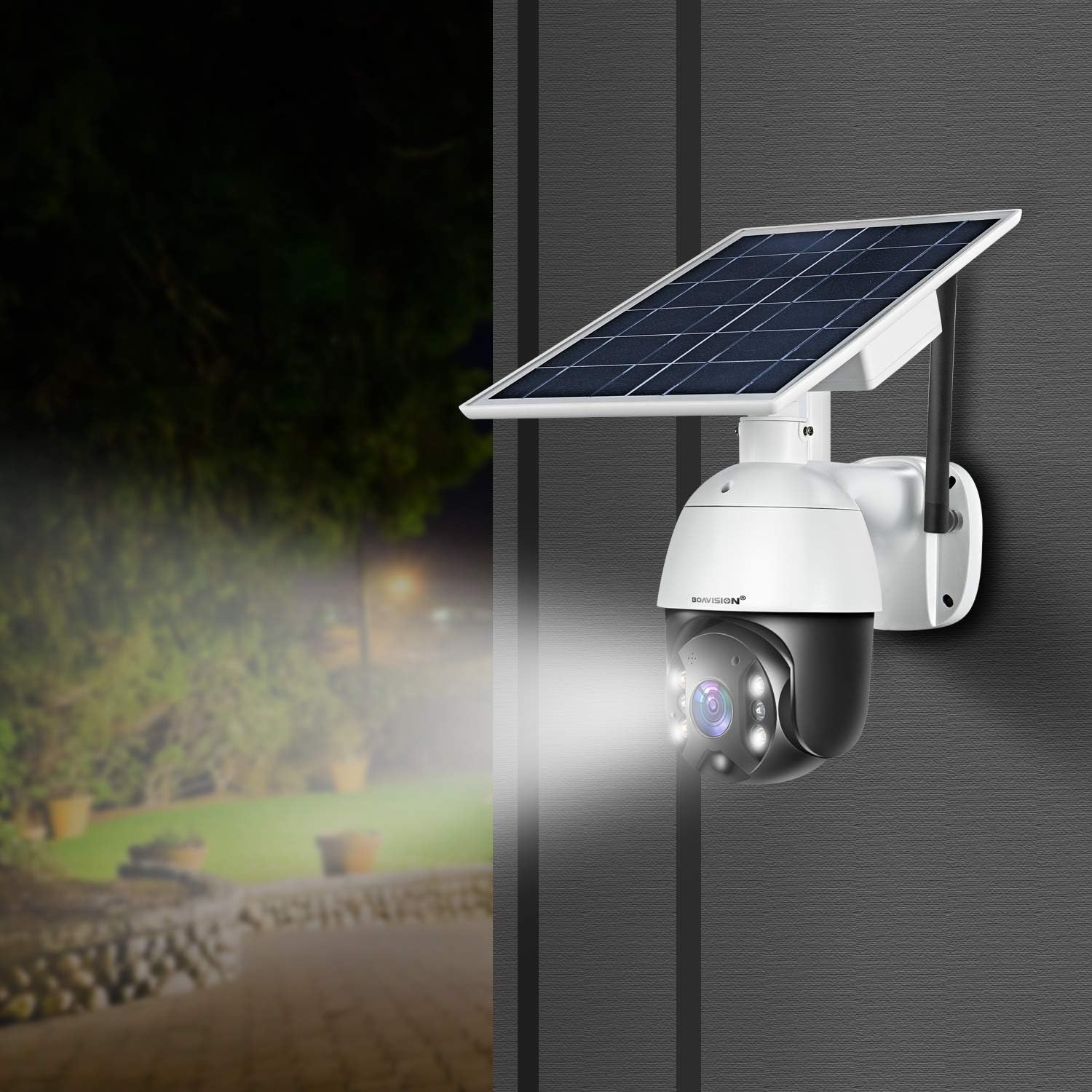
Image: The BOAVISION camera with its floodlight illuminated, providing bright visibility in a dark outdoor setting.

Image: A split image showing the same house scene in daylight and then in full-color night vision, demonstrating the camera's capability to capture colored images even in darkness.
5. रेकॉर्डिंग आणि प्लेबॅक
Recordings can be stored locally on a TF card or in the cloud.
- टीएफ कार्ड संचयन: Insert a TF (microSD) card (up to 128GB, not included) into the designated slot for continuous or motion-triggered recording.
- क्लाउड स्टोरेज: Subscribe to the optional cloud storage service via the app for secure, remote access to your video history.
- Access recorded videos through the app's playback feature, filtering by date and time.

Image: A smartphone displaying recorded video clips, with icons representing cloud storage and TF card recording options.
देखभाल
- स्वच्छता: वेळोवेळी कॅमेरा लेन्स आणि सोलर पॅनल सॉफ्ट, डी ने पुसून टाका.amp cloth to ensure clear images and efficient charging. Do not use harsh chemicals.
- बॅटरी काळजी: While the solar panel keeps the battery charged, avoid prolonged periods of complete discharge. If storing the camera, ensure the battery is at least 50% charged.
- फर्मवेअर अद्यतने: Regularly check the app for firmware updates. Updates can improve performance, add new features, and enhance security. Follow the in-app instructions for updating.
- सिम कार्ड डेटा: Monitor your 4G data usage to ensure continuous operation. Recharge your data plan as needed.
समस्यानिवारण
| समस्या | संभाव्य कारण / उपाय |
|---|---|
| कॅमेरा 4G नेटवर्कशी कनेक्ट होत नाही. |
|
| सौर पॅनेलद्वारे बॅटरी चार्ज होत नाही. |
|
| वारंवार खोट्या हालचाली सूचना. |
|
| No night vision or poor night vision. |
|
| अॅप क्रॅश होते किंवा गोठते. |
|
तपशील
| वैशिष्ट्य | तपशील |
|---|---|
| मॉडेल क्रमांक | S10-4G(US) |
| प्रतिमा सेन्सर | 5MP HD (1/2.8" image sensor) |
| व्हिडिओ रिझोल्यूशन | 5MP (for clear images and recordings) |
| कनेक्टिव्हिटी | 4G LTE Cellular Network (T-Mobile, AT&T compatible) |
| सिम कार्ड प्रकार | नॅनो-सिम (4FF) |
| उर्जा स्त्रोत | Solar Powered, Rechargeable Battery |
| बॅटरी क्षमता | 15600mAh लिथियम आयन |
| सौर पॅनेल वाटtage | 8 वॅट्स |
| नाईट व्हिजन | Full-Color Night Vision (4 floodlight LEDs), Infrared Night Vision (2 IR LEDs) |
| मोशन डिटेक्शन | PIR and Radar Detection (up to 40ft) |
| पॅन/टिल्ट श्रेणी | पॅन 360°, टिल्ट 120° |
| ऑडिओ | २-वे ऑडिओ (बिल्ट-इन मायक्रोफोन आणि स्पीकर) |
| स्टोरेज पर्याय | Cloud Storage, Local TF Card (up to 128GB) |
| वेदरप्रूफ रेटिंग | IP65 |
| परिमाण (L x W x H) | 11 x 7.5 x 6.2 इंच |
| वजन | 4.55 पाउंड |
| सुसंगत अॅप | Android / iOS App |
हमी आणि समर्थन
BOAVISION products come with a standard manufacturer's warranty. For specific warranty terms and conditions, please refer to the documentation included with your purchase or visit the official BOAVISION webसाइट
If you encounter any issues with your BOAVISION 4G camera or require technical assistance, please contact BOAVISION customer support. You can typically find contact information (email, phone, or support portal) on the BOAVISION webसाइटवर किंवा तुमच्या Amazon ऑर्डर तपशीलांद्वारे.
Technical Support Service: If you have any issue with Boavision 4G camera, please contact us by your Amazon order, we will reply within 24 hours!


