परिचय
Welcome to the world of Microsoft Flight Simulator 2020. This guide provides essential information for installing, operating, and troubleshooting your new flight simulation software. Microsoft Flight Simulator 2020 offers an unparalleled experience, allowing you to pilot a diverse range of aircraft, from light planes to wide-body jets, across a highly detailed and realistic global environment. Prepare to create your flight plans, experience dynamic day-night cycles, and navigate challenging weather conditions.
This edition is designed for PC Computers and is distributed via DVD-ROM.
सिस्टम आवश्यकता
Before installation, ensure your PC meets the necessary specifications for optimal performance.
- ऑपरेटिंग सिस्टम: विंडोज १० (६४-बिट)
- प्रोसेसर: Intel i5-4460 / AMD Ryzen 3 1200 or higher
- ग्राफिक्स कार्ड: NVIDIA GTX 770 / AMD Radeon RX 570 or higher
- VRAM: 2 जीबी
- रॅम: 8 जीबी
- स्टोरेज: 150 GB available space (SSD recommended)
- डायरेक्टएक्स: आवृत्ती ५.१
- इंटरनेट कनेक्शन: Broadband internet connection required for installation and online features.
Note: Performance may vary based on system configuration and graphics settings.
सेटअप आणि स्थापना
The Standard Edition of Microsoft Flight Simulator 2020 is distributed across multiple DVD-ROMs. Follow these steps carefully for a successful installation.
- तुमची प्रणाली तयार करा:
- Ensure you have at least 150 GB of free disk space.
- Disable any antivirus software temporarily to prevent interference during installation.
- It is recommended to turn off autoplay for your DVD drive in Windows settings to avoid potential CRC errors during installation.
- Insert Disc 1: Insert the first DVD-ROM into your computer's DVD drive.
- Start Installation:
- If the installer does not launch automatically, navigate to your DVD drive in File Explorer and double-click the
setup.exefile. - Follow the on-screen prompts to begin the installation process.
- If the installer does not launch automatically, navigate to your DVD drive in File Explorer and double-click the
- Disc Swapping: The installer will prompt you to insert subsequent DVD-ROMs as needed. Ensure discs are clean and free of scratches to prevent read errors.
- Product Key Activation: During or after the DVD installation, you will be prompted to enter your unique product key. This key is typically found inside the game packaging. An active Microsoft account is required for activation and ongoing use.
- Initial Download: After the DVD installation is complete and the product key is entered, the game will connect to the internet to download additional content and the latest updates. This download can be substantial (e.g., 70-100 GB or more) and requires a stable broadband internet connection.
- Launch the Game: Once all downloads and updates are complete, you can launch Microsoft Flight Simulator from your desktop shortcut or the Start Menu.

Image: The retail box for Microsoft Flight Simulator 2020 Standard Edition, showing the PC DVD logo and game title.
Operating the Simulator
Microsoft Flight Simulator offers a deep and immersive experience. Here are some key aspects of operating the simulator:
First Flight and Tutorials
It is highly recommended to complete the in-game tutorials, especially if you are new to flight simulation. These tutorials cover basic controls, navigation, and flight procedures.
Aircraft Selection
The Standard Edition includes a variety of aircraft. You can select your desired aircraft from the main menu before starting a flight.
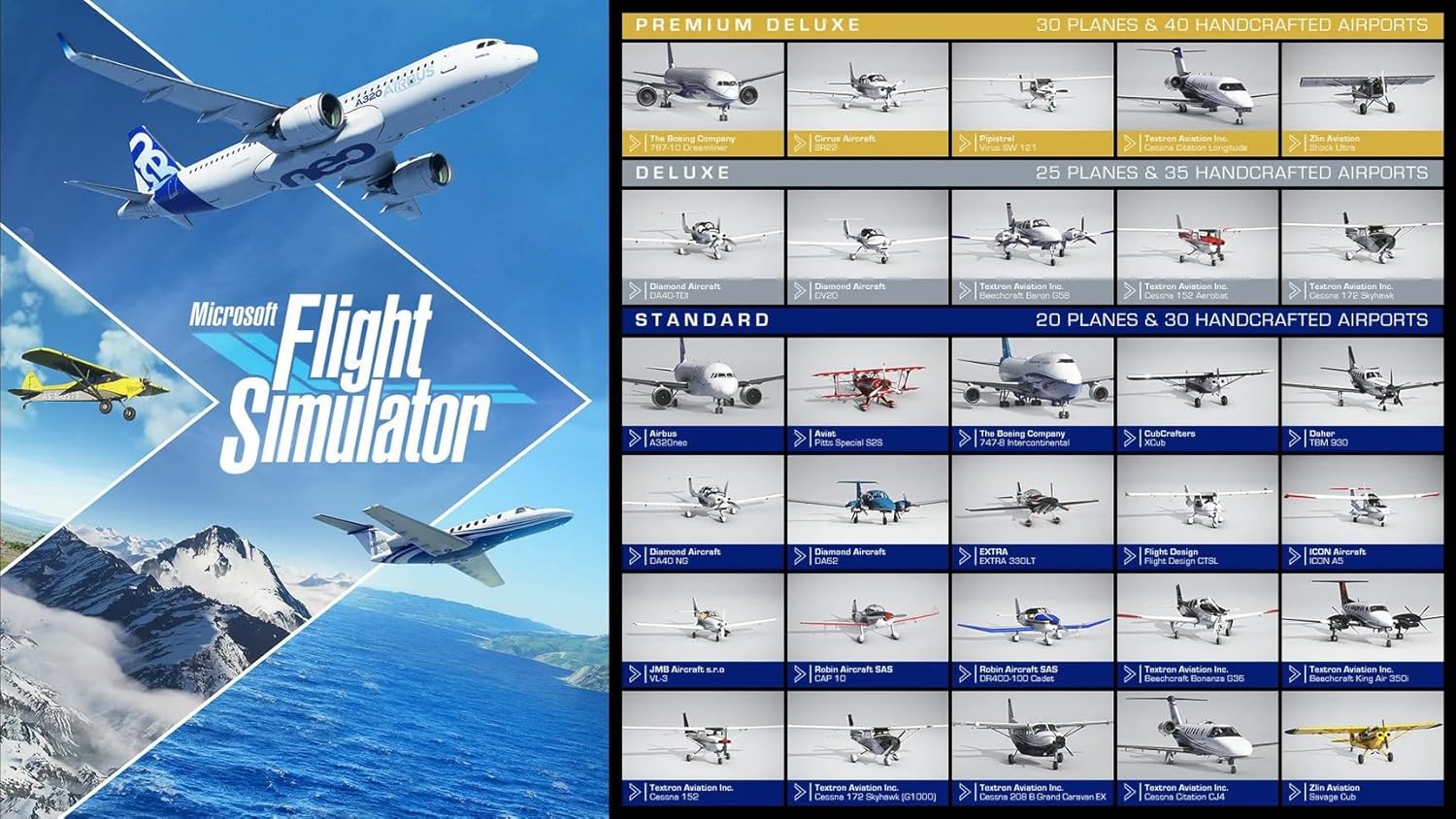
Image: A visual comparison chart detailing the number and types of aircraft and handcrafted airports included in the Standard, Deluxe, and Premium Deluxe editions of Microsoft Flight Simulator. The Standard edition includes 20 planes and 30 handcrafted airports.
World Map and Flight Planning
Use the World Map to select your departure and arrival airports, set your flight path, choose time of day, and adjust weather conditions. The simulator features a highly realistic world with over 2 million cities and 1.5 billion buildings.

प्रतिमा: एक हवाई view from above a small propeller plane, showcasing the detailed ground textures and varied terrain, including agricultural fields, within the simulator's world.
Controls and Peripherals
The simulator supports various input devices, including keyboard, mouse, gamepads, joysticks, and flight sticks. You can customize control bindings within the game's options menu.

प्रतिमा: जवळून पाहिलेला फोटो view of an aircraft's cockpit dashboard, displaying various gauges, switches, and controls, highlighting the intricate detail of the in-game instruments.
Weather and Time
Experience dynamic weather conditions, including accurate wind speed and direction, temperature, humidity, rain, and lightning. You can also fly day or night with realistic lighting.

Image: A large commercial airliner, possibly a Boeing 787, soaring above a layer of clouds with snow-capped mountains visible in the distance, demonstrating the realistic atmospheric effects.
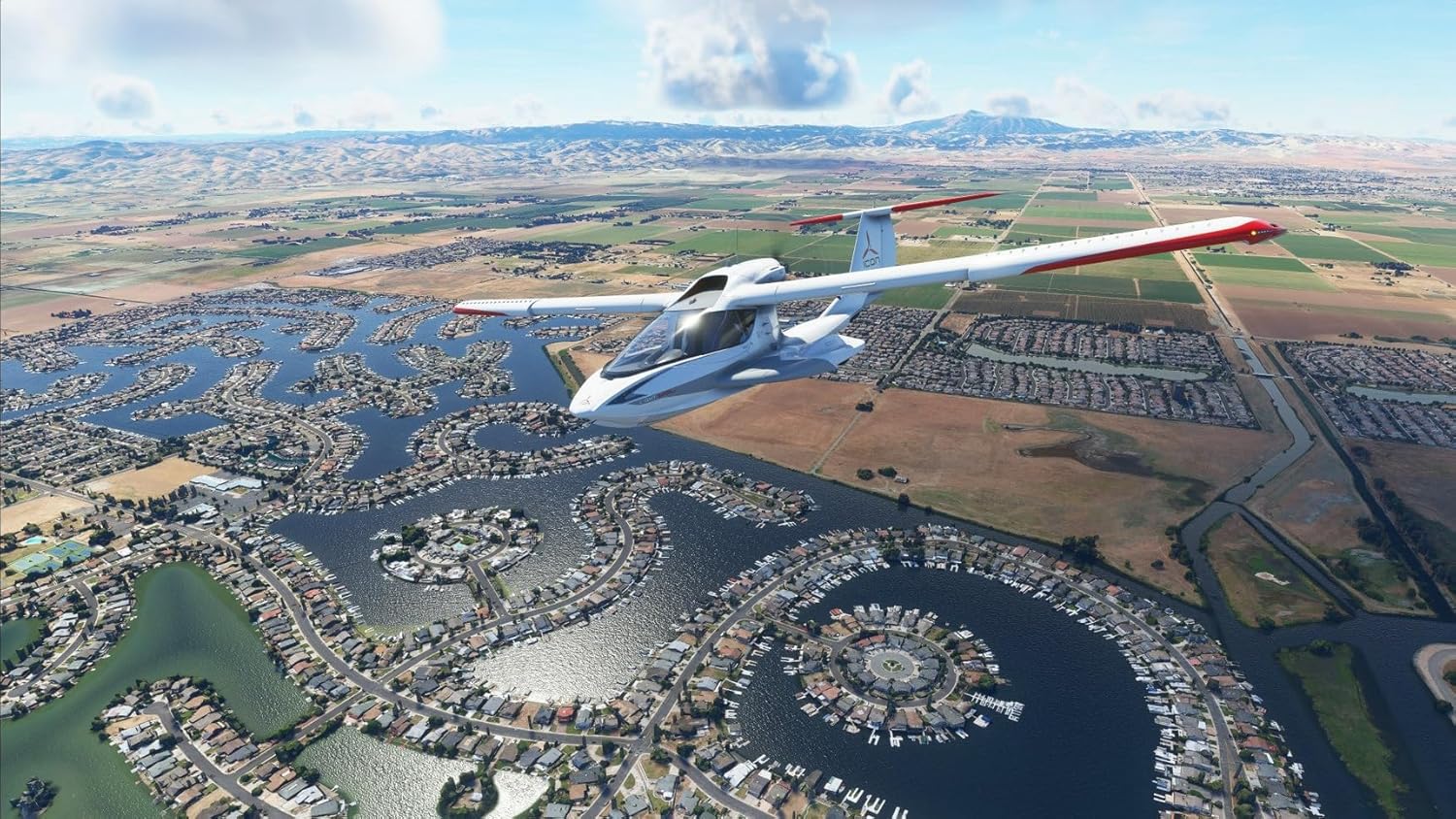
Image: A small private jet flying over a sprawling city at dusk, with city lights illuminating the landscape below, showcasing the realistic night lighting and vast urban environments.
देखभाल
While Microsoft Flight Simulator 2020 is software, regular maintenance practices can ensure optimal performance and stability.
- ड्रायव्हर्स अपडेट ठेवा: Ensure your graphics card drivers and other system drivers are always up to date. Visit your hardware manufacturer's webनवीनतम आवृत्त्यांसाठी साइट.
- गेम अपडेट्स: The simulator frequently receives updates. Ensure you have a stable internet connection to download these updates when prompted, as they often include performance improvements, bug fixes, and new content.
- Disk Space Management: Periodically check your hard drive for sufficient free space. Large updates and add-ons can consume significant storage.
- Verify Game Files: If you encounter persistent issues, you may be able to verify the integrity of game files through the Microsoft Store or Xbox app (depending on your installation method).
समस्यानिवारण
Encountering issues during installation or gameplay can be frustrating. Here are some common problems and their potential solutions:
Installation Errors (e.g., "Transfer Error", "File Missing")
- Clean Discs: Ensure all DVD-ROMs are clean and free of smudges or scratches. Use a soft, lint-free cloth to gently wipe them.
- अँटीव्हायरस अक्षम करा: Temporarily disable your antivirus software during installation. Remember to re-enable it afterward.
- Disable Autoplay: Turn off the "Autoplay" feature for your DVD drive in Windows settings before starting the installation.
- Copy Discs to Hard Drive: As a last resort, you can try copying the contents of each DVD to a separate folder on your hard drive (e.g., "Disc1", "Disc2", etc.) and then running the setup from the copied Disc 1 folder. This can sometimes bypass read errors from the physical discs.
- Sufficient Disk Space: Verify you have ample free space (at least 150 GB) on your target installation drive.
"Code Already Used" or Activation Issues
- Microsoft Account: Ensure you are logged into the correct Microsoft account that the game was initially activated with.
- इंटरनेट कनेक्शन: A stable internet connection is required for activation.
- सपोर्टशी संपर्क साधा: If the issue persists, contact Microsoft Support directly. Provide your product key and proof of purchase.
Performance Issues (Low FPS, Stuttering)
- ड्राइव्हर्स अद्यतनित करा: तुमचे ग्राफिक्स कार्ड ड्रायव्हर्स अद्ययावत असल्याची खात्री करा.
- Adjust Graphics Settings: Lower in-game graphics settings (e.g., resolution, texture quality, cloud quality, anti-aliasing).
- पार्श्वभूमी अनुप्रयोग बंद करा: Close any unnecessary applications running in the background to free up system resources.
- इंटरनेट गती: A slow internet connection can impact streaming world data, leading to stutters.
Game Crashes
- Verify System Requirements: Double-check that your PC meets or exceeds the minimum system requirements.
- अद्यतनांसाठी तपासा: गेम पूर्णपणे अपडेट केला आहे याची खात्री करा.
- जास्त गरम होणे: Monitor your CPU and GPU temperatures. Overheating can cause crashes. Ensure proper ventilation for your PC.
- भ्रष्ट Files: Consider verifying game files through the Microsoft Store or Xbox app.
तपशील
| वैशिष्ट्य | तपशील |
|---|---|
| उत्पादन शीर्षक | Microsoft Flight Simulator 2020 - Standard Edition (PC DVD) |
| ब्रँड | मायक्रोसॉफ्ट |
| मॉडेल क्रमांक (ASIN) | B08FCK6WMQ |
| आयटमचा प्रकार | DVD-ROM (Physical Media) |
| Included Aircraft | 20 highly detailed aircraft |
| Included Airports | 30 handcrafted airports |
| World Data | Over 2 million cities, 1.5 billion buildings, real mountains, roads, trees, rivers, animals, traffic |
| डायनॅमिक हवामान | Live real-time weather, including wind, temperature, humidity, rain, lightning |
| Day/Night Cycle | Full day and night cycle with realistic lighting |
| प्रकाशन तारीख | ९ डिसेंबर २०२३ |
| मूळ देश | Germany (for physical media) |
हमी आणि समर्थन
For warranty information and technical support regarding Microsoft Flight Simulator 2020, please refer to the official Microsoft support channels.
- अधिकृत समर्थन Webसाइट: Visit the official Microsoft Flight Simulator support website for FAQs, forums, and troubleshooting guides.
- Microsoft Support: For direct assistance with product activation, installation issues, or technical problems, contact Microsoft Support.
- उत्पादन की: Keep your product key and proof of purchase in a safe place, as they may be required for support inquiries.
Note: Issues related to physical media (damaged discs) should first be addressed with the retailer from whom the product was purchased.


