1. परिचय
Thank you for choosing the LAXIHUB 1080P Full HD Outdoor Security Camera. This device is designed to provide reliable surveillance for your outdoor spaces, featuring high-definition video, two-way audio, motion and noise detection, and robust weatherproofing. Please read this manual thoroughly before installation and use to ensure proper operation and safety.
2. उत्पादन संपलेview
2.1 पॅकेज सामग्री
- LAXIHUB Outdoor Security Camera
- पॉवर अडॅप्टर
- माउंटिंग स्क्रू आणि अँकर
- वापरकर्ता मॅन्युअल
- ८ जीबी मायक्रो एसडी कार्ड (पूर्व-स्थापित किंवा स्वतंत्रपणे समाविष्ट केलेले)
2.2 प्रमुख वैशिष्ट्ये
- १०८०पी फुल एचडी व्हिडिओ: स्पष्ट आणि तपशीलवार foo कॅप्चर करतेtage.
- 2.4G वायफाय कनेक्टिव्हिटी: Connects to your home network for remote access.
- IP65 हवामानरोधक: Designed to withstand outdoor conditions (operating temperature -20°C to 50°C / -4°F to 122°F).
- वर्धित रात्रीची दृष्टी: Provides clear monitoring in low-light conditions up to 15 feet.
- द्वि-मार्ग ऑडिओ: कॅमेऱ्याद्वारे रिअल-टाइम संप्रेषण करण्याची परवानगी देते.
- Motion & Noise Detection: Alerts you to activity and sound.
- स्थानिक आणि क्लाउड स्टोरेज: Supports Micro SD card (up to 128GB, 32GB included) and optional cloud storage.
- स्मार्ट होम इंटिग्रेशन: Amazon Alexa आणि Google Assistant सह सुसंगत.
३.१ कॅमेरा घटक
Familiarize yourself with the camera's physical components:
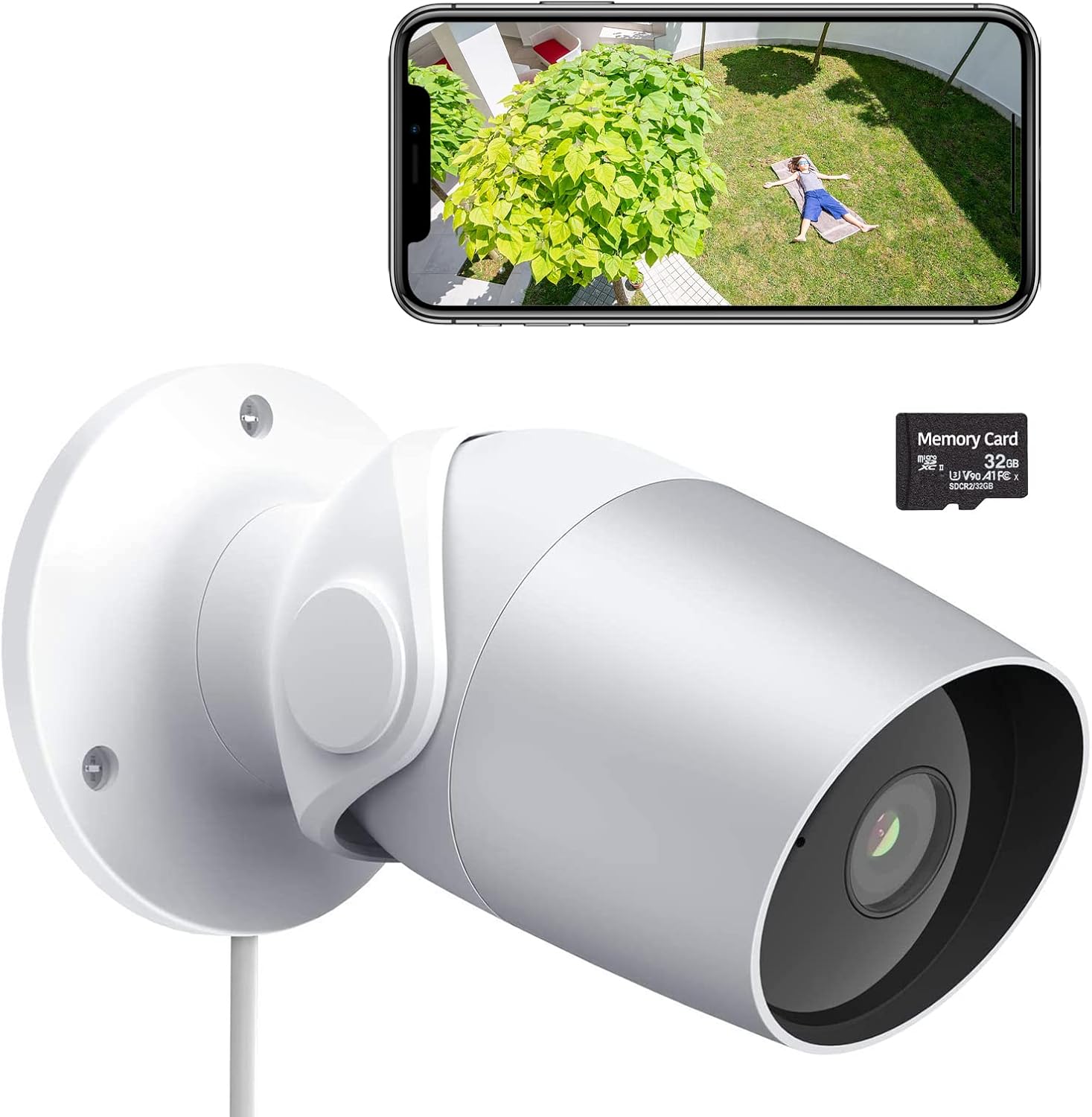
Figure 1: LAXIHUB Outdoor Security Camera with included 32GB Micro SD card and a smartphone displaying live feed.

Figure 2: Visual representation of the camera's main features.
3. सेटअप
५.२ अॅप डाउनलोड आणि खाते तयार करणे
- Download the 'Arenti' app from the App Store (iOS) or Google Play Store (Android).
- अॅप उघडा आणि नवीन खाते नोंदणी करा किंवा तुमच्याकडे आधीच खाते असल्यास लॉग इन करा.
३.१ कॅमेरा चालू करणे
- पॉवर अॅडॉप्टर कॅमेऱ्याच्या पॉवर इनपुट पोर्टशी जोडा.
- पॉवर अडॅप्टरला मानक इलेक्ट्रिकल आउटलेटमध्ये प्लग करा.
- कॅमेऱ्याचा इंडिकेटर लाईट फ्लॅश होईपर्यंत वाट पहा, जो दर्शवितो की तो जोडणीसाठी तयार आहे.
3.3 Wi-Fi शी कनेक्ट करत आहे
- In the Arenti app, tap the '+' icon to add a new device.
- सूचीमधून तुमचा कॅमेरा मॉडेल निवडा.
- Follow the on-screen instructions to connect the camera to your 2.4GHz Wi-Fi network. Ensure your phone is connected to the same 2.4GHz network during setup.
- Scan the QR code displayed on your phone with the camera lens when prompted.
- Once connected, the indicator light will turn solid.
३.२ मायक्रो एसडी कार्डची स्थापना
The camera supports a Micro SD card up to 128GB for local storage. A 32GB card is typically included.
- Locate the Micro SD card slot on the camera (refer to the product diagram if needed).
- Gently insert the Micro SD card into the slot with the gold contacts facing down until it clicks into place.
- In the app, navigate to camera settings and format the SD card for optimal performance.
3.5 कॅमेरा माउंट करणे
The camera is designed for wall mounting.
- माउंटिंगसाठी योग्य जागा निवडा, मोकळे क्षेत्र सुनिश्चित करा view आणि पॉवर आउटलेटमध्ये प्रवेश.
- Use the included mounting template (if provided) or mark the screw holes on the wall.
- Drill pilot holes and insert wall anchors if mounting into drywall or masonry.
- दिलेल्या स्क्रूचा वापर करून कॅमेराचा माउंटिंग बेस भिंतीवर सुरक्षित करा.
- इष्टतम कव्हरेजसाठी आवश्यकतेनुसार कॅमेरा कोन समायोजित करा.
4. कॅमेरा चालवणे
4.1 थेट View आणि प्लेबॅक
- Open the Arenti app and select your camera to view थेट फीड.
- पुन्हा प्लेबॅक फंक्शन वापराview रेकॉर्ड footage stored on the SD card or cloud.
4.2 Motion and Noise Detection

Figure 3: The camera's AI-powered human motion and sound detection capabilities.
- In the app settings, enable and configure motion and noise detection sensitivity.
- Set up detection zones to focus on specific areas.
- Receive push notifications on your smartphone when activity is detected.
४.४ टू-वे ऑडिओ

आकृती 4: उदाample of two-way audio functionality for communication.
- लाईव्ह मध्ये असताना view, कॅमेऱ्याद्वारे बोलण्यासाठी मायक्रोफोन आयकॉनवर टॅप करा.
- Tap the speaker icon to hear audio from the camera's location.
4.4 रात्रीची दृष्टी
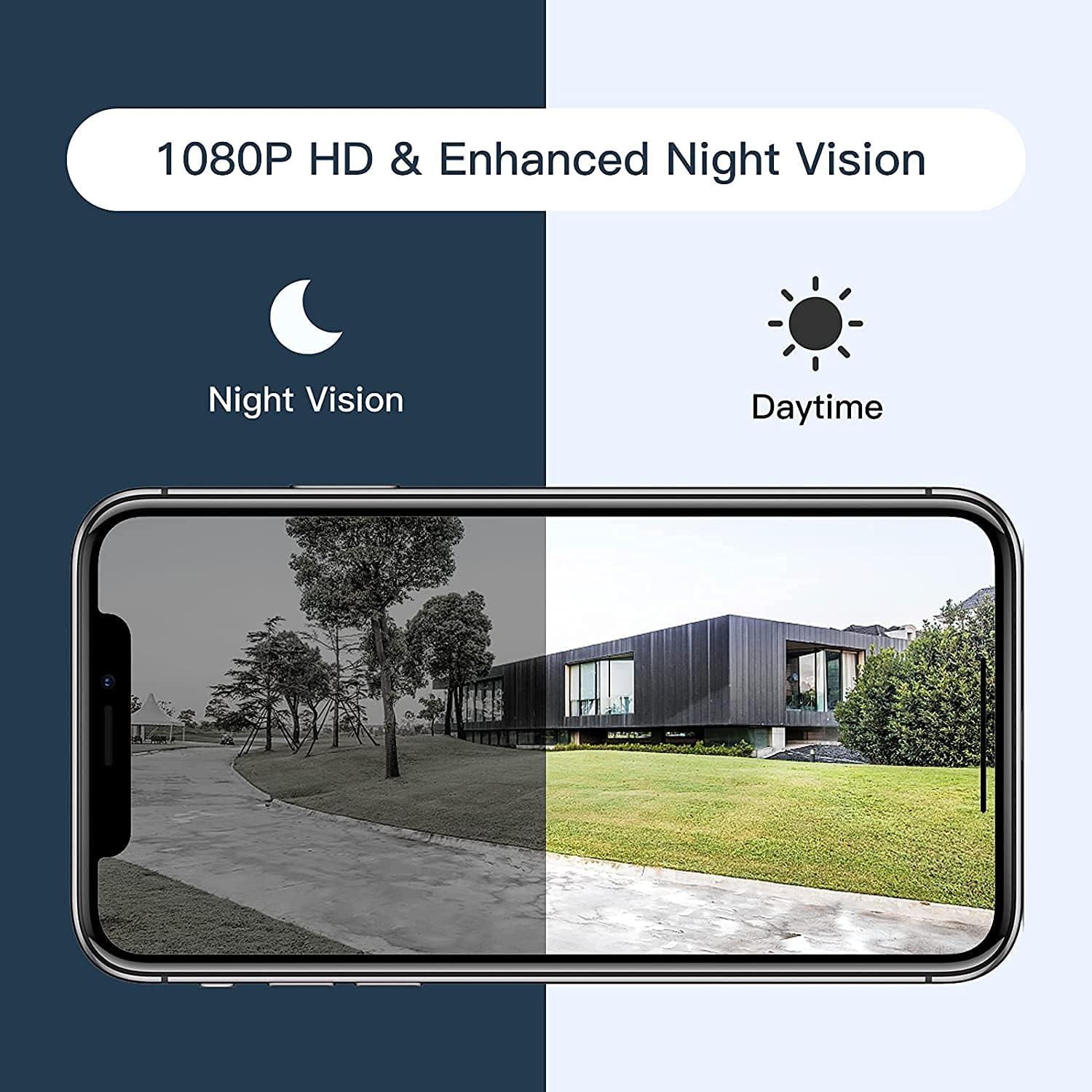
Figure 5: Comparison of daytime and night vision footage.
कमी प्रकाशाच्या परिस्थितीत कॅमेरा आपोआप नाईट व्हिजन मोडवर स्विच करतो, ज्यामुळे स्पष्ट काळा आणि पांढरा व्हिडिओ मिळतो.
५.२ स्मार्ट होम इंटिग्रेशन

Figure 6: The camera's compatibility with Amazon Alexa for voice control and viewing
- To connect with Amazon Alexa or Google Assistant, follow the instructions in the Arenti app's integration section.
- Once linked, you can use voice commands to view कॅमेरा सुसंगत स्मार्ट डिस्प्लेवर फीड करतो.
4.6 Sharing Access

Figure 7: The camera supports sharing live view access with multiple family members.
You can share access to your camera's live feed with family members through the Arenti app. Navigate to the camera settings and select the sharing option to invite others.
5. देखभाल
- स्वच्छता: स्पष्ट प्रतिमा गुणवत्ता सुनिश्चित करण्यासाठी कॅमेरा लेन्स नियमितपणे मऊ, कोरड्या कापडाने पुसून टाका. कठोर रसायने वापरू नका.
- फर्मवेअर अद्यतने: Check the Arenti app periodically for available firmware updates. Keeping your camera's firmware updated ensures optimal performance and security.
- वीज कनेक्शन: Ensure the power cable and adapter are securely connected and free from damage.
- हवामान संरक्षण: While IP65 rated, avoid directing high-pressure water jets directly at the camera. Ensure the power connection point is protected from excessive moisture.
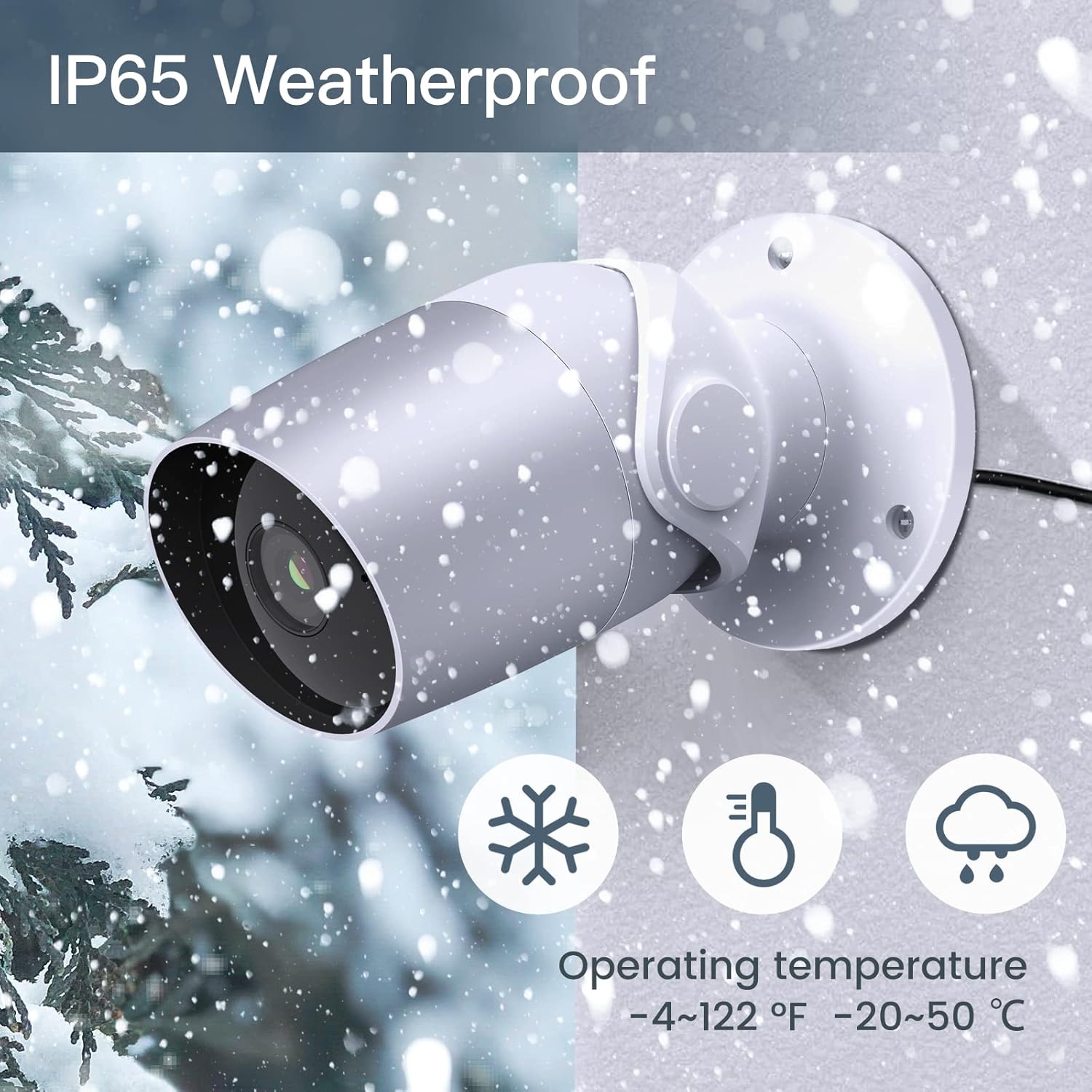
Figure 8: The camera's IP65 weatherproof rating ensures durability in various outdoor conditions.
6. समस्या निवारण
- कॅमेरा चालू नाही: Ensure the power adapter is correctly connected to the camera and a working power outlet. Try a different outlet or adapter if available.
- Wi-Fi शी कनेक्ट करू शकत नाही:
- तुमचे वाय-फाय नेटवर्क २.४GHz आहे याची खात्री करा. कॅमेरा ५GHz वाय-फायला सपोर्ट करत नाही.
- तुमचा वाय-फाय पासवर्ड बरोबर आहे का ते पडताळून पहा.
- सेटअप दरम्यान कॅमेरा तुमच्या वाय-फाय राउटरच्या जवळ हलवा.
- Reset the camera (refer to the app or product for reset button location) and try pairing again.
- खराब व्हिडिओ गुणवत्ता:
- Check your Wi-Fi signal strength. A weak signal can affect video streaming.
- कॅमेरा लेन्स स्वच्छ करा.
- Motion/Noise detection not working:
- Ensure detection is enabled in the app settings.
- संवेदनशीलता पातळी समायोजित करा.
- Verify notification permissions for the Arenti app on your smartphone.
- द्वि-मार्गी ऑडिओ समस्या:
- तुमच्या फोनवर आणि अॅपमध्ये व्हॉल्यूम सेटिंग्ज तपासा.
- Ensure your phone's microphone is enabled for the Arenti app.
7. तपशील
| वैशिष्ट्य | तपशील |
|---|---|
| व्हिडिओ कॅप्चर रिझोल्यूशन | 1080 पी पूर्ण एचडी |
| कनेक्टिव्हिटी प्रोटोकॉल | वाय-फाय (फक्त २.४GHz) |
| आंतरराष्ट्रीय संरक्षण रेटिंग | IP65 वेदरप्रूफ |
| Viewकोन | 110 अंश |
| नाइट व्हिजन रेंज | 15 फूट |
| फ्रेम दर | 25 FPS |
| उर्जा स्त्रोत | Corded Electric (12 Volts DC, 4.5 Watts) |
| स्टोरेज | Micro SD Card (up to 128GB, 32GB included), Cloud Storage |
| सतर्कता प्रकार | ऑडिओ आणि मोशन डिटेक्शन |
| सुसंगत साधने | Smartphone, Amazon Alexa, Google Assistant |
| ऑपरेटिंग तापमान | -20°C ते 50°C (-4°F ते 122°F) |
| उत्पादन परिमाणे | 8 x 3.66 x 6 इंच |
| आयटम वजन | 14.1 औंस |
8. वॉरंटी माहिती
Specific warranty details for your LAXIHUB Security Camera may vary by region and retailer. Please refer to the warranty card included with your product or contact LAXIHUB customer support directly for detailed information regarding warranty coverage and terms.
9. ग्राहक समर्थन
If you encounter any issues or have questions not covered in this manual, please contact LAXIHUB customer support through the Arenti app or visit the official LAXIHUB website for assistance. You may also refer to the seller's support channels if purchased through a third-party retailer.


