1. परिचय
This manual provides essential instructions for the safe installation, operation, and maintenance of your Legrand Arteor USB Charger Module, Model 573422. Please read this manual thoroughly before installation and retain it for future reference.
2. सुरक्षितता माहिती
चेतावणी: Electrical shock hazard. Installation must be performed by a qualified electrician in accordance with all local and national electrical codes. Disconnect power at the circuit breaker before installation or servicing.
- डिव्हाइसला ओलावा किंवा अति तापमानात उघड करू नका.
- डिव्हाईस वेगळे करण्याचा किंवा बदलण्याचा प्रयत्न करू नका.
- आवश्यक असल्यास योग्य ग्राउंडिंगची खात्री करा.
- Use only with compatible USB devices.
3. पॅकेज सामग्री
स्थापनेला पुढे जाण्यापूर्वी सर्व घटक उपस्थित आहेत याची खात्री करा:
- 1x Legrand Arteor USB Charger Module (IS13252 Part 1 / IEC 60950,1)

आकृती 1: समोर view of the Legrand Arteor USB Charger Module, showing two USB-A ports and a battery charging icon.
4. सेटअप आणि स्थापना
This USB charger module is designed for integration into a compatible Legrand Arteor mounting frame and plate. Professional installation is recommended.
- वीज खंडित होणे: Before beginning any electrical work, ensure the main power supply to the circuit is turned off at the circuit breaker. Verify with a voltagई परीक्षक.
- मॉड्यूल समाविष्ट करणे: Carefully insert the USB charger module into the designated slot within the Arteor mounting frame. Ensure it clicks securely into place.
- वायरिंग कनेक्शन: Connect the electrical wires (Live, Neutral, Earth) to the corresponding terminals on the rear of the module. Refer to the wiring diagram provided with your Arteor mounting frame or consult a qualified electrician. Ensure all connections are tight and secure.
- माउंटिंग प्लेट स्थापना: Once the module is wired and secured in the frame, attach the Arteor cover plate according to its specific instructions.
- पॉवर रिस्टोरेशन: सर्किट ब्रेकरवर वीज पुनर्संचयित करा.

आकृती 2: बाजू view of the module, illustrating its compact design for integration into a wall plate.

आकृती १: कोन असलेला view showing the rear housing and terminal access for wiring.
5. ऑपरेटिंग सूचना
The Legrand Arteor USB Charger Module provides convenient power for charging compatible USB devices.
- डिव्हाइस कनेक्ट करा: Plug a standard USB-A charging cable into one of the two USB ports on the module.
- चार्जिंग सुरू करा: Connect the other end of the USB cable to your compatible device (e.g., smartphone, tablet, PC). The device should begin charging automatically.
- चार्जिंग संकेत: The module does not feature an explicit charging indicator light. Refer to your device's screen for charging status.
- डिव्हाइस डिस्कनेक्ट करा: Once charging is complete, safely disconnect your device and then the USB cable from the module.
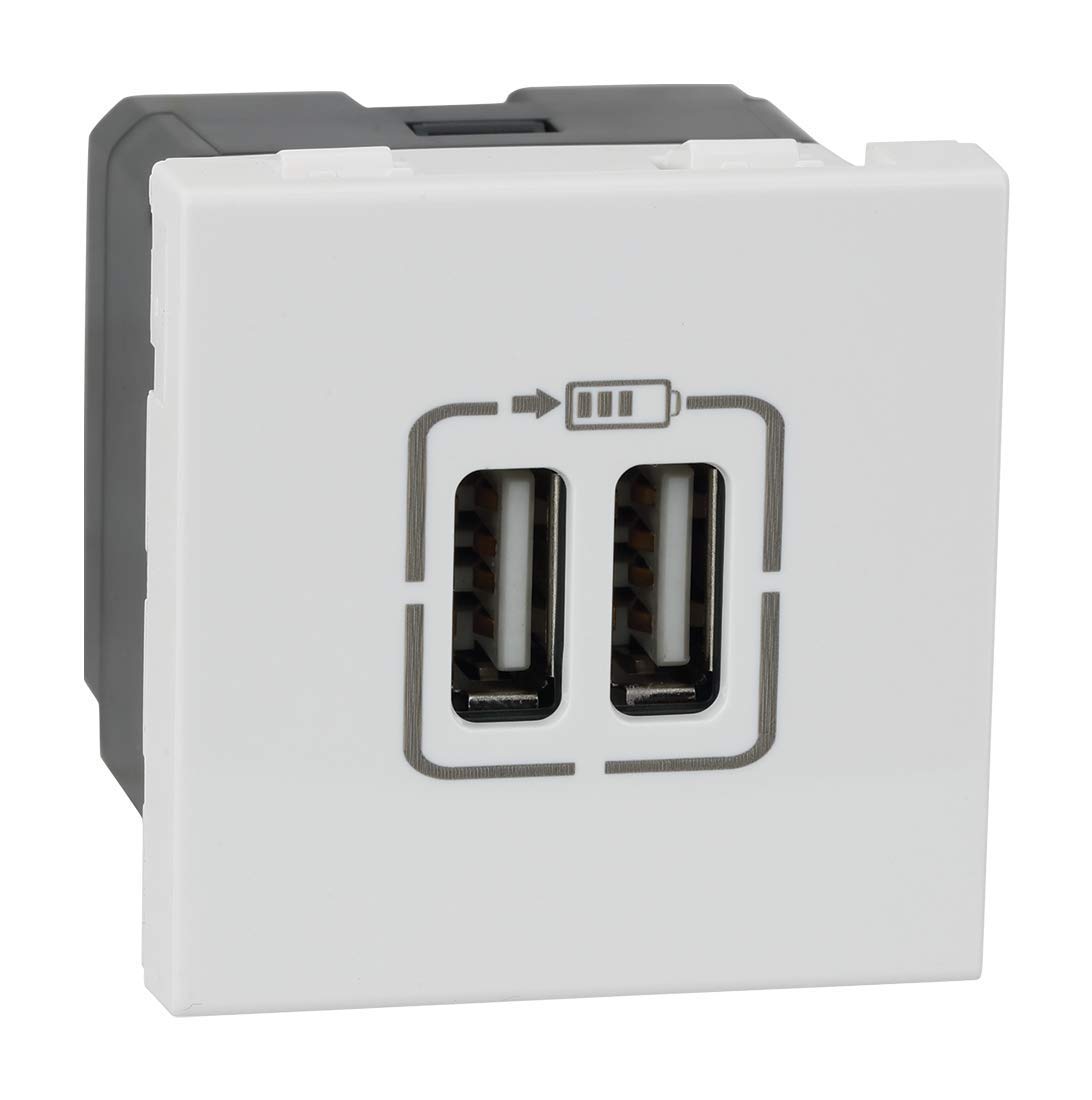
आकृती २.१: कोन असलेला पुढचा भाग view highlighting the two USB-A charging ports.
6. देखभाल
- स्वच्छता: Disconnect power before cleaning. Wipe the surface of the module with a soft, dry, or slightly damp कापड. अपघर्षक क्लीनर, सॉल्व्हेंट्स किंवा जास्त ओलावा वापरू नका.
- तपासणी: Periodically inspect the module and surrounding plate for any signs of damage, loose connections, or discoloration. If any issues are observed, disconnect power and consult a qualified electrician.
7. समस्या निवारण
| समस्या | संभाव्य कारण | उपाय |
|---|---|---|
| डिव्हाइस चार्ज होत नाही. | No power to the module. दोषपूर्ण USB केबल. विसंगत डिव्हाइस. Module malfunction. | सर्किट ब्रेकर तपासा. वेगळी USB केबल वापरून पहा. Ensure device is USB-compatible. पात्र इलेक्ट्रिशियनचा सल्ला घ्या. |
| स्लो चार्जिंग. | High power demand from device. दोषपूर्ण USB केबल. | Ensure device is not running power-intensive applications. Try a different, high-quality USB cable. |
8. तपशील
- मॉडेल क्रमांक: 573422
- ब्रँड: लेग्रँड
- कनेक्टर प्रकार: यूएसबी-ए
- एकूण यूएसबी पोर्ट: 2
- इनपुट व्हॉल्यूमtage: 5 Volts (from mains supply via internal conversion)
- आउटपुट वर्तमान: 3 Amps (एकूण)
- साहित्य: पॉली कार्बोनेट
- रंग: पांढरा
- उत्पादन परिमाणे: 4.5 x 4.5 x 4.2 सेमी
- आयटम वजन: 80 ग्रॅम
- मानके: IS13252 (Part 1) / IEC 60950,1
9. वॉरंटी माहिती
This Legrand Arteor USB Charger Module comes with a 2 वर्षाची वॉरंटी provided by the manufacturer from the date of purchase. Please retain your proof of purchase for warranty claims. The warranty covers manufacturing defects under normal use conditions. It does not cover damage resulting from improper installation, misuse, accidents, or unauthorized modifications.
10. ग्राहक समर्थन
For technical assistance, warranty claims, or further information, please contact Legrand customer service. Refer to the Legrand official website or product packaging for current contact details.
Legrand Official Webसाइट: www.legrand.co.in


