1. परिचय
This manual provides essential information for setting up, operating, and maintaining your Acer Aspire Z24-890-UA91 All-in-One Desktop. Please read this guide thoroughly to ensure proper use and to maximize the performance and longevity of your device.

प्रतिमा 1.1: समोर view of the Acer Aspire Z24-890-UA91 All-in-One Desktop, showcasing the display, wireless keyboard, and mouse.
2. पॅकेज सामग्री
खाली सूचीबद्ध केलेल्या सर्व वस्तू तुमच्या उत्पादन पॅकेजिंगमध्ये समाविष्ट आहेत याची खात्री करा:
- Acer Aspire Z24-890-UA91 All-in-One Desktop
- वायरलेस कीबोर्ड
- वायरलेस माउस
- पॉवर कॉर्ड
3. सेटअप
Follow these steps to set up your Acer Aspire Z24-890-UA91 All-in-One Desktop:
- वीज कनेक्ट करा: Plug the power cord into the power port on the rear of the desktop, then into a wall outlet.
- Connect Wireless Peripherals: The wireless keyboard and mouse connect via a USB RF dongle. This dongle is pre-installed in a USB 2.0 port located at the bottom of the display. Ensure the keyboard and mouse have batteries installed.
- पॉवर चालू: Press the power button, typically located on the side or bottom edge of the display. The system will boot up.
- सुरुवातीचा विंडोज सेटअप: Follow the on-screen instructions to complete the Windows 10 Home setup process. This includes setting up your user account, network connection, and other preferences.

Image 3.1: Easy access ports located at the bottom of the display, including the USB port for the wireless dongle, headphone jack, and SD card reader.
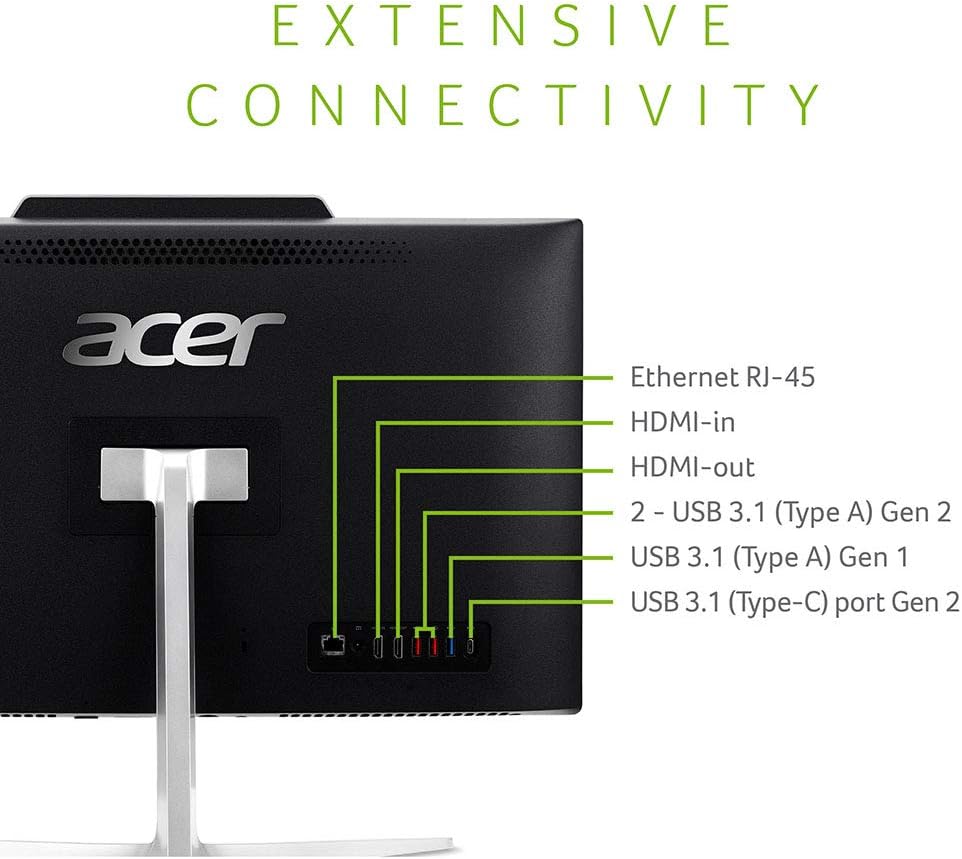
Image 3.2: Rear connectivity ports for external devices and network connections.
4. उत्पादन संपलेview
The Acer Aspire Z24-890-UA91 is an All-in-One desktop designed for efficient computing. It features a 23.8-inch Full HD display and is powered by a 9th Gen Intel Core i5-9400T processor.
4.1 प्रमुख वैशिष्ट्ये
- डिस्प्ले: 23.8" Full HD (1920 x 1080) widescreen edge-to-edge LED Back-lit display.
- प्रोसेसर: 9th Generation Intel Core i5-9400T Processor (up to 3.4GHz).
- मेमरी: १६ जीबी डीडीआर४ रॅम.
- स्टोरेज: 512GB SSD.
- ऑप्टिकल ड्राइव्ह: 8x DVD-Writer Double-Layer Drive (DVD-RW).
- कनेक्टिव्हिटी: 802.11AC Wi-Fi, Gigabit Ethernet LAN, Bluetooth 4.2 LE.
- ऑडिओ: Two built-in 2W stereo speakers with optimized Dolby Audio Premium and Acer TrueHarmony technology.
- Webकॅम: Built-in 2.0MP Full HD (1080P) Webcam and dual built-in digital microphones.
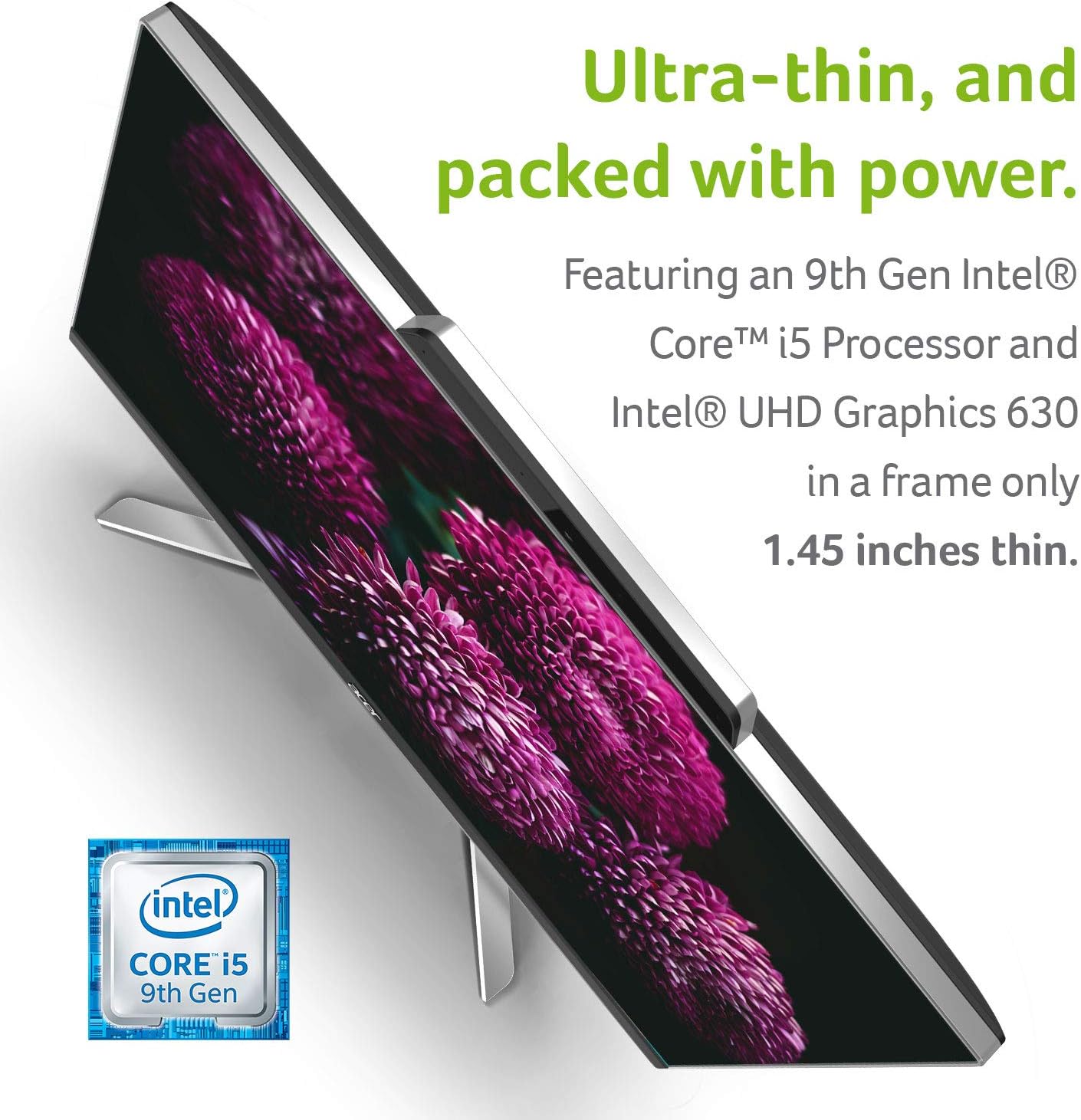
Image 4.1: The slim profile of the desktop, illustrating its compact design.
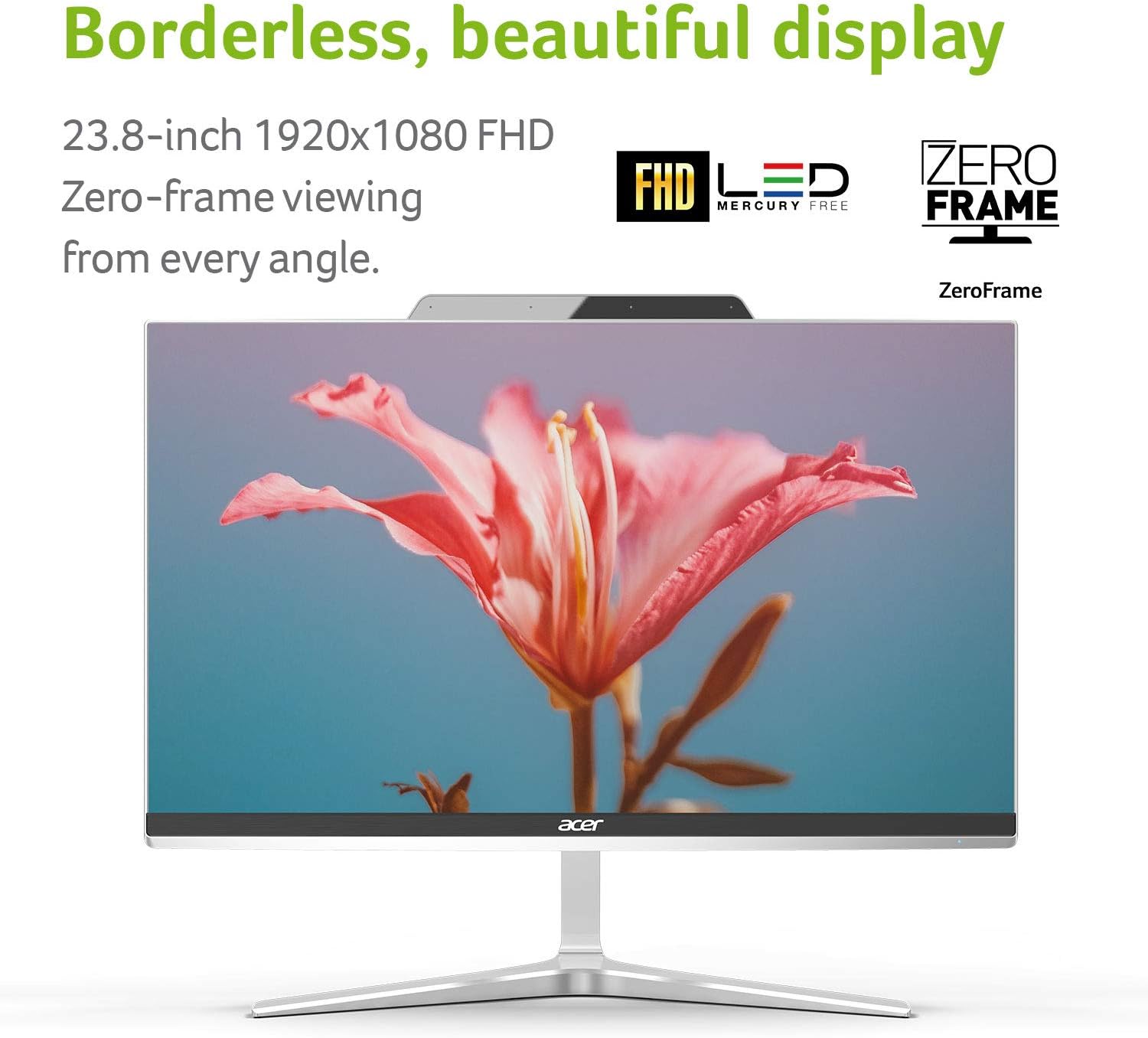
Image 4.2: The borderless display design for an immersive viewअनुभव.
5. ऑपरेटिंग सूचना
5.1 पॉवर चालू/बंद
- पॉवर चालू करण्यासाठी, पॉवर बटण दाबा.
- To power off, click the Start button in Windows, then select Power > Shut down. Alternatively, press and hold the power button for a few seconds to force a shutdown (use only if the system is unresponsive).
5.2 Using the Optical Drive
The integrated DVD-Writer Double-Layer Drive (DVD-RW) is located on the side of the display. Press the eject button on the drive to open the tray, insert a disc, and close the tray. Windows will typically prompt you with options for playing or viewing the disc content.

प्रतिमा ४.२: बाजू view illustrating the location of the optical drive.
४.३ नेटवर्क कनेक्टिव्हिटी
- वाय-फाय: To connect to a wireless network, click the Wi-Fi icon in the Windows taskbar, select your desired network, and enter the password if required. The system supports 802.11AC Wi-Fi.
- इथरनेट: For a wired connection, plug an Ethernet cable into the RJ-45 port on the rear of the desktop.
5.4 वापरणे Webcam and Microphones
The built-in 2.0MP Full HD webcam and dual digital microphones are ready for video conferencing and recording. Access them through compatible applications such as Camera, Skype, or other communication software.

Image 5.2: Visual representation of the integrated webcam and wireless capabilities.
6. देखभाल
नियमित देखभालीमुळे तुमच्या डेस्कटॉपची इष्टतम कार्यक्षमता आणि दीर्घायुष्य सुनिश्चित होण्यास मदत होते.
- स्वच्छता: स्क्रीन आणि बाह्य पृष्ठभाग स्वच्छ करण्यासाठी मऊ, लिंट-फ्री कापड वापरा. हट्टी खुणा असल्यास, dampकापडावर पाणी किंवा स्क्रीन-सेफ क्लिनर हलकेच भिजवा. कठोर रसायने टाळा.
- सॉफ्टवेअर अपडेट्स: सिस्टम स्थिरता आणि सुरक्षितता सुनिश्चित करण्यासाठी नियमितपणे विंडोज अपडेट्स आणि ड्रायव्हर अपडेट्स तपासा आणि स्थापित करा.
- डेटा बॅकअप: वेळोवेळी महत्वाचे बॅकअप घ्या fileडेटा गमावण्यापासून रोखण्यासाठी बाह्य ड्राइव्ह किंवा क्लाउड स्टोरेजवर कनेक्ट करा.
- वायुवीजन: Ensure the ventilation openings on the desktop are not blocked to prevent overheating.
7. समस्या निवारण
This section addresses common issues you might encounter with your Acer Aspire Z24-890-UA91 desktop.
7.1 शक्ती नाही
- पॉवर कॉर्ड डेस्कटॉप आणि कार्यरत इलेक्ट्रिकल आउटलेटशी सुरक्षितपणे जोडलेली आहे याची खात्री करा.
- दुसरे उपकरण प्लग इन करून पॉवर आउटलेट कार्यरत आहे का ते तपासा.
- Check if the power button on the desktop is fully pressed.
7.2 समस्या प्रदर्शित करा
- जर स्क्रीन रिकामी असेल, तर डेस्कटॉप चालू असल्याची खात्री करा.
- Adjust the display brightness settings in Windows.
- If an external monitor is connected, ensure the correct display output is selected (e.g., by pressing Windows key + P).
7.3 Wireless Connectivity Problems
- विंडोज सेटिंग्जमध्ये वाय-फाय सक्षम असल्याची खात्री करा.
- Restart your wireless router and modem.
- Check if the wireless network adapter drivers are up to date.
7.4 Keyboard or Mouse Not Responding
- वायरलेस कीबोर्ड आणि माऊसमधील बॅटरी तपासा.
- Ensure the USB RF dongle is securely plugged into the designated USB 2.0 port at the bottom of the display.
- Try plugging the dongle into a different USB port to rule out a port issue.
8. तपशील
Detailed technical specifications for the Acer Aspire Z24-890-UA91 All-in-One Desktop:
| वैशिष्ट्य | तपशील |
|---|---|
| स्थायी स्क्रीन डिस्प्ले आकार | 23.8 इंच |
| स्क्रीन रिझोल्यूशन | ९५३६ x ६३३६ पिक्सेल |
| कमाल स्क्रीन रिझोल्यूशन | ९५३६ x ६३३६ पिक्सेल |
| प्रोसेसर | 3.4 GHz core_i5 (9th Gen Intel Core i5-9400T) |
| रॅम | 12 GB DDR4 |
| हार्ड ड्राइव्ह | 512 GB SSD |
| ग्राफिक्स कोप्रोसेसर | इंटेल UHD ग्राफिक्स 630 |
| वायरलेस प्रकार | 802.11ac |
| USB 2.0 पोर्टची संख्या | 1 (for wireless dongle) |
| USB 3.0 पोर्टची संख्या | 4 (2x USB 3.1 Gen 2, 1x USB 3.1 Gen 1, 1x USB 3.1 Type-C Gen 2) |
| ऑपरेटिंग सिस्टम | विंडोज 10 होम |
| आयटम वजन | 17.5 pounds (6.99 kg system unit only) |
| उत्पादन परिमाणे | 21.29 x 1.45 x 17.3 इंच |
| ऑप्टिकल ड्राइव्ह प्रकार | डीव्हीडी-आरडब्ल्यू |
9. हमी आणि समर्थन
Your Acer Aspire Z24-890-UA91 All-in-One Desktop comes with a १ वर्षाचे पार्ट्स आणि लेबर मर्यादित वॉरंटी, which includes Toll-Free Tech Support.
For further assistance, technical support, or warranty claims, please visit the official Acer support website or contact Acer customer service. You can find more information and resources on the Acer Brand Store.


