1. परिचय
The JBL LIVE 400BT are on-ear wireless headphones designed to deliver JBL Signature Sound. These headphones feature Bluetooth connectivity, a built-in microphone for hands-free calls, and integrated voice assistant support (Amazon Alexa). They also include Ambient Aware and TalkThru technologies for enhanced situational awareness and convenient conversations without removing the headphones. The headphones offer up to 24 hours of battery life and can be used with an audio cable when the battery is depleted.
२. बॉक्समध्ये काय आहे?
पॅकेज उघडताना, सर्व वस्तू उपस्थित असल्याची खात्री करा:
- JBL LIVE 400BT Headphones
- चार्जिंग केबल
- Aux Cable (3.5 mm)
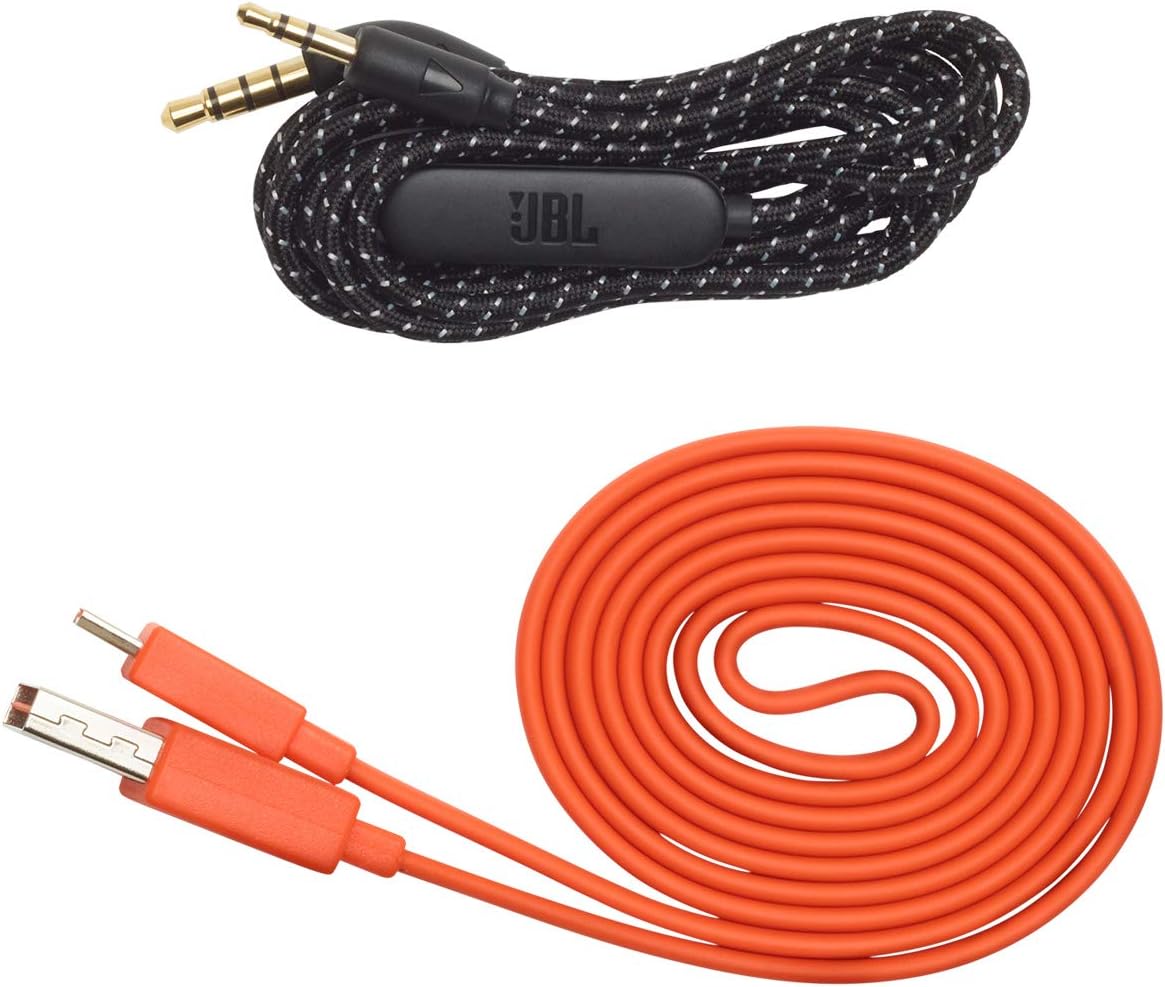
Image: JBL LIVE 400BT headphones shown with the included charging cable and 3.5mm aux cable.
3. सेटअप
५. हेडफोन चार्ज करणे
Before first use, fully charge your JBL LIVE 400BT headphones. A full charge provides up to 24 hours of playback. A quick 15-minute charge can provide an additional 2 hours of listening time.
- दिलेली चार्जिंग केबल हेडफोन्सवरील चार्जिंग पोर्टशी जोडा.
- चार्जिंग केबलचे दुसरे टोक USB पॉवर सोर्सशी जोडा (उदा., वॉल अॅडॉप्टर, संगणक USB पोर्ट).
- The LED indicator on the headphones will show charging status. It typically turns off or changes color when fully charged.
3.2. पॉवर चालू/बंद
- To power on, slide the power switch located on the right earcup.
- To power off, slide the power switch back to the off position.
3.3. ब्लूटूथ पेअरिंग
The JBL LIVE 400BT headphones use Bluetooth 4.0 for wireless connectivity with a range of up to 10 meters.
- हेडफोन बंद असल्याची खात्री करा.
- Slide the power switch to the "on" position and hold it for approximately 3-5 seconds until the LED indicator flashes blue, indicating pairing mode.
- तुमच्या डिव्हाइसवर (स्मार्टफोन, टॅबलेट, संगणक), ब्लूटूथ सक्षम करा आणि उपलब्ध डिव्हाइस शोधा.
- Select "JBL LIVE 400BT" from the list of available devices.
- एकदा कनेक्ट केल्यावर, LED इंडिकेटर घन निळा होईल.

Image: The right earcup of the JBL LIVE 400BT headphones, highlighting the power switch and LED indicator for Bluetooth pairing.
४. हेडफोन्स चालवणे
५.१. मूलभूत नियंत्रणे
The headphones feature intuitive controls on the earcups for managing audio and calls.
- प्ले/पॉज: मल्टी-फंक्शन बटण एकदा दाबा.
- पुढील ट्रॅक: मल्टी-फंक्शन बटण दोनदा दाबा.
- मागील ट्रॅक: मल्टी-फंक्शन बटण तीनदा दाबा.
- आवाज वर/खाली: समर्पित व्हॉल्यूम बटणे वापरा.
- उत्तर द्या/कॉल संपवा: इनकमिंग कॉल किंवा अॅक्टिव्ह कॉल दरम्यान एकदा मल्टी-फंक्शन बटण दाबा.
- कॉल नाकारणे: इनकमिंग कॉल दरम्यान मल्टी-फंक्शन बटण २ सेकंद दाबा आणि धरून ठेवा.
4.2. Voice Assistant (Amazon Alexa)
Access Amazon Alexa directly from your headphones. Use the JBL App to set up your voice assistant preference.
- Ensure your headphones are connected to your smartphone via Bluetooth.
- Download and open the JBL Headphones App.
- Follow the in-app instructions to select and configure Amazon Alexa as your voice assistant.
- Once configured, tap the left earcup to activate Alexa and issue commands (e.g., "Play my favorite playlist," "Check the weather").
4.3. Ambient Aware and TalkThru Technology
These features allow you to stay connected to your surroundings or have conversations without removing your headphones.
- सभोवतालची जाणीव: A touch of the Ambient Aware button (located on the left earcup) increases ambient sound, allowing you to hear what's happening around you while music continues at a lower volume.
- टॉकथ्रू: Activate TalkThru mode by pressing the TalkThru button (located on the left earcup). This significantly drops the music volume, enabling clear conversations with others without removing the headphones.
Video: Official JBL demonstration of the LIVE 400BT headphones, highlighting features like JBL Signature Sound, Ambient Aware, TalkThru technology, and voice assistant integration.
4.4. वायर्ड कनेक्शन
If the battery runs out or you prefer a wired connection, use the provided 3.5mm audio cable.
- ३.५ मिमी ऑडिओ केबलचा एक टोक हेडफोन्सवरील ऑडिओ जॅकमध्ये प्लग करा.
- Plug the other end into your audio source's 3.5mm output.
- The headphones will function passively, without requiring battery power.
5. देखभाल
Proper care ensures the longevity of your JBL LIVE 400BT headphones.
- स्वच्छता: इअरकप आणि हेडबँड स्वच्छ करण्यासाठी मऊ, कोरडे कापड वापरा. कठोर रसायने किंवा अपघर्षक पदार्थ वापरणे टाळा.
- स्टोरेज: When not in use, store the headphones in a cool, dry place. Avoid extreme temperatures. The headphones are foldable for compact storage.
- बॅटरी काळजी: बॅटरीचे आयुष्य वाचवण्यासाठी, हेडफोन्स वारंवार पूर्णपणे चार्ज करणे टाळा. ते सतत वापरात नसले तरीही ते नियमितपणे चार्ज करा.
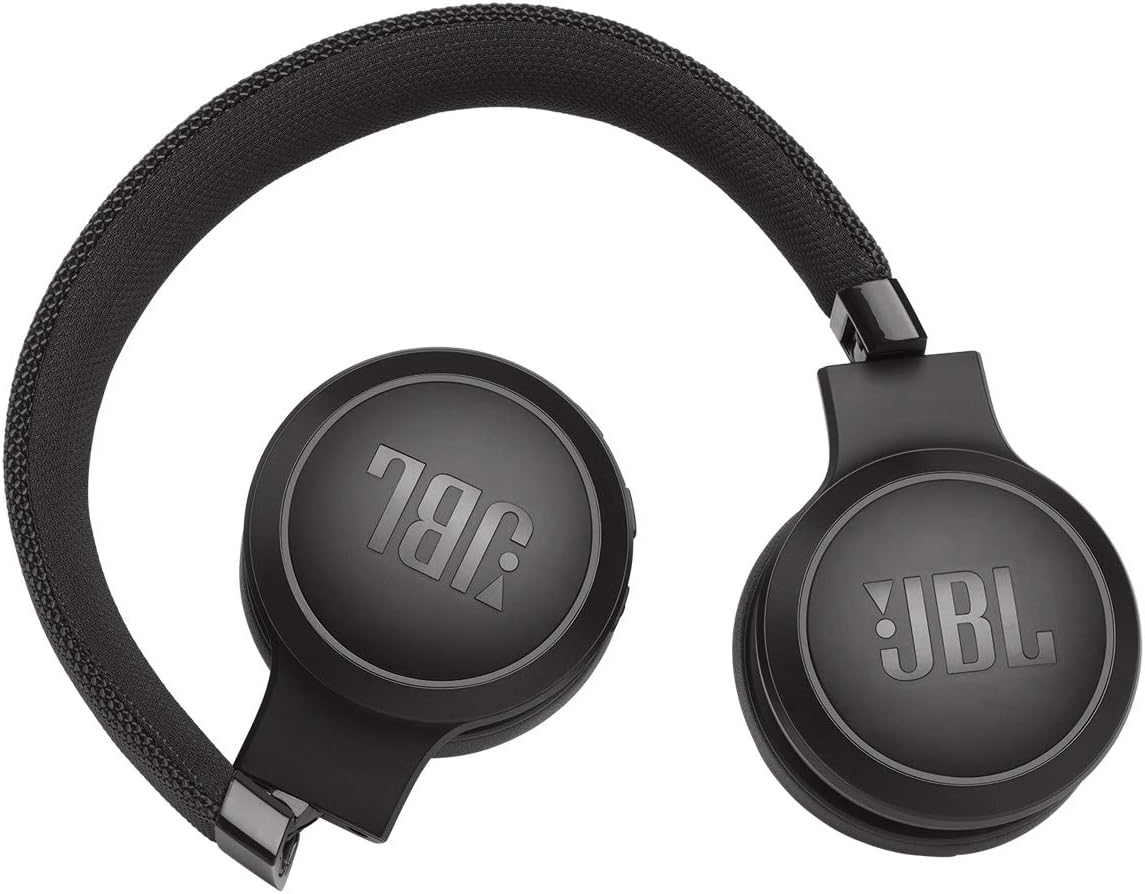
Image: JBL LIVE 400BT headphones shown in a folded position, demonstrating their portability and ease of storage.
6. समस्या निवारण
If you encounter issues with your JBL LIVE 400BT headphones, refer to the following common solutions.
6.1. No Power / Cannot Turn Off
- बॅटरी चार्ज करा: Ensure the headphones are fully charged. A low battery can cause unexpected behavior.
- पॉवर सायकल: If the headphones are stuck on or cannot be turned off, try connecting them to a charger for a few minutes, then attempt to power off again.
- मुळ स्थितीत न्या: If the issue persists, a factory reset may resolve it. Consult the JBL support website or the full user manual for specific factory reset instructions for your model, as this often involves a combination of button presses.
७.४. ब्लूटूथ कनेक्टिव्हिटी समस्या
- Ensure Pairing Mode: Verify the headphones are in pairing mode (flashing blue LED).
- डिव्हाइसची जवळीक: Make sure the headphones are within 10 meters of your Bluetooth device.
- डिव्हाइस विसरा: On your device, "forget" or "unpair" the JBL LIVE 400BT from your Bluetooth settings, then attempt to pair again.
- डिव्हाइसेस रीस्टार्ट करा: Restart both your headphones and the Bluetooth device.
५.२. आवाज नाही किंवा कमी आवाज
- Check Volume Levels: Ensure volume is turned up on both the headphones and your connected device.
- Correct Output: Verify that your device is sending audio to the JBL LIVE 400BT.
- वायर्ड कनेक्शन: If using the aux cable, ensure it is fully inserted into both the headphones and the audio source.
7. तपशील
| वैशिष्ट्य | तपशील |
|---|---|
| मॉडेलचे नाव | JBL LIVE 400 - Black (JBLLIVE400BTBLKAM) |
| ब्रँड | जेबीएल |
| कनेक्टिव्हिटी तंत्रज्ञान | ब्लूटूथ |
| वायरलेस कम्युनिकेशन तंत्रज्ञान | ब्लूटूथ |
| ब्लूटूथ आवृत्ती | 4.0 |
| ब्लूटूथ श्रेणी | 10 मीटर |
| ऑडिओ ड्रायव्हरचा आकार | 40 मिलीमीटर |
| ऑडिओ ड्रायव्हरचा प्रकार | डायनॅमिक ड्रायव्हर |
| वारंवारता प्रतिसाद | 20 KHz |
| संवेदनशीलता | 106 dB |
| प्रतिबाधा | 32 ओम |
| बॅटरी आयुष्य | 24 तास |
| चार्जिंग वेळ | 2 तास |
| हेडफोन जॅक | 3.5 मिमी जॅक |
| नियंत्रण प्रकार | Alexa, Touch, Voice Assistant |
| नियंत्रण पद्धत | स्पर्श, आवाज |
| ध्वनी नियंत्रण | Active Noise Cancellation (basic_noise_control) |
| साहित्य | अशुद्ध लेदर |
| आयटम वजन | ०.९८६ औंस (२७.९४ ग्रॅम) |
| उत्पादन परिमाणे | 8.07 x 2.17 x 8.78 इंच |
| तारीख प्रथम उपलब्ध | 7 जानेवारी 2019 |
8. हमी आणि समर्थन
For warranty information, technical support, or further assistance, please visit the official JBL support webवेबसाइटला भेट द्या किंवा त्यांच्या ग्राहक सेवेशी संपर्क साधा. वॉरंटी दाव्यांसाठी खरेदीचा पुरावा ठेवा.
तुम्हाला अतिरिक्त संसाधने आणि संपर्क माहिती येथे मिळू शकेल अमेझॉनवर जेबीएल स्टोअर.