1. परिचय
खरेदी केल्याबद्दल धन्यवाद.asing the astrum ST370 Wireless Barrel Speaker. This manual provides essential information for the safe and efficient operation of your device. Please read it thoroughly before use and retain it for future reference.
The astrum ST370 is a portable wireless speaker designed for outdoor use, offering robust sound with deep bass. It features multiple connectivity options including Bluetooth, FM radio, USB, Micro SD card, and AUX input, powered by a rechargeable battery.
2. सुरक्षितता माहिती
- स्पीकरला पाणी, ओलावा किंवा अति तापमानाच्या संपर्कात आणू नका.
- स्पीकरला तीव्र प्रभाव पाडणे किंवा त्याच्या अधीन करणे टाळा.
- डिव्हाइस वेगळे करण्याचा, दुरुस्त करण्याचा किंवा सुधारित करण्याचा प्रयत्न करू नका. यामुळे वॉरंटी रद्द होईल.
- स्पीकरला उष्णतेच्या स्रोतांपासून, थेट सूर्यप्रकाशापासून आणि ज्वलनशील पदार्थांपासून दूर ठेवा.
- फक्त दिलेली चार्जिंग केबल किंवा प्रमाणित समतुल्य केबल वापरा.
- Do not operate the speaker at excessively high volumes for prolonged periods to prevent hearing damage.
- स्थानिक नियमांनुसार उत्पादन आणि त्याची बॅटरी जबाबदारीने विल्हेवाट लावा.
3. पॅकेज सामग्री
खालील आयटमसाठी कृपया बॉक्स तपासा:
- 1 x astrum ST370 Wireless Speaker
- 1 x चार्जिंग केबल
- 1 एक्स ऑक्स केबल
- 1 x वापरकर्ता मॅन्युअल
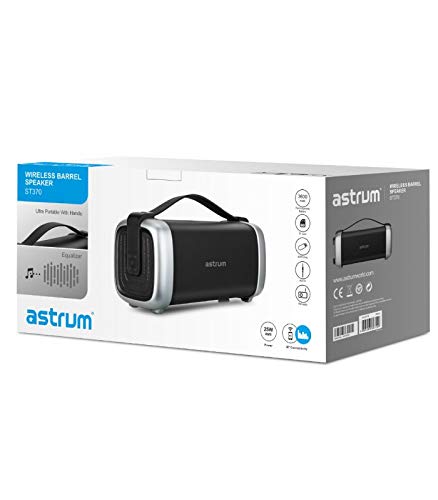
Image: The retail packaging for the astrum ST370 Wireless Barrel Speaker, showing the speaker and its key features.
4. उत्पादन संपलेview
Familiarize yourself with the components and controls of your astrum ST370 speaker.
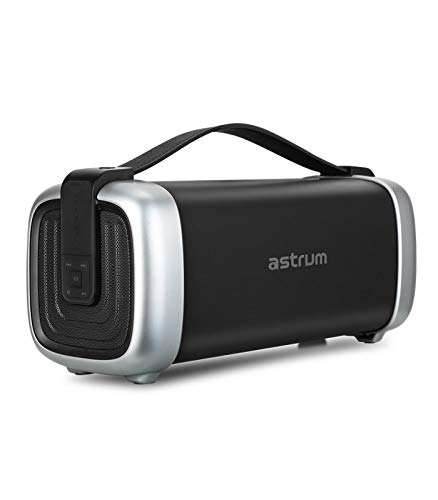
प्रतिमा: समोर view of the astrum ST370 Wireless Barrel Speaker, showcasing its black body, silver end caps, and integrated carrying handle.
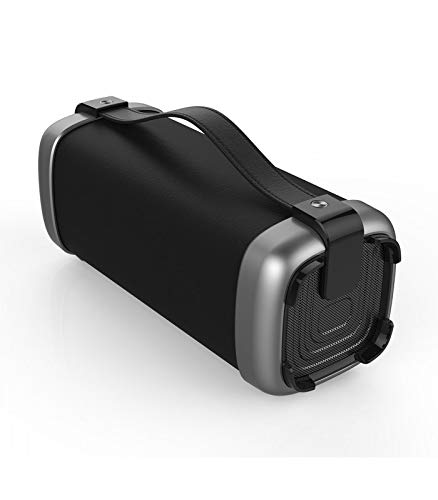
प्रतिमा: अँग्ल्ड view of the astrum ST370 speaker, highlighting the textured side panel and the robust carrying handle.
प्रतिमा: समोर view of the astrum ST370 speaker, displaying the control panel on the side with various buttons.
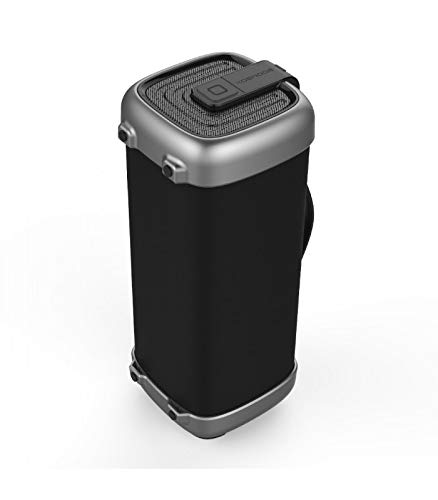
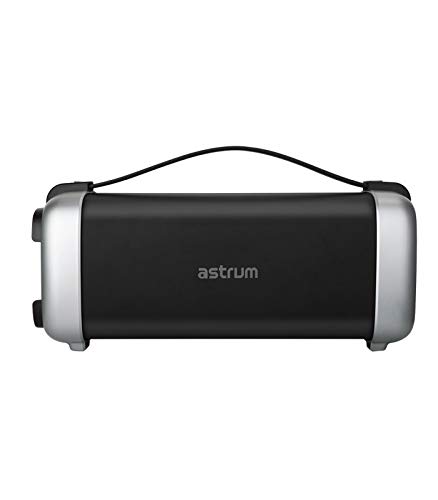
प्रतिमा: साइड प्रोfile of the astrum ST370 speaker, illustrating its compact barrel design and stable base.
Controls and Ports (Refer to images for location)
- पॉवर बटण: स्पीकर चालू किंवा बंद करतो.
- मोड बटण: Switches between Bluetooth, FM, USB, Micro SD, and AUX modes.
- प्ले/पॉज बटण: ऑडिओ प्ले करते किंवा थांबवते.
- आवाज वाढवा / पुढील ट्रॅक बटण: आवाज वाढवते किंवा पुढील ट्रॅकवर जाते.
- आवाज कमी / मागील ट्रॅक बटण: आवाज कमी करते किंवा मागील ट्रॅकवर जाते.
- यूएसबी पोर्ट: USB ड्राइव्ह प्लेबॅकसाठी.
- मायक्रो एसडी कार्ड स्लॉट: मायक्रो एसडी कार्ड प्लेबॅकसाठी.
- AUX इनपुट: ३.५ मिमी केबलद्वारे बाह्य ऑडिओ उपकरणे जोडण्यासाठी.
- चार्जिंग पोर्ट: चार्जिंग केबल जोडण्यासाठी.
5. सेटअप
३.१ स्पीकर चार्ज करणे
- दिलेली चार्जिंग केबल स्पीकरच्या चार्जिंग पोर्टशी जोडा.
- चार्जिंग केबलचे दुसरे टोक USB पॉवर अॅडॉप्टर (समाविष्ट नाही) किंवा संगणकाच्या USB पोर्टशी जोडा.
- The charging indicator light will illuminate, typically red, during charging.
- Once fully charged, the indicator light may change color or turn off. Disconnect the speaker from the power source.
टीप: बॅटरीच्या चांगल्या आयुष्यासाठी, पहिल्या वापरापूर्वी स्पीकर पूर्णपणे चार्ज करा.
5.2 पॉवरिंग चालू/बंद
- चालू करण्यासाठी: Press and hold the Power Button for a few seconds until you hear an audible prompt or see an indicator light.
- पॉवर ऑफ करण्यासाठी: Press and hold the Power Button again for a few seconds until the speaker powers down.
6. ऑपरेटिंग सूचना
6.1 ब्लूटुथ मोड
- Power on the speaker. It will automatically enter Bluetooth pairing mode, indicated by a flashing LED light and an audible prompt.
- तुमच्या स्मार्टफोन, टॅबलेट किंवा इतर ब्लूटूथ-सक्षम डिव्हाइसवर ब्लूटूथ सक्षम करा.
- साठी शोधा available devices and select "ST370" from the list.
- Once paired, the speaker will provide an audible confirmation, and the LED light will stop flashing.
- तुम्ही आता तुमच्या डिव्हाइसवरून स्पीकरद्वारे ऑडिओ प्ले करू शकता.
6.2 FM रेडिओ मोड
- Press the Mode Button repeatedly until you enter FM Radio mode.
- To auto-scan for stations, press and hold the Play/Pause Button. The speaker will scan and save available FM stations.
- Use the Volume Up/Next Track and Volume Down/Previous Track buttons to navigate between saved stations.
6.3 USB / Micro SD Card Playback
- Insert a USB drive or a Micro SD card (with pre-loaded audio files) into the respective port/slot.
- The speaker will automatically detect the storage device and switch to USB or Micro SD mode, beginning playback. If not, press the Mode Button to select the correct mode.
- प्लेबॅक नियंत्रित करण्यासाठी प्ले/पॉज, नेक्स्ट ट्रॅक आणि मागील ट्रॅक बटणे वापरा.
६.२ AUX इनपुट मोड
- Connect one end of the provided 3.5mm AUX cable to the speaker's AUX input port.
- Connect the other end of the AUX cable to the audio output jack of your external device (e.g., MP3 player, laptop).
- Press the Mode Button until you enter AUX mode.
- तुमच्या कनेक्ट केलेल्या बाह्य डिव्हाइसवरून थेट प्लेबॅक आणि व्हॉल्यूम नियंत्रित करा.
6.5 Volume and Playback Control
- आवाज समायोजन: व्हॉल्यूम अप (+) किंवा व्हॉल्यूम डाउन (-) बटणे दाबा.
- ट्रॅक नेव्हिगेशन: Long press the Volume Up (+) button for the next track, and long press the Volume Down (-) button for the previous track (in Bluetooth, USB, or Micro SD modes).
- प्ले/पॉज: प्ले/पॉज बटण दाबा.
7. देखभाल
7.1 स्वच्छता
- Wipe the speaker's exterior with a soft, dry, lint-free cloth.
- अपघर्षक क्लीनर, सॉल्व्हेंट्स किंवा रासायनिक फवारण्या वापरू नका.
- कोणत्याही छिद्रांमध्ये ओलावा जाण्यापासून टाळा.
५.८.१ स्टोरेज
- स्पीकर थेट सूर्यप्रकाश आणि अति तापमानापासून दूर थंड, कोरड्या जागी ठेवा.
- जर जास्त काळ साठवत असाल तर बॅटरीचे आरोग्य राखण्यासाठी दर काही महिन्यांनी बॅटरी अंदाजे ५०% चार्ज करा.
8. समस्या निवारण
| समस्या | संभाव्य कारण | उपाय |
|---|---|---|
| स्पीकर चालू होत नाही. | कमी बॅटरी. | स्पीकर पूर्णपणे चार्ज करा. |
| ब्लूटूथ द्वारे पेअर करू शकत नाही. | Speaker not in pairing mode; Bluetooth disabled on device; too far from speaker. | Ensure speaker is in Bluetooth mode; enable Bluetooth on your device; move device closer to speaker (within 10 meters). |
| आवाज नाही. | Volume too low; incorrect mode selected; cable not connected properly (AUX). | Increase volume; press Mode button to select correct input; check AUX cable connection. |
| एफएम रेडिओ रिसेप्शन खराब आहे. | कमकुवत सिग्नल. | Move the speaker to a location with better reception. |
9. तपशील
| मॉडेलचे नाव | ST370 |
| आउटपुट पॉवर | 25 वॅट्स |
| कनेक्टिव्हिटी तंत्रज्ञान | ब्लूटूथ, ऑक्झिलरी, यूएसबी, वायरलेस |
| विशेष वैशिष्ट्ये | Portable, Wireless, FM Radio, Micro SD Card Support |
| उर्जा स्त्रोत | बॅटरी पॉवर्ड |
| बॅटरी सरासरी आयुष्य | 8 तास |
| नियंत्रण पद्धत | स्पर्श करा |
| सबवूफर व्यास | 4 इंच |
| Tweeter व्यास | 1 इंच |
| उत्पादनाचे परिमाण (LxWxH) | 32.7 x 13 x 14.2 सेमी |
| आयटम वजन | 1.45 किलो |
| रंग | काळा |
| शिफारस केलेले वापर | घराबाहेर |
10. हमी आणि समर्थन
The astrum ST370 Wireless Barrel Speaker comes with a 1 वर्षांची वॉरंटी खरेदीच्या तारखेपासून. वॉरंटी दाव्यांसाठी कृपया तुमचा खरेदीचा पुरावा जपून ठेवा.
For technical support, troubleshooting assistance beyond this manual, or warranty inquiries, please visit the official astrum webवेबसाइटवर किंवा त्यांच्या ग्राहक सेवा विभागाशी संपर्क साधा. संपर्क तपशील सामान्यतः ब्रँडच्या अधिकृत वेबसाइटवर आढळू शकतात webसाइटवर किंवा तुमच्या उत्पादन पॅकेजिंगवर.
निर्माता: Astrum Holdings Ltd, Unit-1618, Asia Trade Centre, 79 Lei Muk Road, Kwai Chung, New Territories, Hong Kong
आयातक: Astrum Electronics India Pvt Ltd, Plot No.80&81, Gajulamandyam, Renigunta Mandal, Chittoor, Tirupati, Andhra Pradesh-517547


