DCSEC HD 1080P 2MP 180-Degree Fisheye Dome Security Camera User Manual
मॉडेल: DC-AHD180DV/IRH | ब्रँड: DCSEC
1. परिचय
This manual provides comprehensive instructions for the installation, operation, and maintenance of your DCSEC HD 1080P 2MP 180-Degree Fisheye Dome Security Camera. This camera is designed for both indoor and outdoor surveillance, offering a wide 180-degree field of view and compatibility with TVI, AHD, CVI, and CVBS (Analog) DVR systems.

Image 1.1: DCSEC HD 1080P 2MP 180-Degree Fisheye Dome Security Camera. This image shows the front view of the dome camera with its lens, IR LEDs, and BNC and power connectors.
२. काय समाविष्ट आहे
पॅकेजमध्ये सर्व घटक आहेत का ते तपासा:
- Camera body (DCSEC HD 1080P 2MP 180-Degree Fisheye Dome Security Camera)
- Brief User Manual
- Screw bag (for mounting)
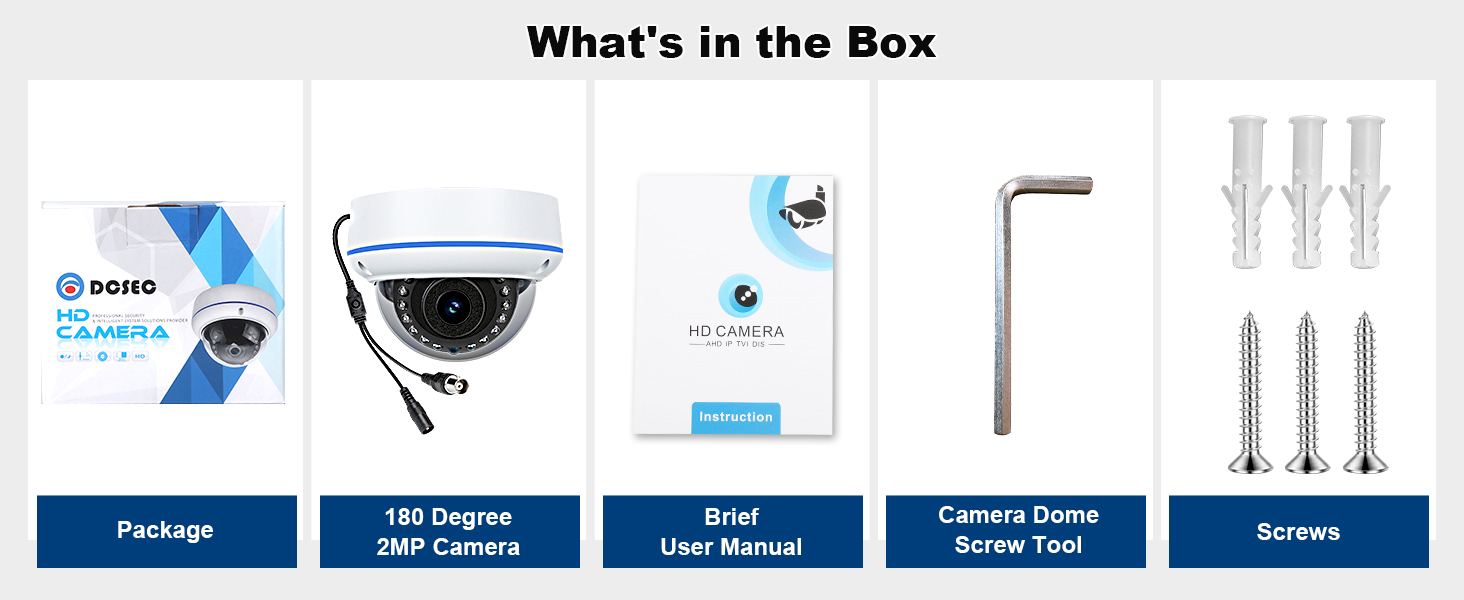
Image 2.1: Package Contents. This diagram illustrates the items included in the box: camera packaging, the 180-degree 2MP camera, a brief user manual, a camera dome screw tool, and screws.
3. उत्पादनाची वैशिष्ट्ये
- ठराव: 2.0 Megapixel (1080P) with 1/2.7" color CMOS sensor.
- लेन्स: 1.7mm wide-angle fisheye lens, providing a 180-degree field of view.
- रात्रीची दृष्टी: 15 powerful IR LEDs for night vision up to 30ft.
- Video Output Modes: Supports 4-in-1 video output: TVI, AHD, CVI, and 960H CVBS (Analog).
- बांधकाम: Durable aluminum housing, vandal-proof glass.
- वापर: Suitable for indoor and outdoor applications (under a roof).
- कनेक्टिव्हिटी: Wired BNC connection.
- शक्ती: DC12V 1A (power adapter not included).

Image 3.1: Product Details. This diagram highlights key components: 1.7mm lens for 180-degree wide angle view, metal housing for outdoor use (with roof), IR-Cut filter for clearer images, vandal-proof glass, 15pcs LED for up to 30ft night vision, OSD joystick for mode settings, BNC video output connector, and DC 12V power input port.

Image 3.2: Camera Overview. This image showcases the camera's main features: 180-degree viewing angle, 1080P Full HD resolution, IR Night Vision, and suitability for indoor and outdoor use.
4. सेटअप आणि स्थापना
4.1 कॅमेरा माउंट करणे
The camera can be mounted on a ceiling or wall. Ensure the mounting surface is stable and can support the camera's weight. Use the provided screws and screw bag for secure installation.
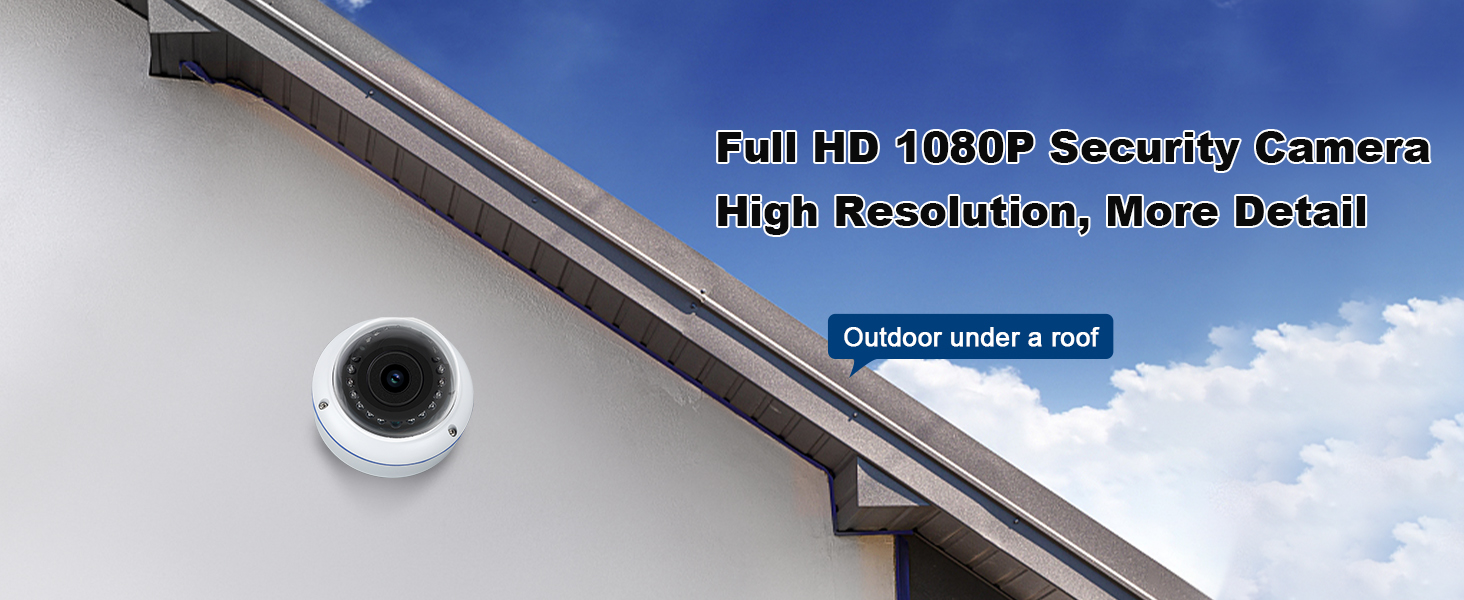
Image 4.1: Outdoor Installation Example. This image shows the dome camera mounted on an exterior wall, under a roof, demonstrating a typical outdoor installation scenario.
4.2 Cable Connection Scheme
Connect the camera to your Digital Video Recorder (DVR) and power source as illustrated below. A DC12V 1A power adapter is required (not included).

Image 4.2: Cable Connection Scheme. This diagram shows how to connect the camera: the camera's video output and power access connect to the DVR video input and a power access point. The DVR then connects to a monitor via VGA/HDMI. Note that the video cable, power adapter, DVR, and monitor are not included.
5. ऑपरेटिंग सूचना
5.1 Adjusting Video Output Mode
This camera supports four video output modes: TVI, AHD, CVI, and CVBS (Analog). The default mode is Analog (960H CVBS), which provides 1200TVL resolution. For 1080P HD image quality with a compatible AHD/CVI/TVI DVR, you must change the video mode using the OSD joystick cable.
- Self-Adapted (CVBS 960H): हा डीफॉल्ट मोड आहे.
- TVI Video Output: Hold the camera's OSD button to the बरोबर 10 सेकंदांसाठी.
- CVI Video Output: Hold the camera's OSD button खाली 10 सेकंदांसाठी.
- AHD Video Output: Hold the camera's OSD button to the डावीकडे 10 सेकंदांसाठी.
Ensure the selected mode matches your DVR type to achieve the desired HD resolution. If no image or a non-HD image is displayed, adjust the camera to the correct mode.

Image 5.1: Camera Working Mode Adjustment. This diagram illustrates the OSD joystick and the corresponding directions to switch between CVBS 960H (self-adapted), AHD, CVI, and TVI video output modes by holding the button left, down, or right for 10 seconds.
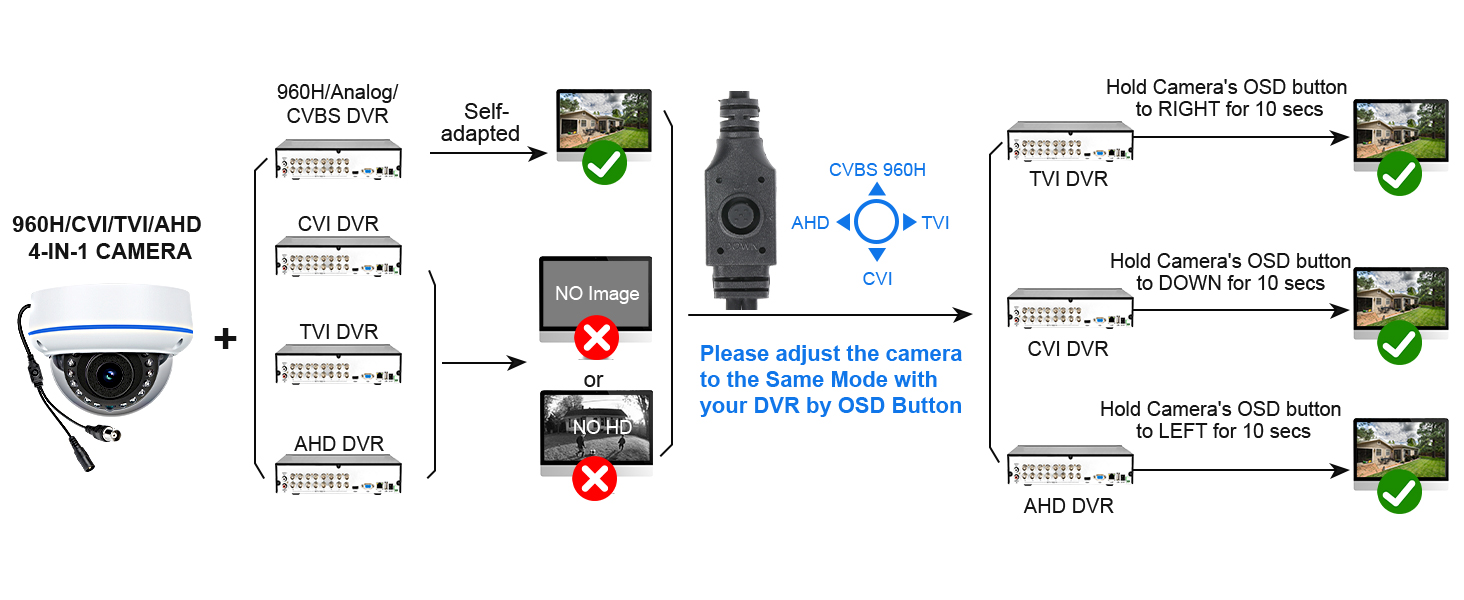
Image 5.2: 4-in-1 Mode Adjustment Flowchart. This flowchart details how to adjust the camera's video output mode (960H/CVI/TVI/AHD) to match your DVR type using the OSD button. It shows successful connections for each mode and indicates "No Image" or "No HD" if the modes do not match.
6. देखभाल
6.1 Glass Cover Protection Layer
Only remove the glass cover protection layer after completing the camera installation. If the glass cover becomes dirty, gently blow off any dust. For more stubborn dirt, clean it with a clean, soft cloth. Do not use a brush or broom, as their bristles can be too sharp and may scratch the cover.
7. समस्या निवारण
7.1 Night Vision Clarity Issues
If the night vision image is not clear, consider the following solutions:
- Solution 1: Adjust Camera Position. If the camera is mounted too close to a wall or reflective surface, the infrared light may reflect, causing a cloudy image. Try moving the camera slightly to see if this resolves the issue.
- Solution 2: Inspect Glass Cover. If repositioning does not help, check the camera's glass cover. You can temporarily remove the glass cover to determine if it is the source of the night vision problem. If the glass cover has scratches or significant dirt that cannot be cleaned, it may need replacement.

Image 7.1: Important Notices. This image provides key information regarding OSD button usage for mode changes, proper handling of the glass cover protection layer, and troubleshooting steps for unclear night vision, including camera positioning and glass cover inspection.
8. तपशील
| वैशिष्ट्य | तपशील |
|---|---|
| मॉडेल क्रमांक | DC-AHD180DV/IRH |
| प्रभावी व्हिडिओ रिझोल्यूशन | 2 MP (1080p) |
| प्रतिमा सेन्सर | 1/2.7" Color CMOS Sensor |
| लेन्स | 1.7mm Fisheye Lens |
| Viewकोन | 180 अंश |
| नाइट व्हिजन रेंज | Up to 30 Feet (15 IR LEDs) |
| व्हिडिओ आउटपुट मोड | TVI / AHD / CVI / 960H CVBS (Analog) |
| कनेक्टिव्हिटी | Wired BNC |
| उर्जा स्त्रोत | DC12V 1A (Adapter not included) |
| साहित्य | ॲल्युमिनियम |
| आंतरराष्ट्रीय संरक्षण रेटिंग | IP65 |
| परिमाण (L x W x H) | 4.13 x 3.31 x 3.31 इंच |
| आयटम वजन | 13.4 औंस |
| ऑपरेटिंग तापमान | -20°C ते 60°C (-4°F ते 140°F) |
9. हमी आणि समर्थन
For warranty information and technical support, please refer to the contact details provided with your purchase documentation or visit the official DCSEC website. DCSEC is committed to providing quality products and assistance.


