परिचय
खरेदी केल्याबद्दल धन्यवाद.asing the Senso Bluetooth Headphones. These wireless sports earbuds are designed to provide high-fidelity audio with deep bass and crystal clear treble, featuring Bluetooth 4.1 CSR technology and IPX7 waterproof rating. This manual will guide you through the setup, operation, and maintenance of your new headphones to ensure optimal performance and longevity.
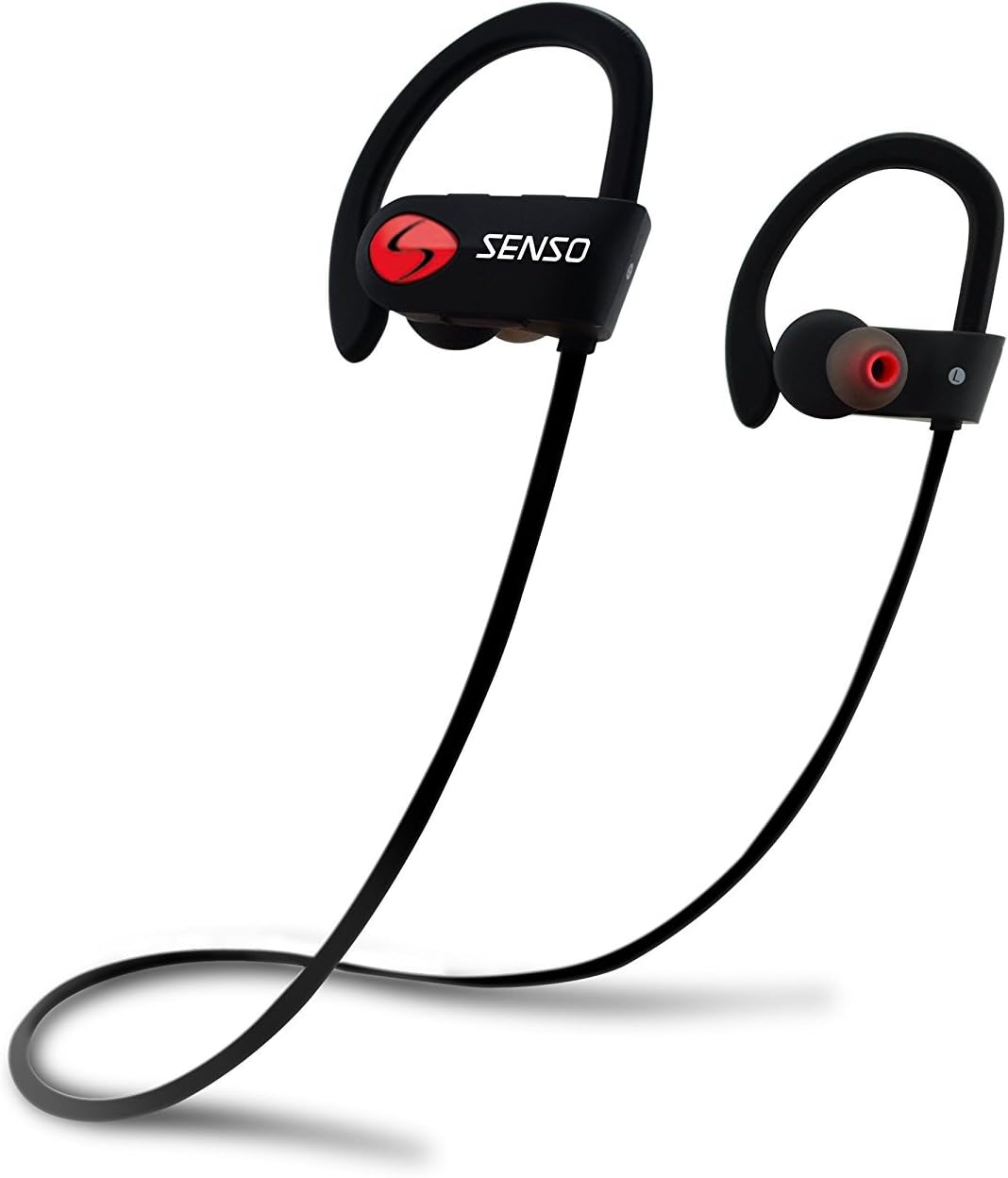
Image: Senso Bluetooth Headphones, showcasing their sleek black design with red accents and ear hooks.
बॉक्समध्ये काय आहे
सर्व वस्तू उपलब्ध आहेत याची खात्री करण्यासाठी कृपया पॅकेजमधील सामग्री तपासा:
- Senso Bluetooth Headphones (1 pair)
- Hard Carry Case (1)
- Short Charging Cable (Micro USB) (1)
- Long Charging Cable (Micro USB) (1)
- Dual Car Charger (1)
- Sets of Gel Flex Silicone Ear Tips (Small, Medium, Large)
- वापरकर्ता मॅन्युअल (हा दस्तऐवज)

Image: All included accessories for the Senso Bluetooth Headphones, including the headphones, charging cables, ear tips, and carrying case.
उत्पादन संपलेview
The Senso activbuds s-250 are designed for active lifestyles, offering a secure and comfortable fit with advanced audio technology.
- True HD High Fidelity Sound: Equipped with Bluetooth 4.1 CSR technology and acoustic components for deep bass and clear treble.
- IPX7 जलरोधक रेटिंग: Designed to withstand sweat and splashes, making them ideal for sports and workouts.
- आरामदायक आणि सुरक्षित फिट: Ergonomically designed flexible ear hooks and gel Flex silicone earbuds ensure a stable and fatigue-free experience.
- दीर्घ बॅटरी आयुष्य: Up to 8 hours of music playback and 240 hours of standby time on a single 1.5-hour charge.
- CVC 6.0 Noise Suppression: Reduces ambient noise for clearer calls and immersive music listening.
- वायरलेस रेंज: Connects seamlessly with Bluetooth-enabled devices up to 30 feet away.

Image: Diagram highlighting key features of the Senso Bluetooth Headphones, including IPX7 waterproof rating, HD sound, and comfortable fit.
सेटअप
५. हेडफोन चार्ज करणे
Before first use, fully charge your Senso Bluetooth Headphones. A full charge takes approximately 1.5 hours.
- Locate the Micro USB charging port on the right earbud, usually covered by a small rubber flap.
- Connect the provided USB charging cable to the headphones and the other end to a USB power source (e.g., computer USB port, wall adapter, or the included car charger).
- The LED indicator light will turn red during charging and turn blue or off when fully charged.
२. तुमच्या डिव्हाइससोबत पेअरिंग
तुमचे हेडफोन ब्लूटूथ-सक्षम डिव्हाइससह जोडण्यासाठी या चरणांचे अनुसरण करा:
- हेडफोन्स बंद असल्याची खात्री करा.
- Press and hold the multi-function button on the right earbud for approximately 5-7 seconds until the LED indicator light flashes red and blue alternately. This indicates pairing mode.
- तुमच्या डिव्हाइसवर (स्मार्टफोन, टॅबलेट, संगणक), ब्लूटूथ सक्षम करा आणि नवीन डिव्हाइस शोधा.
- Select "Senso activbuds s-250" (or similar name) from the list of available devices.
- Once connected, the LED indicator light on the headphones will flash blue slowly or turn solid blue, and you may hear a voice prompt confirming the connection.
टीप: If prompted for a password, enter "0000". The headphones will automatically attempt to reconnect to the last paired device when turned on.
ऑपरेटिंग सूचना
नियंत्रणे संपलीview
All controls are located on the right earbud.
| बटण/कृती | कार्य |
|---|---|
| मल्टी-फंक्शन बटण (MFB) |
|
| आवाज वाढवा (+) |
|
| आवाज कमी (-) |
|
हेडफोन्स घातले
The Senso headphones feature flexible ear hooks for a secure fit. Gently place the earbuds into your ears and adjust the ear hooks over your ears until they feel comfortable and stable. Experiment with the different sizes of silicone ear tips to find the best seal for optimal sound quality and comfort.

Image: Close-up of the Senso Bluetooth Headphones, showing the ear hook design and ear tip for a secure fit.
देखभाल
योग्य काळजी घेतल्यास तुमच्या हेडफोन्सचे आयुष्य वाढेल:
- स्वच्छता: हेडफोन्स सॉफ्टने पुसून टाका, डीamp cloth. Do not use harsh chemicals or abrasive cleaners. Remove ear tips and clean them separately with mild soap and water, then dry thoroughly before reattaching.
- स्टोरेज: When not in use, store the headphones in the provided hard carry case to protect them from dust, dirt, and physical damage.
- पाणी एक्सपोजर: While IPX7 rated, avoid prolonged submersion in water. Ensure the charging port cover is securely closed to maintain water resistance.
- तापमान: हेडफोन्सना अति तापमानात (गरम किंवा थंड) उघड करणे टाळा कारण यामुळे बॅटरीचे आयुष्य आणि एकूण कामगिरीवर परिणाम होऊ शकतो.

Image: Senso Bluetooth Headphones alongside their sturdy carry case, emphasizing proper storage.
समस्यानिवारण
जर तुम्हाला तुमच्या हेडफोन्समध्ये समस्या येत असतील, तर खालील उपाय वापरून पहा:
| समस्या | उपाय |
|---|---|
| हेडफोन चालू होत नाहीत | हेडफोन पूर्णपणे चार्ज झाले आहेत याची खात्री करा. पॉवर सोर्सशी कनेक्ट करा आणि चार्जिंग इंडिकेटर तपासा. |
| डिव्हाइसशी पेअर करू शकत नाही |
|
| आवाज किंवा कमी आवाज नाही |
|
| Sound cutting in/out |
|
तपशील
| वैशिष्ट्य | तपशील |
|---|---|
| मॉडेलचे नाव | activbuds s-250 |
| कनेक्टिव्हिटी तंत्रज्ञान | ब्लूटूथ |
| ब्लूटूथ आवृत्ती | 4.1 |
| ब्लूटूथ श्रेणी | 30 फूट पर्यंत |
| पाणी प्रतिकार पातळी | IPX7 जलरोधक |
| बॅटरी आयुष्य | 8 Hours (Music Playback) |
| चार्जिंग वेळ | 1.5 तास |
| ध्वनी नियंत्रण | Active Noise Cancellation (CVC 6.0 Noise Suppression) |
| वारंवारता प्रतिसाद | १० हर्ट्झ - २७ किलोहर्ट्झ |
| हेडफोन जॅक | मायक्रो यूएसबी |
| आयटम वजन | ५.१२ औंस (अंदाजे १४५ ग्रॅम) |
| उत्पादन परिमाणे | 4.9 x 4.7 x 1.3 इंच |
| साहित्य | सिलिकॉन |
| उत्पादक | सेन्सो |
हमी आणि समर्थन
Senso Bluetooth Headphones come with a 1-year Manufacturer's Warranty. ही वॉरंटी सामान्य वापरात असलेल्या साहित्यातील दोष आणि कारागिरीला व्यापते.
याव्यतिरिक्त, ए 30-day no-questions-asked return policy is offered for your peace of mind.
For warranty claims, technical support, or any inquiries, please contact Senso customer service through the retailer where you purchased the product or visit the official Senso webसंपर्क माहितीसाठी साइट.
वॉरंटी पडताळणीसाठी कृपया तुमचा खरेदीचा पुरावा जपून ठेवा.


