
1. परिचय
The Huawei OptiXstar K251a-21 is a sub-FTTR (Fiber to the Room) unit designed to extend the high-speed network provided by the Huawei FTTR OptiXstar F50 Plus main unit. This device supports ultra-Gigabit high-speed access via upstream fiber optic lines and delivers Ultra Gigabit dual-band Wi-Fi and ultra-Gigabit network ports to users. It integrates next-generation Wi-Fi 7 technology for higher speeds and lower latency, ensuring a superior home network experience.
2. सुरक्षितता माहिती
Please read and understand all safety instructions before using this device. Failure to follow these instructions may result in injury, damage to the device, or property damage.
- डिव्हाइससह पुरवलेले पॉवर अॅडॉप्टरच वापरा.
- डिव्हाइसला पाणी, ओलावा किंवा अति तापमानाच्या संपर्कात आणू नका.
- उष्णतेच्या स्त्रोतांजवळ किंवा थेट सूर्यप्रकाशात डिव्हाइस ठेवणे टाळा.
- ओव्हरहाटिंग टाळण्यासाठी योग्य वायुवीजन सुनिश्चित करा.
- Do not attempt to open or repair the device yourself. Contact qualified service personnel for assistance.
- डिव्हाइस लहान मुले आणि पाळीव प्राण्यांपासून दूर ठेवा.
3. पॅकेज सामग्री
तुमच्या पॅकेजमध्ये सर्व वस्तू आहेत का ते तपासा:
- Huawei OptiXstar K251a-21 Sub FTTR Device
- पॉवर केबल
- जलद सुरुवात मार्गदर्शक (जर समाविष्ट असेल तर)
4. उत्पादन संपलेview
Familiarize yourself with the device's components and indicators.
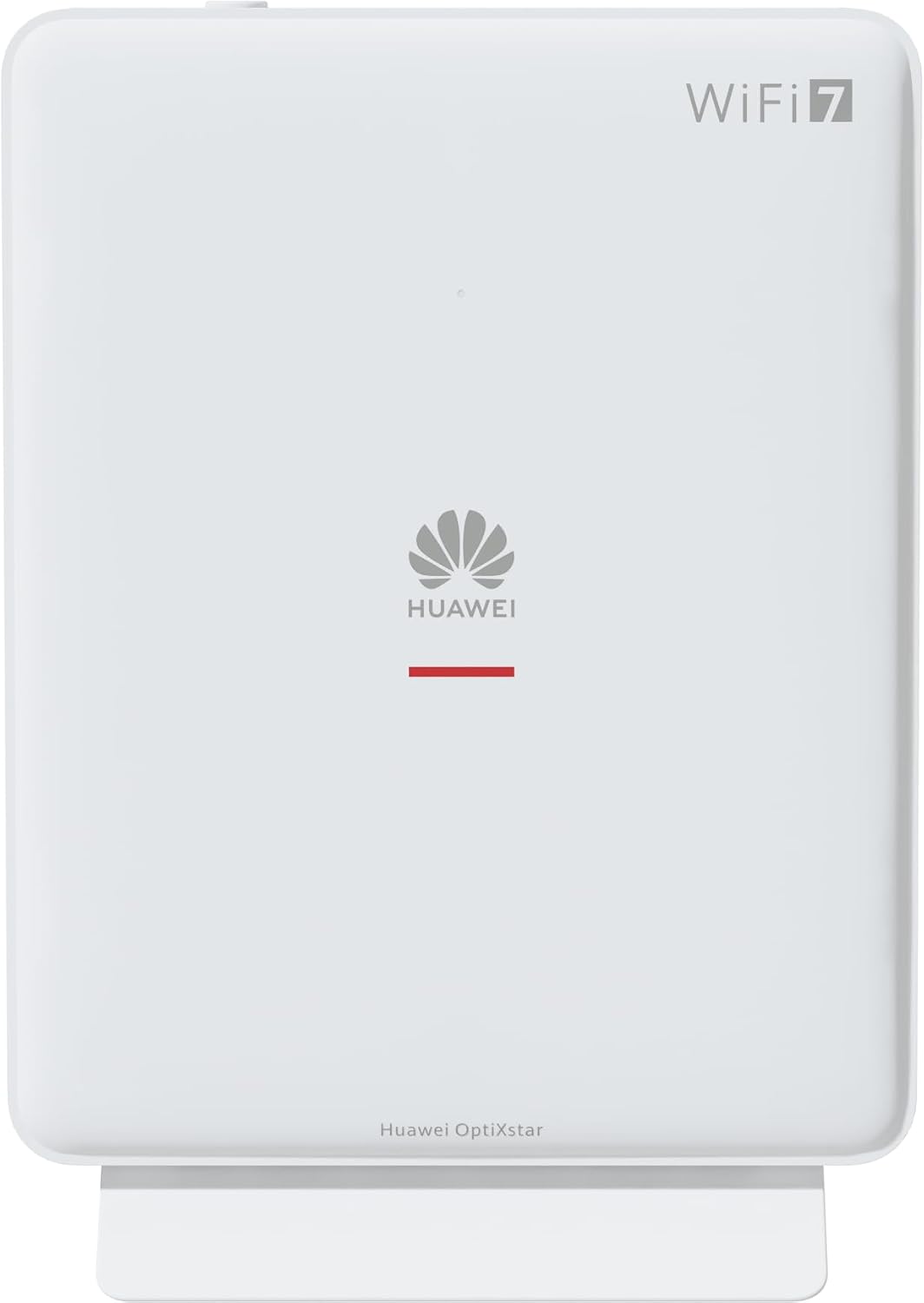
आकृती 1: समोर view of the Huawei OptiXstar K251a-21 Sub FTTR device, showing the Huawei logo and "WiFi 7" branding.

आकृती ३: कोन असलेला पुढचा भाग view of the Huawei OptiXstar K251a-21 Sub FTTR, highlighting its sleek design and ventilation.

आकृती 3: मागील view of the Huawei OptiXstar K251a-21 Sub FTTR, displaying the ports (Reset, 2-GE, 1-2.5GE, Power, FTTR) and mounting options.

आकृती २: साइड प्रोfile of the Huawei OptiXstar K251a-21 Sub FTTR, showing its slim form factor and ventilation grilles.

आकृती ३.२: कोन असलेला मागचा भाग view of the Huawei OptiXstar K251a-21 Sub FTTR, providing a clear look at the port labels and layout.

आकृती 6: शीर्ष view of the Huawei OptiXstar K251a-21 Sub FTTR, featuring the WPS/LED button.
पोर्ट आणि बटणे:
- FTTR Port: Connects to the main FTTR unit via a fiber optic cable.
- 1-2.5GE Port: Gigabit Ethernet port for high-speed wired connections.
- 2-GE Port: वायर्ड कनेक्शनसाठी गिगाबिट इथरनेट पोर्ट.
- पॉवर पोर्ट: पॉवर अॅडॉप्टरला जोडते.
- रीसेट बटण: Used to restore factory settings (press and hold for 5-10 seconds).
- WPS/LED Button: Initiates Wi-Fi Protected Setup (WPS) for easy device connection and controls LED indicators.
5. सेटअप
Follow these steps to set up your Huawei OptiXstar K251a-21 Sub FTTR device:
- प्लेसमेंट: Choose a central location in your home for optimal Wi-Fi coverage. The device is suitable for various installation scenarios, including vertical placement on a desk, wall-mounting, plugging into a power strip, or mounting in an 86mm junction box with a bracket.
- फायबर ऑप्टिक केबल कनेक्ट करा: Connect one end of the fiber optic cable to the FTTR port on the Sub FTTR unit and the other end to the corresponding FTTR port on your Huawei FTTR OptiXstar F50 Plus main unit or wall outlet. Ensure the connection is secure.
- वीज कनेक्ट करा: Plug the power adapter into the Power port on the Sub FTTR unit, then plug the other end into a power outlet.
- पॉवर चालू: The device will automatically power on. Wait for the indicator lights to stabilize, typically indicating a successful connection to the main FTTR unit and active Wi-Fi.
- Wired Connections (Optional): For wired devices, connect an Ethernet cable from the 1-2.5GE or 2-GE ports on the Sub FTTR to your computer, gaming console, or other network devices.
6. ऑपरेटिंग
Once set up, your OptiXstar K251a-21 provides seamless Wi-Fi 7 connectivity.
- वाय-फाय कनेक्शन: साठी शोधा the Wi-Fi network name (SSID) broadcast by your FTTR system on your devices (smartphones, laptops, etc.). Enter the Wi-Fi password. The system's unique SRCN (Seamless Roaming Coordinate Network) technology ensures seamless roaming throughout your home.
- C-WAN Architecture: The C-WAN architecture centrally controls and coordinates network-wide Wi-Fi resources via the Main FTTR, providing an ultra-Gigabit high-speed experience.
- IoT Casing: The device features an IoT casing designed to protect home network security and privacy.
- WPS फंक्शन: Press the WPS/LED button briefly to use Wi-Fi Protected Setup (WPS) for quick connection of compatible devices without entering the password.
- एलईडी निर्देशक: The LED indicators provide status information. Refer to the main FTTR unit's manual or the device's specific documentation for detailed LED status meanings.
7. देखभाल
Regular maintenance helps ensure optimal performance and longevity of your device.
- स्वच्छता: Gently wipe the device with a soft, dry cloth. Do not use liquid cleaners or abrasive materials.
- फर्मवेअर अद्यतने: Huawei periodically releases firmware updates to improve performance and security. These updates are typically managed through the main FTTR unit or a dedicated mobile application. Ensure your system is always running the latest firmware.
- वायुवीजन: जास्त गरम होण्यापासून रोखण्यासाठी वेंटिलेशन ओपनिंग्स ब्लॉक केलेले नाहीत याची खात्री करा.
- केबल व्यवस्थापनः Keep fiber optic and power cables neatly organized and free from kinks or excessive bending.
8. समस्या निवारण
तुम्हाला समस्या येत असल्यास, खालील समस्यानिवारण पायऱ्या वापरून पहा:
- शक्ती नाही: Check if the power cable is securely connected to both the device and the power outlet. Try a different outlet.
- इंटरनेट कनेक्शन नाही:
- Verify that the fiber optic cable is correctly connected to the FTTR port.
- Check the status indicators on both the Sub FTTR and the main FTTR unit.
- Restart both the Sub FTTR and the main FTTR unit by unplugging them from power for 30 seconds and then plugging them back in.
- Ensure your main FTTR unit has an active internet connection.
- मंद वाय-फाय स्पीड:
- Ensure the device is placed optimally, away from obstructions and interference sources.
- Check if too many devices are connected to the network.
- Update the firmware of your FTTR system.
- Consider using a wired connection for bandwidth-intensive tasks.
- Wi-Fi शी कनेक्ट करू शकत नाही:
- तुम्ही योग्य वाय-फाय पासवर्ड टाकत आहात याची खात्री करा.
- Try using the WPS button to connect.
- Restart your device and the Sub FTTR unit.
- मुळ स्थितीत न्या: If issues persist, you may need to perform a factory reset. With the device powered on, use a pointed object (like a paperclip) to press and hold the Reset button for 5-10 seconds until the indicators change. Note that this will erase all custom settings.
9. तपशील
| वैशिष्ट्य | तपशील |
|---|---|
| ब्रँड | HUAWEI |
| मॉडेल क्रमांक | K8M251a-21G02 |
| परिमाण (पॅकेज) | 24.5 x 23.7 x 7.4 सेमी |
| वजन (पॅकेज) | 300 ग्रॅम |
| विशेष वैशिष्ट्य | इंटरनेट सुरक्षा |
| वारंवारता बँड वर्ग | ड्युअल बँड |
| वायरलेस कम्युनिकेशन स्टँडर्ड | 802.11ax (Wi-Fi 7 Generation) |
| सुसंगत साधने | वैयक्तिक संगणक |
| शिफारस केलेले वापर | घर |
| समाविष्ट घटक | पॉवर केबल |
| कनेक्टिव्हिटी तंत्रज्ञान | Ethernet, FTTR, Wi-Fi, Fiberglass |
| रंग | पांढरा |
| बंदरांची संख्या | 4 (FTTR, 1-2.5GE, 2-GE, Power) |
| डेटा ट्रान्सफर रेट | 1 Gigabits per second |
| स्मार्ट होम सुसंगतता | Compatible with smart home systems |
| इंटरनेट कनेक्टिव्हिटी | होय |
| कनेक्टिव्हिटी प्रोटोकॉल | वाय-फाय |
10. हमी आणि समर्थन
For warranty information and technical support, please refer to the official Huawei website or contact your local Huawei customer service. Keep your purchase receipt for warranty claims.
ऑनलाइन संसाधने: Visit the official Huawei support webवारंवार विचारले जाणारे प्रश्न, अपडेटेड मॅन्युअल आणि सॉफ्टवेअर डाउनलोडसाठी साइट.
ग्राहक सेवा: Contact details for customer support can typically be found on the Huawei website or in the documentation provided with your main FTTR unit.