
1. परिचय
Thank you for choosing the Monster BC300 Open Ear Sport Headphones. These headphones are designed to provide a comfortable and secure audio experience while keeping you aware of your surroundings. Featuring bone conduction technology, IPX8 waterproofing, 32GB of built-in memory, and a long-lasting battery, the BC300 is ideal for various sports and outdoor activities.
Please read this manual carefully before using your headphones to ensure proper operation and to maximize their lifespan.
2. पॅकेज सामग्री
तुमच्या पॅकेजमध्ये सर्व वस्तू असल्याची खात्री करा:
- Monster BC300 Open Ear Sport Headphones
- यूएसबी चार्जिंग केबल
- वापरकर्ता मॅन्युअल
3. उत्पादनाची वैशिष्ट्ये
- उघड्या कानाची रचना: Rests comfortably outside your ears, providing a secure fit without pressure. This design allows you to remain aware of your surroundings, enhancing safety during outdoor activities.
- हाडांचे वहन तंत्रज्ञान: Sound is transmitted through your cheekbones, keeping your ear canals open. This minimizes ear fatigue and offers a natural listening experience.
- ब्लूटूथ 6.0 कनेक्टिव्हिटी: Ensures a stable, low-latency connection for reliable audio streaming and clear calls.
- IPX8 जलरोधक रेटिंग: Designed to resist heavy sweat, rain, and temporary submersion, making them suitable for intense training, trail running, and even swimming.
- ३२ जीबी बिल्ट-इन मेमरी: Store thousands of songs directly on the headphones for true wire-free listening without needing a phone, perfect for swimming or gym workouts.
- 10-तास बॅटरी आयुष्य: Provides extended playtime for all-day use.
4. सेटअप
५.१ हेडफोन चार्ज करणे
Before first use, fully charge the headphones. Connect the USB charging cable to the charging port on the headphones and to a standard USB power adapter (not included) or a computer's USB port. The LED indicator will show charging status and turn off or change color when fully charged.
पूर्ण चार्ज केल्याने अंदाजे २ तासांचा खेळता येतो.
4.2 पॉवर चालू/बंद
- पॉवर चालू: Press and hold the Power/Multi-function button for approximately 3 seconds until the LED indicator flashes and you hear a power-on prompt.
- वीज बंद: Press and hold the Power/Multi-function button for approximately 5 seconds until the LED indicator turns off and you hear a power-off prompt.
4.3 ब्लूटूथ पेअरिंग
- हेडफोन बंद असल्याची खात्री करा.
- Press and hold the Power/Multi-function button for approximately 5-7 seconds until the LED indicator flashes red and blue alternately, indicating pairing mode.
- तुमच्या डिव्हाइसवर (स्मार्टफोन, टॅबलेट, इ.), ब्लूटूथ सक्षम करा आणि उपलब्ध डिव्हाइस शोधा.
- Select "Monster BC300" from the list of devices.
- Once connected, the LED indicator will flash blue slowly, and you will hear a connection confirmation.
टीप: हेडफोन चालू केल्यावर शेवटच्या जोडलेल्या डिव्हाइसशी स्वयंचलितपणे पुन्हा कनेक्ट होण्याचा प्रयत्न करतील.
4.4 Using Built-in Memory (MP3 Mode)
The BC300 headphones feature 32GB of internal storage for music playback without a connected device.
- संगीत हस्तांतरित करणे: Connect the headphones to your computer using the USB charging cable. The headphones will appear as a removable disk. Drag and drop your audio files (e.g., MP3, WAV, FLAC) into the headphone's storage folder.
- एमपी३ मोडवर स्विच करणे: While the headphones are on, press the Mode button (if available, or a combination of buttons as per specific model design) to switch between Bluetooth mode and MP3 player mode. Refer to the specific button layout for your model.
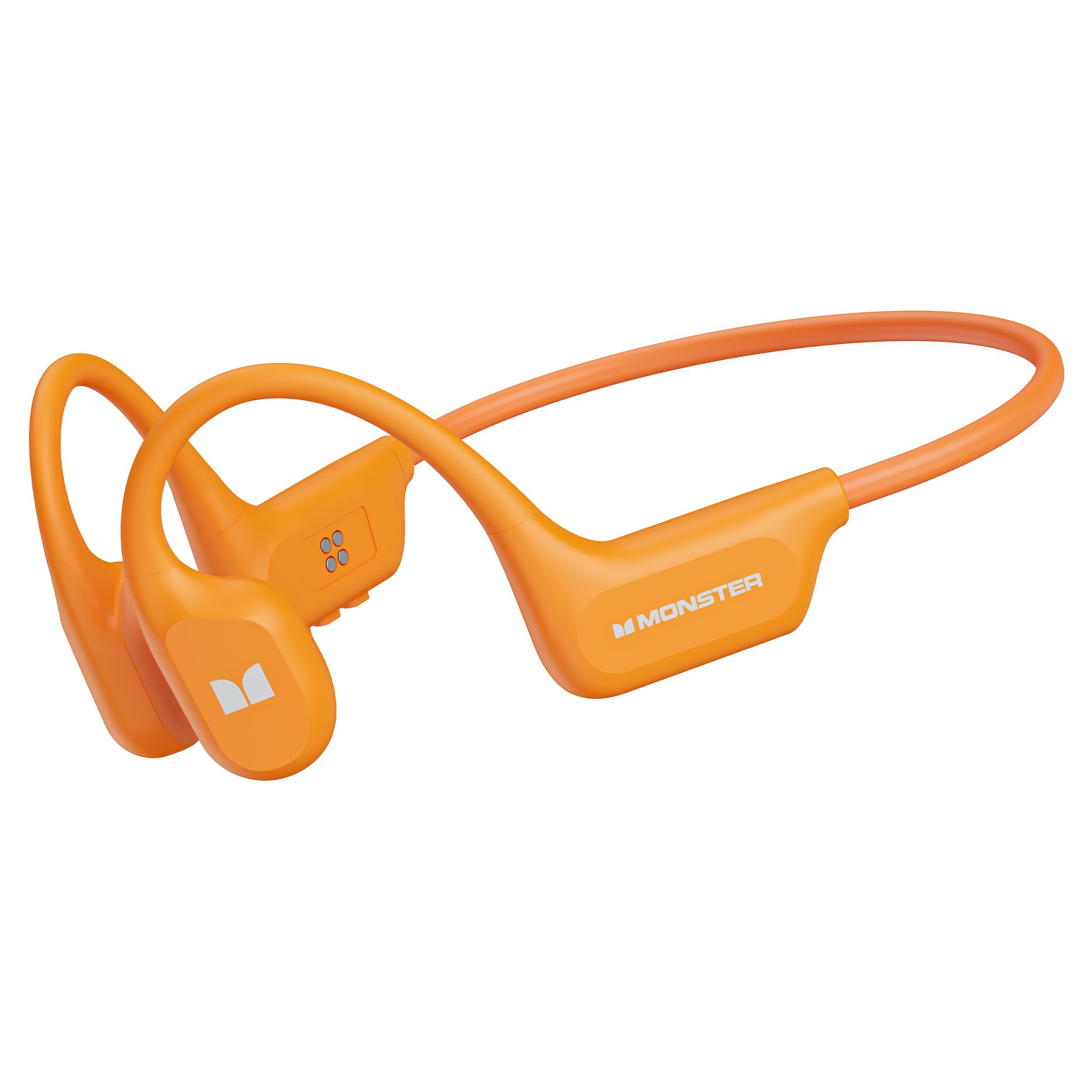
Image: Monster BC300 headphones connected to a laptop via USB cable, illustrating the 32GB built-in memory feature for standalone music playback.
5. ऑपरेटिंग सूचना
5.1 Button Functions (General)
The headphones typically feature a Power/Multi-function button, Volume Up (+), and Volume Down (-) buttons. Specific functions may vary slightly.
| बटण | कार्य |
|---|---|
| पॉवर/मल्टी-फंक्शन बटण |
|
| आवाज वाढवा (+) |
|
| आवाज कमी (-) |
|
| मोड बटण (उपस्थित असल्यास) |
|
5.2 कॉल फंक्शन्स
- कॉलला उत्तर द्या: पॉवर/मल्टी-फंक्शन बटण एकदा दाबा.
- कॉल समाप्त करा: कॉल दरम्यान एकदा पॉवर/मल्टी-फंक्शन बटण दाबा.
- कॉल नाकारणे: Press and hold the Power/Multi-function button for 2 seconds during an incoming call.
- पुन्हा डायल करा: Double-press the Power/Multi-function button to redial the last number.
5.3 संगीत प्लेबॅक
- प्ले/पॉज: पॉवर/मल्टी-फंक्शन बटण एकदा दाबा.
- पुढील ट्रॅक: व्हॉल्यूम अप (+) बटण दाबा आणि धरून ठेवा.
- मागील ट्रॅक: व्हॉल्यूम डाउन (-) बटण दाबा आणि धरून ठेवा.
- आवाज समायोजन: Press Volume Up (+) or Volume Down (-) buttons to adjust the volume.

Image: Man wearing Monster BC300 headphones, demonstrating the bone conduction technology that keeps ear canals open.

प्रतिमा: क्लोज-अप view of the Monster BC300 headphone's internal components, emphasizing the Bluetooth 6.0 chip for stable connections.

Image: A man playing basketball while wearing Monster BC300 headphones, demonstrating their secure and comfortable fit during workouts.

Image: A woman cycling on a road wearing Monster BC300 headphones, highlighting the open-ear design that maintains awareness of surroundings for safety.

Image: Monster BC300 headphones depicted with abstract sound waves, symbolizing the 'Pure Monster Sound' quality with deep bass and crisp clarity.
6. देखभाल आणि काळजी
- स्वच्छता: हेडफोन्स सॉफ्टने पुसून टाका, डीamp कापड कठोर रसायने किंवा अपघर्षक सामग्री वापरू नका.
- पाणी प्रतिकार: The headphones are IPX8 waterproof. This means they can withstand continuous immersion in water up to 1.5 meters for 30 minutes. Rinse with fresh water after exposure to saltwater or chlorinated water and allow to dry completely before charging.
- स्टोरेज: हेडफोन्स थेट सूर्यप्रकाश आणि अति तापमानापासून दूर थंड, कोरड्या जागी ठेवा.
- बॅटरी काळजी: To preserve battery life, charge the headphones regularly, even if not in use for extended periods. Avoid fully discharging the battery frequently.

Image: A man swimming underwater while wearing Monster BC300 headphones, showcasing their IPX8 waterproof capability for aquatic activities.
7. समस्या निवारण
| समस्या | उपाय |
|---|---|
| हेडफोन चालू होत नाहीत. | Ensure the headphones are charged. Connect to a power source and try again after a few minutes. |
| डिव्हाइससोबत पेअर करू शकत नाही. |
|
| आवाज नाही किंवा आवाज कमी नाही. |
|
| Music not playing from built-in memory. |
|
8. तपशील
| वैशिष्ट्य | तपशील |
|---|---|
| ब्रँड | राक्षस |
| मॉडेल क्रमांक | E129 (BC300) |
| कान प्लेसमेंट | कान उघडा |
| कनेक्टिव्हिटी तंत्रज्ञान | ब्लूटूथ |
| ब्लूटूथ आवृत्ती | 5.0 (Product description mentions 6.0) |
| पाणी प्रतिकार पातळी | IPX8 जलरोधक |
| अंगभूत मेमरी | 32GB |
| बॅटरी आयुष्य | 10 तासांपर्यंत |
| वारंवारता श्रेणी | २० हर्ट्झ - २०,००० हर्ट्झ |
| साहित्य | सिलिकॉन |
| नियंत्रण पद्धत | App (and physical buttons) |
9. हमी आणि समर्थन
The Monster BC300 Open Ear Sport Headphones come with a 1 वर्षाची उत्पादक वॉरंटी खरेदीच्या तारखेपासून. ही वॉरंटी सामान्य वापरात उत्पादन दोष आणि कारागिरी कव्हर करते.
गैरवापर, अपघात, अनधिकृत बदल किंवा सामान्य झीज यामुळे झालेले नुकसान वॉरंटीमध्ये समाविष्ट नाही.
For warranty claims or technical support, please contact Monster customer service through their official website or the retailer where the product was purchased. Please have your proof of purchase and product model number (E129) ready.


