
परिचय
Thank you for choosing the OneOdio Focus A1Pro Wireless On-Ear Headphones. This manual provides detailed instructions for setting up, operating, maintaining, and troubleshooting your new headphones. Please read this manual thoroughly before use to ensure optimal performance and longevity of your device.
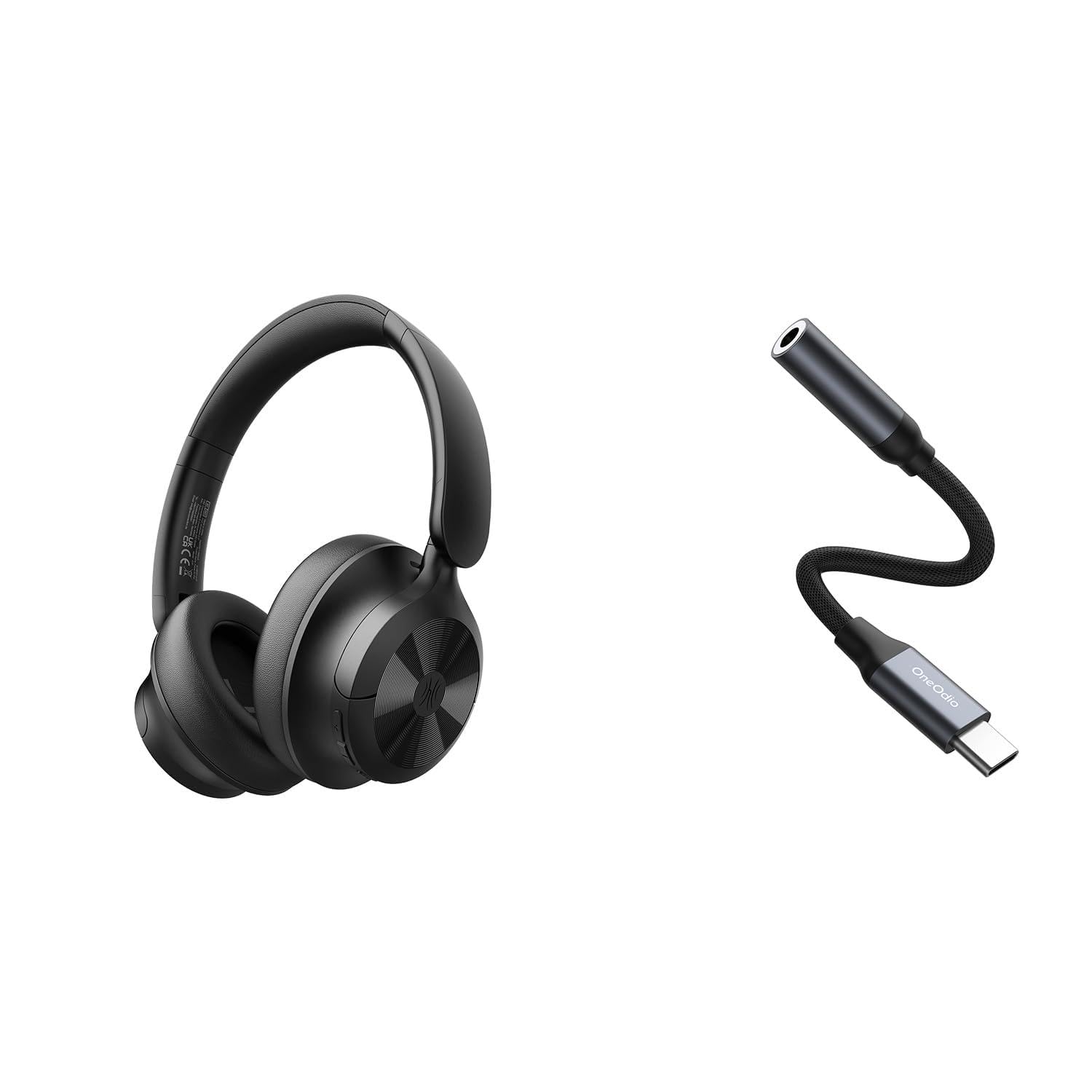
Image: OneOdio Focus A1Pro Wireless On-Ear Headphones. This image displays the headphones in their typical on-ear design, showcasinइअरकप आणि हेडबँड घाला.
पॅकेज सामग्री
कृपया खालील वस्तूंसाठी पॅकेज तपासा:
- OneOdio Focus A1Pro Wireless On-Ear Headphones
- USB-C ते 3.5mm ऑडिओ अडॅप्टर
- USB-C चार्जिंग केबल
- पाऊच वाहून नेणे
- वापरकर्ता मॅन्युअल (हा दस्तऐवज)
सेटअप
५. हेडफोन चार्ज करणे
Before first use, fully charge the headphones. Connect the USB-C charging cable to the charging port on the headphones and the other end to a USB power source (e.g., computer USB port, wall adapter). The LED indicator will show charging status and turn off or change color when fully charged.

Image: Close-up of the USB-C charging port on the OneOdio Focus A1Pro headphones, with a charging cable connected.
2. पॉवर चालू/बंद
- चालू करण्यासाठी: Press and hold the Multi-function button for approximately 3 seconds until the LED indicator flashes blue.
- पॉवर ऑफ करण्यासाठी: Press and hold the Multi-function button for approximately 3 seconds until the LED indicator flashes red and then turns off.
3. ब्लूटूथ पेअरिंग
- हेडफोन बंद असल्याची खात्री करा.
- Press and hold the Multi-function button for 5-7 seconds until the LED indicator flashes red and blue alternately. This indicates pairing mode.
- तुमच्या डिव्हाइसवर (स्मार्टफोन, टॅबलेट, संगणक), ब्लूटूथ सक्षम करा आणि उपलब्ध डिव्हाइस शोधा.
- Select "OneOdio A1Pro" from the list of found devices.
- एकदा कनेक्ट झाल्यावर, एलईडी निर्देशक हळूहळू निळा फ्लॅश होईल.
- If a password is required, enter "0000".
चालू केल्यावर हेडफोन्स शेवटच्या जोडलेल्या डिव्हाइसशी आपोआप पुन्हा कनेक्ट होण्याचा प्रयत्न करतील.
4. Wired Connection (using USB-C to 3.5mm Audio Adapter)
For a wired connection, use the provided USB-C to 3.5mm audio adapter. This allows you to connect the headphones to devices with a standard 3.5mm audio jack.
- Plug the USB-C end of the adapter into the USB-C port on the headphones.
- Plug the 3.5mm end of the adapter into the 3.5mm audio jack of your audio source device.
- Ensure the headphones are powered off for wired mode to function correctly and conserve battery.

Image: The OneOdio Focus A1Pro headphones connected to an audio source via the USB-C to 3.5mm audio adapter.
ऑपरेटिंग सूचना
नियंत्रणे संपलीview
The headphones feature intuitive controls located on the earcup. Familiarize yourself with these buttons for seamless operation.

Image: Diagram showing the location and function of control buttons on the OneOdio Focus A1Pro headphones, including volume, multi-function, and ANC buttons.
संगीत प्लेबॅक
- प्ले/पॉज: एकदा मल्टी-फंक्शन बटण दाबा.
- पुढील ट्रॅक: व्हॉल्यूम अप बटण २ सेकंद दाबा आणि धरून ठेवा.
- मागील ट्रॅक: व्हॉल्यूम डाउन बटण २ सेकंद दाबा आणि धरून ठेवा.
- आवाज वाढवणे: व्हॉल्यूम अप बटण थोडक्यात दाबा.
- आवाज कमी: व्हॉल्यूम डाउन बटण थोडक्यात दाबा.
कॉल हाताळणी
- उत्तर द्या/कॉल संपवा: एकदा मल्टी-फंक्शन बटण दाबा.
- कॉल नाकारणे: 2 सेकंदांसाठी मल्टी-फंक्शन बटण दाबा आणि धरून ठेवा.
- शेवटचा क्रमांक पुन्हा डायल करा: मल्टी-फंक्शन बटण डबल-दाबा.
अॅक्टिव्ह नॉइस कॅन्सलेशन (एएनसी)
The Focus A1Pro headphones feature Active Noise Cancellation to reduce ambient noise.
- ANC सक्रिय करा: Press the ANC button once. The ANC indicator light will turn green.
- ANC निष्क्रिय करा: पुन्हा एकदा ANC बटण दाबा. ANC इंडिकेटर लाईट बंद होईल.
हेडफोन्स घातले
Adjust the headband to fit comfortably over your head. The earcups should fully cover your ears for optimal sound quality and noise cancellation. The earcups are typically marked 'L' for left and 'R' for right.
देखभाल
साफसफाई
- मऊ, कोरड्या, लिंट-फ्री कापडाने हेडफोन पुसून टाका.
- अपघर्षक क्लीनर, अल्कोहोल किंवा रासायनिक सॉल्व्हेंट्स वापरू नका.
- कोणत्याही छिद्रांमध्ये ओलावा जाण्यापासून टाळा.
- The earpads can be gently wiped with a slightly damp cloth and mild soap solution, then dried thoroughly.
स्टोरेज
When not in use, store the headphones in the provided carrying pouch to protect them from dust and scratches. Store in a cool, dry place away from extreme temperatures.
बॅटरी काळजी
- बॅटरी वारंवार पूर्णपणे डिस्चार्ज करणे टाळा.
- बॅटरीची कार्यक्षमता राखण्यासाठी, हेडफोन्स बराच काळ वापरला नसला तरीही नियमितपणे चार्ज करा.
- Do not expose the headphones to high temperatures, as this can degrade battery performance.
समस्यानिवारण
शक्ती नाही
- हेडफोन पूर्णपणे चार्ज झाले आहेत याची खात्री करा.
- Press and hold the Multi-function button for 3 seconds to power on.
आवाज नाही
- ब्लूटूथ:
- Ensure the headphones are paired and connected to your device.
- Check the volume level on both the headphones and your device.
- हेडफोन्स अनपेअर करून पुन्हा पेअर करून पहा.
- वायर्ड:
- Ensure the USB-C to 3.5mm adapter is securely connected to both the headphones and the audio source.
- Verify the audio source is playing and its volume is up.
- Test with a different audio cable or device if possible.
ब्लूटूथ कनेक्शन समस्या
- Ensure the headphones are in pairing mode (red and blue flashing LED).
- हेडफोन तुमच्या डिव्हाइसच्या जवळ हलवा.
- Clear the Bluetooth list on your device and try pairing again.
- इतर वायरलेस उपकरणांचा हस्तक्षेप टाळा.
हेडफोन रीसेट करत आहे
If you experience persistent issues, you can try resetting the headphones to their factory settings. (Note: Specific reset procedures vary by model. A common method is to press and hold the Multi-function and Volume Down buttons simultaneously for 5-10 seconds while powered on, or connect to power while holding a button. Refer to the manufacturer's official support for exact steps if this general method does not work.)
तपशील
| मॉडेलचे नाव | Focus A1Pro |
| ब्लूटूथ आवृत्ती | २ (Estimated, common for modern headphones) |
| ड्रायव्हर व्यास | 40 मिमी (अंदाज) |
| वारंवारता प्रतिसाद | 20Hz - 20kHz (ठराविक) |
| बॅटरी क्षमता | 500mAh (अंदाज) |
| चार्जिंग वेळ | अंदाजे 2-3 तास |
| प्लेबॅक वेळ | Up to 30 hours (Varies with volume and ANC usage) |
| वजन | Approx. 250g (अंदाज) |
Note: Specifications are subject to change without notice. Actual performance may vary.
हमी आणि समर्थन
हमी माहिती
OneOdio products are covered by a limited warranty from the date of purchase. This warranty covers manufacturing defects in materials and workmanship. It does not cover damage caused by misuse, accidents, unauthorized modifications, or normal wear and tear. Please retain your proof of purchase for warranty claims.
ग्राहक समर्थन
For technical support, warranty inquiries, or other assistance, please contact OneOdio customer service through their official webसाइट किंवा तुम्ही उत्पादन खरेदी केलेल्या किरकोळ विक्रेत्याशी संपर्क साधा.
अधिकृत Webसाइट: www.oneodio.com
ईमेल समर्थन: support@oneodio.com