
परिचय
This manual provides detailed instructions for the ALFAJR Classic Digital Watch WJ-44SS. Please read this manual carefully before using your watch to ensure proper operation and to fully utilize its features, including prayer times, Qibla compass, and dual calendar system.
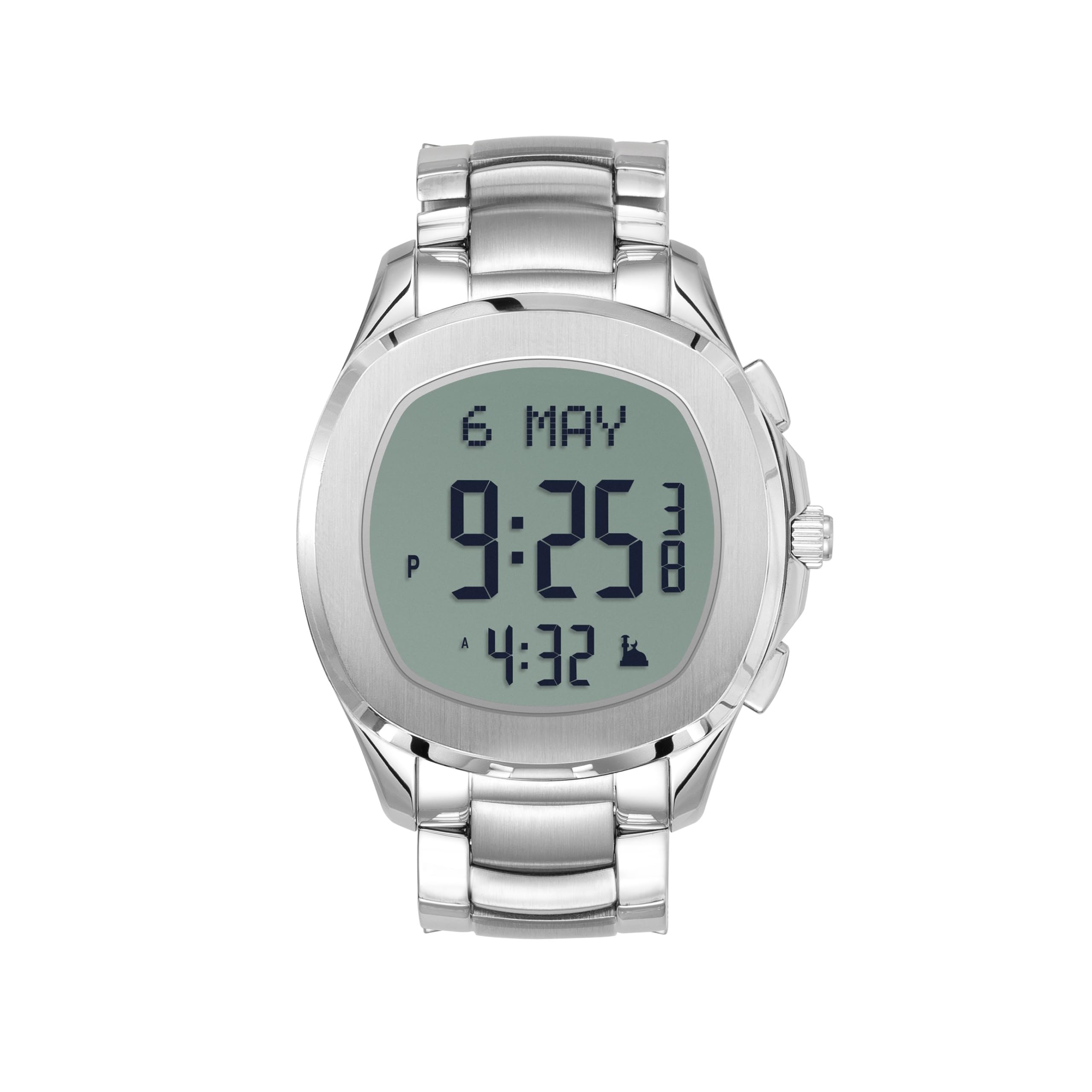
आकृती 1: समोर view of the ALFAJR Classic Digital Watch WJ-44SS. This image shows the watch face displaying time, date, and prayer indicators.
सेटअप
१. प्रारंभिक पॉवर चालू आणि वेळ सेटिंग
Upon first use or after a battery replacement, the watch will require initial setup. Press and hold the मोड button (usually bottom left) for 3 seconds to enter the setting mode. Use the समायोजित करा button (usually top right) to cycle through settings and the सेट button (usually bottom right) to confirm selections.
2. Setting Date and Language
In setting mode, navigate to the date setting. Adjust the year, month, and day using the समायोजित करा button. Proceed to language selection (Arabic/English) and confirm. The watch supports both Hijri and Gregorian calendars; ensure the correct calendar system is selected.
3. Prayer Time Configuration
The watch features worldwide prayer times. To set this up:
- Enter prayer time setting mode.
- Select your current city or a major city nearby from the pre-programmed list.
- Confirm the selected city. The watch will automatically calculate prayer times based on your location.
- Adjust prayer time calculation methods if necessary, according to your local religious authority.

आकृती 2: मागे view of the ALFAJR Classic Digital Watch WJ-44SS. This image displays the engraved details on the stainless steel case back, including model number and water resistance information.
ऑपरेशन
1. प्रदर्शन मोड
दाबा मोड button to cycle through different display modes: Time, Date, Prayer Times, Stopwatch, Alarm, and Qibla Compass.
2. Prayer Time Display and Alarms
In the Prayer Time mode, the watch displays the current prayer time and the next upcoming prayer time. Daily alarms and prayer-specific alarms can be set and activated through the alarm settings. An audible alert will sound at the designated prayer times.
3. Qibla Compass
To use the Qibla compass:
- Enter Qibla Compass mode.
- Hold the watch flat and rotate it slowly until the Qibla indicator points towards the correct direction.
- Ensure you are away from strong magnetic fields that could interfere with the compass accuracy.
4. Dual Calendar (Hijri and Gregorian)
The watch automatically displays both Hijri and Gregorian dates. You can switch between these displays or view both simultaneously depending on the selected display format in the settings.

आकृती 3: बाजू view of the ALFAJR Classic Digital Watch WJ-44SS, showing the crown and control buttons.
देखभाल
७.२. साफसफाई
घड्याळाचे केस आणि बँड मऊ, कोरड्या कापडाने पुसून टाका. हट्टी घाणीसाठी, थोडासा डीamp कापडाचा वापर करता येईल आणि त्यानंतर ते लगेच वाळवले जाईल. रासायनिक क्लीनर, सॉल्व्हेंट्स किंवा अपघर्षक पदार्थांचा वापर टाळा.
2. पाणी प्रतिकार
The ALFAJR WJ-44SS is water-resistant. This means it can withstand splashes, rain, and brief immersion in water. However, it is not suitable for swimming, diving, or hot water activities (e.g., showers, saunas) as steam and temperature changes can compromise the seals. Do not operate buttons while the watch is wet.
3. बॅटरी बदलणे
When the battery is low, the display may dim or certain functions may cease. Battery replacement should be performed by a qualified watch technician to ensure water resistance is maintained. Refer to the specifications for battery type.
4. स्टोरेज
Store the watch in a cool, dry place away from direct sunlight, extreme temperatures, and strong magnetic fields when not in use for extended periods.
समस्यानिवारण
| समस्या | संभाव्य कारण | उपाय |
|---|---|---|
| डिस्प्ले रिकामा किंवा मंद आहे. | कमी बॅटरी. | बॅटरी बदला. |
| Prayer times are incorrect. | Incorrect city/location setting or calculation method. | Re-enter your city and verify the prayer time calculation method in the settings. |
| Qibla compass is inaccurate. | Interference from magnetic fields; watch not held flat. | Move away from electronic devices or metal objects. Hold the watch flat and recalibrate if necessary. |
| बटणे प्रतिसाद देत नाहीत. | घड्याळ कदाचित लॉक मोडमध्ये असेल किंवा तात्पुरत्या सॉफ्टवेअर ग्लिचचा अनुभव घेत असेल. | Try pressing all buttons to unlock. If unresponsive, a soft reset (refer to advanced manual or contact support) may be required. |
तपशील
- मॉडेल: WJ-44SS
- केस साहित्य: स्टेनलेस स्टील
- बँड साहित्य: स्टेनलेस स्टील
- केस परिमाणे: 42 mm (width) x 42 mm (length) x 11.2 mm (thickness)
- बँड रुंदी: 22 मिमी
- डिस्प्ले प्रकार: FSTN LCD
- हालचाली प्रकार: डिजिटल
- पाणी प्रतिकार: Yes (suitable for splashes/rain, not swimming/diving)
- वैशिष्ट्ये: Worldwide Prayer Times, Digital Qibla Compass, Daily Alarms, Prayer-Specific Alarms, Dual Calendar (Hijri & Gregorian), Bilingual Interface (Arabic/English)
- वजन: 125 ग्रॅम
- निर्माता: ALFAJR TRADING Company
- मूळ देश: सौदी अरेबिया

Figure 4: The ALFAJR Classic Digital Watch WJ-44SS displayed on a wrist, showcasing its size and fit.
हमी आणि समर्थन
हमी माहिती
The ALFAJR Classic Digital Watch WJ-44SS comes with a मर्यादित वॉरंटी. Please retain your proof of purchase for warranty claims. The warranty covers manufacturing defects under normal use. It does not cover damage resulting from misuse, accidents, unauthorized repairs, or normal wear and tear. For specific warranty terms and conditions, please refer to the warranty card included with your product or visit the official ALFAJR webसाइट
ग्राहक समर्थन
For technical assistance, troubleshooting beyond this manual, or warranty service, please contact ALFAJR customer support. Contact details can typically be found on the official ALFAJR webसाइटवर किंवा पॅकेजिंग साहित्यावर.
आयातदार/पॅकर: ALFAJR INDIA, 4/617, CHANNANKARA PO, KADINAMKULAM, THIRUVANANTHAPURAM. PIN 695301