
1. परिचय
Thank you for choosing the Dopesplay DR159 Portable Monitor. This manual provides essential information for setting up, operating, and maintaining your new monitor. Please read it thoroughly before use to ensure optimal performance and longevity of the device.
२. बॉक्समध्ये काय आहे?
कृपया पॅकेज उघडताना त्यातील सामग्री तपासा:
- 1 x 15.6 Inch Portable monitor
- 1 x Adjustable magnetic monitor stand
- 1 x USB-C ते USB-C केबल
- 1 x USB-A ते USB-C केबल
- १ x HDMI ते मिनी HDMI केबल

Image: The Dopesplay Portable Monitor, adjustable magnetic stand, USB-C to USB-C cable, USB-A to USB-C cable, and HDMI to Mini HDMI cable are neatly arranged in their packaging.
3. उत्पादनाची वैशिष्ट्ये
- भारदस्त Viewing: Dedicated desktop stand raises the monitor for ergonomic viewing, reducing neck and shoulder strain.
- लवचिक Viewकोन: Adjustable stand offers 360° rotation for seamless switching between portrait and landscape modes, with tilt and rotation for ideal positioning.
- स्लिम आणि पोर्टेबल: Ultra-thin and lightweight design, includes a premium protective sleeve for easy transport during business trips, remote work, or gaming.
- Stunning 1080P Full HD IPS Display: Features an IPS panel with Full HD resolution and 60Hz refresh rate, 16:9 aspect ratio, and 1000:1 contrast ratio for crisp visuals, vibrant colors, and wide viewकोन.
- व्यापक सुसंगतता: Equipped with USB-C and Mini HDMI ports for plug-and-play connectivity with laptops, gaming consoles, smartphones, and more.
4. Setup & Connections
4.1 स्टँड स्थापना
The monitor comes with an adjustable magnetic stand and a built-in stand for versatile placement.
- Unfold the adjustable magnetic stand base and arm.
- Align the magnetic mount on the monitor's rear with the stand's magnetic ball joint. The monitor will securely attach.
- Alternatively, use the built-in kickstand on the monitor's back for a simple desktop setup.

Image: A Dopesplay Portable Monitor is shown mounted on a 360-degree rotating base stand next to a laptop, illustrating multi-dimensional adjustment options.
4.2 डिव्हाइसेसशी कनेक्ट करणे
The DR159 Portable Monitor supports various devices via USB-C and Mini HDMI.
USB-C कनेक्शन (सिंगल केबल)
For devices with a full-featured USB-C port (supporting video, audio, and power delivery):
- USB-C ते USB-C केबलचे एक टोक तुमच्या डिव्हाइसच्या USB-C पोर्टशी जोडा.
- दुसरे टोक मॉनिटरच्या USB-C पोर्टशी जोडा.
- The monitor should automatically display content and receive power.
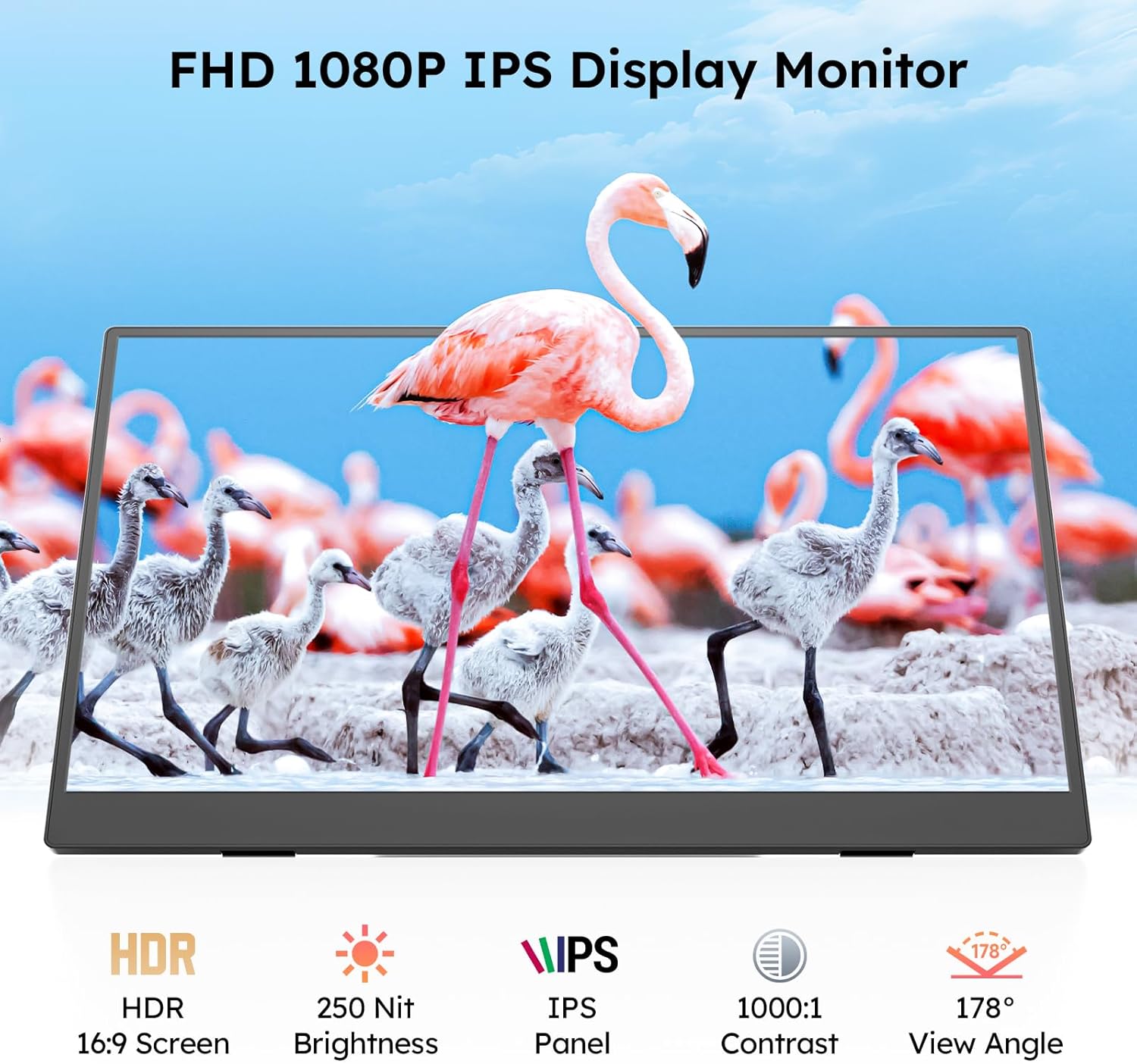
Image: A Dopesplay Portable Monitor is connected to a laptop via a single USB-C cable, demonstrating plug-and-play functionality for various devices.
HDMI & USB-A Connection (Dual Cable)
For devices without a full-featured USB-C port, or for additional power:
- मिनी HDMI चा एक टोक HDMI केबलला तुमच्या डिव्हाइसच्या HDMI पोर्टशी जोडा.
- Connect the other end to the monitor's Mini HDMI port.
- Connect one end of the USB-A to USB-C cable to your device's USB-A port (or a power adapter).
- Connect the other end to the monitor's USB-C port for power.
- The monitor should display content and receive power.

Image: A Dopesplay Portable Monitor is connected to a laptop using both an HDMI to Mini HDMI cable for video and a USB-A to USB-C cable for power, showing compatibility with various gaming consoles and PCs.
4.3 Video Guides
DR159 Portable Monitor Unboxing Video
Video: A detailed unboxing of the Dopesplay DR159 Portable Monitor, showcasing its contents and initial setup steps.
Portable Monitor Stand Installation Video
Video: Step-by-step instructions on how to install and set up the adjustable magnetic stand for the Dopesplay Portable Monitor.
5. ऑपरेटिंग सूचना
5.1.१ प्रदर्शन मोड
The monitor supports various display modes to enhance productivity and entertainment:
- विस्तार मोड: तुमचा डेस्कटॉप दोन्ही स्क्रीनवर वाढवते, अधिक कार्यक्षेत्र प्रदान करते.
- Duplicate Mode (Mirror Mode): Duplicates your primary screen's content onto the portable monitor.
- दुसरा स्क्रीन मोड: Uses only the portable monitor as the display.
- पोर्ट्रेट मोड: Rotates the display for vertical viewing, कोडिंग किंवा दस्तऐवज पुनर्लेखनासाठी आदर्शview.

Image: The Dopesplay Portable Monitor displays various operation modes including Extend Mode, Duplicate Mode, and Second Screen Mode, catering to diverse user requirements.
३.१ ऑन-स्क्रीन डिस्प्ले (OSD) मेनू
Access the OSD menu using the control buttons on the side of the monitor to adjust settings:
- चमक: Adjust the screen's luminance.
- काळा पातळी: Fine-tune black levels for deeper blacks.
- कॉन्ट्रास्ट: प्रकाश आणि गडद भागांमधील फरक सुधारा.
- ECO: Select power-saving modes.
- DCR (डायनॅमिक कॉन्ट्रास्ट रेशो): Enable or disable dynamic contrast.

Image: The Dopesplay Portable Monitor showcases its FHD 1080P IPS display with HDR, 250 Nit Brightness, 1000:1 Contrast, and 178° View Angle, highlighting its visual capabilities.
6. देखभाल
- स्वच्छता: स्क्रीन स्वच्छ करण्यासाठी मऊ, लिंट-फ्री कापड वापरा. कठोर रसायने किंवा अपघर्षक पदार्थ टाळा.
- हाताळणी: Handle the monitor gently. Avoid applying pressure to the screen or dropping the device.
- स्टोरेज: When not in use, store the monitor in its protective sleeve to prevent scratches and damage.
7. समस्या निवारण
Refer to the quick start guide included in the package for common troubleshooting steps, including:
- Display not working / Screen flickering
- No signal / Automatic shutdown
- रंग तापमान समस्या
Ensure proper power supply and compatible connections for optimal performance. If issues persist, contact customer support.
8. तपशील
- उत्पादन परिमाणे: 0.63 x 13.98 x 8.66 इंच
- आयटम वजन: 1.47 पाउंड
- स्क्रीन आकार: 15.6 इंच
- ठराव: FHD १०८०p (१९२० x १०८० पिक्सेल)
- गुणोत्तर: १६:१०
- इमेज ब्राइटनेस: 250 Candela
- खंडtage: 5 व्होल्ट
- एकूण यूएसबी पोर्ट: 2
- Screen Surface Description: मॅट
9. हमी आणि समर्थन
Dopesplay offers a 12-month product warranty and lifetime technical support. For any missing accessories, damaged items, or troubleshooting needs, our support team responds quickly with reliable solutions. Help is just a message away!
सपोर्टशी संपर्क साधा: Please refer to the contact information provided in your product documentation or visit the Dopesplay US webमदतीसाठी साइट.