
महत्त्वाच्या सुरक्षितता सूचना
श्रेडर वापरण्यापूर्वी कृपया सर्व सूचना काळजीपूर्वक वाचा. भविष्यातील संदर्भासाठी ही पुस्तिका जपून ठेवा.
- लहान मुले आणि पाळीव प्राणी यांना श्रेडरपासून दूर ठेवा.
- सैल कपडे, दागिने, केस आणि हात कागदाच्या प्रवेशद्वारापासून दूर ठेवा.
- Do not spray any flammable products onto the shredder.
- Do not shred metal objects, wet paper, or adhesive labels.
- वापरात नसताना किंवा साफ करण्यापूर्वी श्रेडर अनप्लग करा.
- जर पॉवर कॉर्ड खराब झाली असेल तर श्रेडर चालवू नका.
उत्पादन संपलेview
The Staples 12-Sheet Micro-Cut Personal Shredder (ST62153) is designed for secure disposal of personal and office documents. It features micro-cut shredding for enhanced security (P-4 rating), reducing documents to 4mm x 12mm pieces.
मुख्य वैशिष्ट्यांचा समावेश आहे:
- श्रेडिंग क्षमता: Up to 12 sheets of paper per pass.
- साहित्य सुसंगतता: Shreds paper, credit cards, standard staples, small paper clips, and CDs/DVDs.
- सुरक्षा स्तरः P-4 micro-cut for high security.
- धावण्याची वेळ: 20 minutes continuous operation, followed by a 40-minute cool-down period.
- कचराकुंडी: 5-gallon (18.9L) pull-out bin for easy emptying.
- सुरक्षितता वैशिष्ट्ये: Auto Start/Stop, Auto Reverse, Overload Protection, blue ready LED indicator, red flash for bin full indicator.
- गतिशीलता: Equipped with casters for easy movement.

Image: The shredder in operation, feeding a document into the micro-cut slot.
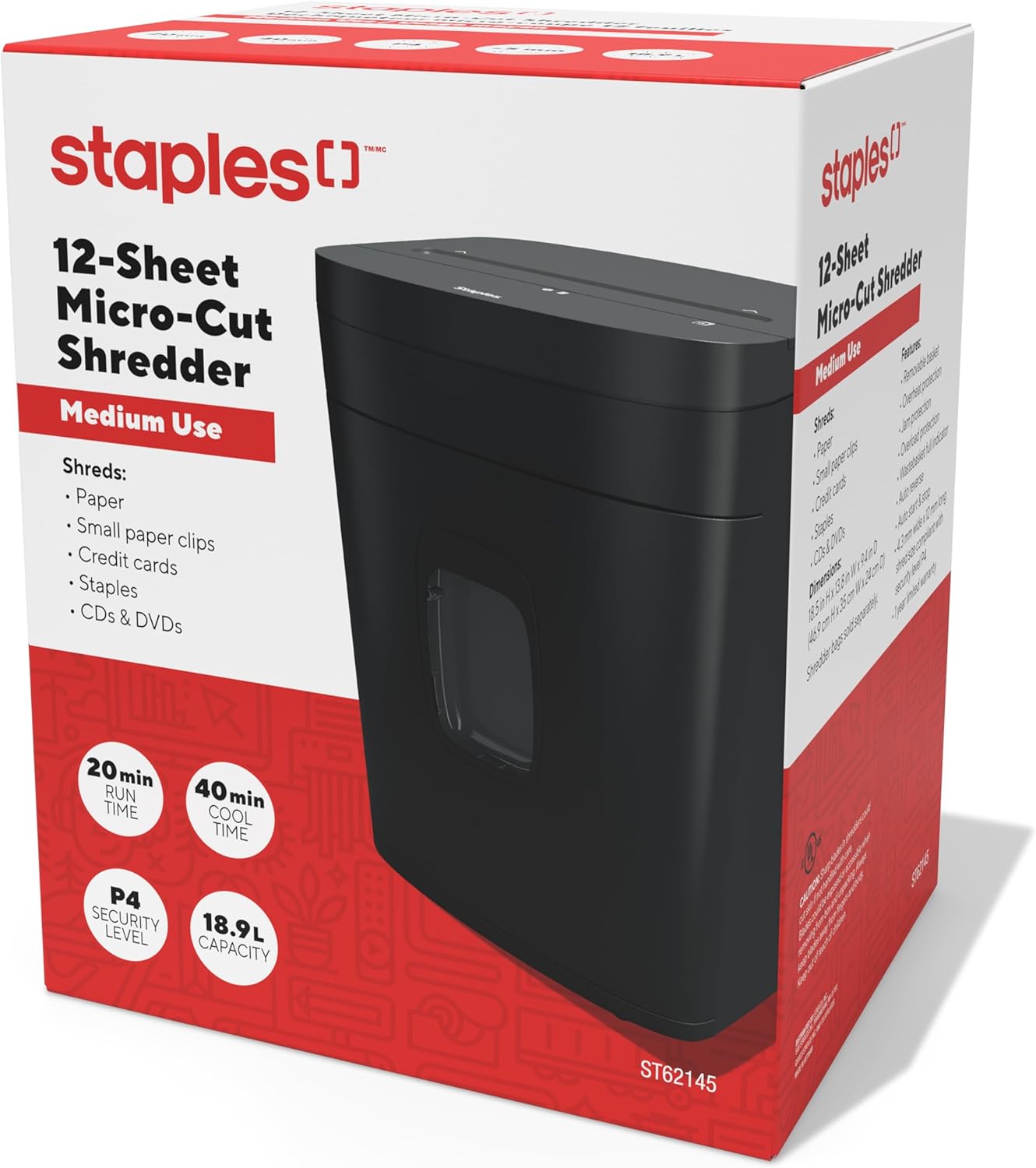
Image: The retail packaging for the Staples 12-Sheet Micro-Cut Personal Shredder.
पॅकेज सामग्री
पॅकेजमध्ये सर्व वस्तू आहेत का ते तपासा:
- Staples 12-Sheet Micro-Cut Personal Shredder Unit
- सूचना पुस्तिका (हा दस्तऐवज)
सेटअप
- अनपॅक करणे: Carefully remove the shredder from its packaging. Remove any protective materials or plastic bags.
- प्लेसमेंट: Position the shredder on a flat, stable surface. Ensure there is adequate space around the unit for ventilation and to access the waste bin. The shredder is equipped with casters for easy mobility.
- वीज कनेक्शन: पॉवर कॉर्डला मानक इलेक्ट्रिकल आउटलेटमध्ये प्लग करा.

Image: The shredder positioned in an office setting, demonstrating its compact size.

प्रतिमा: सविस्तर view of the shredder's base, highlighting the integrated casters for easy movement.
ऑपरेशन
- पॉवर चालू: Ensure the shredder is plugged in. The blue LED indicator should illuminate, indicating the shredder is ready for operation.
- कागद कापण्यासाठी: Insert up to 12 sheets of paper into the paper entry slot. The shredder will automatically start when paper is detected and stop once shredding is complete.
- इतर साहित्याचे तुकडे करणे: The shredder can also process credit cards, CDs/DVDs, standard staples, and small paper clips. Insert these items one at a time into the designated entry slot (if separate) or the main paper entry slot.
- सतत ऑपरेशन: The shredder is designed for 20 minutes of continuous use. After this period, allow the unit to cool down for 40 minutes to prevent overheating and ensure longevity.
- ऑटो रिव्हर्स: If too much paper is inserted, the Auto Reverse feature will attempt to clear the jam by reversing the shredding action.

प्रतिमा: जवळून पाहिलेला फोटो view of the paper entry slot on the shredder's top panel.
देखभाल
- कचरापेटी रिकामी करणे: When the waste bin is full, a red indicator light will flash. Pull out the 5-gallon capacity bin from the front of the shredder and empty the shredded material. Reinsert the bin securely.
- स्वच्छता: Unplug the shredder before cleaning. Use a soft, dry cloth to wipe the exterior. Do not use abrasive cleaners or solvents. For optimal performance, periodically oil the shredder blades with shredder oil (sold separately).
- Cool-Down Periods: Adhere to the 40-minute cool-down period after 20 minutes of continuous use to prevent motor strain and extend the life of the shredder.
समस्यानिवारण
| समस्या | संभाव्य कारण | उपाय |
|---|---|---|
| श्रेडर सुरू होत नाही. | Not plugged in; waste bin not fully inserted; power switch off. | Ensure power cord is securely plugged in. Push waste bin completely into place. Check power switch position. |
| पेपर जाम | खूप जास्त कागद घातलेला; कागद दुमडलेला किंवा चुरगळलेला. | Utilize the Auto Reverse function. If jam persists, unplug, carefully remove paper from the entry slot. Reduce paper quantity for future shredding. |
| Shredder stops during operation (overheating) | Exceeded continuous run time (20 minutes); motor overload. | Allow the shredder to cool down for 40 minutes. The Overload Protection feature will reset automatically. |
| Red bin full indicator flashing | कचराकुंडी भरली आहे. | कचरापेटी रिकामी करा आणि ती पुन्हा सुरक्षितपणे घाला. |
तपशील
| वैशिष्ट्य | तपशील |
|---|---|
| मॉडेल क्रमांक | ST62153 |
| तुकडे प्रकार | मायक्रो कट |
| सुरक्षा पातळी | पी-4 |
| तुकडे आकार | 4 मिमी x 12 मिमी |
| पत्रक क्षमता | 12 पत्रके |
| बिन क्षमता | 5 गॅलन (18.9 लिटर) |
| सतत धावण्याची वेळ | 20 मिनिटे |
| कूल डाउन वेळ | 40 मिनिटे |
| आवाज पातळी | 65 डेसिबल |
| परिमाण (L x W x H) | 38.4D x 30W x 47H Centimetres (13.8"L x 9.4"W x 18.5"H) |
| आयटम वजन | ३.७२ किलो (८.२ पौंड) |
| उत्पादक | स्टेपल्स |
| UPC | 718103440509 |
हमी माहिती
This Staples 12-Sheet Micro-Cut Personal Shredder (ST62153) is covered by a 1-वर्षांची मर्यादित निर्माता वॉरंटी from the date of purchase. This warranty covers defects in materials and workmanship under normal use. For warranty claims or further details, please contact customer support.
ग्राहक समर्थन
For technical assistance, troubleshooting, or warranty inquiries, please contact Staples customer support.
उत्पादक संपर्क माहिती:
500 STAPLES DR
FRAMINGHAM MA 01702-4474
युनायटेड स्टेट्स ऑफ अमेरिका
Please visit the official Staples website or your local Staples store for additional support resources.