
परिचय
This manual provides detailed instructions for the WDZP replacement remote control, designed for use with LONTEK CW1F and U18F treadmills. Please read this manual thoroughly before using the remote control to ensure proper operation and to maximize your workout experience.

Image: The WDZP Treadmill Remote Control shown alongside a person using a treadmill, illustrating its intended use.
सुसंगतता
This replacement remote control is specifically designed to be compatible with the following treadmill models:
- LONTEK CW1F Treadmill
- LONTEK U18F Treadmill
महत्त्वाची सूचना: Ensure your treadmill model matches the listed compatible models. Remote controls can vary significantly in appearance and button layout. This remote is not universally compatible with all treadmill brands or models. Refer to the image below for visual confirmation of the remote's appearance.

Image: A visual guide indicating the specific design of the WDZP remote control and examples of other remote controls that are not compatible, emphasizing the importance of matching the remote's appearance.
सेटअप
1. बॅटरी इन्स्टॉलेशन
रिमोट कंट्रोलला दोन (२) AAA बॅटरी आवश्यक आहेत (समाविष्ट नाहीत). त्या स्थापित करण्यासाठी या चरणांचे अनुसरण करा:
- रिमोट कंट्रोलच्या मागील बाजूस बॅटरी कंपार्टमेंट कव्हर शोधा.
- बाणाने दर्शविलेल्या दिशेने (जर असेल तर) कव्हर सरकवा.
- दोन AAA बॅटरी घाला, पॉझिटिव्ह (+) आणि निगेटिव्ह (-) टर्मिनल्स कंपार्टमेंटमधील खुणांनुसार योग्यरित्या संरेखित आहेत याची खात्री करा.
- बॅटरी कंपार्टमेंट कव्हर सुरक्षितपणे जागी येईपर्यंत बदला.
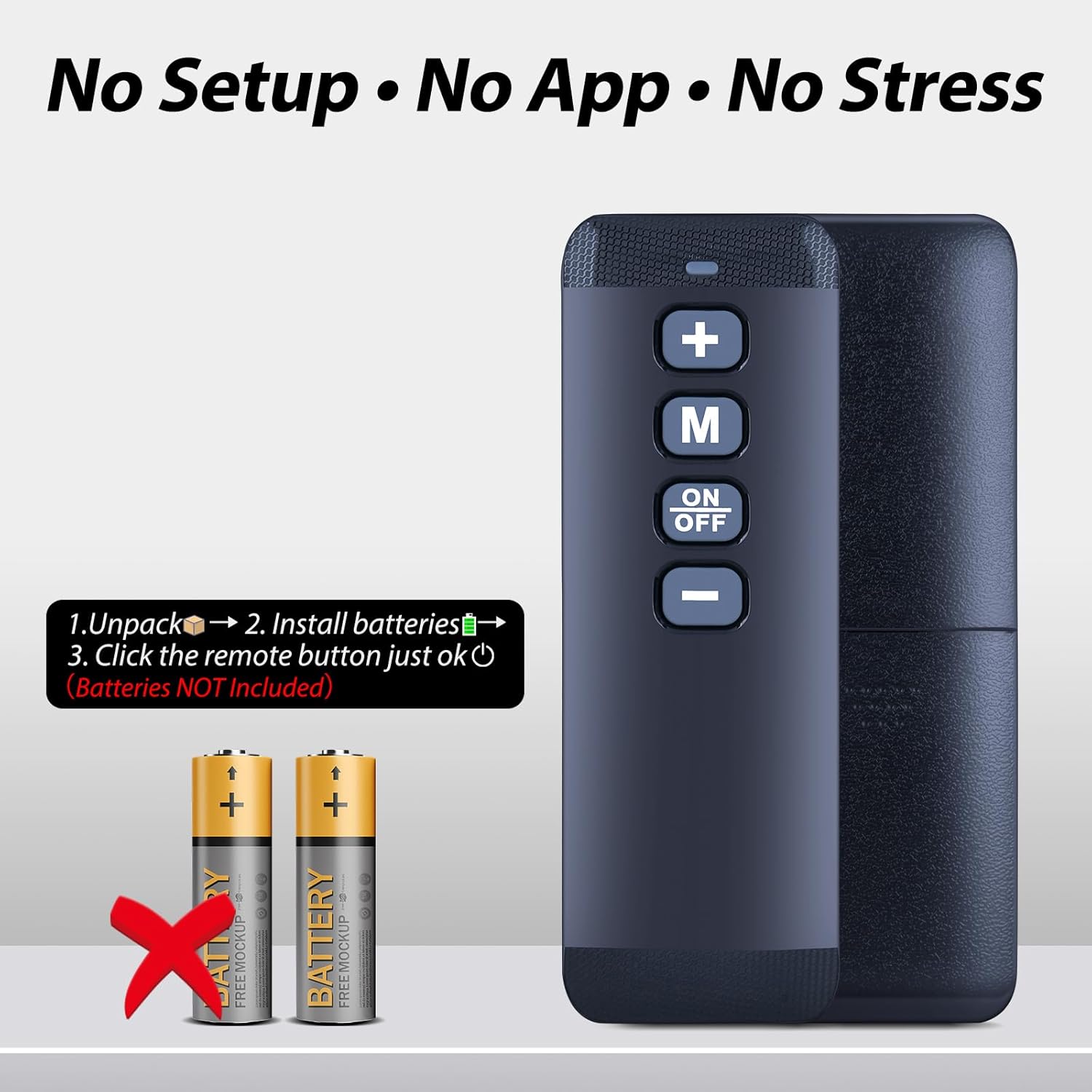
Image: An illustration demonstrating the process of installing two AAA batteries into the remote control, with a clear indication that batteries are not included.
2. जोडणी सूचना
To establish a connection between the remote control and your treadmill, follow these pairing steps:
- Turn off the Treadmill's power switch. Ensure the treadmill is completely powered off at the main switch.
- Press and hold the "+" and "-" buttons simultaneously on the remote control for more than 5 seconds. Continue holding until the remote control's indicator light begins to flash.
- बटणे सोडा.
- Quickly turn on the Treadmill's power. The treadmill display should show "0:00" once pairing is successful, indicating it is ready for use.
महत्त्वाच्या जोडणी सूचना:
- Please pair the remote control within 10 centimeters of the treadmill display screen for optimal signal reception during the pairing process.
- If your treadmill has a red safety lock, you must remove the safety lock before proceeding with the pairing. After successful pairing, re-insert the safety lock back onto the treadmill.
- Some running machines may operate in either automatic or manual modes. This remote control is designed for use when the treadmill is in manual mode (M). If the treadmill is in automatic mode (A), the remote control may not function.

Image: A step-by-step visual guide for pairing the remote control with the treadmill, including important notes regarding proximity and safety lock.
ऑपरेशन
The WDZP replacement remote control provides efficient and precise control over your treadmill's functions. It features a simple 5-button layout for easy operation.
- "+" बटण: Increases speed or incline.
- "-" बटण: Decreases speed or incline.
- "एम" बटण: Likely for Mode selection or program changes (refer to your treadmill's manual for specific "M" button functionality).
- "ON/OFF" Button: Powers the treadmill on or off.
This remote allows you to effortlessly manage your workout pace and settings, enhancing your exercise sessions.

Image: The remote control being held, with a background showing a person running on a treadmill and a digital fitness interface, illustrating the ease of use.
देखभाल
तुमच्या रिमोट कंट्रोलचे दीर्घायुष्य आणि इष्टतम कार्यप्रदर्शन सुनिश्चित करण्यासाठी, या देखभाल मार्गदर्शक तत्त्वांचे पालन करा:
- स्वच्छता: Wipe the remote control with a soft, dry cloth. Avoid using abrasive cleaners or solvents, as they may damage the surface or internal components.
- बॅटरी बदलणे: Replace batteries promptly when the remote's performance degrades or if the indicator light does not flash during pairing attempts. Always use new AAA batteries.
- स्टोरेज: Store the remote control in a dry place, away from direct sunlight, extreme temperatures, and high humidity.
- संरक्षण: Avoid dropping the remote control or exposing it to excessive force, which could damage its internal circuitry or casing.
समस्यानिवारण
If you encounter issues with your WDZP treadmill remote control, refer to the following common problems and solutions:
| समस्या | उपाय |
|---|---|
| रिमोट कंट्रोल प्रतिसाद देत नाही. | Check battery orientation. Replace with new AAA batteries. |
| Remote control not pairing with treadmill. | Review "Pairing Instructions" carefully. Ensure remote is within 10 cm of the treadmill display. Remove safety lock during pairing. Confirm treadmill is in manual mode (M). |
| मर्यादित श्रेणी किंवा अधूनमधून नियंत्रण. | Replace batteries. Ensure a clear line of sight. Minimize other infrared devices nearby. |
| Buttons not functioning correctly. | Inspect for visible damage. If issues persist after battery replacement and re-pairing, contact customer support. |
तपशील
| वैशिष्ट्य | तपशील |
|---|---|
| ब्रँड | WDZP |
| मॉडेल क्रमांक | B0FG7LGJD9 |
| सुसंगत ट्रेडमिल | LONTEK CW1F, LONTEK U18F |
| कनेक्टिव्हिटी तंत्रज्ञान | इन्फ्रारेड |
| बटणांची संख्या | 5 |
| कमाल श्रेणी | 40 फूट |
| बॅटरी प्रकार | 2 x 1.5V AAA बॅटरी (समाविष्ट नाही) |
| साहित्य | उच्च दर्जाचे ABS |
| विशेष वैशिष्ट्य | अर्गोनॉमिक डिझाइन |

Image: A diagram illustrating the physical dimensions of the remote control (length, width, thickness).
हमी आणि समर्थन
WDZP provides a warranty for this product to ensure customer satisfaction.
- वॉरंटी कालावधी: This product comes with a 1-Year warranty.
- कव्हरेज: The warranty covers manufacturing defects and quality problems.
- सेवा: In case of compatibility issues or quality problems, WDZP offers free exchange or refund.
For warranty claims, technical support, or any inquiries regarding your WDZP Treadmill Replacement Remote Control, please contact WDZP customer service through the retailer where the product was purchased or refer to the contact information provided with your product packaging.