
Netzu 6208D
Netzu Digital Alarm Clock User Manual
मॉडेल: 6208D
ब्रँड: नेट्झू
परिचय
Thank you for choosing the Netzu Digital Alarm Clock. This clock features a vibrant RGB display, dual alarms, adjustable brightness, and a loud alarm option, designed to provide a reliable and customizable timekeeping experience. This manual will guide you through the setup, operation, and maintenance of your new alarm clock.

प्रतिमा: समोर view of the Netzu Digital Alarm Clock displaying the time in vibrant RGB colors.
सुरक्षितता माहिती
- उपकरणाला अति तापमान, थेट सूर्यप्रकाश किंवा उच्च आर्द्रतेच्या संपर्कात आणू नका.
- डिव्हाइसला पाणी किंवा इतर द्रवांपासून दूर ठेवा.
- स्वतः डिव्हाइस वेगळे करण्याचा किंवा दुरुस्त करण्याचा प्रयत्न करू नका. सर्व सर्व्हिसिंग पात्र कर्मचाऱ्यांकडे पाठवा.
- फक्त दिलेला पॉवर अॅडॉप्टर आणि केबल वापरा.
- Ensure proper ventilation around the clock.
पॅकेज सामग्री
कृपया खालील वस्तूंसाठी पॅकेज तपासा:
- Netzu Digital Alarm Clock x 1
- पॉवर अडॅप्टर x 1
- पॉवर केबल x 1
- वापरकर्ता मॅन्युअल x 1

Image: Illustration showing the alarm clock, power cable, adapter, and manual, indicating items included in the package.
उत्पादन संपलेview
Familiarize yourself with the main components and controls of your Netzu Digital Alarm Clock.

Image: Visual representation highlighting key features such as loud sound, 4-level brightness, dual alarm clocks, 12/24h time format, snooze function, and battery memory.
नियंत्रणे आणि बटणे:
- स्नूझ बटण: Located on top, used to activate snooze or turn off display.
- वेळ सेट बटण: On the side, used to enter time setting mode.
- ALARM 1/2 Buttons: On the side, used to set Alarm 1 and Alarm 2.
- +/- बटणे: On the side, used to adjust values (time, brightness, volume).
- RGB बटण: On the side, used to cycle through RGB color modes.
सेटअप
1. वीज जोडणी:
Connect the provided power adapter to the DC input port on the back of the alarm clock, then plug the adapter into a standard wall outlet. The display will light up.

Image: The alarm clock connected to a wall outlet via its power adapter and cable, illustrating the plug-in functionality.
2. Battery Backup Installation (Optional but Recommended):
For memory function during power outages, install 2 x AAA batteries (not included) into the battery compartment on the bottom of the clock. This ensures that time and alarm settings are retained even if the main power is disconnected. The display will not be lit during battery backup mode, but the internal clock and alarm settings will remain active.

Image: Depiction of the alarm clock with two AAA batteries, explaining how battery backup maintains time and alarm settings during power failures.
ऑपरेटिंग सूचना
1. वेळ सेट करणे:
- दाबा आणि धरून ठेवा वेळ सेट तासाचे अंक चमकेपर्यंत बटण दाबा.
- वापरा +/- तास समायोजित करण्यासाठी बटणे.
- दाबा वेळ सेट पुन्हा तास निश्चित करण्यासाठी आणि मिनिट सेटिंगवर जाण्यासाठी. मिनिटाचे अंक फ्लॅश होतील.
- वापरा +/- मिनिट समायोजित करण्यासाठी बटणे.
- दाबा वेळ सेट again to save the time and exit time setting mode.
12H/24H Time Format:
While in time setting mode (hour or minute flashing), press the वेळ सेट button repeatedly to toggle between 12-hour (with AM/PM indicator) and 24-hour formats.
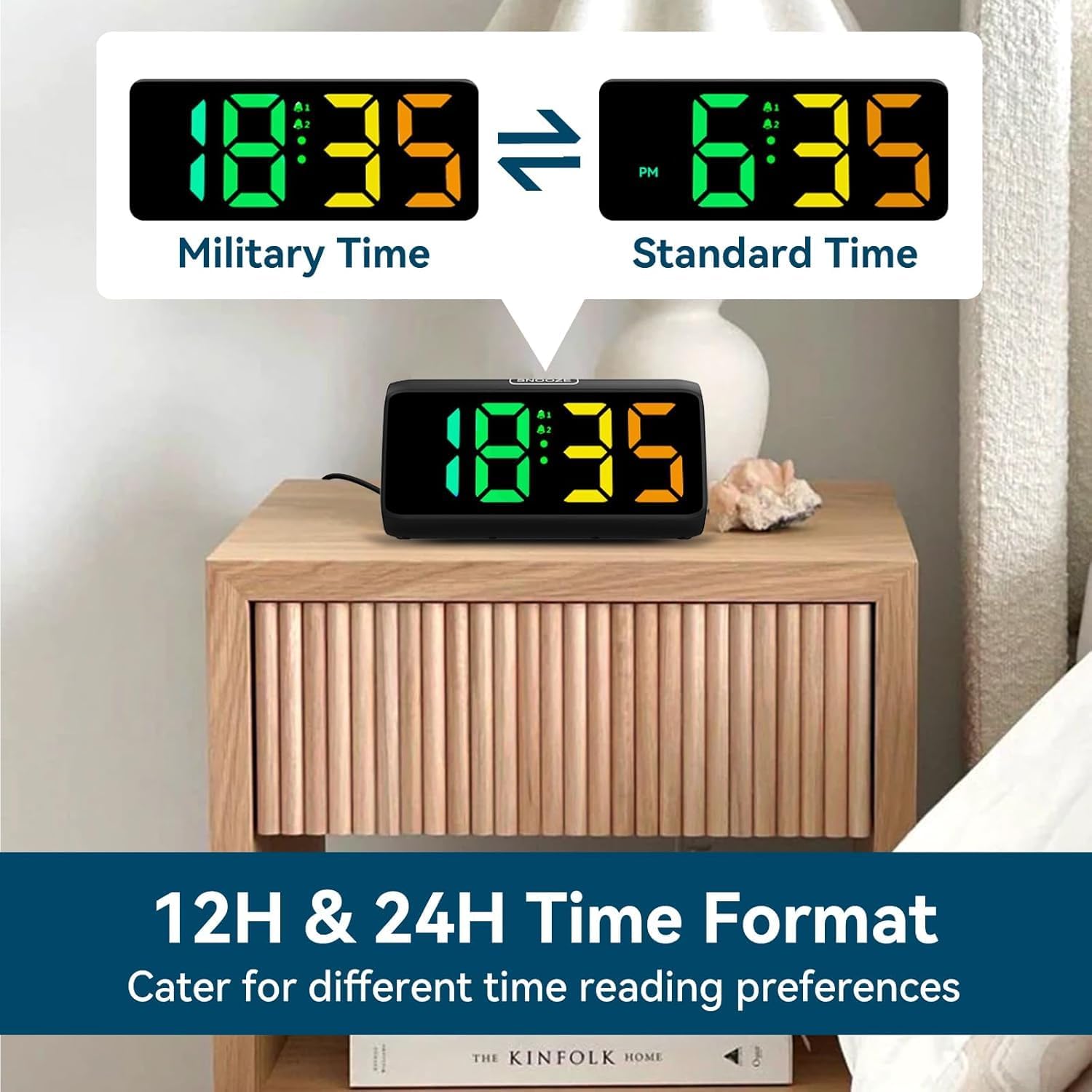
Image: Comparison of the alarm clock display showing time in 12-hour format (with AM/PM) and 24-hour (military) format.
2. Setting Alarms (Alarm 1 & Alarm 2):
घड्याळ दोन स्वतंत्र अलार्मना समर्थन देते.
- दाबा आणि धरून ठेवा अलार्म 1 बटण (किंवा अलार्म 2 button) until the alarm hour digits flash.
- वापरा +/- अलार्म तास समायोजित करण्यासाठी बटणे.
- दाबा अलार्म 1 (किंवा अलार्म 2) button again to confirm the hour and move to minute setting. The minute digits will flash.
- वापरा +/- अलार्म मिनिट समायोजित करण्यासाठी बटणे.
- दाबा अलार्म 1 (किंवा अलार्म 2) button again to save the alarm time.
- After setting the time, the alarm icon (bell 1 or bell 2) will appear on the display, indicating the alarm is active.
- To turn an alarm ON/OFF, short press the corresponding अलार्म 1 or अलार्म 2 button. The bell icon will appear/disappear.
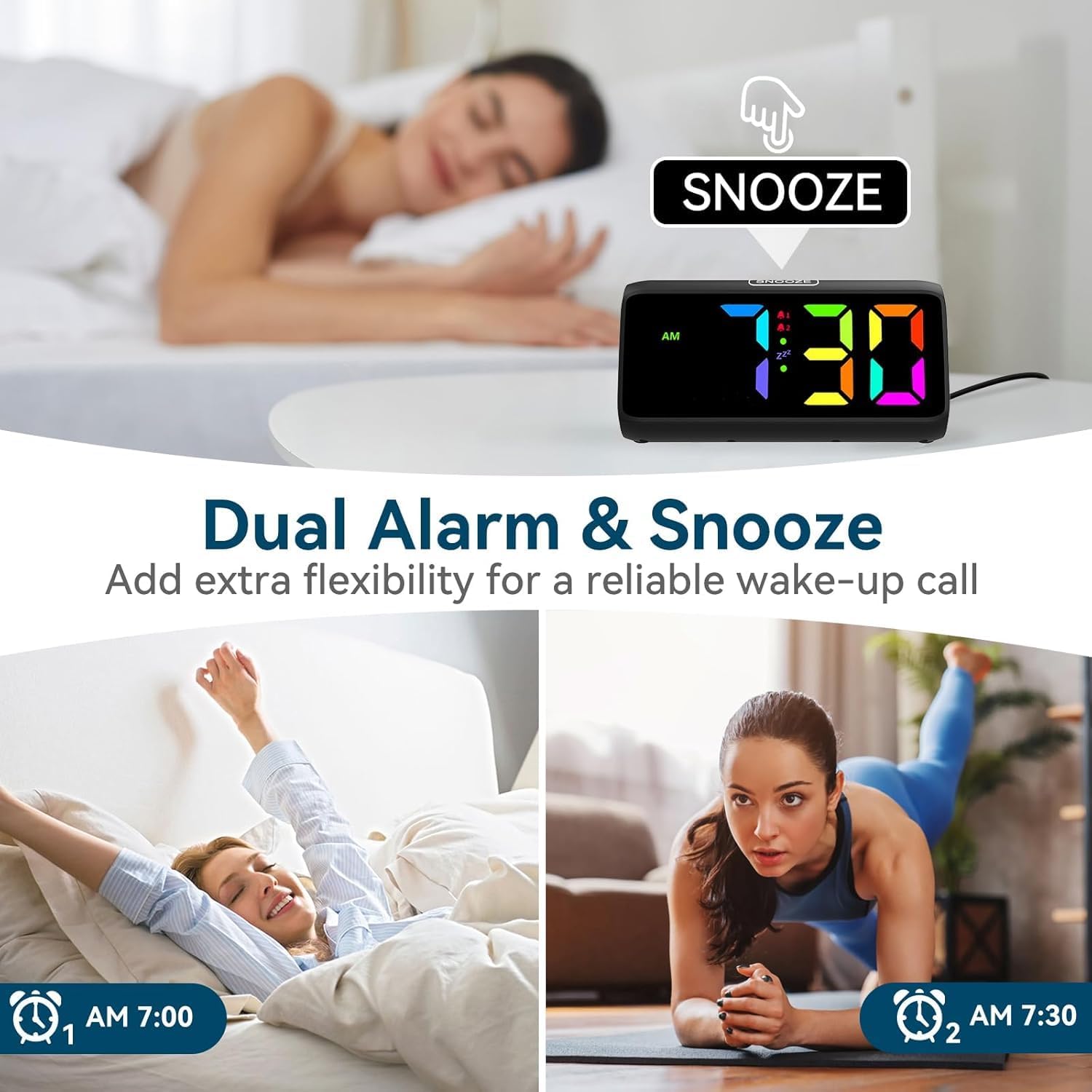
Image: Visual demonstrating the dual alarm functionality, showing two different alarm times and the snooze button.
3. Adjusting Alarm Volume:
When an alarm is sounding, press the +/- buttons to cycle through the 4 available volume levels. The clock can reach up to 115 decibels.

Image: Graphic illustrating the alarm clock's sound output, showing volume levels from 85dB to 115dB.
४. स्नूझ फंक्शन:
When the alarm sounds, tap the large स्नूझ button on top of the clock to activate the snooze function. The alarm will pause for 9 minutes and then sound again. The 'Zz' icon will appear on the display.
To turn off the alarm completely, press any other button (e.g., ALARM 1/2, TIME SET) or let the alarm sound for its full duration (typically 60 minutes) without snoozing.

Image: A person reaching for the snooze button on the alarm clock, demonstrating the ease of activating the 9-minute snooze.
5. Adjusting Display Brightness:
शॉर्ट दाबा स्नूझ button to cycle through 5 brightness levels (Lv.4, Lv.3, Lv.2, Lv.1, OFF). Choose the level that suits your preference, including turning the display completely off.

Image: Visual comparison of the alarm clock display at different brightness levels (Lv.4 to OFF), showing how the screen can be adjusted from bright to completely dark.
6. Changing RGB Colors/Modes:
दाबा RGB button to cycle through the 8 available RGB color modes. These include various solid colors and a dynamic color-changing mode, allowing for personalized visual effects.

Image: A grid displaying 8 different RGB color options for the alarm clock's screen, showcasing the customizable visual experience.
देखभाल
- स्वच्छता: Use a soft, dry cloth to wipe the surface of the clock. Do not use abrasive cleaners or solvents.
- स्टोरेज: If storing the clock for an extended period, remove the AAA batteries to prevent leakage.
- पर्यावरण: Keep the clock in a clean, dry environment, away from dust and moisture.
समस्यानिवारण
| समस्या | संभाव्य कारण | उपाय |
|---|---|---|
| घड्याळाचा डिस्प्ले बंद आहे. | No power connection or display is set to OFF. | Ensure the power adapter is securely plugged in. Press the SNOOZE button to cycle through brightness levels and turn the display ON. |
| अलार्म वाजत नाही. | Alarm is not set or is turned off. Volume is too low. | Check if the alarm icon is displayed. If not, set the alarm. Increase the alarm volume when it is sounding. |
| पॉवर ओयू नंतर वेळ/सेटिंग्ज रीसेट होतातtage. | No AAA batteries installed for backup. | Install 2 x AAA batteries (not included) for memory retention during power interruptions. |
| बटणे प्रतिसाद देत नाहीत. | तात्पुरती सॉफ्टवेअर बिघाड. | Unplug the power adapter, remove backup batteries (if installed), wait 30 seconds, then reconnect power. |
तपशील
- ब्रँड: नेटझु
- मॉडेल क्रमांक: 6208D
- रंग: काळा
- उत्पादन परिमाणे: 15.8 x 3.81 x 7.2 सेमी
- आयटम वजन: 280 ग्रॅम
- साहित्य: प्लास्टिक
- डिस्प्ले प्रकार: डिजिटल
- विशेष वैशिष्ट्ये: Adjustable Brightness, Adjustable Volume, Alarm, Loud Alarm, Snooze, RGB Display
- उर्जा स्त्रोत: Plug-in (AC adapter included)
- बॅकअप पॉवर: 2 x AAA Batteries (not included) for memory function
हमी आणि समर्थन
For warranty information or technical support, please refer to the contact details provided on the product packaging or visit the official Netzu webजागा. वॉरंटी दाव्यांसाठी तुमची खरेदी पावती ठेवा.
अधिक मदतीसाठी, तुम्ही ज्या प्लॅटफॉर्मवरून उत्पादन खरेदी केले होते त्या प्लॅटफॉर्मवरून थेट विक्रेत्याशी संपर्क साधू शकता.
Ask a question about this manual
Ask about setup, troubleshooting, compatibility, parts, safety, or missing instructions. Manuals+ will review the question and use this page’s manual context to help answer it.