
1. परिचय
Thank you for choosing the Docreate 2500W Handheld Steam Cleaner. This device is designed for effective and chemical-free cleaning across various surfaces using high-temperature, high-pressure steam. Please read this manual thoroughly before operation to ensure safe and optimal use of your steam cleaner.

Image 1.1: The Docreate 2500W Handheld Steam Cleaner with its various attachments, including the main unit, steam hose, power cord, and different brush heads.
2. महत्त्वाच्या सुरक्षितता सूचना
To reduce the risk of fire, electric shock, or injury, always follow basic safety precautions when using an electrical appliance. Read all instructions before using this steam cleaner.
- विद्युत सुरक्षा: पॉवर आउटलेट व्हॉल्यूमची खात्री कराtage matches the cleaner's requirements (110V). Do not immerse the unit, power cord, or plug in water or other liquids. Always unplug the appliance when not in use and before servicing.
- वाफेचा धोका: The steam produced is extremely hot (up to 221°F / 105°C). Never direct steam at people, pets, or electrical appliances. Keep hands and face away from the steam nozzle during operation.
- पाण्याची टाकी: Only fill the water tank with clean tap water. Do not add detergents, perfumes, or other chemicals to the water tank, as this can damage the unit or create hazardous fumes.
- मुले आणि पाळीव प्राणी: Keep the appliance out of reach of children and pets. Do not allow children to operate the steam cleaner.
- हाताळणी: Always use the provided handle to carry the unit. Do not pull or carry by the cord.
- देखभाल: Allow the unit to cool completely and depressurize before performing any maintenance or cleaning.
3. पॅकेज सामग्री
पॅकेजमध्ये सर्व वस्तू आहेत का ते तपासा:
- 1 x Docreate Steam Cleaner Unit
- 1 x 2-meter Steam Outlet Hose
- 1 x 1.5-meter Power Cord
- 1 x Extended Spray Rod
- 1 x Steel Brush
- 1 x Nylon Brush
- 1 x Large Nylon Brush
- 2 x Silicone Seal Rings
- 1 x वापरकर्ता मॅन्युअल
- 1 x गोल ब्रश
- १ x एक्सटेंशन नोजल
- 1 x Floor Cleaning Brush
- 1 x Cleaning Cloth Cover

प्रतिमा २: एक स्फोट झाला view of the Docreate Steam Cleaner showing the main unit and all included accessories such as various brushes, nozzles, and hoses.
4. उत्पादन संपलेview
The Docreate 2500W Handheld Steam Cleaner features a robust design for efficient cleaning. Key components include:
- मुख्य युनिट: Houses the heating element, water tank, and control panel.
- टच स्क्रीन कंट्रोल पॅनल: Allows for easy adjustment of steam intensity with 6 levels and displays current settings.
- Semi-Transparent Water Tank: For easy monitoring of water levels.
- Steam Outlet Hose: Connects to various attachments for directed steam application.
- Variety of Nozzles and Brushes: Designed for different cleaning tasks and surfaces.

प्रतिमा ३.२: सविस्तर view of the intelligent touch screen control panel, showing the power button and steam level adjustment controls.
४. सेटअप सूचना
Follow these steps to prepare your steam cleaner for first use:
- पाण्याची टाकी भरा: Open the top cover of the main unit and carefully add clean tap water to the semi-transparent tank. Do not overfill. The tank capacity is 800ml.
- अॅक्सेसरीज संलग्न करा: Select the appropriate brush head or nozzle for your cleaning task. Connect it securely to the steam outlet hose. Ensure the silicone seal ring is properly seated to prevent leaks.
- वीज कनेक्ट करा: पॉवर कॉर्ड ग्राउंड केलेल्या १२० व्ही इलेक्ट्रिकल आउटलेटमध्ये प्लग करा.

Image 5.1: Visual guide for initial setup, including filling the water tank, attaching a brush head, and plugging in the power cord.

Image 5.2: Instructions for installing various brush heads and ensuring the sealing ring is correctly connected to prevent water leakage.
6. ऑपरेटिंग सूचना
Once set up, operate your steam cleaner as follows:
- पॉवर चालू: Press the power button on the touch screen control panel. The unit will begin heating up. This typically takes 9-15 seconds to reach operating temperature (up to 221°F / 105°C).
- वाफेची तीव्रता समायोजित करा: Use the '+' and '-' buttons on the touch screen to select one of the 6 available steam intensity levels. The current level will be displayed.
- स्वच्छता सुरू करा: Direct the steam nozzle towards the surface to be cleaned. Hold the nozzle a few inches away from the surface and move it slowly to allow the steam to penetrate and loosen dirt. For stubborn stains, use the appropriate brush attachment.
- सतत ऑपरेशन: The 1100ml water tank allows for approximately 40-50 minutes of continuous operation, depending on the steam intensity level selected.
- वीज बंद: When finished cleaning, press the power button to turn off the unit. Unplug the power cord from the outlet.
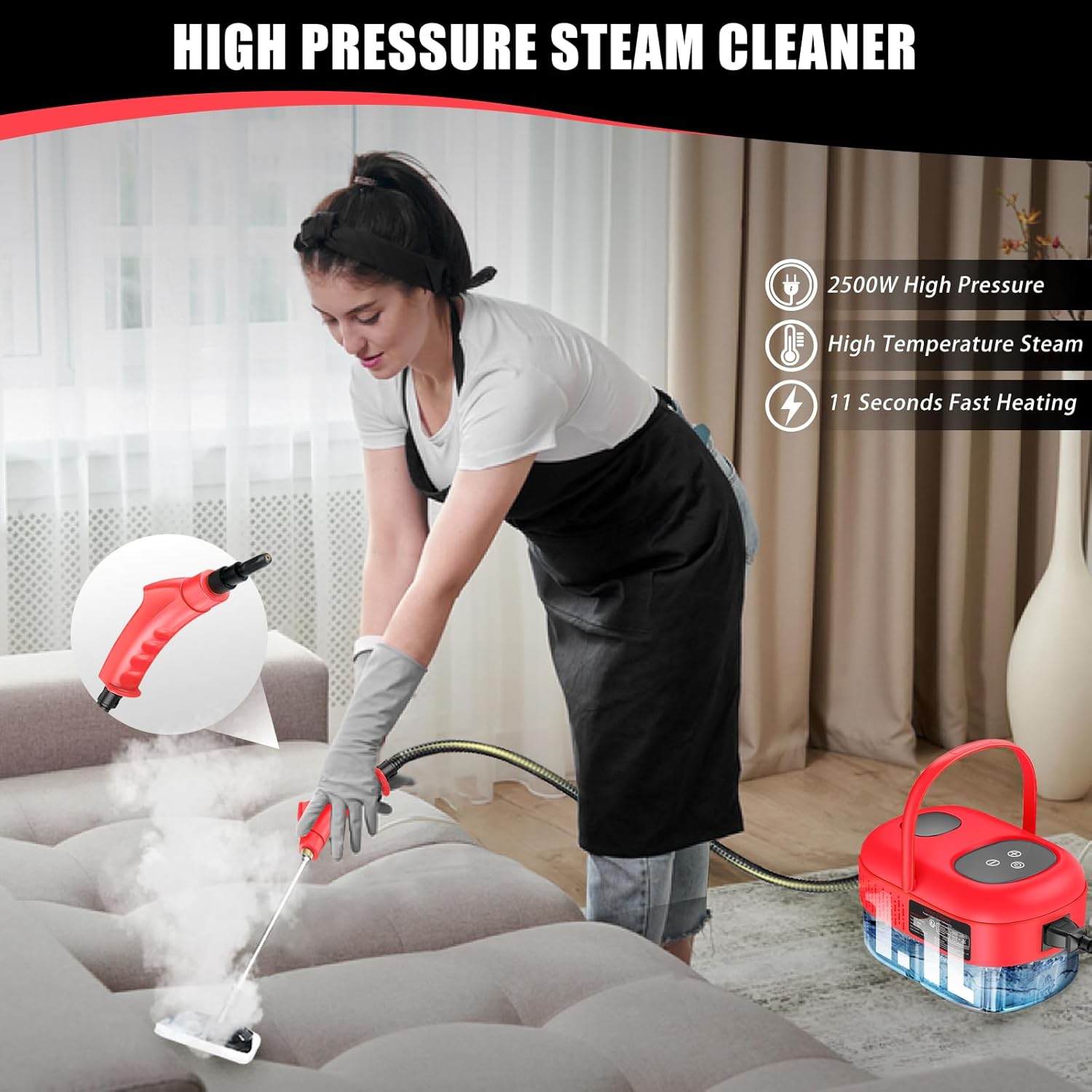
Image 6.1: An individual demonstrating the use of the steam cleaner on a couch, highlighting its application for upholstery cleaning.

प्रतिमा ५.२: उदा.amples of the steam cleaner's versatility, showing its use in kitchens, for car detailing, and on various household surfaces.
7. देखभाल आणि काळजी
Proper maintenance ensures the longevity and performance of your steam cleaner:
- उरलेले पाणी काढून टाका: After each use, ensure the unit has cooled down. Carefully drain any remaining water from the tank. This prevents mineral buildup.
- स्वच्छ संलग्नके: Rinse brush heads and nozzles with clean water after use. Allow them to air dry completely before storing.
- पुसून टाका युनिट: मुख्य युनिटचा बाह्य भाग जाहिरातीने पुसून टाकाamp कापड अपघर्षक क्लीनर किंवा सॉल्व्हेंट्स वापरू नका.
- डिस्केलिंग (नियमितपणे): If you notice reduced steam output or mineral buildup, descaling may be necessary. Consult the manufacturer's website or customer support for recommended descaling procedures.
- स्टोरेज: Store the steam cleaner and its accessories in a cool, dry place, away from direct sunlight and extreme temperatures.
8. समस्या निवारण
सामान्य समस्या आणि त्यांच्या उपायांसाठी या विभागाचा संदर्भ घ्या:
| समस्या | संभाव्य कारण | उपाय |
|---|---|---|
| वाफ नाही किंवा कमी वाफेचे उत्पादन | Water tank empty; Unit not heated; Mineral buildup | Refill water tank; Allow adequate heating time (9-15 seconds); Perform descaling procedure. |
| Water leakage from nozzle/hose connection | Seal ring improperly seated or damaged; Attachment not securely fastened | Ensure seal ring is correctly placed; Tighten attachment securely; Replace seal ring if damaged. |
| युनिट चालू होत नाही | No power to outlet; Power cord not fully plugged in; Unit malfunction | Check power outlet; Ensure power cord is securely plugged in; Contact customer support. |
If the problem persists after attempting these solutions, please contact Docreate customer support.
9. तपशील
Key technical specifications for the Docreate 2500W Handheld Steam Cleaner:
| वैशिष्ट्य | तपशील |
|---|---|
| ब्रँड | Docreate |
| मॉडेलचे नाव | red steamer for cleaning |
| वाटtage | 2500 वॅट्स |
| खंडtage | 110 व्होल्ट |
| टाकीची मात्रा | 800 Milliliters (1100ml mentioned in A+ content, using 800ml from specifications) |
| उष्णता वेळ | 10 Seconds (9-15 seconds in A+ content) |
| कमाल तापमान | १४० अंश फॅरेनहाइट (६० अंश सेल्सिअस) |
| आयटम वजन | 1.93 किलोग्राम (4.24 पौंड) |
| फॉर्म फॅक्टर | हाताशी |
| रंग | लाल |

Image 9.1: A feature comparison table highlighting the Docreate steam cleaner's specifications against other models, including tank capacity, steam pressure, and usage time.
10. हमी आणि समर्थन
For warranty information, product support, or to purchase replacement parts, please refer to the contact information provided with your product packaging or visit the official Docreate webसाइट. वॉरंटी दाव्यांसाठी खरेदीचा पुरावा म्हणून तुमची खरेदी पावती ठेवा.