
परिचय
Thank you for choosing the Reyke Slim Wallet Tracker Card. This device is designed to help you locate your valuable items such as wallets, bags, phones, and passports using the Google Find My App on compatible Android devices. This manual provides detailed instructions for setup, operation, maintenance, and troubleshooting to ensure optimal performance and longevity of your tracker card.
उत्पादन संपलेview
The Reyke Slim Wallet Tracker Card is an ultra-thin, rechargeable, and waterproof tracking device. It integrates seamlessly with the Google Find My App for Android users, offering precise location tracking and a loud alarm function.
प्रमुख वैशिष्ट्ये:
- अल्ट्रा-स्लिम डिझाइन: At just 1.6mm thick, it fits discreetly into any wallet or card holder.
- Google Find My App Integration: Compatible with Android 9+ devices for quick item location.
- मोठा अलार्म: Emits a sound up to 100 dB within a 50-meter Bluetooth range.
- गमावलेला मोड: Track the last known location and enable anonymous contact for finders.
- बहु-वापरकर्ता सामायिकरण: Share tracking access with up to 4 individuals.
- Long Battery Life & Wireless Charging: Up to 5 months on a single charge, rechargeable via wireless charging.
- IP68 Waterproof & Dust Resistant: Durable for outdoor use and protection against elements.
- गोपनीयता संरक्षण: Encrypted and anonymized location data with no subscription fees.

Image: The Reyke Slim Wallet Tracker Card showcasing its ultra-thin profile and key specifications like sound level, waterproofing, Bluetooth range, and wireless charging capability.
सेटअप
1. Charging the Tracker Card
Before initial use, ensure your Reyke Slim Wallet Tracker Card is fully charged. The device supports wireless charging.
- Place the tracker card on a compatible wireless charging pad.
- A red LED light will indicate that the card is charging.
- The LED light will turn blue when the battery is fully charged. A full charge can last up to 5 months.
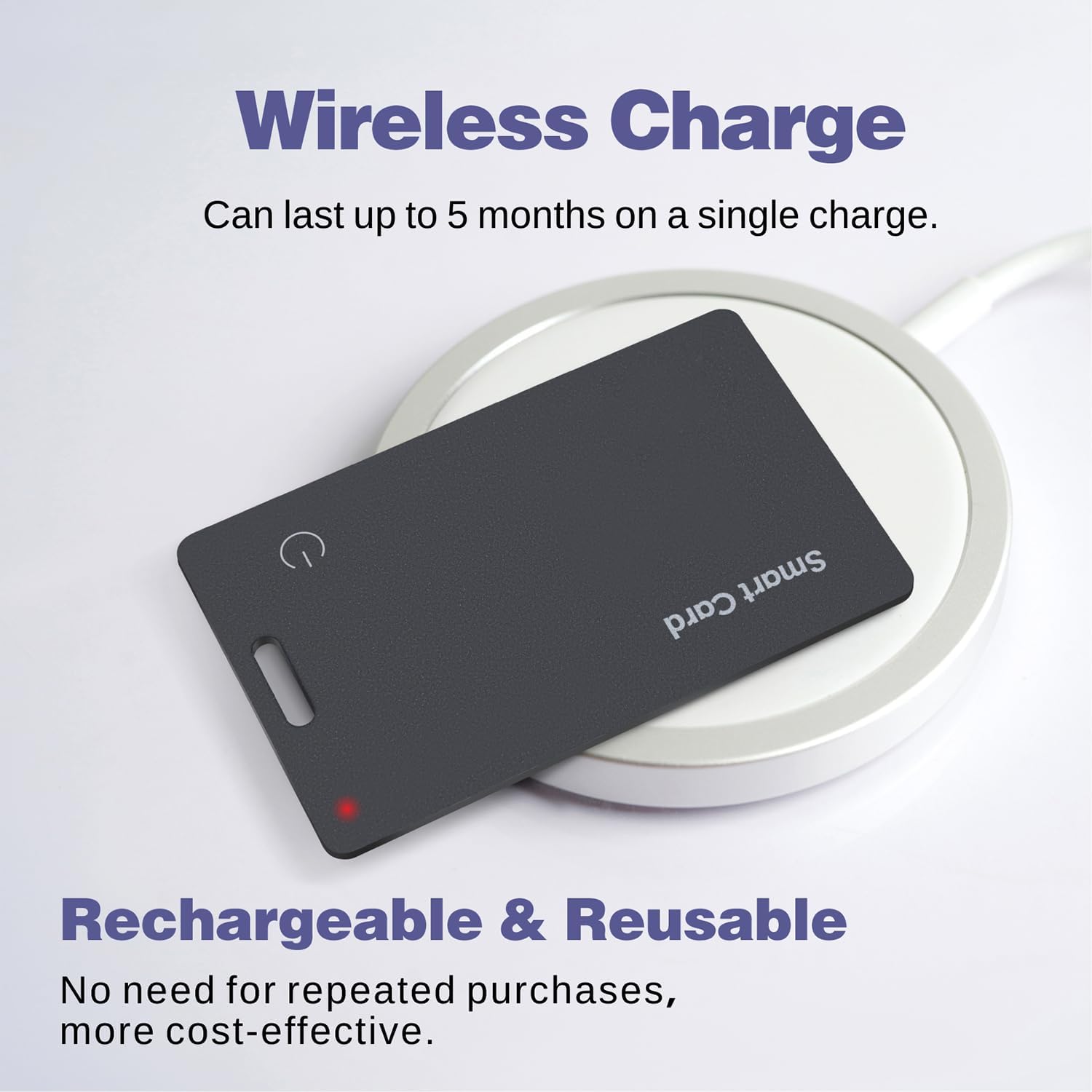
Image: The Reyke Slim Wallet Tracker Card undergoing wireless charging, showing the red charging indicator.
2. Pairing with Google Find My App (Android Only)
The Reyke Slim Wallet Tracker Card is designed to work exclusively with the Google Find My App on Android devices (Android 9+ required). It is not compatible with iOS devices.
- Ensure your Android device has Bluetooth enabled and is running Android 9 or a newer version.
- Download and install the Google Find My Device app from the Google Play Store if you don't already have it.
- Open the Google Find My Device app and follow the on-screen instructions to add a new device.
- Press and hold the power button on the Reyke Tracker Card until it enters pairing mode (refer to the card's LED indicator for specific pairing signals, usually a blinking light).
- Select the "Smart Card" or similar name when it appears in the app's device list to complete the pairing process.
ऑपरेटिंग सूचना
1. Locating Your Items with Sound
When your item is within Bluetooth range (up to 50 meters), you can use the app to make the tracker card emit a loud sound.
- Open the Google Find My Device app on your Android smartphone.
- Select your "Smart Card" from the list of devices.
- Tap the "Play Sound" option. The tracker card will emit a sound up to 100 dB, guiding you to its location.
- Tap "Stop Sound" once you have located your item.

Image: The Google Find My Device app interface demonstrating the "Locate with Sound" feature, showing the tracker card playing an alert sound.
2. Activating Lost Mode
If your item is lost or out of Bluetooth range, you can activate Lost Mode to leverage the Google Find My network.
- In the Google Find My Device app, select your "Smart Card".
- Choose the "Mark as lost" or "Lost Mode" option.
- The app will display the last known location of your tracker card.
- You can also enter contact information that will be displayed to anyone who finds your item and scans the tracker, allowing them to contact you anonymously.

Image: The "Activate Anti-Lost Mode" screen on a smartphone, showing how to mark the tracker card as lost within the Google Find My Device app.
3. Sharing Your Tracker Card
You can share access to your Reyke Slim Wallet Tracker Card with up to 4 other individuals, making it ideal for shared items like office keys or family luggage.
- In the Google Find My Device app, select your "Smart Card".
- Look for a "Share device" or similar option.
- Follow the prompts to generate a sharing link or invite other Google accounts.
- The invited users will then be able to view the tracker's location.

Image: The "Share the Card location" feature demonstrated across two smartphones, illustrating how to share tracking access with family or friends.
देखभाल
चार्ज होत आहे
To maintain optimal performance, regularly charge your Reyke Slim Wallet Tracker Card. The card supports wireless charging and a single charge can last up to 5 months. Monitor the battery level through the Google Find My Device app.
साफसफाई
Wipe the tracker card with a soft, dry, or slightly damp cloth. Avoid using harsh chemicals or abrasive materials, as these may damage the device's surface or internal components.
समस्यानिवारण
- Tracker not connecting to app:
- तुमच्या Android डिव्हाइसवर ब्लूटूथ सक्षम असल्याची खात्री करा.
- Verify your Android device is running Android 9 or higher.
- Make sure the tracker card is charged.
- Restart your Android device and try pairing again.
- Ensure the tracker card is within Bluetooth range of your device.
- Sound alarm not working:
- Check if the tracker card is within Bluetooth range of your Android device.
- Ensure the tracker card has sufficient battery.
- Verify that the volume on your Android device is not muted or too low.
- चुकीचे स्थान:
- Location accuracy depends on the Google Find My network. Ensure your Android device has a stable internet connection and location services enabled.
- For precise location, ensure the tracker is within Bluetooth range of your device.
- बॅटरी लवकर संपते:
- Ensure the card is fully charged using a compatible wireless charger.
- Frequent use of the sound alarm or constant searching can consume more battery.
तपशील
| ब्रँड | रेके |
| मॉडेल | Slim Wallet Tracker Card |
| परिमाण | Approximately 1.6mm - 1.8mm thickness |
| साहित्य | प्लास्टिक |
| बॅटरी प्रकार | 1 लिथियम आयन (समाविष्ट) |
| बॅटरी आयुष्य | एका चार्जवर 5 महिन्यांपर्यंत |
| चार्ज होत आहे | वायरलेस चार्जिंग |
| पाणी प्रतिकार | IP68 (Waterproof and Dust Resistant) |
| ब्लूटूथ श्रेणी | 50 मीटर (160 फूट) पर्यंत |
| अलार्म आवाज | 100 डीबी पर्यंत |
| सुसंगतता | Android Smartphones (Android 9+ required). Not compatible with iOS. |
हमी आणि समर्थन
For warranty information and customer support, please refer to the documentation included with your purchase or visit the official Reyke webसाइट. वॉरंटी दाव्यांसाठी तुमचा खरेदीचा पुरावा ठेवा.
For further assistance, please contact Reyke customer service.