
परिचय
This manual provides detailed instructions for setting up, operating, and maintaining your WDZP Backlight Remote Control, model P265v5. This remote is designed as a replacement for Verizon FiOS VZ P265v4 and P265v5 RC TV STB remote controls.
सुसंगतता
The WDZP Backlight Remote Control is compatible with Verizon FiOS SD, HD, and DVR boxes, specifically designed for 2-Device, TV STB box, and RC1445302/00B Verizon FiOS remote systems.
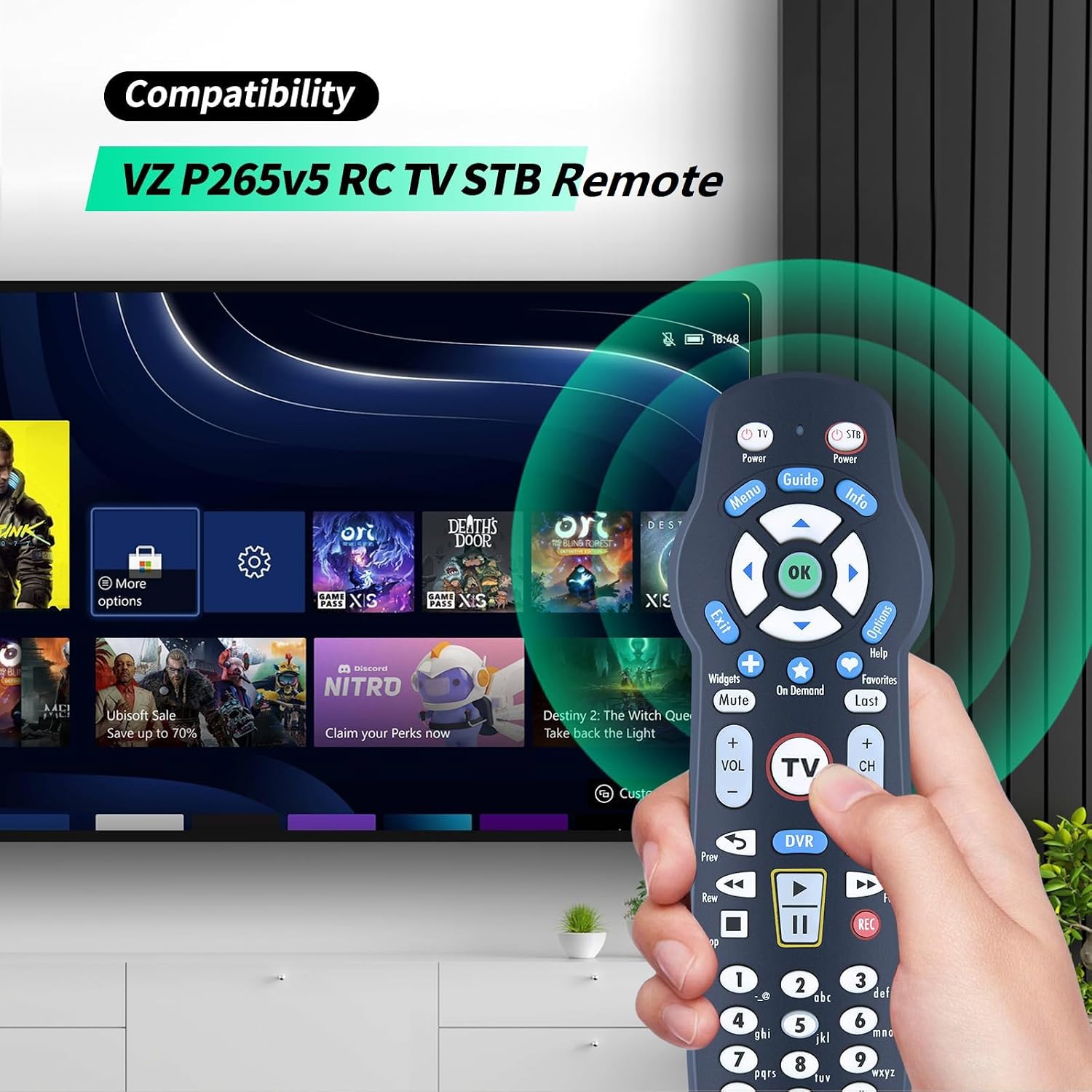
Image: The WDZP P265v5 remote control being used with a television, illustrating its compatibility with Verizon FiOS systems.

Image: A visual comparison of three remote control models, emphasizing the importance of matching your specific model and button layout for correct functionality.
Please ensure your original remote control model matches the P265v5 for optimal performance. Refer to the comparison image above to verify your model.
सेटअप सूचना
1. बॅटरी इन्स्टॉलेशन
The remote control requires two 1.5V AAA batteries (not included). To install:
- रिमोटच्या मागील बाजूस असलेले बॅटरी कंपार्टमेंट कव्हर उघडा.
- योग्य ध्रुवीयता (+/-) सुनिश्चित करून दोन AAA बॅटरी घाला.
- बॅटरी कंपार्टमेंट कव्हर बंद करा.
टीप: If you need to replace the batteries, wait until the red LED flashes 5 times quickly before replacing them.

Image: The remote control shown alongside an 'X' over batteries, indicating that batteries are not included and highlighting the easy setup process.
2. जोडणी पद्धती
The remote control offers multiple pairing methods to connect with your TV and STB box.
Method 1: Using the FiOS TV Button
- तुमचा टीव्ही चालू करा.
- दाबा आणि धरून ठेवा OK बटण
- धारण करताना OK, दाबा FiOS TV button and then release both buttons.
- दाबा आणि धरून ठेवा खेळा button until your TV turns off.
- दाबा OK सेटिंग्ज जतन करण्यासाठी.

Image: Visual guide for pairing the remote control, highlighting the 'OK' and 'FiOS TV' buttons and outlining the steps for initial setup.
Method 2: Using a 3-Digit TV Code
- Turn on your TV and Frontier STB. Ensure live TV is visible.
- Locate the 3-digit code for your TV brand (refer to the code list provided with your original equipment or online resources).
- दाबा आणि धरून ठेवा OK आणि 0 keys together. The red LED on the remote will blink twice, then stay on.
- Enter the 3-digit TV code using the number pad. The red LED will blink twice and stay on.
- दाबा आणि सोडा CH+ repeatedly until the TV turns off. You can also press CH- परत जाण्यासाठी
- Test the remote to ensure all keys function correctly. If successful, press OK to save. The red LED will blink 3 times and turn off.
3. Code Search Method
This method is useful if you cannot find your TV's 3-digit code.
- Turn on your TV and the Frontier STB. Ensure live television is visible.
- दाबा OK आणि FiOS TV together, then release both. The red LED will blink twice and then stay on.
- खाली दाबा खेळा/विराम द्या बटण
- The remote will attempt a new TV code every second, and the red LED will blink with each code sent.
- When the TV turns off, immediately stop pressing खेळा/विराम द्या.
- तुम्ही दाबू शकता CH+ or CH- to cycle forward or backward through TV codes one at a time.
- Test the remote to confirm it is programmed. If all keys work, press OK to save. The red LED will blink 3 times and then turn off.
ऑपरेटिंग सूचना
Once paired, your WDZP remote control functions similarly to your original Verizon FiOS remote. It features a backlight for improved visibility in low-light conditions.
- पॉवर बटण: Turns your TV and STB box on or off.
- चॅनेल बटणे (CH+/CH-): चॅनेल बदलतो.
- व्हॉल्यूम बटणे (VOL+/VOL-): व्हॉल्यूम समायोजित करते.
- नेव्हिगेशन पॅड (बाण आणि ओके): मेनू नेव्हिगेट करते आणि निवडींची पुष्टी करते.
- Menu/Guide/Info: Accesses TV menus, program guides, and information.
- DVR Controls: Play, Pause, Stop, Rewind, Fast Forward, Record.
- Backlight Feature: The buttons illuminate for easy use in dark environments.

Image: The WDZP P265v5 remote control being held and used, demonstrating its ergonomic design and backlit buttons for enhanced usability.
देखभाल
To ensure the longevity and optimal performance of your remote control:
- Keep the remote clean by wiping it with a soft, dry cloth.
- रिमोटला अति तापमान, आर्द्रता किंवा थेट सूर्यप्रकाशाच्या संपर्कात आणणे टाळा.
- Replace batteries promptly when the remote's performance degrades or the low battery indicator (if present) activates.
- जुन्या आणि नवीन बॅटरी किंवा वेगवेगळ्या प्रकारच्या बॅटरी एकत्र करू नका.
समस्यानिवारण
- रिमोट प्रतिसाद देत नाही:
- बॅटरीची स्थापना तपासा आणि आवश्यक असल्यास बदला.
- रिमोट आणि डिव्हाइसमध्ये कोणतेही अडथळे नाहीत याची खात्री करा.
- Re-attempt the pairing process (Method 1 or 2).
- विशिष्ट बटणे काम करत नाहीत:
- This may indicate an incomplete pairing. Try the pairing or code search method again.
- रिमोट थेट डिव्हाइसच्या IR रिसीव्हरवर निर्देशित केला आहे याची खात्री करा.
- बॅकलाइट काम करत नाही:
- बॅटरीची पातळी तपासा. कमी बॅटरी बॅकलाइटच्या कार्यक्षमतेवर परिणाम करू शकतात.
तपशील
| ब्रँड | WDZP |
| मॉडेलचे नाव | P265v5 |
| विशेष वैशिष्ट्य | बॅकलिट बटणे |
| रंग | काळा |
| समर्थित उपकरणांची कमाल संख्या | 1 (TV/STB) |
| सुसंगत साधने | Television, STB Box (Verizon FiOS) |
| कनेक्टिव्हिटी तंत्रज्ञान | इन्फ्रारेड |
| कंट्रोलर प्रकार | बटण नियंत्रण |
| कमाल श्रेणी | 40 फूट |
| बॅटरी प्रकार | २ x १.५ व्ही एएए बॅटरीज (समाविष्ट नाही) |

Image: The remote control emphasizing its technical specifications including a 40-foot control distance, 180-degree control angle, and 38kHz+ reaction rate, along with its durable ABS material construction.
हमी आणि समर्थन
This WDZP remote control comes with a 6-month warranty. For any quality issues or if the product does not match your equipment, please contact customer support for a free exchange or refund.
For further assistance, please refer to the contact information provided with your purchase or visit the official WDZP store page.