
1. परिचय
Thank you for choosing the Baseus Qi2 Certified 15W Wireless Magnetic Power Bank. This device is designed to provide convenient and efficient charging for your compatible mobile devices, featuring both wireless and wired charging capabilities. Please read this manual thoroughly before use to ensure proper operation and to maximize the product's lifespan.

Image 1.1: The Baseus Qi2 Certified 15W Wireless Magnetic Power Bank.
2. उत्पादन संपलेview
2.1 पॅकेज सामग्री
- Baseus Qi2 Certified 15W Wireless Magnetic Power Bank (10000mAh)
- यूएसबी-सी ते यूएसबी-सी चार्जिंग केबल
- वापरकर्ता मॅन्युअल
2.2 प्रमुख वैशिष्ट्ये
- Qi2 Certified Wireless Charging: Provides up to 15W wireless charging for compatible devices.
- High-Speed Wired Charging: Features a USB-C port with up to 22.5W Power Delivery (PD) output.
- चुंबकीय संलग्नक: Strong magnetic connection compatible with MagSafe-enabled devices (iPhone 12-17 series).
- 10000mAh क्षमता: Offers substantial power for multiple charges.
- प्रगत सुरक्षा वैशिष्ट्ये: Equipped with AI temperature monitoring and graphene for enhanced heat dissipation, preventing overheating.
- कॉम्पॅक्ट आणि पोर्टेबल डिझाइन: स्लिम प्रोfile सहज वाहून नेण्यासाठी.
- पास-थ्रू चार्जिंग: पॉवर बँक आणि कनेक्टेड डिव्हाइस एकाच वेळी चार्ज करण्याची परवानगी देते.
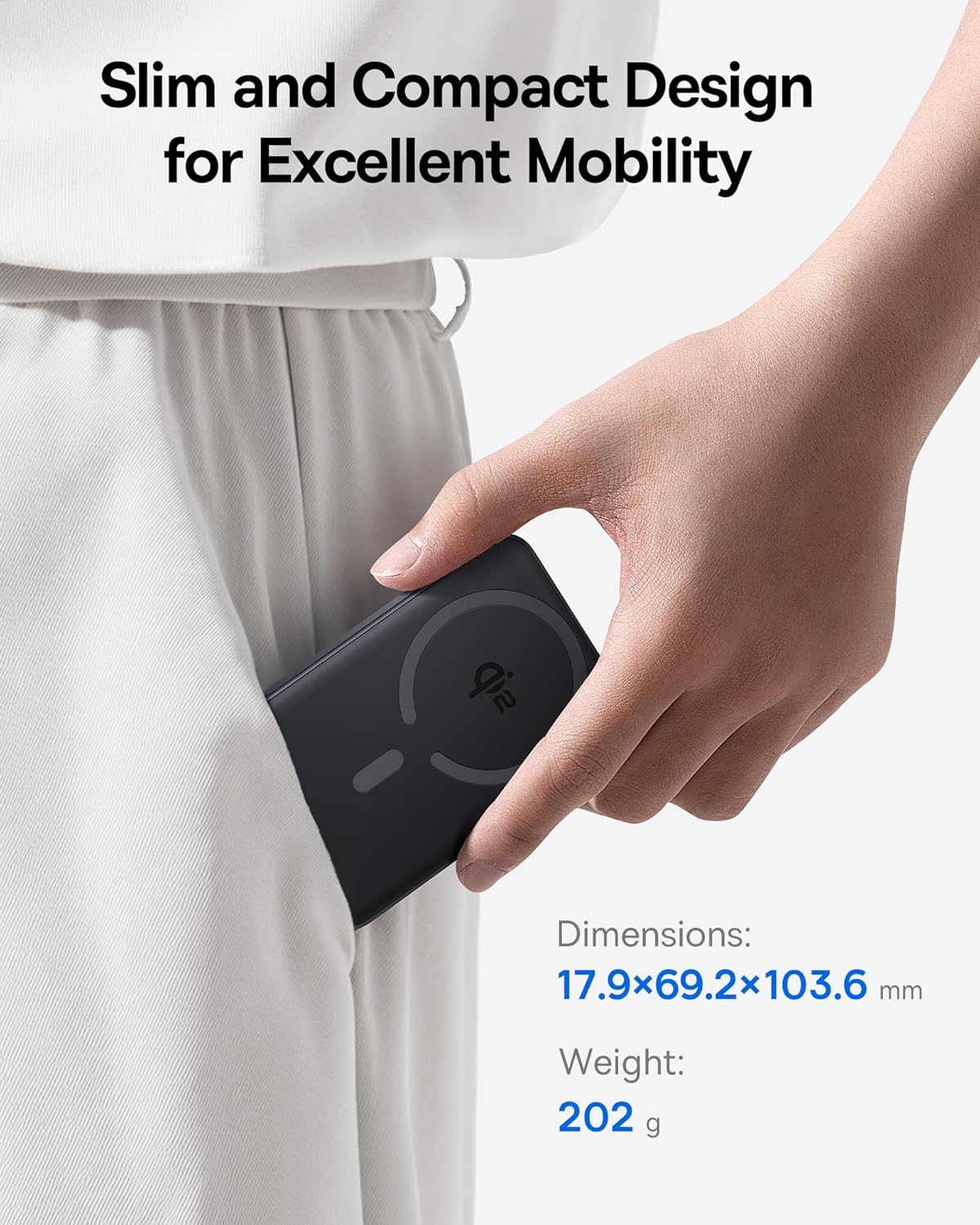
Image 2.1: The power bank's compact design allows for easy portability.
3. सेटअप
3.1 प्रारंभिक शुल्क
- पहिल्या वापरापूर्वी, पॉवर बँक पूर्णपणे चार्ज करा.
- Connect the provided USB-C cable to the power bank's USB-C port.
- USB-C केबलचे दुसरे टोक एका सुसंगत USB पॉवर अॅडॉप्टरशी जोडा (समाविष्ट नाही).
- The LED indicators on the power bank will illuminate to show the charging status. All LEDs will be solid when fully charged.
4. ऑपरेटिंग सूचना
२.२ पॉवर बँक चार्ज करणे
To recharge the power bank, use the included USB-C cable and connect it to a power source. The power bank supports fast input charging.
4.2 Wireless Charging Your Device
- Ensure your device is compatible with MagSafe or Qi2 wireless charging (e.g., iPhone 12-17 series).
- Align the back of your compatible device with the magnetic charging area of the power bank. The magnets will snap into place, securing the connection.
- Wireless charging will begin automatically. The power bank does not require a power button for wireless charging.

Image 4.1: Wireless charging in progress, demonstrating the magnetic connection.

Image 4.2: Magnetic attachment for effortless charging.
4.3 Wired Charging Your Device
- Connect one end of the USB-C cable to the power bank's USB-C port.
- Connect the other end of the USB-C cable to your device's charging port.
- पॉवर बँक आपोआप कनेक्ट केलेले डिव्हाइस शोधेल आणि चार्जिंग सुरू करेल.
५.४ पास-थ्रू चार्जिंग
The power bank supports pass-through charging, allowing you to charge both the power bank and a connected device simultaneously. Connect the power bank to a wall adapter, and then connect your device to the power bank via either wireless or wired connection.

Image 4.3: The power bank supports both wired and wireless charging simultaneously.
५.७ सार्वत्रिक सुसंगतता

Image 4.4: Compatibility overview for wireless and wired charging.
5. सुरक्षितता माहिती
सुरक्षित ऑपरेशन सुनिश्चित करण्यासाठी आणि डिव्हाइसचे नुकसान किंवा दुखापत टाळण्यासाठी, कृपया खालील सुरक्षा मार्गदर्शक तत्त्वांचे पालन करा:
- पॉवर बँकला अति तापमान, थेट सूर्यप्रकाश किंवा आगीच्या संपर्कात आणू नका.
- डिव्हाइस वेगळे करू नका, बदलू नका किंवा दुरुस्ती करू नका.
- पॉवर बँक पाणी आणि इतर द्रवपदार्थांपासून दूर ठेवा.
- डिव्हाइसवर जोरदार प्रभाव टाकणे किंवा त्याच्या अधीन करणे टाळा.
- फक्त प्रमाणित चार्जिंग केबल्स आणि अडॅप्टर वापरा.
- मुलांच्या आवाक्याबाहेर ठेवा.
- The power bank features multiple built-in protections, including over-voltage, अंडर-व्हॉलtage, overcharge, over-discharge, over-temperature, over-current, short circuit, recovery, and over-power protection.

Image 5.1: Advanced thermal management for safe charging.

Image 5.2: Comprehensive safety protections integrated into the power bank.
6. देखभाल
Proper maintenance ensures the longevity and optimal performance of your power bank:
- मऊ, कोरड्या कापडाने उपकरण स्वच्छ करा. अपघर्षक क्लीनर किंवा सॉल्व्हेंट्स वापरू नका.
- पॉवर बँक वापरात नसताना थंड, कोरड्या जागी ठेवा.
- जर जास्त काळ साठवत असाल तर बॅटरीची कार्यक्षमता राखण्यासाठी दर तीन महिन्यांनी पॉवर बँक अंदाजे ५०% चार्ज करा.
7. समस्या निवारण
७.२ डिव्हाइस वायरलेस पद्धतीने चार्ज होत नाही
- Ensure your device is Qi2 or MagSafe compatible.
- Check for proper alignment of your device on the power bank's charging surface.
- Remove any thick cases or metallic objects between your device and the power bank.
- Verify the power bank has sufficient charge.
7.2 Device Not Charging Via USB-C
- Ensure the USB-C cable is securely connected to both the power bank and your device.
- Try using a different USB-C cable to rule out cable malfunction.
- Verify the power bank has sufficient charge.
१०.३ पॉवर बँक रिचार्ज होत नाही
- Ensure the USB-C cable is securely connected to the power bank and the wall adapter.
- Try a different wall adapter and/or USB-C cable.
- Ensure the wall adapter provides sufficient power output.
8. तपशील
| मॉडेल क्रमांक | E00285 |
| बॅटरी क्षमता | 10000mAh (3.7V/37Wh) |
| USB-C इनपुट | 5V=3A; 9V=2.22A |
| USB-C आउटपुट | 5V=3A; 9V=2.22A; 12V=1.5A; 10V=2.25A (Max 22.5W) |
| वायरलेस आउटपुट | 5W/7.5W/15W (Max 15W) |
| एकूण आउटपुट | 5V=3A |
| उत्पादन परिमाणे | 4.6 x 2.7 x 0.7 इंच (17.9 x 69.2 x 103.6 मिमी) |
| आयटम वजन | 8.8 औंस (202 ग्रॅम) |
| रंग | Black (also available in Moon White, Baby Pink) |
9. हमी आणि समर्थन
Baseus products are designed and manufactured to the highest quality standards. This product is covered by a limited warranty from the date of purchase. For detailed warranty information, product support, or to register your product, please visit the official Baseus webसाइट किंवा त्यांच्या ग्राहक सेवेशी संपर्क साधा.
कृपया वॉरंटी दाव्यांसाठी तुमचा खरेदीचा पुरावा ठेवा.