
1. परिचय
This manual provides essential information for the proper use and maintenance of your HiGrace 11-inch Android 14 Tablet, Model A7L. Please read this guide thoroughly before operating the device to ensure optimal performance and longevity.

Image 1.1: HiGrace A7L Tablet highlighting Android 14, Octa-Core CPU, and 6800mAh battery capacity.
२. बॉक्समध्ये काय आहे?
पॅकेजमध्ये सर्व वस्तू आहेत का ते तपासा:
- HiGrace 11-inch Android 14 Tablet (Model A7L)
- ब्लूटूथ कीबोर्ड
- वायरलेस माउस
- स्टाइलस पेन
- संरक्षणात्मक केस
- यूएसबी टाइप-सी चार्जिंग केबल
- पॉवर अडॅप्टर (चार्जर)
- वायर्ड हेडफोन्स
- वापरकर्ता मॅन्युअल (हा दस्तऐवज)

Image 2.1: All accessories included with the HiGrace A7L Tablet, neatly arranged.
3. डिव्हाइस लेआउट
तुमच्या टॅब्लेटच्या भौतिक घटकांशी परिचित व्हा:
- समोरचा कॅमेरा: आडवे धरल्यास वरच्या मध्यभागी स्थित.
- डिस्प्ले: 11-inch touchscreen.
- पॉवर बटण: Typically on the side edge.
- व्हॉल्यूम बटणे: पॉवर बटणाला लागून.
- यूएसबी टाइप-सी पोर्ट: चार्जिंग आणि डेटा ट्रान्सफरसाठी.
- स्पीकर ग्रिल्स: Located on the edges for audio output.
- मायक्रोएसडी कार्ड स्लॉट: वाढवता येण्याजोग्या स्टोरेजसाठी.
- मागील कॅमेरा: Located on the back panel.

प्रतिमा 3.1: समोर view of the HiGrace A7L Tablet with keyboard and mouse, and a rear view टॅब्लेटचे.
4. सेटअप
4.1 प्रारंभिक चार्जिंग
Before first use, fully charge the tablet using the provided USB Type-C cable and power adapter. The charging port is located on the side of the device.

Image 4.1: The tablet connected to a charger via its Type-C port.
4.2 पॉवर चालू/बंद
- चालू करण्यासाठी: स्क्रीन प्रकाशित होईपर्यंत पॉवर बटण दाबा आणि धरून ठेवा.
- पॉवर ऑफ करण्यासाठी: पॉवर बटण दाबा आणि धरून ठेवा, नंतर ऑन-स्क्रीन पर्यायांमधून 'पॉवर ऑफ' निवडा.
4.3 प्रारंभिक कॉन्फिगरेशन
पहिल्यांदा पॉवर-ऑन केल्यावर, ऑन-स्क्रीन प्रॉम्प्टचे अनुसरण करा:
- तुमची पसंतीची भाषा निवडा.
- Wi-Fi नेटवर्कशी कनेक्ट करा.
- Set up your Google account or create a new one.
- Configure date, time, and other basic settings.
३.४ मायक्रोएसडी कार्ड घालणे
The tablet supports MicroSD card expansion up to 1TB. Locate the MicroSD card slot on the side of the tablet. If using the protective case, you may need to temporarily remove or adjust the case to access the slot. Carefully insert the MicroSD card until it clicks into place.
५. टॅब्लेट चालवणे
३.१ अँड्रॉइड १४ ऑपरेटिंग सिस्टम
Your tablet runs on the Android 14 operating system, offering enhanced privacy, security, and a smoother user experience. Navigate using touch gestures: tap to select, swipe to scroll, pinch to zoom.

Image 5.1: The Android 14 operating system interface on the tablet screen.
३.३ कनेक्टिव्हिटी (वाय-फाय आणि ब्लूटूथ)
- Wi-Fi 6: Supports both 2.4GHz and 5.0GHz bands for stable and fast internet access. Access Wi-Fi settings via the Quick Settings panel or the Settings app.
- ब्लूटूथ 5.3: For connecting wireless accessories like the included keyboard, mouse, or other Bluetooth devices. Enable Bluetooth in settings and pair with your desired device.

Image 5.2: Illustrates the tablet's Bluetooth 5.3 and dual-band Wi-Fi capabilities.
३.३ अॅक्सेसरीज वापरणे
- कीबोर्ड आणि माउस: Pair these Bluetooth accessories through the tablet's Bluetooth settings. Once connected, they function like a standard computer keyboard and mouse.
- लेखणी पेन: Use the stylus for precise input, drawing, or navigation on the touchscreen.
- संरक्षणात्मक केस: Provides protection and can often be folded to act as a stand for hands-free viewing
५.५ मल्टीमीडिया आणि वाइडवाइन L1
The 11-inch display with 1280x800 resolution provides clear visuals. With Widevine L1 certification, the tablet supports smooth HD video playback from streaming services such as Netflix, Disney+, Prime Video, Hulu, and YouTube.

Image 5.3: Widevine L1 support for high-definition streaming on popular platforms.
5.5 कॅमेरा कार्यक्षमता
The tablet features an 8MP main camera and a 5MP front camera. Open the Camera app to capture photos and videos. The front camera is suitable for video calls.

Image 5.4: Details of the tablet's 8MP main camera and 5MP front camera.
6. देखभाल
6.1 बॅटरी काळजी
The 6800mAh battery provides extended usage. To prolong battery life:
- अति तापमान टाळा.
- बॅटरी वारंवार पूर्णपणे संपू देऊ नका.
- दिलेला चार्जर वापरा.
- पार्श्वभूमीत चालू असलेले न वापरलेले अनुप्रयोग बंद करा.
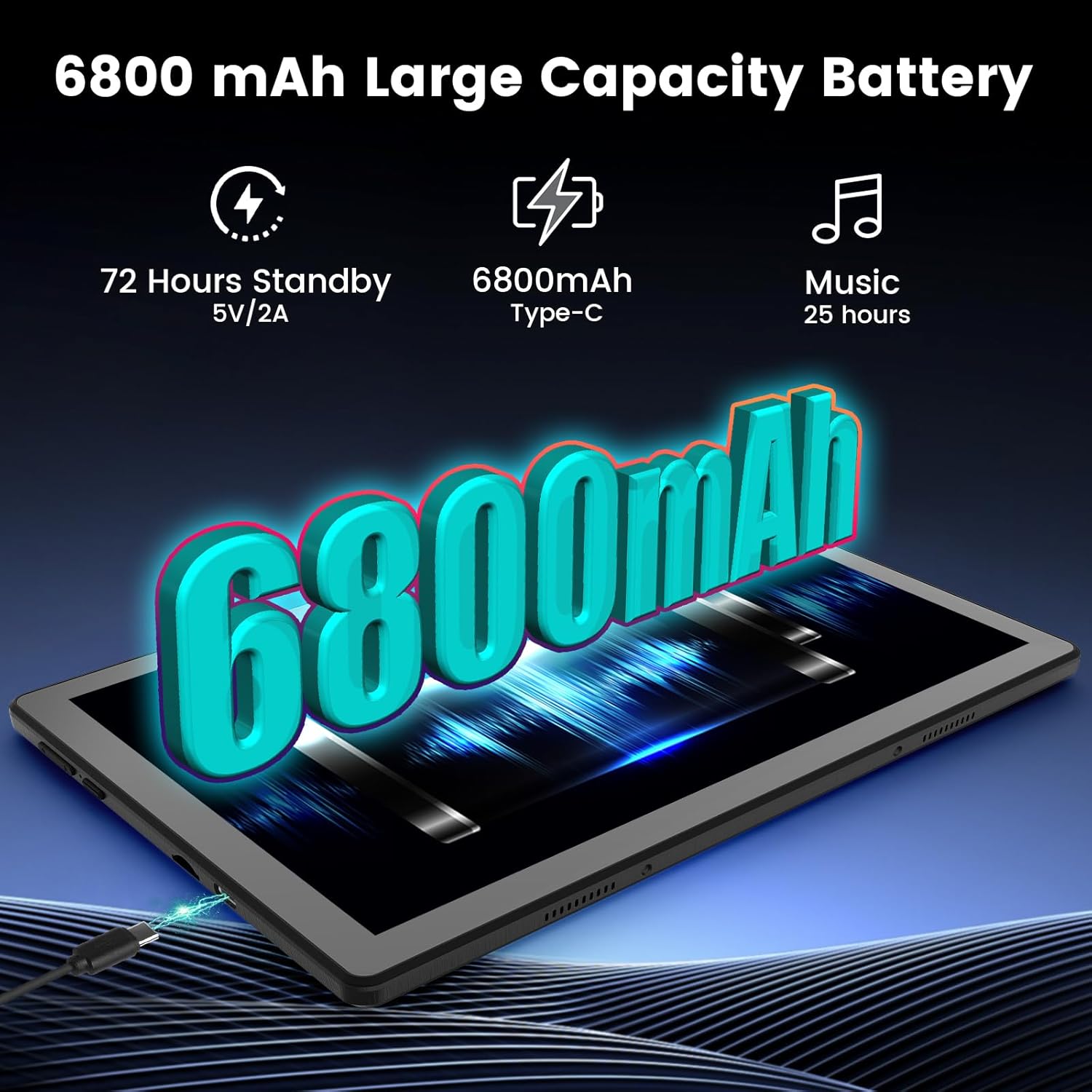
Image 6.1: Visual representation of the tablet's 6800mAh battery.
6.2 स्वच्छता
टॅब्लेटची स्क्रीन आणि बॉडी स्वच्छ करण्यासाठी मऊ, लिंट-फ्री कापड वापरा. अपघर्षक पदार्थ किंवा कठोर रसायने टाळा.
6.3 सॉफ्टवेअर अद्यतने
तुमच्या टॅब्लेटमध्ये नवीनतम वैशिष्ट्ये, सुरक्षा पॅचेस आणि कार्यप्रदर्शन सुधारणा आहेत याची खात्री करण्यासाठी नियमितपणे सिस्टम अपडेट तपासा आणि स्थापित करा. येथे जा सेटिंग्ज > सिस्टम > सिस्टम अपडेट.
7. समस्या निवारण
- टॅब्लेट चालू होत नाही: बॅटरी चार्ज झाली आहे याची खात्री करा. चार्जर कनेक्ट करा आणि पुन्हा चालू करण्याचा प्रयत्न करण्यापूर्वी काही मिनिटे वाट पहा.
- वाय-फाय कनेक्शन समस्या: Check if Wi-Fi is enabled. Restart your router and the tablet. Ensure you are within range of the Wi-Fi signal.
- Bluetooth accessory pairing failure: Ensure the accessory is in pairing mode and within range. Check the tablet's Bluetooth settings to ensure it's enabled and visible.
- मंद कामगिरी: Close unnecessary apps running in the background. Clear cache for frequently used apps. Consider restarting the tablet.
- मायक्रोएसडी कार्ड आढळले नाही: Ensure the card is inserted correctly into the slot. Restart the tablet. Try another MicroSD card to rule out card issues.
8. तपशील
| वैशिष्ट्य | तपशील |
|---|---|
| मॉडेलचे नाव | अॅक्सनएक्सएल |
| ऑपरेटिंग सिस्टम | Android 14 |
| स्क्रीन आकार | 11 इंच |
| स्क्रीन रिझोल्यूशन | ९५३६ x ६३३६ पिक्सेल |
| प्रोसेसर | Octa-Core (Allwinner) |
| रॅम | 14 जीबी |
| अंतर्गत स्टोरेज (ROM) | 64 जीबी |
| विस्तारण्यायोग्य स्टोरेज | २ टीबी पर्यंत (मायक्रोएसडी) |
| बॅटरी क्षमता | 6800 mAh (लिथियम आयन) |
| वायरलेस प्रकार | 802.11ax (वाय-फाय 6) |
| ब्लूटूथ | ब्लूटूथ 5.3 |
| मुख्य कॅमेरा | 8 MP |
| समोरचा कॅमेरा | 5 MP |
| परिमाण (LxWxH) | 8.64 x 4.98 x 0.35 इंच |
| आयटम वजन | 2.88 पाउंड |
| रंग | काळा |

Image 8.1: Tablet's memory and storage capabilities.
9. हमी आणि समर्थन
9.1 उत्पादनाची हमी
Your HiGrace tablet comes with a manufacturer's warranty, typically covering 1 to 2 years from the date of purchase. Please refer to the warranty card included in your package or contact customer support for specific terms and conditions.
9.2 ग्राहक समर्थन
For any questions, technical assistance, or warranty claims, please contact HiGrace customer support. Contact information can usually be found on the product packaging, the official HiGrace website, or through your purchase platform. Please have your model number (A7L) and purchase details ready when contacting support.