
1. परिचय
Welcome to the OUKITEL C59 Pro user manual. This guide provides detailed instructions on how to set up, operate, maintain, and troubleshoot your new Android 15 smartphone. Please read this manual thoroughly to ensure optimal performance and longevity of your device.
2. सुरक्षितता माहिती
To prevent injury to yourself or others, or damage to your device, read all safety information before using the device. Keep this manual for future reference.
- उपकरणाला अति तापमान, थेट सूर्यप्रकाश किंवा उच्च आर्द्रतेच्या संपर्कात आणू नका.
- Use only OUKITEL-approved chargers, batteries, and accessories.
- डिव्हाइस खाली पडणे किंवा गंभीर आघात टाळा.
- डिव्हाइस स्वतः वेगळे करू नका, सुधारित करू नका किंवा दुरुस्त करू नका.
- अडथळा टाळण्यासाठी वैद्यकीय उपकरणांपासून सुरक्षित अंतर ठेवा.
- स्थानिक नियमांनुसार उपकरण आणि त्याच्या घटकांची जबाबदारीने विल्हेवाट लावा.
3. पॅकेज सामग्री
तुमच्या उत्पादन बॉक्समध्ये सर्व वस्तू आहेत याची खात्री करा:
- OUKITEL C59 Pro स्मार्टफोन
- फोन केस
- यूएसबी केबल (टाइप-सी)
- सिम इजेक्टर टूल
- पॉवर अडॅप्टर
4. डिव्हाइस ओव्हरview
Familiarize yourself with the physical features and components of your OUKITEL C59 Pro smartphone.

Image: General view of the OUKITEL C59 Pro smartphone, showcasinत्याची आकर्षक रचना आणि मागील कॅमेरा मॉड्यूल.
४.१ भौतिक बटणे आणि पोर्ट
- पॉवर बटण: Located on the side, used to power on/off the device or wake/sleep the screen. Integrates fingerprint recognition.
- व्हॉल्यूम बटणे: Located on the side, used to adjust media volume and ringtone volume.
- यूएसबी टाइप-सी पोर्ट: तळाशी स्थित, चार्जिंग आणि डेटा ट्रान्सफरसाठी वापरले जाते.
- सिम/मायक्रोएसडी कार्ड स्लॉट: Located on the side, for inserting Nano SIM cards and a MicroSD card.
- 110lm LED Flashlight: An exclusive physical flashlight located at the top of the device, activated by a dedicated button.
4.2 डिस्प्ले
The OUKITEL C59 Pro features a large 6.88-inch HD+ display with a 90Hz refresh rate and 450 nits brightness, providing a clear and smooth visual experience.

Image: The OUKITEL C59 Pro's 6.88-inch HD+ display, highlighting its size and visual clarity.
4.3 कॅमेरे
The device is equipped with a dual rear camera system, featuring a 13MP main camera, and a 5MP front camera for selfies and video calls.

Image: Close-up of the OUKITEL C59 Pro's rear camera module and examples of photos taken with the 13MP main camera and 5MP front camera.
4.4 फ्लॅशलाइट
The OUKITEL C59 Pro features a powerful 110 lumen LED flashlight at the top. This flashlight can be activated instantly by pressing a dedicated physical button on the side of the phone, even when the screen is locked.

Image: The OUKITEL C59 Pro's 110lm LED flashlight illuminating dark environments, demonstrating its brightness and utility in various scenarios.
5. सेटअप
४.२ सिम आणि मायक्रोएसडी कार्ड घालणे
Your OUKITEL C59 Pro supports Dual Nano SIM cards and a MicroSD card for expandable storage up to 1TB.
- डिव्हाइसच्या बाजूला सिम कार्ड ट्रे शोधा.
- सिम इजेक्टर टूल ट्रे उघडण्यासाठी त्याच्या शेजारी असलेल्या लहान छिद्रात घाला.
- Place your Nano SIM cards and/or MicroSD card into the designated slots on the tray, ensuring correct orientation.
- तो जागी क्लिक करेपर्यंत ट्रेला हळूवारपणे डिव्हाइसमध्ये परत ढकलून द्या.

Image: The SIM card tray of the OUKITEL C59 Pro, showing slots for two Nano SIM cards and one MicroSD card.
5.2 डिव्हाइस चार्ज करणे
Before first use, fully charge your OUKITEL C59 Pro. The device supports 18W fast charging.
- फोनच्या तळाशी असलेल्या चार्जिंग पोर्टशी USB टाइप-सी केबल कनेक्ट करा.
- USB केबलचे दुसरे टोक पॉवर अॅडॉप्टरला जोडा.
- पॉवर ॲडॉप्टरला वॉल आउटलेटमध्ये प्लग करा.
- A full charge typically takes approximately four hours.
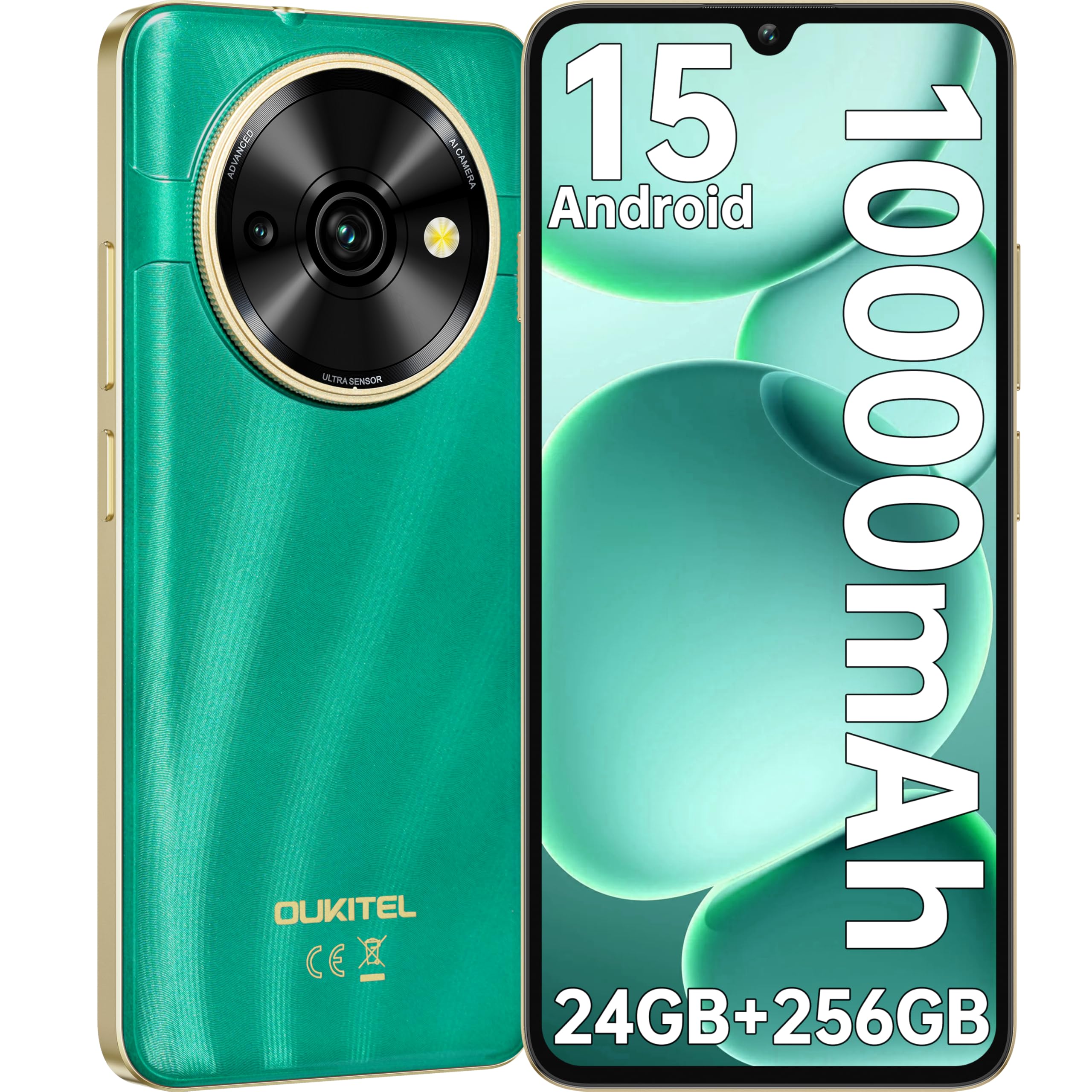
Image: Visual representation of the OUKITEL C59 Pro's 10000mAh battery capacity, indicating extended standby, talk, flashlight, and video playback times.
5.3 पॉवरिंग चालू/बंद
- चालू करण्यासाठी: Press and hold the Power button until the OUKITEL logo appears.
- पॉवर ऑफ करण्यासाठी: पॉवर बटण दाबा आणि धरून ठेवा, नंतर स्क्रीनवरील पर्यायांमधून 'पॉवर ऑफ' निवडा.
- रीस्टार्ट करण्यासाठी: पॉवर बटण दाबा आणि धरून ठेवा, नंतर पर्यायांमधून 'रीस्टार्ट' निवडा.
४. तुमचा स्मार्टफोन चालवणे
३.१ अँड्रॉइड १४ ऑपरेटिंग सिस्टम
Your OUKITEL C59 Pro runs on the latest Android 15 operating system, offering enhanced energy efficiency, privacy protection, and multi-device integration capabilities optimized with artificial intelligence.

प्रतिमा: अँड्रॉइड १४ ऑपरेटिंग सिस्टम इंटरफेसचे दृश्य प्रतिनिधित्व, शोकasing its modern design and various application icons.
6.2 Biometric Security (Fingerprint & Face ID)
Unlock your device securely using the side-mounted fingerprint sensor or Face ID recognition.
- फिंगरप्रिंट ओळख: Register your fingerprints in the Security settings. To unlock, simply place your registered finger on the side power button.
- फेस आयडी: Set up Face ID in the Security settings. To unlock, hold the phone in front of your face.
6.3 Connectivity Features (NFC, GPS)
The OUKITEL C59 Pro supports NFC for contactless payments and data transfer, and GPS for navigation and location services.
- एनएफसीः Enable NFC in Settings > Connected devices > Connection preferences > NFC. Tap your phone to compatible devices for quick pairing or payments.
- GPS: Location services are enabled by default. You can manage them in Settings > Location.
6.4 मेमरी आणि स्टोरेज
The device comes with 24GB RAM (8GB physical + 16GB virtual) and 256GB internal storage, expandable up to 1TB via MicroSD card.

Image: A graphical representation of the OUKITEL C59 Pro's memory configuration, showing 24GB RAM (8GB + 16GB expansion) and 256GB ROM (expandable to 1TB).
५.४ ओटीजी कार्यक्षमता
The OUKITEL C59 Pro supports OTG (On-The-Go) reverse charging, allowing you to transfer data to other devices or use your phone as an emergency power bank.
7. देखभाल
योग्य देखभाल तुमच्या स्मार्टफोनचे दीर्घायुष्य आणि इष्टतम कामगिरी सुनिश्चित करते.
- स्वच्छता: डिव्हाइसची स्क्रीन आणि बॉडी स्वच्छ करण्यासाठी मऊ, लिंट-फ्री कापड वापरा. कठोर रसायने किंवा अपघर्षक पदार्थ वापरणे टाळा.
- सॉफ्टवेअर अपडेट्स: Regularly check for and install system updates to ensure your device has the latest features and security patches. Go to Settings > System > System update.
- बॅटरी काळजी: बॅटरी वारंवार पूर्णपणे डिस्चार्ज करणे टाळा. दीर्घकाळ साठवणुकीसाठी, बॅटरी सुमारे ५०% पर्यंत चार्ज करा.
- स्टोरेज व्यवस्थापन: अनावश्यक गोष्टी वेळोवेळी साफ करा fileस्टोरेज जागा मोकळी करण्यासाठी आणि कार्यप्रदर्शन सुधारण्यासाठी s आणि अॅप्स.
8. समस्या निवारण
तुमच्या डिव्हाइसमध्ये समस्या आल्यास, खालील उपाय वापरून पहा:
- डिव्हाइस प्रतिसाद देत नाही: सक्तीने रीस्टार्ट करण्यासाठी पॉवर बटण सुमारे १०-१५ सेकंद दाबा आणि धरून ठेवा.
- अॅप्स क्रॅश होणे: Clear the cache and data of the problematic app in Settings > Apps > [App Name] > Storage. If the issue persists, uninstall and reinstall the app.
- खराब बॅटरी आयुष्य: Check battery usage in Settings > Battery to identify power-hungry apps. Reduce screen brightness, disable unnecessary features like GPS or Wi-Fi when not in use.
- नेटवर्क समस्या: Ensure SIM cards are correctly inserted. Try restarting the device. Check network settings or contact your service provider.
- जास्त गरम होणे: Avoid using the device while charging or during prolonged heavy usage. Close background apps.
- मुळ स्थितीत न्या: शेवटचा उपाय म्हणून, जर सॉफ्टवेअर समस्या कायम राहिल्या तर तुम्ही फॅक्टरी रीसेट करू शकता. चेतावणी: हे तुमच्या डिव्हाइसवरील सर्व डेटा मिटवेल. पुढे जाण्यापूर्वी महत्त्वाच्या डेटाचा बॅकअप घ्या. सेटिंग्ज > सिस्टम > रीसेट पर्याय > सर्व डेटा पुसून टाका (फॅक्टरी रीसेट) वर जा.
9. तपशील
Detailed technical specifications for the OUKITEL C59 Pro smartphone.
| वैशिष्ट्य | तपशील |
|---|---|
| ब्रँड | OUKITEL |
| मॉडेलचे नाव | OUKITEL C59 प्रो |
| ऑपरेटिंग सिस्टम | Android 15 |
| स्थापित रॅम आकार | १२ जीबी (६ जीबी फिजिकल + ६ जीबी व्हर्च्युअल) |
| स्टोरेज क्षमता | 256 जीबी |
| Max Supported Flash Memory Size | १०२४ जीबी (१ टीबी) |
| स्क्रीन आकार | 6.88 इंच |
| ठराव | 1640 x 720 पिक्सेल |
| रीफ्रेश दर | 90 Hz |
| डिस्प्ले प्रकार | एलसीडी |
| सेल्युलर तंत्रज्ञान | 4G |
| कनेक्टिव्हिटी तंत्रज्ञान | 4G |
| रंग | हिरवा |
| Number of SIM Card Slots | ड्युअल सिम |
| सिम कार्ड आकार | नॅनो |
| कनेक्टर प्रकार | यूएसबी प्रकार सी |
| फॉर्म फॅक्टर | बार |
| Biometric Security Feature | Fingerprint Recognition, Face ID |
| पाणी प्रतिकार पातळी | जलरोधक नाही |
| हेडफोन जॅक | काहीही नाही |
| मागील कॅमेरा रिझोल्यूशन | 13 MP |
| Number of Rear Cameras | 2 |
| Number of Front Cameras | 1 |
| व्हिडिओ कॅप्चर रिझोल्यूशन | 1080p |
| फ्रेम दर | २५fps, ३०fps, ५०fps |
| बॅटरी क्षमता | 10000 mAh |
| बॅटरी आयुष्य | १० तास (चर्चा वेळ) |
| जीपीएस | होय |
| समाविष्ट घटक | Phone case, USB cable, SIM ejector tool, Power adapter |
| विशिष्ट उत्पादन वापर | Gaming, Photography, Streaming, Video Conferencing |
10. हमी आणि समर्थन
10.1 हमी माहिती
The OUKITEL C59 Pro smartphone comes with a २ वर्षांची उत्पादकाची वॉरंटी. This warranty covers defects in materials and workmanship under normal use. It does not cover damage caused by misuse, accidents, unauthorized repairs, or normal wear and tear. Please retain your proof of purchase for warranty claims.
10.2 ग्राहक समर्थन
For technical assistance, warranty claims, or any other inquiries regarding your OUKITEL C59 Pro, please contact OUKITEL customer support through their official website or the contact information provided with your purchase. Ensure you have your device model and purchase details ready when contacting support.