
1. परिचय
Thank you for choosing the Netzu Alarm Clock 6206ZD. This digital alarm clock is designed to provide a reliable wake-up experience, especially for heavy sleepers and individuals with hearing impairments, through its powerful vibrating bed shaker, loud alarm, and bright wake-up light. This manual will guide you through the setup, operation, and maintenance of your new alarm clock.
2. सुरक्षितता माहिती
- पॉवर अॅडॉप्टर योग्य पॉवर आउटलेटशी जोडलेले असल्याची खात्री करा.
- उपकरणाला पाणी किंवा जास्त आर्द्रतेच्या संपर्कात आणू नका.
- डिव्हाइसला उष्णता स्त्रोतांपासून आणि थेट सूर्यप्रकाशापासून दूर ठेवा.
- फक्त प्रदान केलेले पॉवर ॲडॉप्टर वापरा.
- For battery backup, insert 2 AAA batteries (not included) correctly, observing polarity.
- डिव्हाइस स्वतः वेगळे करण्याचा किंवा दुरुस्त करण्याचा प्रयत्न करू नका. सहाय्यासाठी ग्राहक समर्थनाशी संपर्क साधा.
3. पॅकेज सामग्री
कृपया खालील वस्तूंसाठी पॅकेज तपासा:
- Netzu Alarm Clock (Model 6206ZD)
- Vibrating Bed Shaker
- पॉवर अडॅप्टर
- वापरकर्ता मॅन्युअल

आकृती 3.1: उत्पादन घटक
4. उत्पादन संपलेview
Familiarize yourself with the main components of your Netzu Alarm Clock:
- समोरचा डिस्प्ले: Large RGB LED time display.
- शीर्ष पॅनेल: Snooze button, light bar, control buttons (Time Set, Alarm Set, Brightness, Color, Volume, DST).
- मागील पॅनेल: Power input port, bed shaker port, battery compartment.
- Vibrating Bed Shaker: Connects to the alarm clock for silent or combined wake-up.
5. सेटअप
5.1 वीज जोडणी
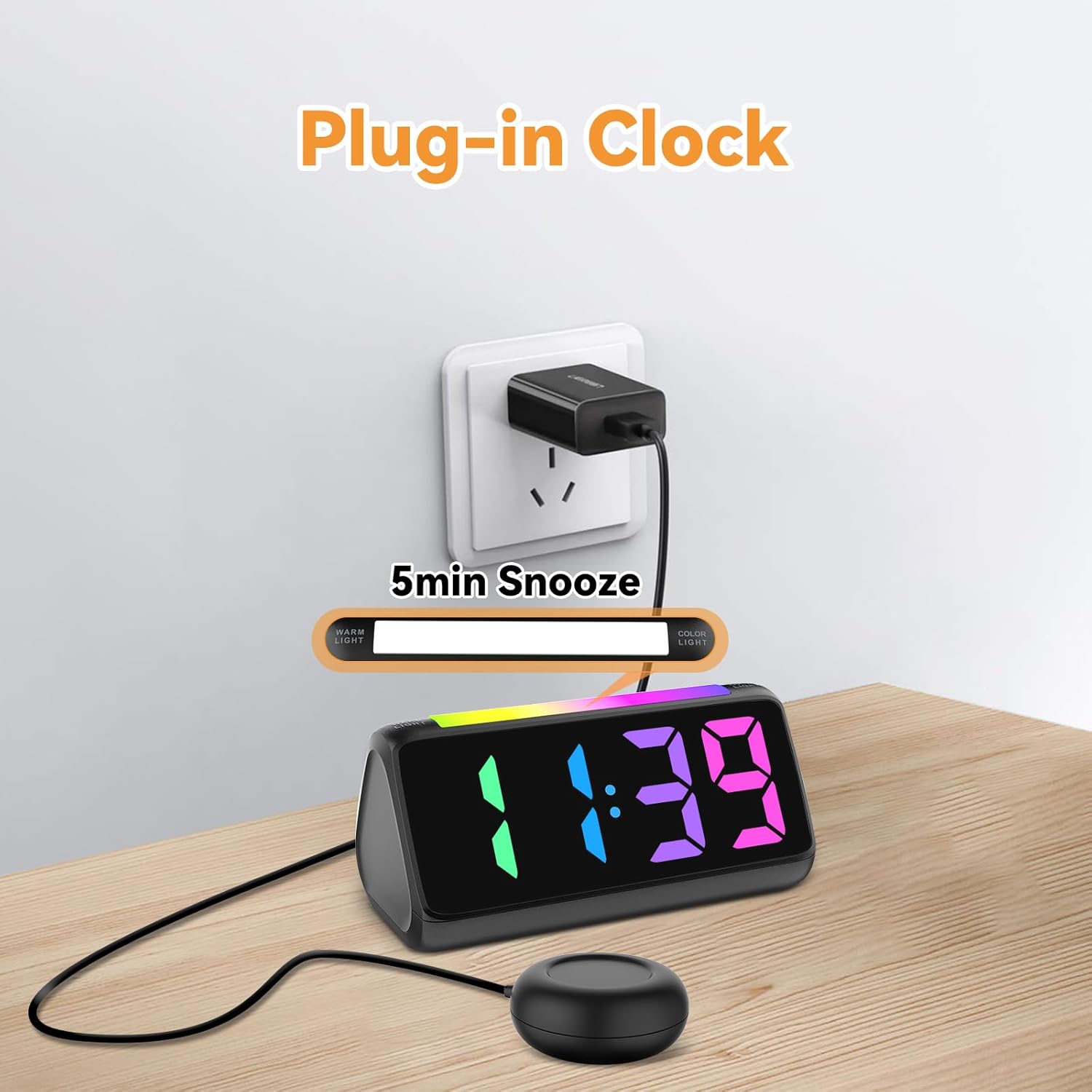
- दिलेला पॉवर अॅडॉप्टर अलार्म घड्याळाच्या मागील बाजूस असलेल्या DC इनपुट पोर्टशी जोडा.
- पॉवर अॅडॉप्टरला एका मानक इलेक्ट्रिकल आउटलेटमध्ये प्लग करा. डिस्प्ले उजळेल.
आकृती 5.1: वीज जोडणी
5.2 Battery Installation (for Power Loss Memory)
पॉवर ओयू दरम्यान वेळ आणि अलार्म सेटिंग्ज राखण्यासाठीtage, install backup batteries:
- Open the battery compartment cover on the bottom of the alarm clock.
- Insert 2 new AAA batteries (not included), ensuring correct polarity (+ and -).
- बॅटरी कंपार्टमेंट कव्हर सुरक्षितपणे बंद करा.
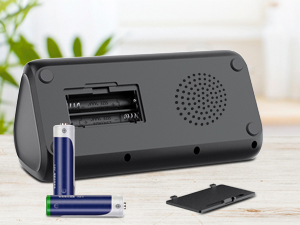
आकृती 5.2: बॅटरी कंपार्टमेंट
5.3 Connecting the Bed Shaker
Plug the cable of the vibrating bed shaker into the dedicated port on the back of the alarm clock. Place the shaker under your pillow or mattress for optimal vibration.
6. ऑपरेटिंग सूचना
6.1 वेळ ठरवणे
- दाबा आणि धरून ठेवा वेळ सेट button (usually located on the top or back) until the hour digits flash.
- वापरा +/- buttons (or similar adjustment buttons) to set the hour. Pay attention to AM/PM indicators if in 12-hour format.
- दाबा वेळ सेट पुन्हा तास निश्चित करण्यासाठी आणि मिनिटांवर जाण्यासाठी.
- वापरा +/- मिनिटे सेट करण्यासाठी बटणे.
- दाबा वेळ सेट one last time to save the time.
- To switch between 12-hour and 24-hour display, briefly press the वेळ सेट button when not in setting mode.
- To adjust for Daylight Saving Time (DST), long press the डीएसटी button to add or subtract an hour.
आकृती 6.1: वेळ स्वरूप प्रदर्शन
6.2 अलार्म सेट करणे
The alarm clock offers three wake-up modes: Ring Only, Vibration Only, or Ring + Vibration.
- दाबा आणि धरून ठेवा अलार्म सेट अलार्म तासाचे अंक फ्लॅश होईपर्यंत बटण.
- वापरा +/- इच्छित अलार्म तास सेट करण्यासाठी बटणे.
- दाबा अलार्म सेट पुन्हा तास निश्चित करण्यासाठी आणि मिनिटांवर जाण्यासाठी.
- वापरा +/- इच्छित अलार्म मिनिटे सेट करण्यासाठी बटणे.
- दाबा अलार्म सेट again to select the wake-up mode: Ring Only, Vibration Only, or Ring + Vibration. An icon on the display will indicate the selected mode.
- दाबा अलार्म सेट one last time to save the alarm settings.
- To adjust alarm volume (4 levels, up to 110 dB), use the व्हॉल्यूम button (or +/- during alarm setting).

आकृती 6.2: Three Wake-up Modes
6.3 स्नूझ फंक्शन
जेव्हा अलार्म वाजतो तेव्हा मोठा दाबा स्नूझ button on the top of the clock to temporarily silence the alarm for 5 minutes. The alarm will sound again after the snooze period.
6.4 Adjusting Display Brightness and Color
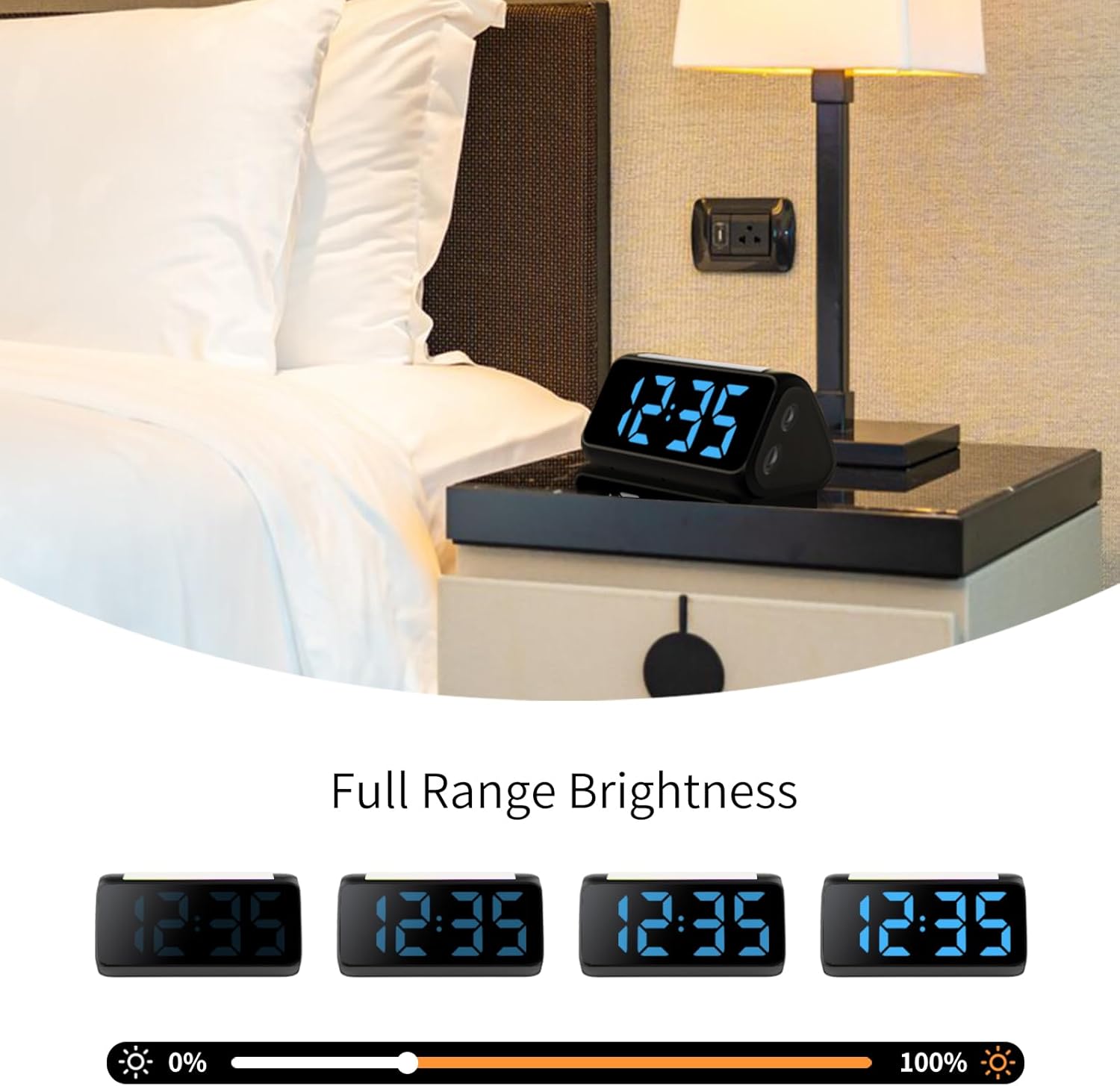
The alarm clock features an RGB display with 11 color options and adjustable brightness (10%-100%).
- दाबा तेज button (or a dedicated dimmer button) to cycle through brightness levels for the time display.
- दाबा रंग button to cycle through the 11 available display colors.
आकृती 6.3: Colorful Display Options
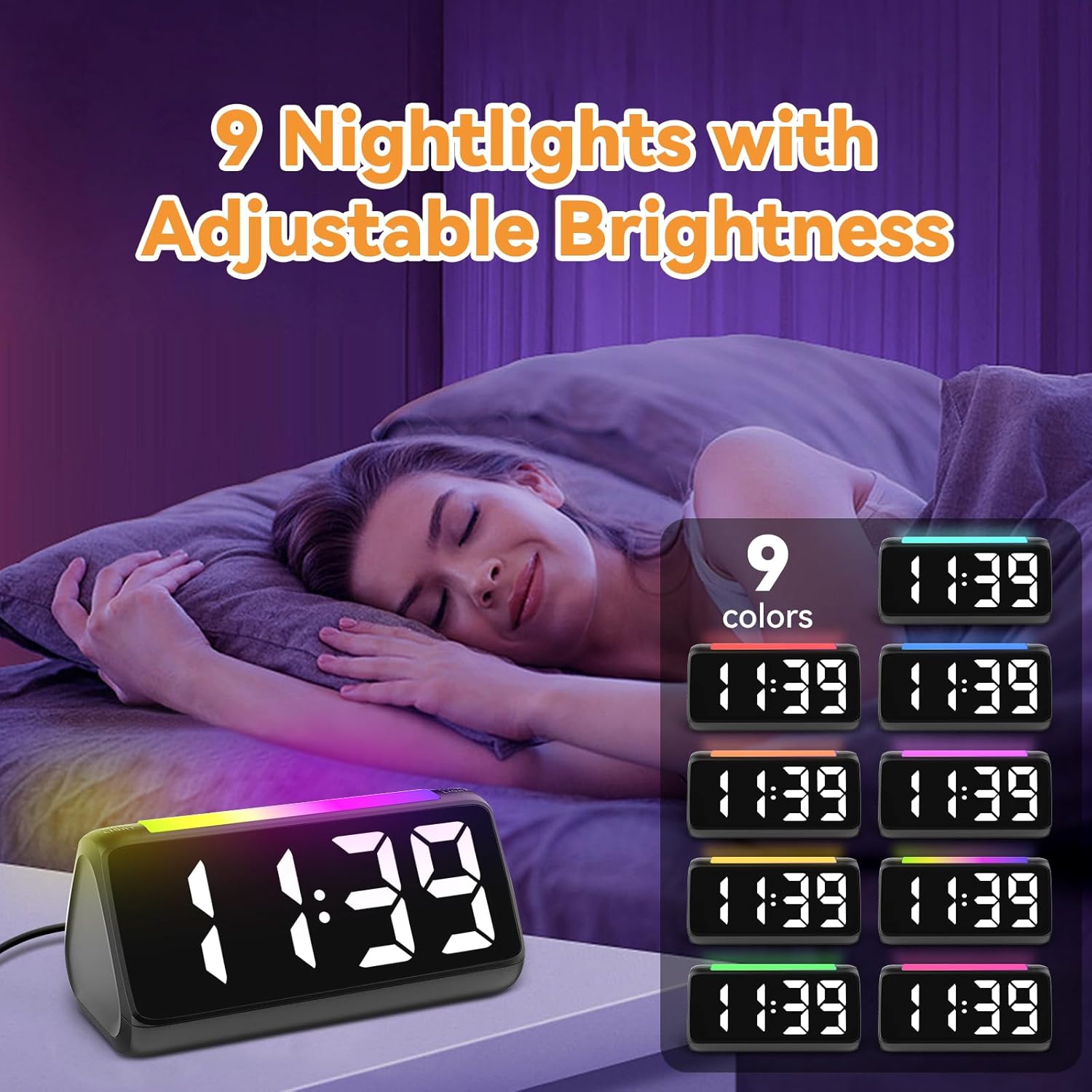
6.5 Using the Night Light
The integrated light bar offers 9 color modes and adjustable brightness, functioning as a calming night light.
- दाबा रात्रीचा प्रकाश button (or a dedicated light bar button) to turn the night light on/off and cycle through color modes.
- वापरा +/- buttons (or a separate brightness control for the night light) to adjust its brightness.

आकृती 6.4: Night Light with Adjustable Brightness
7. देखभाल
To ensure the longevity and proper functioning of your alarm clock:
- मऊ, कोरड्या कापडाने उपकरण स्वच्छ करा. अपघर्षक क्लीनर किंवा सॉल्व्हेंट्स वापरू नका.
- Keep the bed shaker clean and free from dust.
- If not using the clock for an extended period, remove the AAA backup batteries to prevent leakage.
8. समस्या निवारण
| समस्या | संभाव्य कारण | उपाय |
|---|---|---|
| घड्याळाचा डिस्प्ले बंद आहे. | शक्ती किंवा शक्ती ou नाहीtage. | Ensure the power adapter is securely plugged in. Check the power outlet. If using battery backup, ensure batteries are fresh and correctly installed. |
| अलार्म वाजत नाही/व्हायब्रेट होत नाही. | Alarm not set, incorrect mode, or volume too low. | Verify alarm time and mode (Ring Only, Vibration Only, or Ring + Vibration) are correctly set. Increase alarm volume. Ensure the bed shaker is properly connected. |
| डिस्प्ले खूप तेजस्वी/मंद आहे. | ब्राइटनेस सेटिंगमध्ये समायोजन आवश्यक आहे. | दाबा तेज ब्राइटनेस लेव्हलमधून सायकल करण्यासाठी बटण. |
| वेळ चुकीची आहे. | Time not set or DST not adjusted. | Follow instructions in Section 6.1 to set the correct time. Adjust DST if applicable. |
| रात्रीचा दिवा काम करत नाही. | Night light is off or brightness is too low. | दाबा रात्रीचा प्रकाश button to turn it on and cycle through modes. Adjust its brightness. |
9. तपशील
| वैशिष्ट्य | तपशील |
|---|---|
| ब्रँड | नेटझु |
| मॉडेल क्रमांक | 6206ZD |
| डिस्प्ले प्रकार | Digital LED (RGB) |
| उर्जा स्त्रोत | कॉर्ड केलेले इलेक्ट्रिक |
| बॅटरी बॅकअप | 2 AAA बॅटरी (समाविष्ट नाही) |
| अलार्म आवाज | 4 levels, up to 110 dB |
| स्नूझ कालावधी | 5 मिनिटे |
| रंग प्रदर्शित करा | 11 पर्याय |
| रात्रीचे हलके रंग | 9 मोड |
| उत्पादन परिमाणे | ६.३"प x २.७२"प |
| साहित्य | प्लास्टिक |
| आयटम वजन | 13.7 औंस |
10. हमी आणि समर्थन
Netzu products are designed for reliability and performance. For warranty information or technical support, please refer to the contact details provided with your purchase or visit the official Netzu website. Please have your model number (6206ZD) ready when contacting support.