
परिचय
Thank you for choosing the Amazon Basics Pro Series 4-in-1 USB-C Hub. This compact and versatile hub is designed to expand the connectivity of your PC, MacBook, laptops, phones, monitors, and projectors, offering high-speed data transfer and seamless peripheral integration. This manual provides essential information for proper setup, operation, and maintenance of your device.
उत्पादन संपलेview
The Amazon Basics Pro Series 4-in-1 USB-C Hub features a durable aluminum alloy and ABS housing, ensuring both portability and resilience. It includes a built-in 150mm USB-C cable for convenient connection to your host device.

प्रतिमा: ओव्हरview of the 4-in-1 versatile hub, highlighting its port configuration.
प्रमुख वैशिष्ट्ये:
- USB-C होस्ट कनेक्शन: Provides a versatile bridge between your laptop and peripherals.
- Two USB-C Ports: Both support USB 3.2 Gen 2 standard for data transfer speeds up to 10 Gbps.
- Two USB-A Ports: मानक USB उपकरणे जोडण्यासाठी.
- हाय-स्पीड डेटा ट्रान्सफर: Enables rapid transfer of large files.
- प्लग-अँड-प्ले: No drivers required for installation.
- टिकाऊ बांधकाम: Aluminum alloy and ABS housing with a flexible TPE cable.
सेटअप
The Amazon Basics Pro Series 4-in-1 USB-C Hub is designed for immediate use with its plug-and-play functionality. No software drivers are required for installation.
- हब कनेक्ट करा: Insert the built-in USB-C cable of the hub into an available USB-C port on your host device (PC, MacBook, laptop, phone, etc.).
- डिव्हाइस ओळख: Your operating system will automatically detect and configure the hub. This process usually takes a few seconds.
- पेरिफेरल्स कनेक्ट करा: Once the hub is recognized, you can connect your USB-C and USB-A peripherals (e.g., external drives, keyboards, mice) to the corresponding ports on the hub.

Image: The USB-C hub connected to a laptop, demonstrating peripheral connections.
ऑपरेटिंग सूचना
The hub facilitates high-speed data transfer and expands connectivity for various devices.
डेटा ट्रान्सफर:
- Connect USB 3.2 Gen 2 compatible devices to the USB-C ports for data transfer speeds up to 10 Gbps.
- Connect USB-A devices to the USB-A ports for standard data transfer.
- Ensure your host device's USB-C port supports the required data transfer speeds to achieve optimal performance.

Image: The hub emphasizing its ultra-fast 10Gbps data transfer capability.
सार्वत्रिक सुसंगतता:
The hub is compatible with a wide range of devices, including:
- PC
- मॅकबुक
- लॅपटॉप
- फोन
- मॉनिटर्स
- प्रोजेक्टर
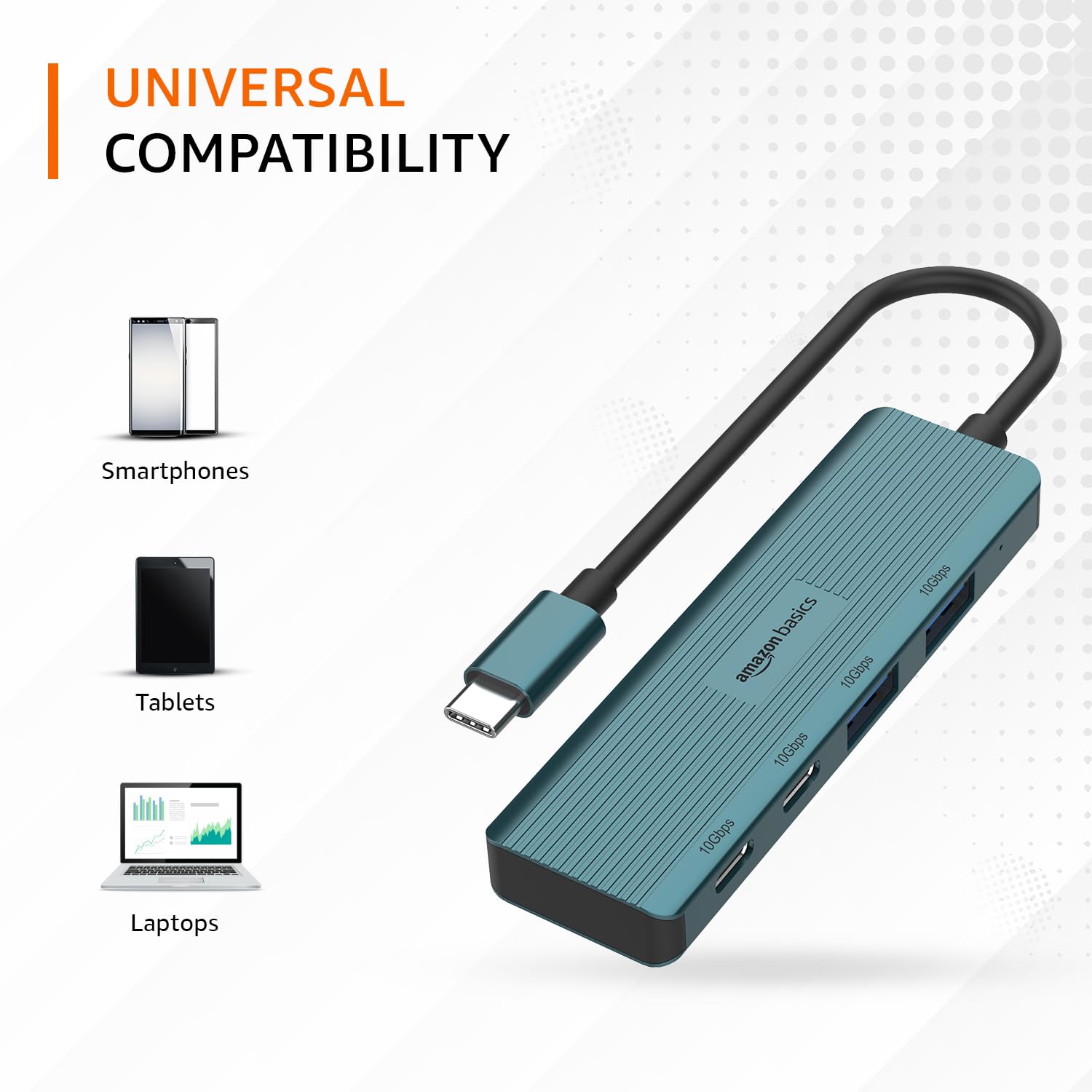
Image: The hub illustrating its compatibility with various devices like smartphones, tablets, and laptops.
देखभाल
To ensure the longevity and optimal performance of your USB-C hub, follow these maintenance guidelines:
- स्वच्छता: Use a soft, dry cloth to clean the exterior of the hub. Avoid using liquid cleaners or solvents, as they may damage the finish or internal components.
- स्टोरेज: वापरात नसताना, हब थेट सूर्यप्रकाश आणि अति तापमानापासून दूर थंड, कोरड्या जागी ठेवा.
- हाताळणी: Avoid dropping the hub or subjecting it to strong impacts. Do not bend the integrated cable excessively.
- वायुवीजन: Ensure the hub has adequate ventilation during operation to prevent overheating, especially during prolonged high-speed data transfers.
समस्यानिवारण
If you encounter issues with your Amazon Basics Pro Series 4-in-1 USB-C Hub, refer to the following common troubleshooting steps:
- डिव्हाइस ओळखले नाही:
- Ensure the hub's USB-C cable is fully inserted into your host device's USB-C port.
- Try connecting the hub to a different USB-C port on your host device.
- Restart your host device (computer, laptop, phone).
- Verify that the connected peripheral devices are functioning correctly when connected directly to your host device (if applicable).
- डेटा ट्रान्सफरचा वेग कमी:
- Confirm that both your host device's USB-C port and the connected peripheral support USB 3.2 Gen 2 (10 Gbps) for optimal speeds.
- Avoid connecting multiple high-bandwidth devices simultaneously if you experience performance degradation.
- Ensure the cables used for connecting peripherals are of high quality and support the desired data transfer speeds.
- अधूनमधून कनेक्शन:
- Check for loose connections at both the hub and the host device.
- Ensure the hub is not being subjected to physical stress or excessive cable bending.
- If using with a power-intensive device, ensure your host device can supply sufficient power, as this hub is not externally powered.
तपशील
| ब्रँड | amazon मूलभूत |
| मॉडेल | 4-इन-1 यूएसबी-सी हब |
| होस्ट इंटरफेस | यूएसबी-सी |
| आउटपुट पोर्ट्स | 2 x USB-C (USB 3.2 Gen 2), 2 x USB-A (USB 3.2 Gen 2) |
| डेटा ट्रान्सफर स्पीड | 10 Gbps पर्यंत (USB 3.2 Gen 2) |
| केबलची लांबी | 150mm (built-in) |
| साहित्य | Aluminum Alloy, ABS Housing, TPE Cable |
| रंग | पिरोजा |
| आयटम वजन | 20 ग्रॅम |
| सुसंगत साधने | PC, MacBook, Laptops, Phones, Monitors, Projectors |
| ऑपरेटिंग सिस्टम | MAC OS (and generally compatible with Windows, Linux, Android) |

Image: Physical dimensions of the USB-C hub.
हमी आणि समर्थन
For warranty information and customer support regarding your Amazon Basics Pro Series 4-in-1 USB-C Hub, please refer to the Amazon Basics official webसाइटवर जा किंवा थेट Amazon ग्राहक सेवेशी संपर्क साधा. वॉरंटी दाव्यांसाठी तुमची खरेदी पावती जपून ठेवा.