
Kogan KAQL55XQ98GSTA
Kogan 55" QLED 4K 144Hz स्मार्ट AI Google TV वापरकर्ता मॅन्युअल
Model: KAQL55XQ98GSTA
परिचय
This user manual provides comprehensive instructions for the setup, operation, and maintenance of your Kogan 55" QLED 4K 144Hz Smart AI Google TV (Model: KAQL55XQ98GSTA). Please read this manual thoroughly before using your TV to ensure proper functionality and to maximize your viewअनुभव. भविष्यातील संदर्भासाठी ही पुस्तिका ठेवा.

Figure 1: Kogan 55" QLED 4K 144Hz Smart AI Google TV
This image shows the Kogan 55-inch QLED 4K 144Hz Smart AI Google TV from the front, highlighting its slim bezels and the vibrant display. The Kogan logo is visible on the bottom left, and the screen displays a colorful abstract pattern, emphasizing its QLED technology.
सेटअप
अनपॅकिंग आणि प्रारंभिक तपासणी
Carefully remove the TV from its packaging. Inspect the TV and all accessories for any signs of damage. If any damage is found, do not proceed with setup and contact Kogan customer support immediately.
Attaching the Stand or Wall Mounting
Your TV comes with a stand for tabletop placement. For wall mounting, a VESA-compatible wall mount (not included) is required. Refer to the wall mount's instructions for proper installation.
- स्टँड स्थापना:
- स्क्रीनचे नुकसान टाळण्यासाठी टीव्हीचा चेहरा मऊ, स्वच्छ पृष्ठभागावर ठेवा.
- टीव्हीच्या तळाशी असलेल्या स्क्रू होलसह स्टँड ब्रॅकेट संरेखित करा.
- Secure the stand using the provided screws. Ensure the stand is firmly attached.
- वॉल माउंटिंग:
This TV supports wall mounting. Ensure you use a compatible wall mount and follow the manufacturer's instructions for safe and secure installation. Professional installation is recommended for wall mounting.
पेरिफेरल्स कनेक्ट करणे
Connect your external devices such as set-top boxes, gaming consoles, or sound systems to the TV's input ports (HDMI, USB, etc.).
- HDMI कनेक्शन: Use HDMI cables for high-definition video and audio. This TV features multiple HDMI inputs.
- यूएसबी कनेक्शन: मीडिया प्लेबॅकसाठी USB डिव्हाइस कनेक्ट करा.
- वीज कनेक्शन: पॉवर कॉर्ड टीव्हीच्या पॉवर इनपुटमध्ये प्लग करा, नंतर भिंतीच्या आउटलेटमध्ये.
ऑपरेटिंग सूचना
पहिल्यांदाच सेटअप आणि गुगल टीव्ही
Upon first power-on, the TV will guide you through the initial setup process, including network connection, Google account login, and channel scanning. Google TV integrates your favorite streaming services and content into one personalized hub.

Figure 2: Google TV Interface in Use
This image depicts two individuals comfortably seated in a living room, viewing the Kogan Google TV. The TV screen displays the Google TV interface with various streaming app icons and content recommendations, illustrating the user-friendly nature of the smart TV system.

Figure 3: Detailed Google TV Home Screen
This image provides a closer look at the Google TV home screen, showcasing content recommendations like "Nine Perfect Strangers" and various app icons such as Netflix, YouTube, and Prime Video. The interface is clean and organized, making content discovery intuitive.

Figure 4: All Your Favorite Apps
This image highlights the extensive selection of streaming applications available on the Kogan Google TV. It displays numerous popular app logos, including Netflix, Prime Video, Disney+, YouTube, and Stan, emphasizing the TV's capability to serve as a comprehensive entertainment hub.
मुख्य वैशिष्ट्ये आणि कार्ये
- QLED तंत्रज्ञान: Experience mesmerizing color reproduction and vibrant visuals thanks to Quantum Dot Technology.
- 4K UHD रिझोल्यूशन: Enjoy stunning clarity and detail with 3840 x 2160 pixel resolution.

Figure 5: Ultra HD (4K) Visual Comparison
This image visually compares Full HD and Ultra HD (4K) resolutions using a scenic view of boats on clear water. The 4K side demonstrates significantly clearer picture quality and sharper colors, illustrating the enhanced immersive viewing experience provided by 4K resolution.
- 144Hz Variable Refresh Rate (VRR): Achieve smoother and tear-free visuals, especially beneficial for fast-paced scenes and gaming.

Figure 6: 144Hz Variable Refresh Rate in Action
This image illustrates the benefit of a 144Hz Variable Refresh Rate (VRR) for gaming. It shows a split screen with a racing game, comparing the visual quality "Without 144Hz VRR" (blurry) and "With 144Hz VRR" (sharp and smooth), highlighting the enhanced gaming experience.
- Dolby Vision™: Enjoy cinematic immersion with lifelike and vibrant visuals.
- High-Dynamic Range (HDR): Delivers brighter highlights, better contrast, and more realistic colors.
- Built-in Google Chromecast: Stream content directly from your smartphone, laptop, or tablet to your TV.
- Google Play Store: Access over 400,000 movies, TV episodes, live TV, and a wide range of applications.
- Motion Estimation & Motion Compensation (MEMC): Improves clarity and reduces blur in fast-moving scenes for smoother visuals.
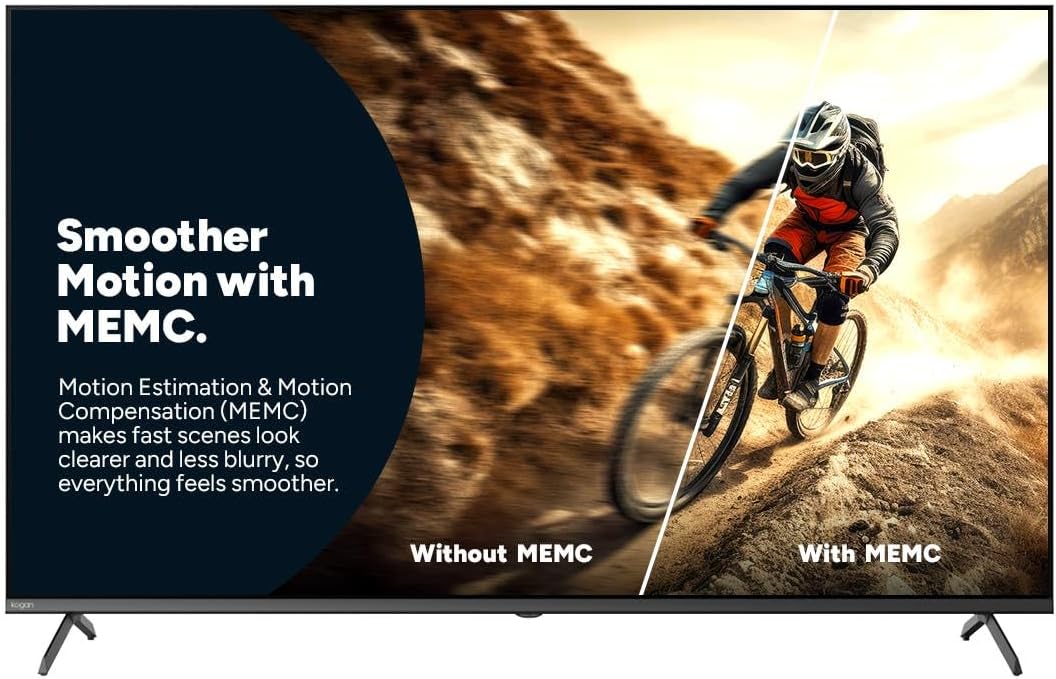
Figure 7: Smoother Motion with MEMC
This image demonstrates the effect of Motion Estimation & Motion Compensation (MEMC). It shows a split view of a cyclist in motion, comparing the visual "Without MEMC" (blurry) and "With MEMC" (clearer and smoother), illustrating how MEMC enhances the clarity of fast-paced scenes.
- ऑटो लो लेटन्सी मोड (ALLM): Automatically reduces response time for an ultra-smooth and lag-free gaming experience.
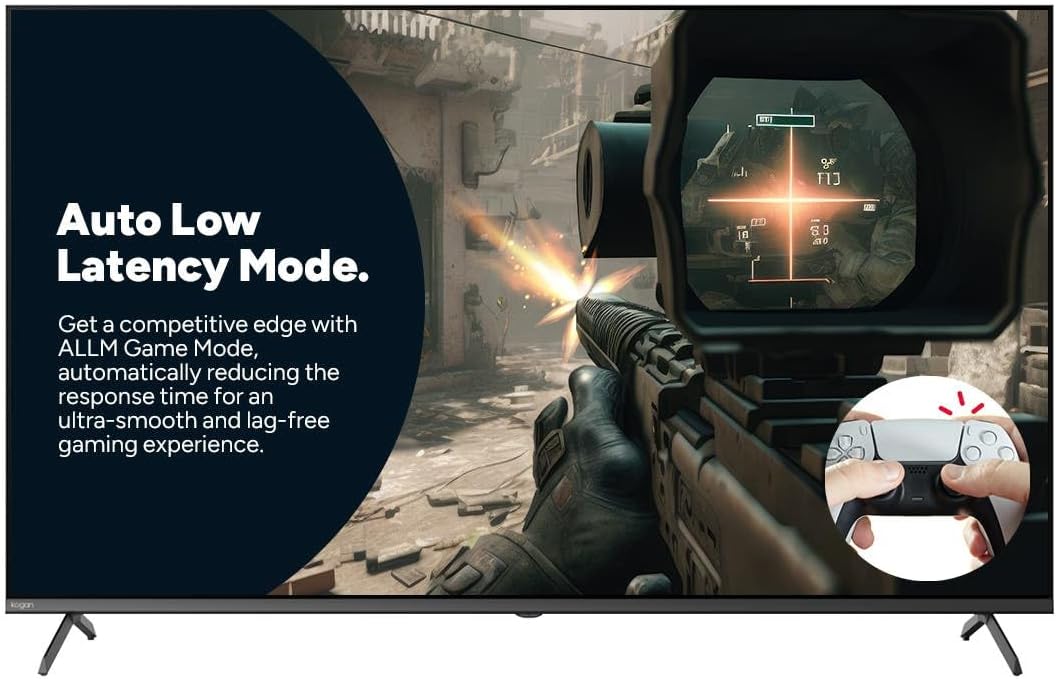
Figure 8: Auto Low Latency Mode for Gaming
This image highlights the benefits of Auto Low Latency Mode (ALLM) for gaming. It features a first-person shooter game scene, emphasizing how ALLM automatically reduces response time, providing a competitive edge with ultra-smooth and lag-free gameplay.
रिमोट कंट्रोल वापर
The included remote control allows you to navigate the Google TV interface, adjust settings, change channels, and control connected devices. Familiarize yourself with the button layout for optimal use.
देखभाल
टीव्ही साफ करणे
- स्क्रीन: मऊ, लिंट-फ्री कापडाने स्क्रीन हळूवारपणे पुसून टाका. हट्टी डागांसाठी, टीव्हीसाठी विशेषतः डिझाइन केलेले स्क्रीन क्लीनर वापरा, जे थेट स्क्रीनवर न लावता कापडावर लावले जाते.
- फ्रेम: टीव्हीची फ्रेम पुसून टाका आणि मऊ, कोरड्या कापडाने उभे करा.
- वापरू नका: अपघर्षक क्लीनर, मेण किंवा सॉल्व्हेंट्स वापरणे टाळा कारण ते टीव्हीच्या फिनिशला नुकसान पोहोचवू शकतात.
सामान्य काळजी
- जास्त गरम होऊ नये म्हणून टीव्हीभोवती पुरेसे वायुवीजन सुनिश्चित करा.
- टीव्हीला थेट सूर्यप्रकाश, उष्णतेचे स्रोत आणि जास्त धूळ यांपासून दूर ठेवा.
- वीज कोसळत असताना किंवा बराच काळ लक्ष न देता टीव्ही पॉवर आउटलेटमधून काढा.
समस्यानिवारण
If you encounter issues with your Kogan TV, refer to the following common problems and solutions. If the problem persists, contact Kogan customer support.
| समस्या | संभाव्य कारण / उपाय |
|---|---|
| शक्ती नाही | Check if the power cord is securely plugged into the TV and the wall outlet. Ensure the wall outlet has power. Try a different outlet. |
| चित्र / आवाज नाही | Verify the correct input source is selected (e.g., HDMI 1, TV). Check cable connections to external devices. Ensure volume is not muted or too low. |
| रिमोट कंट्रोल काम करत नाही | बॅटरी तपासा आणि बदला. रिमोट आणि टीव्हीच्या आयआर सेन्सरमध्ये कोणतेही अडथळे नाहीत याची खात्री करा. |
| खराब चित्र गुणवत्ता | Check antenna/cable connection. Adjust picture settings (brightness, contrast, sharpness). Ensure the source content is high quality. |
| इंटरनेट कनेक्शन नाही | Check Wi-Fi router and modem. Reconnect to the Wi-Fi network in TV settings. Try restarting the TV and router. |
तपशील
| वैशिष्ट्य | तपशील |
|---|---|
| ब्रँड | कोगन |
| मॉडेलचे नाव | Kogan 55" QLED 4K 144Hz Smart AI Google TV |
| मॉडेल क्रमांक | KAQL55XQ98GSTA |
| स्क्रीन आकार | 55 इंच |
| प्रदर्शन तंत्रज्ञान | QLED |
| ठराव | 4K (3840 x 2160) |
| रीफ्रेश दर | 144 Hz |
| ऑपरेटिंग सिस्टम | Google TV |
| रॅम आकार | 3 जीबी |
| विशेष वैशिष्ट्ये | Chromecast, Dolby Vision, HDR, MEMC, ALLM |
| कनेक्टिव्हिटी तंत्रज्ञान | यूएसबी, एचडीएमआय |
| ऑडिओ इनपुट सुसंगत | यूएसबी, एचडीएमआय |
| खंडtage | 240 व्होल्ट |
| आयटम वजन | 18.2 किलो |
| पॅकेजचे परिमाण | 134 x 85 x 14 सेमी |
हमी आणि समर्थन
For warranty information and technical support, please refer to the warranty card included with your product or visit the official Kogan website. You can also contact Kogan customer service directly for assistance with product issues or inquiries.
Kogan Support: https://www.kogan.com/au/help/
Ask a question about this manual
Ask about setup, troubleshooting, compatibility, parts, safety, or missing instructions. Manuals+ will review the question and use this page’s manual context to help answer it.