
परिचय
Welcome to the instruction manual for your new Ice-Watch ICE Digit Explorer digital watch. This watch is designed for children, featuring a durable silicone strap, a lightweight plastic case, and a clear digital display. This guide will help you understand the watch's functions, set the time, and maintain it for long-lasting use. Please read these instructions carefully before using your watch.
उत्पादन संपलेview
Familiarize yourself with the components and controls of your Ice-Watch ICE Digit Explorer.
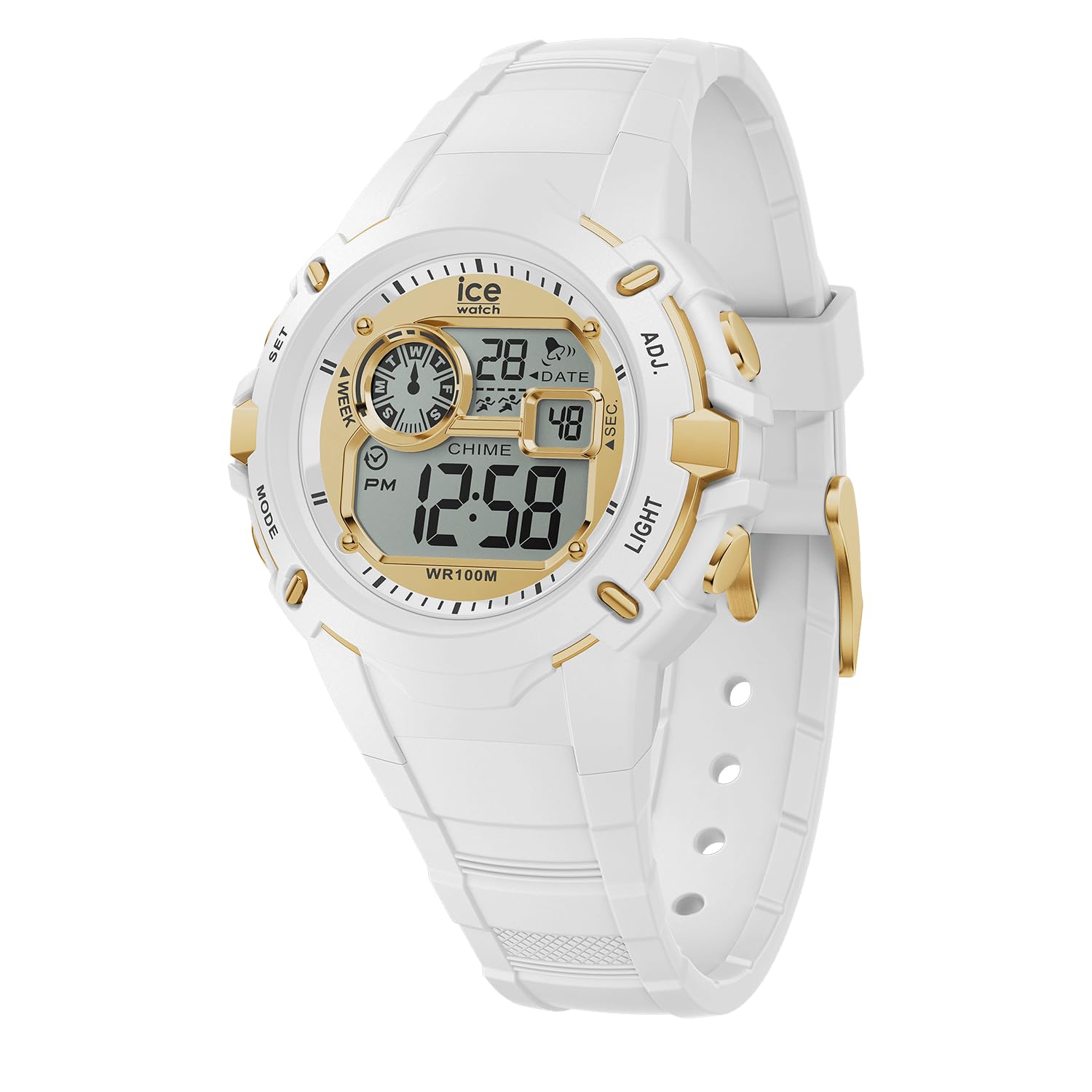
आकृती 1: समोर View घड्याळाचे. This image displays the watch face, showing the digital display with time, date, day of the week, and various indicators. The four control buttons are visible on the sides of the watch case.
- डिस्प्ले: वेळ, तारीख, दिवस आणि इतर निर्देशक दाखवते.
- बटणे: Four buttons located on the sides of the watch case for various functions.
- सेट (वर डावीकडे): Used to enter and confirm setting modes.
- मोड (खाली डावीकडे): Used to cycle through different display modes (Time, Alarm, Stopwatch).
- ADJ (Top Right): सेटिंग दरम्यान मूल्ये समायोजित करण्यासाठी वापरले जाते.
- प्रकाश (खाली उजवीकडे): कमी प्रकाश परिस्थितीत दृश्यमानतेसाठी बॅकलाइट सक्रिय करते.
- सिलिकॉन पट्टा: Comfortable and durable for daily wear.
- Buckle Clasp: Securely fastens the watch to the wrist.
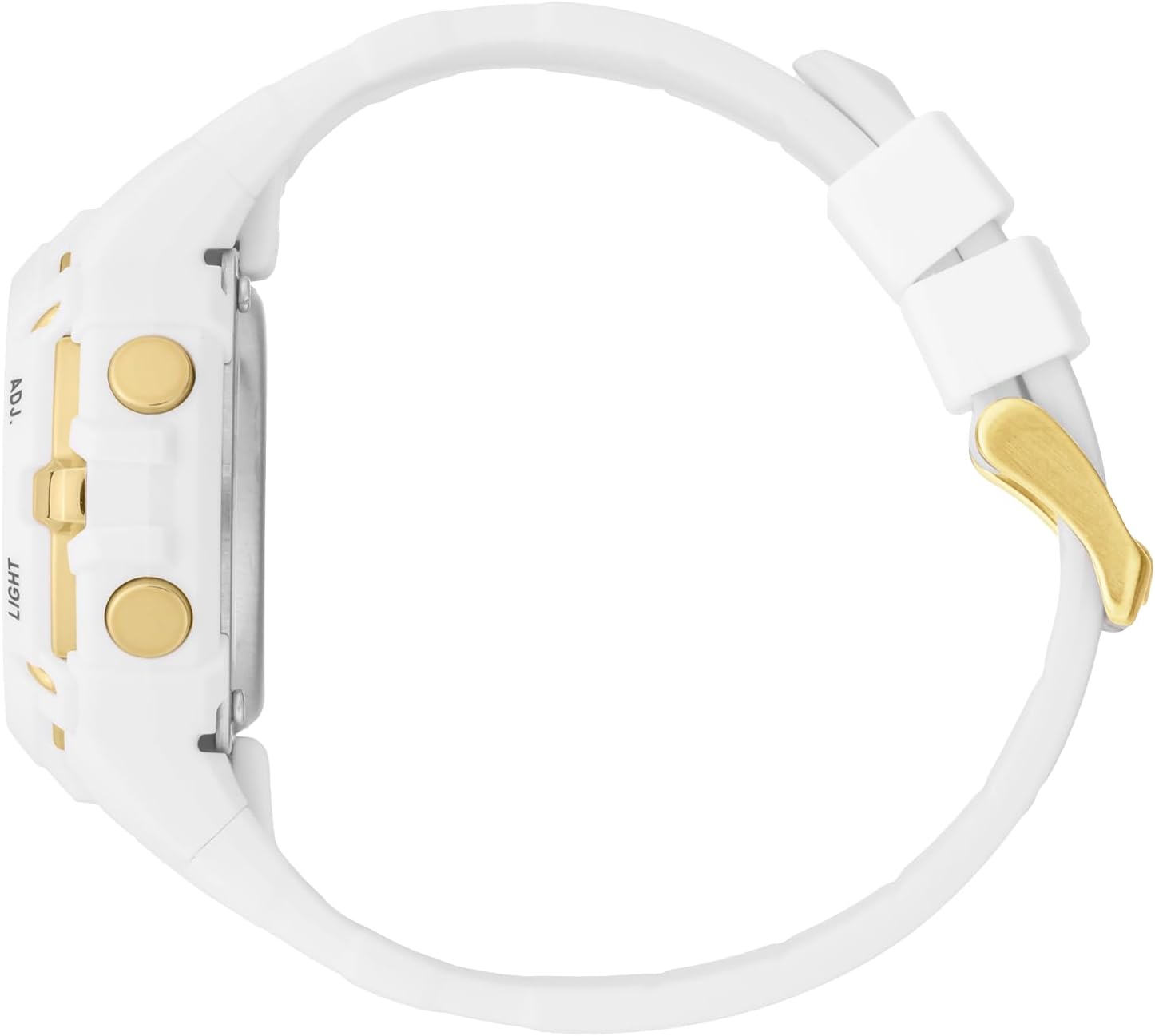
आकृती 2: बाजू View. This image highlights the ADJ (Adjust) and LIGHT buttons on the right side of the watch case.

आकृती 3: मागे View. This image shows the stainless steel caseback, which includes the Ice-Watch logo, model number, and water resistance rating (100M).
सेटअप
वेळ आणि तारीख सेट करणे
- सामान्य वेळेच्या प्रदर्शन मोडमध्ये, दाबा आणि धरून ठेवा सेट button until the seconds digits begin to flash. This indicates you are in setting mode.
- दाबा मोड सेटिंग्जमधून सायकल करण्यासाठी बटण: सेकंद → तास → मिनिटे → महिना → तारीख → आठवड्याचा दिवस.
- While a digit or setting is flashing, use the एडीजे button to increase the value or change the setting.
- Repeat step 3 for each setting (Hours, Minutes, Month, Date, Day).
- सर्व सेटिंग्ज समायोजित केल्यानंतर, दाबा सेट सेटिंग मोडमधून बाहेर पडण्यासाठी आणि तुमचे बदल जतन करण्यासाठी पुन्हा बटण दाबा.
12/24 तास स्वरूप
While setting the hours, pressing the एडीजे button will cycle between 12-hour (with PM indicator) and 24-hour formats.
घड्याळ चालवत आहे
प्रदर्शन मोड
दाबा मोड button to cycle through the different display modes:
- सामान्य वेळ प्रदर्शन: Shows current time, date, and day of the week.
- अलार्म मोडः अलार्म सेट करण्याची आणि सक्रिय करण्याची परवानगी देते.
- स्टॉपवॉच मोड: Used for timing events.
Using the Stopwatch (Chronograph)
- सामान्य वेळेच्या प्रदर्शनातून, दाबा मोड button until "ST" or "STOPWATCH" appears on the display.
- दाबा एडीजे स्टॉपवॉच सुरू करण्यासाठी बटण.
- दाबा एडीजे स्टॉपवॉच थांबवण्यासाठी पुन्हा बटण दाबा.
- पुन्हा सुरू करण्यासाठी, दाबा एडीजे बटण
- स्टॉपवॉच शून्यावर रीसेट करण्यासाठी, दाबा सेट स्टॉपवॉच थांबवलेले असताना बटण दाबा.
- दाबा मोड सामान्य वेळेच्या प्रदर्शनावर परत येण्यासाठी बटण.
अलार्म सेट करणे आणि वापरणे
- सामान्य वेळेच्या प्रदर्शनातून, दाबा मोड button until "AL" or "ALARM" appears on the display.
- दाबा आणि धरून ठेवा सेट अलार्म तासाचे अंक फ्लॅश होण्यास सुरुवात होईपर्यंत बटण.
- वापरा एडीजे इच्छित अलार्म तास सेट करण्यासाठी बटण.
- दाबा मोड button to move to the alarm minute digits.
- वापरा एडीजे इच्छित अलार्म मिनिटे सेट करण्यासाठी बटण.
- दाबा सेट अलार्म सेटिंग मोडची पुष्टी करण्यासाठी आणि बाहेर पडण्यासाठी बटण.
- अलार्म सक्रिय/निष्क्रिय करण्यासाठी, अलार्म मोडमध्ये, दाबा एडीजे button. An alarm icon (often a bell) will appear/disappear on the display.
- जेव्हा अलार्म वाजतो तेव्हा तो थांबवण्यासाठी कोणतेही बटण दाबा.
बॅकलाइट वापरणे
दाबा प्रकाश button (bottom right) to illuminate the display for a few seconds, improving visibility in dark conditions.
पाणी प्रतिकार
Your Ice-Watch ICE Digit Explorer is water resistant up to 10 ATM (100 meters). This means it is suitable for swimming, showering, and water sports. However, it is नाही suitable for scuba diving. Avoid pressing buttons while the watch is submerged to prevent water ingress.
देखभाल
तुमचे घड्याळ स्वच्छ करणे
To keep your watch clean, wipe it regularly with a soft, damp cloth. For the silicone strap, mild soap and water can be used. Ensure the watch is completely dry before wearing. Avoid using harsh chemicals or abrasive materials, as these can damage the watch's finish or components.
बॅटरी बदलणे
The watch is powered by a single battery (included). When the display becomes dim or the watch stops functioning, the battery may need replacement. Battery replacement should ideally be performed by a qualified watch technician to ensure proper sealing and maintain water resistance.
स्टोरेज
वापरात नसताना, तुमचे घड्याळ थेट सूर्यप्रकाश आणि अति तापमानापासून दूर थंड, कोरड्या जागी ठेवा.
समस्यानिवारण
| समस्या | संभाव्य कारण | उपाय |
|---|---|---|
| डिस्प्ले रिकामा किंवा मंद आहे. | कमी किंवा संपलेली बॅटरी. | बॅटरी बदला (व्यावसायिकाने शिफारस केलेली). |
| वेळ/तारीख सेट करता येत नाही. | Not in setting mode, or incorrect button sequence. | Ensure you press and hold the सेट button until digits flash. Follow the setting instructions carefully. |
| घड्याळाच्या आत पाणी. | Buttons pressed underwater, or seal compromised. | Stop using the watch immediately. Seek professional repair to prevent further damage. Avoid pressing buttons underwater. |
| बटणे प्रतिसाद देत नाहीत. | Dirt/debris, or internal malfunction. | Clean around the buttons. If issue persists, contact customer support. |
तपशील
| ब्रँड | ICE-WATCH |
| मॉडेल नाव / क्रमांक | ICE Digit Explorer / 023266 |
| डिस्प्ले प्रकार | डिजिटल |
| हालचाली प्रकार | क्वार्ट्ज |
| केस साहित्य | प्लास्टिक |
| केस व्यास | 40 मिलीमीटर |
| केस जाडी | 18 मिलीमीटर |
| बँड साहित्य | सिलिकॉन |
| बँड रुंदी | 17 मिलीमीटर |
| हस्तांदोलन प्रकार | बकल |
| डायल विंडो मटेरियल | खनिज |
| पाणी प्रतिकार | ५ एटीएम (५० मीटर) |
| विशेष वैशिष्ट्ये | क्रोनोग्राफ |
| आयटम वजन | 42 ग्रॅम |
| बॅटरी | 1 x Unknown (Included) |
हमी आणि समर्थन
उत्पादकाची हमी
Your Ice-Watch ICE Digit Explorer is covered by a manufacturer's warranty. Please refer to the warranty card included with your purchase for specific terms, conditions, and duration. Keep your proof of purchase for warranty claims.
ग्राहक समर्थन
For further assistance, technical support, or warranty inquiries, please contact Ice-Watch customer service. Contact details can typically be found on the official Ice-Watch webतुमच्या उत्पादनाच्या साइटवर किंवा पॅकेजिंगवर.
टीप: The official Ice-Watch webसाइट आहे www.ice-watch.com.