
STRONG SRT32HG6733C
STRONG SRT32HG6733C 32-inch HD Android Smart TV User Manual
Model: SRT32HG6733C
परिचय
This manual provides essential information for the setup, operation, and maintenance of your STRONG SRT32HG6733C 32-inch HD Android Smart TV. Please read these instructions carefully before using the product to ensure proper functionality and safety.
बॉक्समध्ये काय आहे
अनपॅक करताना, खाली सूचीबद्ध केलेल्या सर्व वस्तू उपस्थित आहेत आणि चांगल्या स्थितीत आहेत याची पडताळणी करा:
- STRONG SRT32HG6733C TV Unit
- Remote control with voice recognition
- 2 x AAA बॅटरी
- वापरकर्ता मॅन्युअल (हा दस्तऐवज)

Image: The STRONG SRT32HG6733C TV unit with its central stand, remote control, and included accessories.
सेटअप
२. स्टँड जोडणे
Carefully place the TV screen-down on a soft, clean surface to prevent scratches. Align the central stand with the mounting holes on the bottom of the TV. Secure the stand using the provided screws. Ensure the stand is firmly attached before proceeding.

प्रतिमा: मागचा भाग view of the TV showing the central stand attachment points and various input ports.
2. कनेक्टिंग पॉवर
पॉवर कॉर्ड टीव्हीच्या पॉवर इनपुटमध्ये प्लग करा, नंतर भिंतीवरील आउटलेटमध्ये. टीव्ही स्टँडबाय मोडमध्ये जाईल.
३.३. प्रारंभिक सेटअप आणि नेटवर्क कनेक्शन
Upon first power-on, the TV will guide you through the initial setup process. This includes language selection, country, and network connection. For optimal Smart TV functionality, connect to your Wi-Fi network. You can also connect via an Ethernet cable for a stable wired connection.

Image: The TV screen displaying connectivity options, highlighting Wi-Fi and Bluetooth symbols.
ऑपरेटिंग सूचना
मूलभूत कार्ये
- पॉवर चालू/बंद: रिमोट कंट्रोल किंवा टीव्हीवरील पॉवर बटण दाबा.
- चॅनल निवड: Use the CH+/- buttons or the number pad on the remote.
- आवाज नियंत्रण: VOL+/- बटणे वापरा.
- इनपुट स्रोत: Press the SOURCE button to select between HDMI, AV, DVB-T/T2, DVB-C, DVB-S/S2 inputs.
स्मार्ट टीव्ही वैशिष्ट्ये (गुगल टीव्ही)
Your TV runs on Google TV, providing access to a wide range of applications and services.
- होम स्क्रीन: Access your favorite apps, movies, and shows directly from the customizable home screen.
- स्ट्रीमिंग अॅप्लिकेशन्स: Pre-installed apps include Netflix, Prime Video, YouTube, and Disney+. Additional apps can be downloaded from the Google Play Store.
- Google सहाय्यक: Use the voice recognition remote to control your TV, search for content, and get information by pressing the Google Assistant button and speaking your command.
- Google Cast: Stream content from your compatible smartphone or tablet directly to the TV.

Image: The TV screen showing the Google TV interface with icons for Netflix, YouTube, Prime Video, Disney+, and other streaming services.

Image: A user holding the voice-controlled remote, with a visual representation of Google Assistant responding to a voice command on the TV screen.
कनेक्टिव्हिटी
बाह्य उपकरणे जोडण्यासाठी टीव्हीमध्ये विविध पोर्ट आहेत:
- HDMI पोर्ट (x2): Connect Blu-ray players, game consoles, or other HDMI-enabled devices.
- यूएसबी पोर्ट (x1): मीडिया प्ले करा files (photos, videos, music) from a USB storage device.
- Ethernet (RJ45) Port: वायर्ड इंटरनेट कनेक्शनसाठी.
- Antenna (ANT in) / Satellite (SAT in) Inputs: Connect your terrestrial or satellite antenna for live TV.
- सीआय स्लॉट: कंडिशनल अॅक्सेस मॉड्यूल्स (CAM) साठी एन्क्रिप्टेड चॅनेल डिक्रिप्ट करण्यासाठी.
- SPDIF आउटपुट: साउंडबार किंवा होम थिएटर सिस्टममध्ये डिजिटल ऑडिओ आउटपुटसाठी.
- एव्ही इन: संमिश्र व्हिडिओ आणि स्टीरिओ ऑडिओ वापरून जुनी उपकरणे कनेक्ट करण्यासाठी.
- हेडफोन आउटपुट: हेडफोन कनेक्ट करण्यासाठी.

प्रतिमा: तपशीलवार मागचा भाग view of the TV highlighting all available input and output ports, including AV in, HDMI, USB, Ethernet, S/PDIF, ANT in, SAT in, CI slot, and Headphone output.
व्हिडिओ: एक छोटीशी पूर्वतयारीview demonstrating the TV's use in a mobile setting, such as a camper van, showing its compact size and clear display for entertainment on the go.
देखभाल
टीव्ही साफ करणे
स्क्रीन स्वच्छ करण्यासाठी, मऊ, लिंट-फ्री कापडाने हळूवारपणे पुसून टाका. हट्टी खुणा असल्यास, किंचित डीampen the cloth with water or a screen-cleaning solution. Avoid using harsh chemicals or abrasive materials. Clean the TV casing with a dry, soft cloth.
सॉफ्टवेअर अद्यतने
Your Android TV may receive software updates periodically. Ensure your TV is connected to the internet to receive these updates. Updates can improve performance, add new features, and enhance security. You can check for updates manually in the TV's settings menu.
समस्यानिवारण
| समस्या | संभाव्य उपाय |
|---|---|
| शक्ती नाही | पॉवर कॉर्ड टीव्ही आणि वॉल आउटलेटमध्ये सुरक्षितपणे जोडलेला आहे का ते तपासा. आउटलेट कार्यरत आहे याची खात्री करा. |
| चित्र नाही, पण आवाज आहे. | योग्य इनपुट स्रोत निवडला आहे का ते तपासा. बाह्य उपकरणांशी केबल कनेक्शन तपासा. |
| आवाज नाही, पण चित्र आहे. | Check the volume level and mute status. Ensure audio cables are correctly connected if using external speakers. |
| रिमोट कंट्रोल काम करत नाही | बॅटरी बदला. रिमोट आणि टीव्हीच्या आयआर सेन्सरमध्ये कोणतेही अडथळे नाहीत याची खात्री करा. |
| Wi-Fi शी कनेक्ट करू शकत नाही | Ensure your router is on and working. Re-enter the Wi-Fi password. Try restarting both the TV and the router. |
| स्मार्ट टीव्ही अॅप्स हळू किंवा प्रतिसाद देत नाहीत | Check your internet connection speed. Close unused applications. Restart the TV. |
तपशील
| वैशिष्ट्य | तपशील |
|---|---|
| मॉडेल क्रमांक | SRT32HG6733C |
| स्क्रीन आकार | 32 इंच (81 सेमी) |
| प्रदर्शन तंत्रज्ञान | एलईडी |
| ठराव | HD Ready (1366 x 768p) |
| ऑपरेटिंग सिस्टम | Google TV |
| कनेक्टिव्हिटी | Wi-Fi, Bluetooth, 2x HDMI, 1x USB, Ethernet (RJ45), AV In, SPDIF, ANT in, SAT in, CI Slot |
| ट्यूनर्स | DVB-T/T2, DVB-C, DVB-S/S2 (HEVC 265 codec) |
| विशेष वैशिष्ट्ये | Google Assistant, Google Cast, Dolby Audio |
| परिमाण (W x D x H) | ७३.९ x ४७.२ x १६.८ सेमी (स्टँडसह) |
| समाविष्ट घटक | TV, Voice Remote, 2x AAA Batteries, Manual |
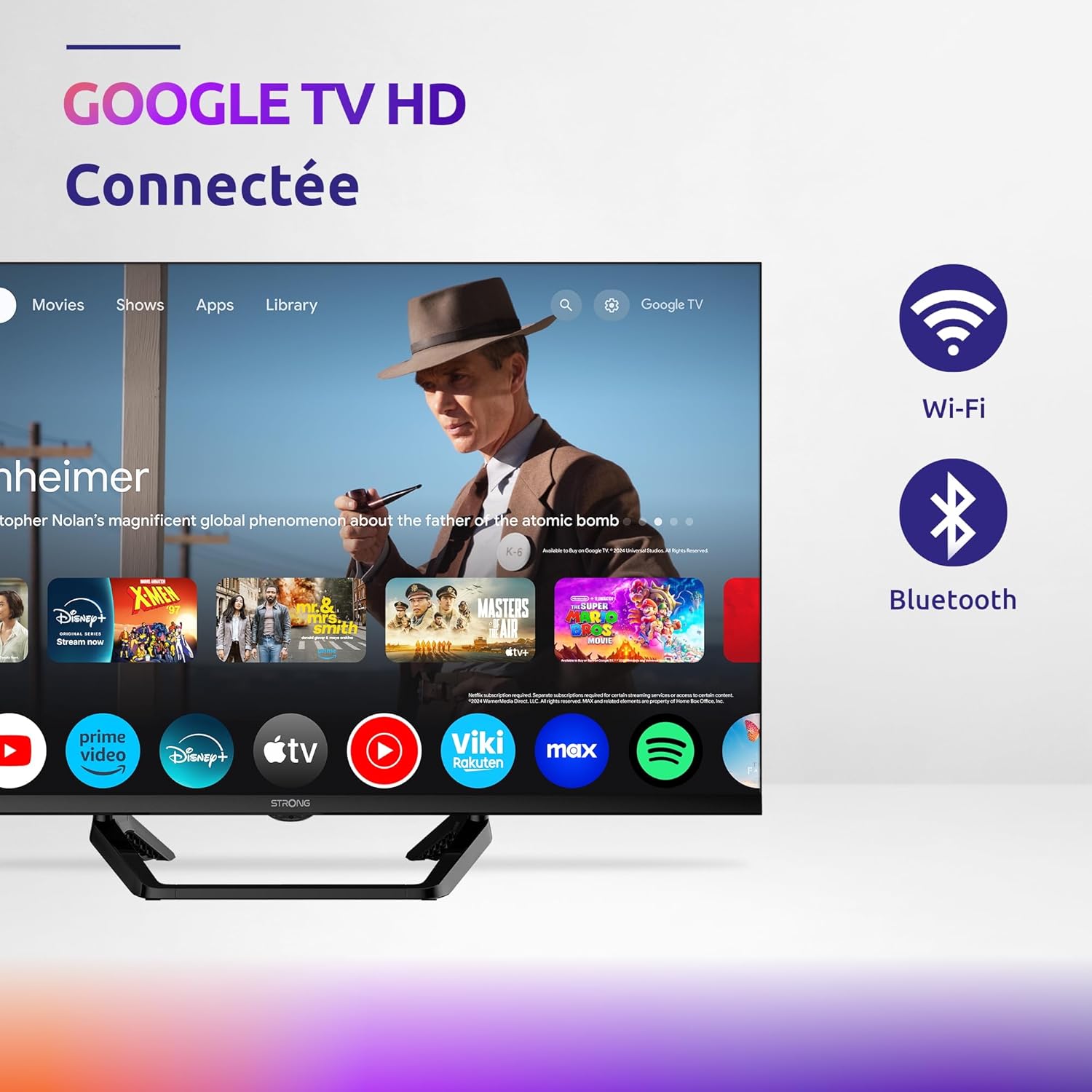
Image: Diagram showing the dimensions of the STRONG SRT32HG6733C TV, including width, height, and depth with the central stand.
हमी आणि समर्थन
This product comes with a manufacturer's warranty of 24 months. For warranty claims or technical support, please refer to the contact information provided on the official STRONG webसाइट किंवा तुमचे खरेदी दस्तऐवजीकरण.
For frequently asked questions and additional resources, visit the STRONG Brand Store.


Images: Icons representing warranty information and frequently asked questions.
Ask a question about this manual
Ask about setup, troubleshooting, compatibility, parts, safety, or missing instructions. Manuals+ will review the question and use this page’s manual context to help answer it.