
परिचय
This manual provides detailed instructions for the VOLT PLUS TECH VPT-1258-B Portable Bluetooth Earbuds. Please read this guide thoroughly before using your device to ensure proper operation and maintenance.
बॉक्समध्ये काय आहे:
- 2 एक्स ईरबड्स
- 1 x चार्जिंग केबल (USB-C)
- 3 x Ear Adapters (pairs of small, medium, large)
- 1 x Power Bank Charging Case
- 1 x वापरकर्ता मॅन्युअल
सुरक्षितता माहिती
- डिव्हाइसला अति तापमान किंवा आर्द्रता उघड करू नका.
- Keep the charging case dry; it is नाही जलरोधक
- इअरबड्स किंवा चार्जिंग केस वेगळे करण्याचा किंवा बदलण्याचा प्रयत्न करू नका.
- स्थानिक नियमांनुसार डिव्हाइसची जबाबदारीने विल्हेवाट लावा.
- श्रवणाचे नुकसान टाळण्यासाठी वाढीव कालावधीसाठी उच्च आवाजाच्या पातळीवर ऐकणे टाळा.
सेटअप
४.१. इअरबड्स आणि केस चार्ज करणे
Before first use, fully charge the charging case and earbuds. Connect the provided USB-C charging cable to the charging port on the case and a suitable power source. The LED display on the case will indicate the current battery level and charging status.

Image: The black charging case with a digital LED display and two earbuds resting beside it.

Image: A close-up of the open charging case, showing the earbuds inside and the LED display indicating battery percentage.
९. सुरुवातीची जोडणी
- Remove both earbuds from the charging case. They will automatically power on. A blue indicator light will illuminate.
- Alternatively, press and hold the touch area on both earbuds for 3 seconds to manually power them on. A blue indicator light will flash.
- Wait for both earbuds to automatically pair with each other. Once successfully paired, one earbud's indicator light will flash blue and red alternatively, indicating it is ready for device pairing.
- On your mobile device, enable Bluetooth and search for available devices. Select "JS25" यादीतून.
- Once connected, a voice prompt "Connected" will confirm successful pairing.
- After initial pairing, your earbuds will automatically connect to the last paired device when powered on and Bluetooth is enabled on the device.
- If pairing fails, place the earbuds back into the charging case, close the lid, and then repeat the steps from the beginning.

Image: A visual guide demonstrating the quick pairing steps for the earbuds, showing the earbuds and charging case.
ऑपरेटिंग सूचना
पॉवर चालू/बंद
- पॉवर चालू: Remove earbuds from the charging case, or press and hold the touch area on either earbud for 3 seconds.
- वीज बंद: Place earbuds back into the charging case and close the lid. They will automatically disconnect and power off.

Image: Illustration showing earbuds automatically connecting when removed from the case and shutting down when placed back in.
कॉल व्यवस्थापन
- उत्तर द्या/कॉल संपवा: दोन्ही इयरबडवरील टच एरियावर एकदा टॅप करा.
- कॉल नाकारणे: Press and hold the touch area on either earbud for 2 seconds.
संगीत प्लेबॅक
- प्ले/पॉज: दोन्ही इयरबडवरील टच एरियावर एकदा टॅप करा.
- पुढील गाणे: वर दोनदा टॅप करा बरोबर इअरबड
- मागील गाणे: वर दोनदा टॅप करा बाकी इअरबड
- आवाज वाढवणे: तिहेरी टॅप करा बरोबर इअरबड
- आवाज कमी: तिहेरी टॅप करा बाकी इअरबड
व्हॉइस असिस्टंट
- व्हॉईस सहाय्यक सक्रिय करा: Press and hold the touch area on either earbud for 2 seconds (after rejecting a call, if applicable).
आवाज कमी करणे
These earbuds feature CVC 8.0 intelligent noise reduction technology to enhance call clarity and music listening experience by reducing ambient noise.
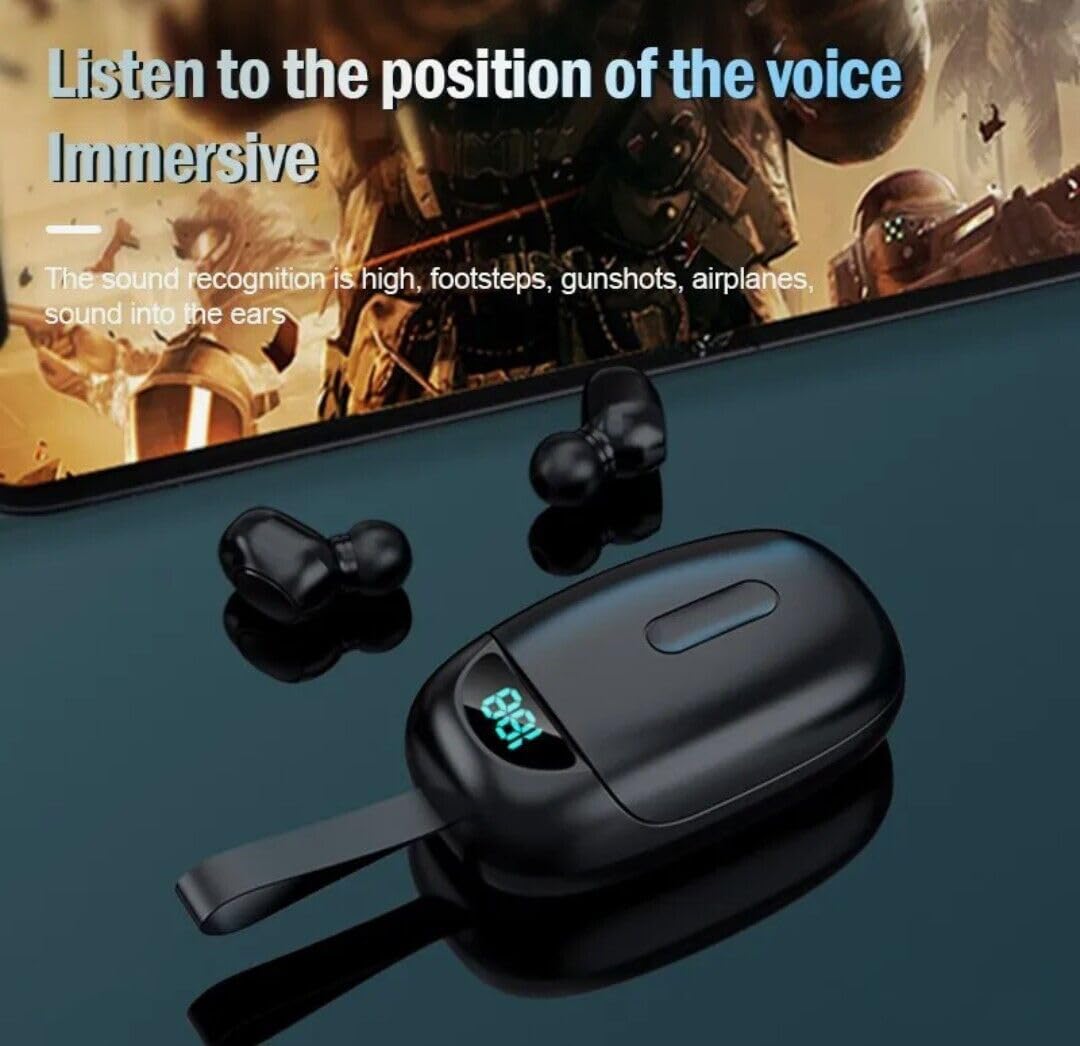
Image: Earbuds and charging case with a background suggesting an immersive audio experience, highlighting sound quality.
देखभाल
- स्वच्छता: इअरबड्स आणि चार्जिंग केस स्वच्छ करण्यासाठी मऊ, कोरडे कापड वापरा. द्रव किंवा अपघर्षक क्लीनर वापरू नका.
- स्टोरेज: इयरबड्स वापरात नसताना त्यांच्या चार्जिंग केसमध्ये साठवा आणि त्यांना चार्ज करून ठेवा.
- पाणी प्रतिकार: The earbuds are IPX4 waterproof/sweatproof, suitable for running and gym use. चार्जिंग केस जलरोधक नाही. चार्जिंग केस पाण्यासमोर आणणे टाळा.
समस्यानिवारण
- इअरबड्स एकमेकांशी जोडले जात नाहीत: Place both earbuds back in the charging case, close the lid, then remove them to re-initiate the automatic pairing process.
- इअरबड्स डिव्हाइसशी कनेक्ट होत नाहीत: Ensure Bluetooth is enabled on your device and the earbuds are charged. Forget "JS25" from your device's Bluetooth list and repeat the pairing process from step 2.
- फक्त एकच इअरबड काम करत आहे: Place both earbuds back in the case, then remove them. If the issue persists, try resetting them by holding the touch area on both earbuds for approximately 10 seconds while they are out of the case, then re-pair.
- आवाज नाही: Check the volume level on both your connected device and the earbuds. Ensure the earbuds are properly connected to your device.
तपशील
- ब्रँड: व्होल्ट प्लस टेक
- मॉडेल: VPT-1258-B
- ब्लूटूथ आवृत्ती: 5.3
- ब्लूटूथ श्रेणी: २५ फूट (७.६२ मीटर)
- इअरबड बॅटरी लाइफ: Up to 24 hours with charging case
- चार्जिंग बॅटरी क्षमता: 2000mAh
- Water Resistance (Earbuds): IPX4 (sweatproof/splashproof)
- आवाज नियंत्रण: Active Noise Cancellation, Passive Noise Cancellation, Sound Isolation (CVC 8.0)
- ऑडिओ ड्रायव्हर आकार: 26 मिलीमीटर
- नियंत्रण पद्धत: स्पर्श करा
- सुसंगत उपकरणे: Android, iOS, Mac, Motorola Moto G100, Windows
हमी माहिती
हे उत्पादन कव्हर केलेले आहे Manufacturers Limited 1 Year Warranty. Please retain your proof of purchase for warranty claims. For specific terms and conditions, refer to the warranty documentation included with your product or contact the manufacturer directly.
सपोर्ट
For further assistance, technical support, or inquiries not covered in this manual, please visit the VOLT PLUS TECH official webसाइटवर किंवा त्यांच्या ग्राहक सेवा विभागाशी संपर्क साधा. संपर्क माहिती सामान्यतः उत्पादन पॅकेजिंगवर किंवा उत्पादकाच्या webसाइट