
1. परिचय
Thank you for choosing the VCHICS Digital Audio Amplifier Receiver Module. This device is designed to provide versatile audio playback options, including Bluetooth, USB, TF card, and FM radio, with adjustable bass and treble controls. This manual will guide you through the setup, operation, and maintenance of your ampजीवनदायी मॉड्यूल.
2. प्रमुख वैशिष्ट्ये
- MP3 music playback from TF card, USB disk, and Bluetooth.
- Adjustable Treble, Bass, and Master Volume controls.
- Integrated Bluetooth receiver for wireless audio streaming.
- Built-in FM radio function.
- AUX port for connection to PC, phone, or CD players.
- Supports AC 110-220V or DC 12-24V input voltage.
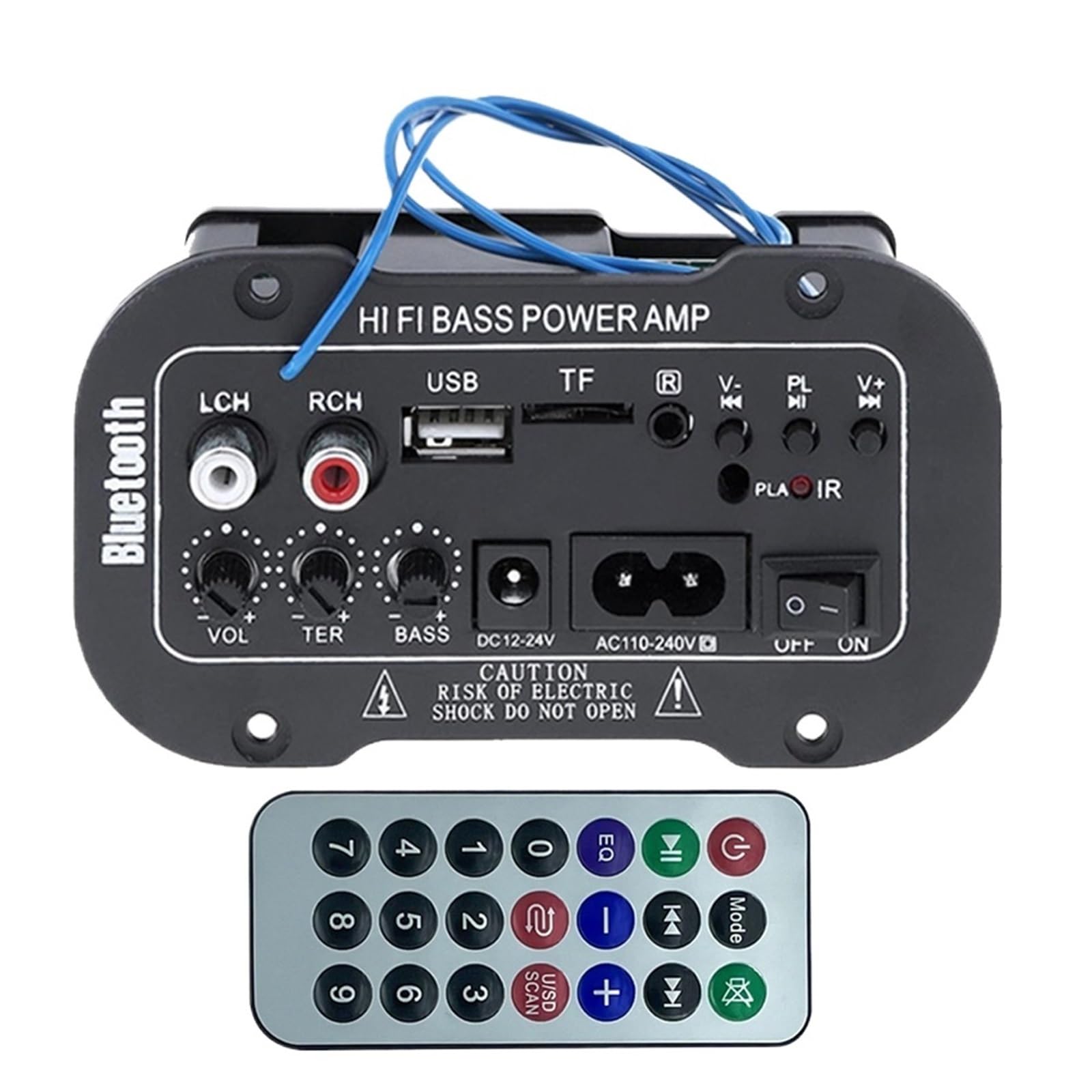
आकृती 1: ओव्हरview of the VCHICS Digital Audio Amplifier Receiver Module.
3. तपशील
| तपशील | मूल्य |
|---|---|
| ब्लूटूथ आवृत्ती | 2.1+EDR |
| संचालन खंडtage | 9-20 व्ही डीसी |
| कार्यरत शक्ती | 25-30 डब्ल्यू |
| कोडेक | SBC |
| प्रतिबाधा | 4 ओम |
| स्पीकर युनिट आकार | 133 मिमी |
| संवेदनशीलता | 200hv |
| वारंवारता प्रतिसाद | 20-20000 Hz |
| आयटम वजन | 400 ग्रॅम |
| चॅनेलची संख्या | 1 |
| मॉडेल क्रमांक | 1005005454581585 |

Figure 2: Product dimensions (11.7cm x 6.5cm x 4.5cm / 10cm x 4cm).
4. नियंत्रणे आणि जोडणी
Familiarize yourself with the various controls and connection ports on your ampलाइफायर मॉड्यूल:

आकृती 3: तपशीलवार view of controls and connection points.
- LCH / RCH (Audio Input): Left and Right channel audio input for external devices.
- यूएसबी स्लॉट: MP3 प्लेबॅकसाठी USB फ्लॅश ड्राइव्ह कनेक्ट करण्यासाठी.
- TF स्लॉट: For inserting TF (MicroSD) cards for MP3 playback.
- Previous / Next (V- / V+): Navigate tracks or adjust volume in certain modes.
- Play / Pause (PL/IR): Play/pause audio, or initiate FM scan. IR indicates Infrared Sensor for remote control.
- सूचक: स्थिती प्रकाश.
- इन्फ्रारेड सेन्सर: For receiving signals from a remote control (if included or compatible).
- बंद चालु: Power switch for the module.
- AC110-240V: एसी पॉवर इनपुट.
- DC12-24V: डीसी पॉवर इनपुट.
- बास समायोजित करा: Rotary knob to adjust bass levels.
- ट्रेबल समायोजन: Rotary knob to adjust treble levels.
- आवाज समायोजित करा: Rotary knob to adjust master volume.
- ब्लूटूथ बटण: ब्लूटूथ मोड सक्रिय करते.
5. सेटअप
5.1 वीज जोडणी
- याची खात्री करा amplifier module is switched OFF.
- Connect the appropriate power supply to either the AC110-240V input or the DC12-24V input. Use only the specified voltagनुकसान टाळण्यासाठी e श्रेणी.
5.2 स्पीकर कनेक्शन
Connect your speakers to the output terminals of the amplifier module. Ensure correct polarity (+/-) for optimal sound quality.
5.3 Antenna Connection (for FM Radio)
If using the FM radio function, connect the provided FM antenna to the designated antenna port for better reception.
6. ऑपरेटिंग सूचना
6.1 पॉवर चालू/बंद
टॉगल करा बंद चालु switch to power on or power off the module.
6.2 ब्लूटूथ कनेक्शन
- दाबा मोड button (or the Bluetooth button if labeled) to switch the amplifier to Bluetooth mode.
- On your mobile phone or Bluetooth device, open the Bluetooth settings and search for available devices.
- निवडा amplifier's Bluetooth device name (usually "Bluetooth" or similar) from the list to connect.
- Once successfully paired, you can play audio from your device through the ampलाइफायर
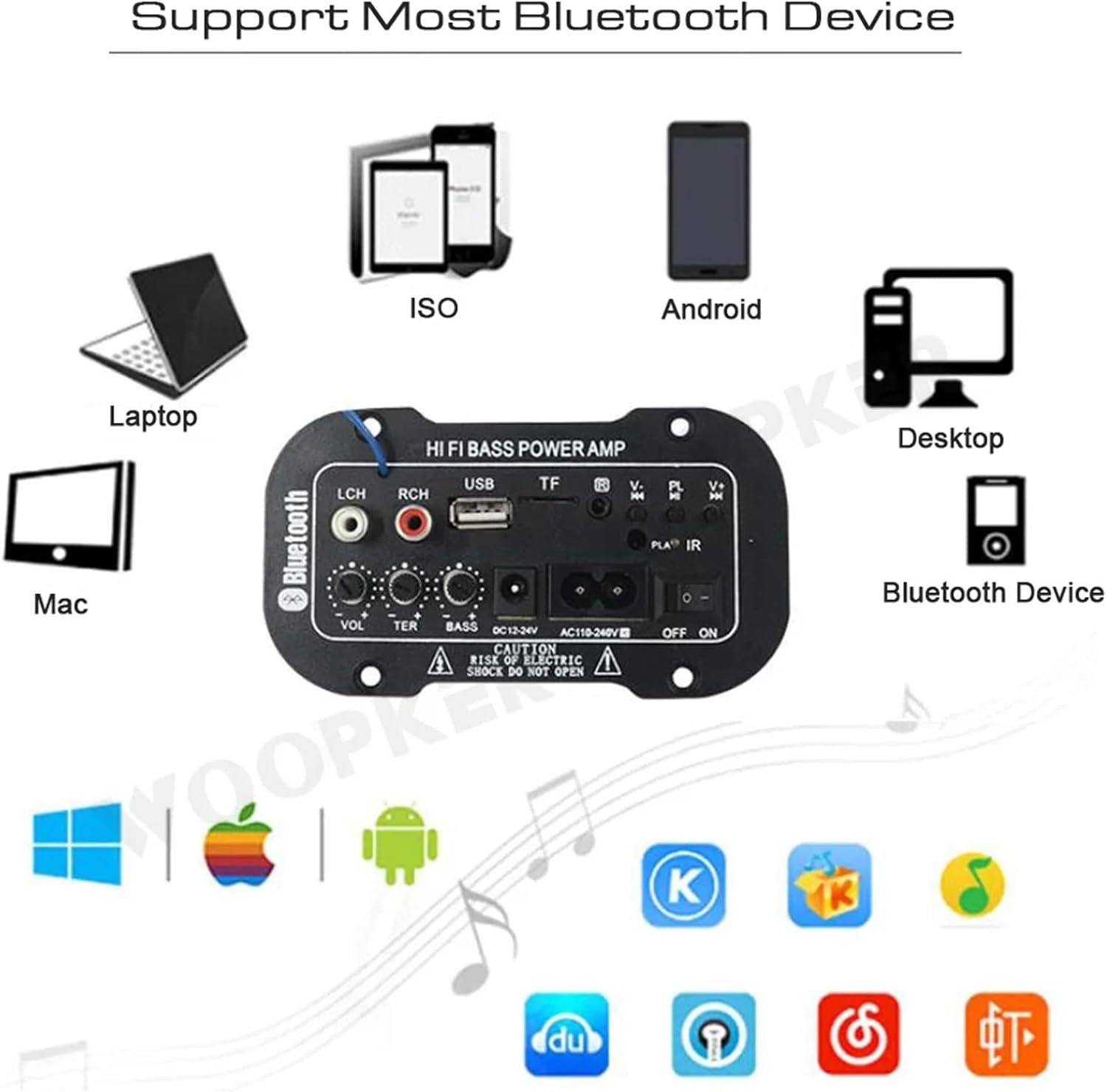
आकृती ३४: द amplifier module supports various Bluetooth devices including laptops, phones, and desktops.
५.५ एफएम रेडिओ ऑपरेशन
- Ensure the radio antenna is properly connected.
- दाबा मोड स्विच करण्यासाठी बटण amplifier to FM radio mode.
- दाबा खेळा/विराम द्या button to initiate an automatic scan for all available FM channels. The module will save them automatically.
- वापरा मागील / पुढे buttons to switch between saved radio stations.
६.४ यूएसबी / टीएफ कार्ड प्लेबॅक
- मध्ये USB फ्लॅश ड्राइव्ह घाला यूएसबी स्लॉट or a TF (MicroSD) card into the टीएफ स्लॉट.
- The module should automatically detect the storage device and begin playing MP3 files. नसल्यास, दाबा मोड button to cycle through input sources until USB or TF mode is active.
- वापरा मागील / पुढे buttons to change tracks and the खेळा/विराम द्या प्लेबॅक नियंत्रित करण्यासाठी बटण.
6.5 AUX इनपुट
Connect an external audio source (e.g., PC, phone, CD player) to the LCH / RCH (Audio Input) ports using an appropriate audio cable. Press the मोड button to select the AUX input source.
७.१० ऑडिओ समायोजित करणे
वापरा खंड समायोजित करा, ट्रेबल समायोजित करा, आणि बास समायोजित करा rotary knobs to fine-tune your audio output to your preference.
7. समस्या निवारण
- शक्ती नाही: Ensure the power cable is securely connected and the power switch is in the ON position. Verify the power source is active and providing the correct voltage (AC 110-240V or DC 12-24V).
- आवाज नाही: Check speaker connections for correct polarity. Ensure the volume is turned up. Verify the correct input mode (Bluetooth, FM, USB, TF, AUX) is selected. Test with a different audio source.
- ब्लूटूथ कनेक्ट होत नाही: याची खात्री करा amplifier is in Bluetooth mode. Ensure your device's Bluetooth is enabled and within range. Try restarting both the ampलाइफायर आणि तुमचे ब्लूटूथ डिव्हाइस.
- खराब एफएम रिसेप्शन: Ensure the FM antenna is properly connected and extended. Try repositioning the antenna or the amplifier for better signal.
- USB/TF कार्ड वाजत नाही: Ensure the USB drive or TF card contains compatible MP3 audio files. Check that the storage device is inserted correctly and not corrupted.
8. देखभाल
- ठेवा amplifier module clean by wiping it with a soft, dry cloth.
- डिव्हाइसला ओलावा, अति तापमान किंवा थेट सूर्यप्रकाशाच्या संपर्कात आणणे टाळा.
- Do not attempt to disassemble or repair the module yourself, as this may void any warranty and cause damage.
9. हमी आणि समर्थन
वॉरंटी माहिती आणि तांत्रिक समर्थनासाठी, कृपया खरेदीच्या वेळी प्रदान केलेले दस्तऐवज पहा किंवा तुमच्या किरकोळ विक्रेत्याशी संपर्क साधा. कोणत्याही वॉरंटी दाव्यांसाठी तुमचा खरेदीचा पुरावा ठेवा.