
1. परिचय
Thank you for choosing the OTIC 10.1-inch Portable Dual Screen Car DVD Player. This device is designed to provide versatile entertainment on the go, featuring two synchronized screens, a long-lasting rechargeable battery, and broad media compatibility. This manual will guide you through the proper setup, operation, and maintenance of your new DVD player to ensure optimal performance and longevity.
2. पॅकेज सामग्री
Please check the package carefully to ensure all items are present and in good condition. If any items are missing or damaged, please contact your retailer.
- 1 x Main DVD Player Unit
- 1 x Slave Monitor Unit
- 1 x AC/DC पॉवर अडॅप्टर
- 1 x DC to DC Connection Cable
- 1 x AV Connection Cable
- १ x कार चार्जर अडॅप्टर
- 1 x रिमोट कंट्रोल (बॅटरी समाविष्ट)
- 2 एक्स ईरबड्स
- २ x माउंटिंग स्ट्रॅप्स
- १ x वापरकर्ता मॅन्युअल (हे दस्तऐवज)
- 1 x द्रुत प्रारंभ मार्गदर्शक

टीप: The remote control requires 2 AAA batteries, which are included.
3. प्रमुख वैशिष्ट्ये
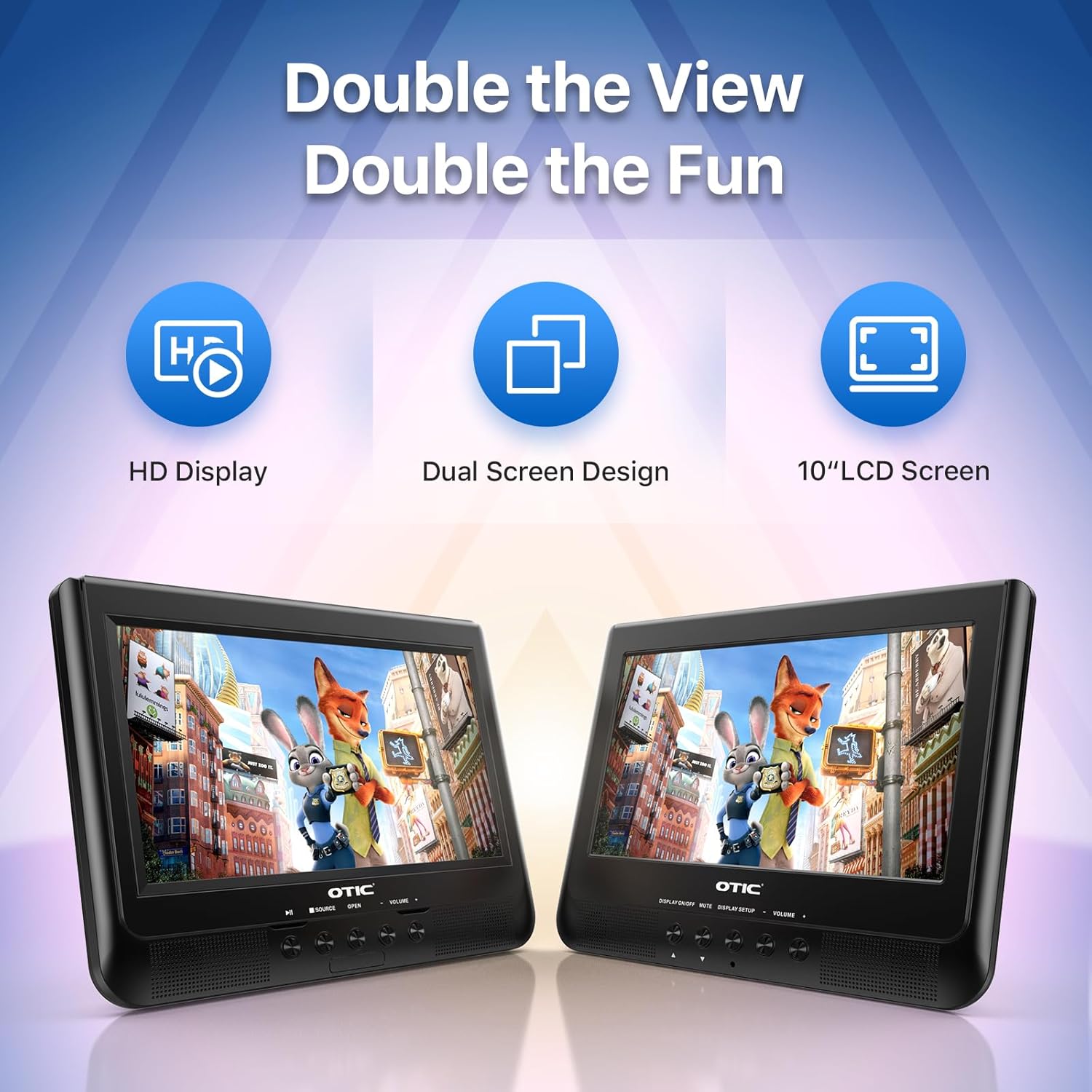
- Dual Display Capability: Connect the host DVD player to the slave monitor using the included AV cable for synchronized viewing of the same content.
- High-Resolution Screens: Both 10.1-inch displays feature a resolution of 1024 x 600 pixels. The main unit's screen can rotate 270° and flip 180° for optimal viewकोन.
- विस्तारित बॅटरी आयुष्य: Equipped with a built-in 2500 mAh rechargeable battery, providing 3-5 hours of continuous video playback.
- Versatile Media Support: Plays various formats including CD, DVD, CD-R/RW, DVD±R/±RW, VCD/SVCD. Supports USB drives and SD cards up to 32GB for video (VOB, AVI, MPEG1, MPEG2, XVID), audio (MP3, WMA), and image (JPG, JPEG) files. (Note: Blu-ray DVDs are not supported.)
- अंतिम मेमरी कार्य: Automatically resumes playback from where you left off, ensuring a seamless viewअनुभव.
- वर्धित ऑडिओ: Integrated dual stereo speakers deliver clear sound. A 3.5mm headphone jack is available for private listening.
- एव्ही इनपुट/आउटपुट: Allows connection to larger TV screens for shared viewing or to external video sources.
4. सेटअप मार्गदर्शक
4.1 प्रारंभिक चार्जिंग
Before first use, fully charge the main DVD player unit. Connect the AC/DC power adapter to the player's DC IN port and plug it into a wall outlet. The charging indicator light will typically turn off or change color when fully charged.
4.2 Connecting the Dual Screens
- Locate the AV OUT port on the main DVD player unit.
- Locate the AV IN port on the slave monitor unit.
- Connect the included AV connection cable between the AV OUT of the main unit and the AV IN of the slave unit.
- Connect the DC to DC connection cable from the main unit's DC OUT port to the slave unit's DC IN port to power the slave monitor.
4.3 डिव्हाइसला पॉवर करणे
- एसी पॉवर: Use the AC/DC power adapter for home use.
- Car Power: Use the car charger adapter to power the unit from your vehicle's 12V power outlet.
- बॅटरी पॉवर: The built-in rechargeable battery provides portable power for outdoor use.
4.4 Mounting in a Vehicle
Use the provided mounting straps to securely attach the DVD player and slave monitor to the headrests in your car. Ensure they are positioned safely and do not obstruct the driver's view किंवा एअरबॅग तैनात करणे.

5. ऑपरेटिंग सूचना
४.१ मूलभूत प्लेबॅक
- पॉवर चालू: Press the 'POWER' button on the unit or remote control.
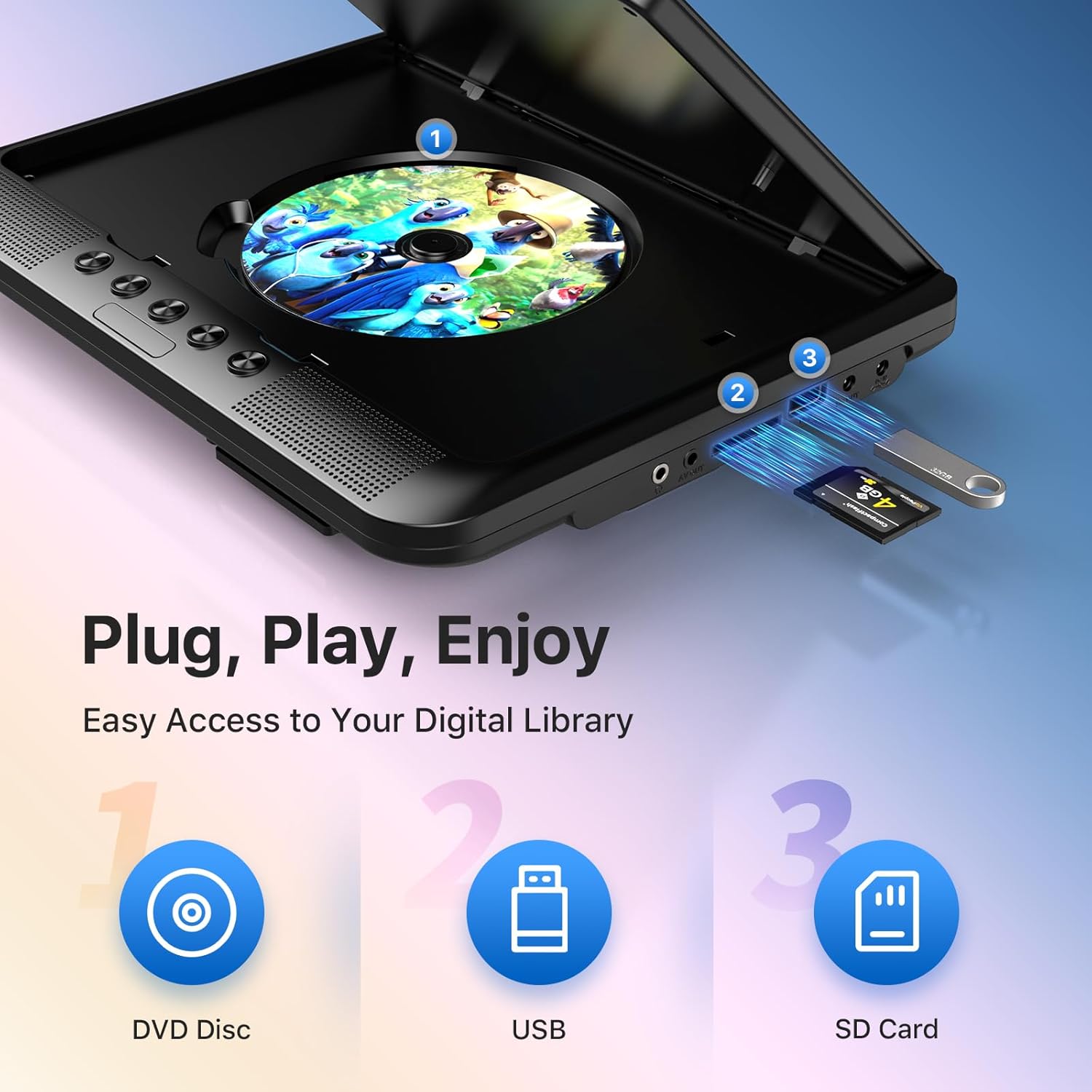
- डिस्क घाला: Gently open the disc cover and place a DVD or CD onto the spindle, label side up. Close the cover firmly.
- USB/SD प्लेबॅक: Insert a USB drive into the USB port or an SD card into the SD card slot. The player should automatically detect the media or allow you to select the source using the 'SOURCE' button.
- प्लेबॅक नियंत्रणे: Use the 'PLAY/PAUSE', 'STOP', 'NEXT', 'PREVIOUS', 'FF' (Fast Forward), and 'REW' (Rewind) buttons on the unit or remote control to manage playback.
- आवाज समायोजन: आवाज समायोजित करण्यासाठी 'VOL+' आणि 'VOL-' बटणे वापरा.

5.2 रिमोट कंट्रोल वापरणे
The included remote control provides full functionality for convenient operation from a distance. Point the remote control directly at the main DVD player unit's IR sensor.
5.3 Last Memory Function
The player automatically remembers the last playback point. To resume from where you left off, simply power on the device and press 'PLAY'. This function is active for most disc and digital media formats.
5.4 Connecting to an External Display (TV)
To share your viewing experience on a larger screen, use the AV OUT port on the main DVD player unit and connect it to the AV IN ports of your television using the included AV cable. Select the correct AV input on your TV.

6. Media Compatibility
The OTIC DVD player supports a wide range of media formats:
- Disc Formats: DVD, DVD+R, DVD-R, DVD+RW, DVD-RW, CD, CD+R, CD-R, CD+RW, CD-RW, VCD, SVCD. (Blu-ray discs are not supported.)
- Video Formats (USB/SD): VOB, AVI, MPEG1, MPEG2, XVID.
- Audio Formats (USB/SD): MP3, WMA.
- Image Formats (USB/SD): JPG, JPEG.
USB drives and SD cards up to 32GB capacity are supported.

7. देखभाल
7.1 युनिट साफ करणे
खेळाडूचा बाहेरील भाग मऊ, कोरड्या कापडाने पुसून टाका. हट्टी खुणा असल्यास, किंचित डीampen the cloth with water. Do not use abrasive cleaners or solvents, as they may damage the surface.
४.२ डिस्क केअर
Handle discs by their edges. Keep discs clean and free of scratches. Store them in their cases when not in use. A dirty or scratched disc can cause playback issues.
7.3 बॅटरी काळजी
To prolong battery life, avoid fully discharging the battery frequently. If storing the unit for an extended period, charge it to about 50% every few months.
8. समस्या निवारण
If you encounter issues with your OTIC DVD player, please refer to the following common problems and solutions:
| समस्या | संभाव्य कारण | उपाय |
|---|---|---|
| प्लेअर चालू होत नाही. | बॅटरी संपली आहे; पॉवर अॅडॉप्टर कनेक्ट केलेला नाही किंवा सदोष आहे. | Charge the battery; Ensure power adapter is securely connected and functional. |
| स्क्रीनवर चित्र नाही. | Disc is dirty/scratched; Incorrect source selected; AV cable loose (for slave monitor/TV). | Clean or replace disc; Press 'SOURCE' button to select correct input; Check AV cable connections. |
| आवाज नाही. | Volume too low; Mute function active; Headphone connected. | Increase volume; Press 'MUTE' button on remote; Disconnect headphones if using speakers. |
| Disc skipping or freezing. | Dirty/damaged disc; Player is on an unstable surface; Excessive vibration. | Clean or replace disc; Place player on a stable surface; Reduce vibrations if in a moving vehicle. |
| रिमोट कंट्रोल काम करत नाही. | Batteries depleted; Obstruction between remote and player; Incorrect angle. | Replace batteries; Ensure clear line of sight to IR sensor; Point remote directly at player. |
If the problem persists after trying these solutions, please contact OTIC customer support for further assistance.
9. तपशील
| वैशिष्ट्य | तपशील |
|---|---|
| ब्रँड | ओटीसी |
| मॉडेल क्रमांक | DP-2123A |
| स्क्रीन आकार | 10.1 Inches (visible display area) |
| स्क्रीन प्रकार | एलसीडी |
| डिस्प्ले रिझोल्यूशन | ९५३६ x ६३३६ पिक्सेल |
| बॅटरी क्षमता | 2500 mAh (built-in rechargeable) |
| बॅटरी प्लेबॅक वेळ | 3-5 तास |
| सुसंगत डिस्क स्वरूप | CD, CD-R/RW, DVD, DVD+R/RW, DVD-R/RW, VCD, SVCD |
| Compatible Digital Media | USB drives (up to 32GB), SD cards (up to 32GB) |
| समर्थित व्हिडिओ स्वरूप | VOB, AVI, MPEG1, MPEG2, XVID |
| समर्थित ऑडिओ स्वरूप | MP3, WMA |
| समर्थित प्रतिमा स्वरूप | JPG, JPEG |
| कनेक्टिव्हिटी | AV In, AV Out, USB, SD Card Slot, 3.5mm Headphone Jack, DC In, DC Out |
| परिमाण (मुख्य एकक) | अंदाजे 35.56 x 13.46 x 25.4 सेमी (14 x 5.3 x 10 इंच) |
| वजन | अंदाजे 2.23 किलो (4.92 एलबीएस) |
| रंग | काळा |
10. हमी आणि समर्थन
For information regarding warranty coverage, technical support, or service, please refer to the warranty card included in your package or contact the retailer from whom you purchased the product. You may also visit the official OTIC webनवीनतम समर्थन माहितीसाठी साइट.
कृपया वॉरंटी दाव्यांसाठी तुमचा खरेदीचा पुरावा ठेवा.