
1. परिचय
Thank you for choosing the EasySMX T37 Wireless Switch Pro Controller. This manual provides detailed instructions for setting up, operating, maintaining, and troubleshooting your controller. Please read this manual carefully before use to ensure optimal performance and longevity of your device. This controller is compatible with Nintendo Switch, Switch Lite, and Switch OLED consoles.
2. उत्पादन संपलेview
The EasySMX T37 is a wireless gamepad designed for an enhanced gaming experience on Nintendo Switch systems. It features an ergonomic design, dual turbo vibration, and 6-axis gyro motion control.

प्रतिमा 2.1: समोर view of the EasySMX T37 Wireless Switch Pro Controller, showcasing its ergonomic shape and button layout.
3. सेटअप
3.1 Pairing with Nintendo Switch
- तुमचा निन्टेंडो स्विच कन्सोल चालू करा.
- मुख्यपृष्ठ मेनूमधून, निवडा नियंत्रक > पकड/क्रम बदला.
- On the EasySMX T37 controller, press and hold the SYNC बटण (located on the top edge of the controller) for 3 seconds until the LED indicators start flashing rapidly.
- Once the controller is successfully paired, the player LED(s) on the bottom of the controller will light up solid.
3.2 कंट्रोलर चार्ज करणे
Connect the provided USB-C charging cable to the USB-C port on the controller and the other end to a USB power source (e.g., Switch dock, USB wall adapter, computer USB port). The LED indicators will show charging status and turn off when fully charged.
4. ऑपरेटिंग सूचना
4.1 मूलभूत नियंत्रणे
The controller features standard button layouts for Nintendo Switch compatibility:
- A/B/X/Y बटणे: कृती बटणे.
- डी-पॅड: दिशात्मक इनपुट.
- डाव्या/उजव्या अॅनालॉग स्टिक्स: हालचाल आणि कॅमेरा नियंत्रण.
- L/R/ZL/ZR Buttons: Shoulder and trigger buttons.
- होम बटण: Returns to the Switch HOME Menu.
- CAPTURE Button: Takes screenshots.
- PLUS (+) / MINUS (-) Buttons: Start/Select functions.

Image 4.1: A user holding the EasySMX T37 controller, demonstrating the comfortable grip and accessible button placement during gameplay.
७.१० टर्बो फंक्शन
The Turbo function allows for rapid, automatic pressing of a button, useful in action or arcade games.
- टर्बो सक्रिय करा: Press and hold the desired action button (A/B/X/Y/L/R/ZL/ZR), then press the टर्बो बटण (T button). The button will now auto-fire.
- टर्बो गती समायोजित करा: धारण करताना टर्बो बटण, हलवा उजवीकडे अॅनालॉग स्टिक वर किंवा खाली to cycle through three speeds: 5 shots/s, 12 shots/s, and 20 shots/s.
- टर्बो निष्क्रिय करा: Repeat the activation step (hold the action button, then press the Turbo button) or press and hold the टर्बो बटण for 5 seconds to clear all Turbo settings.
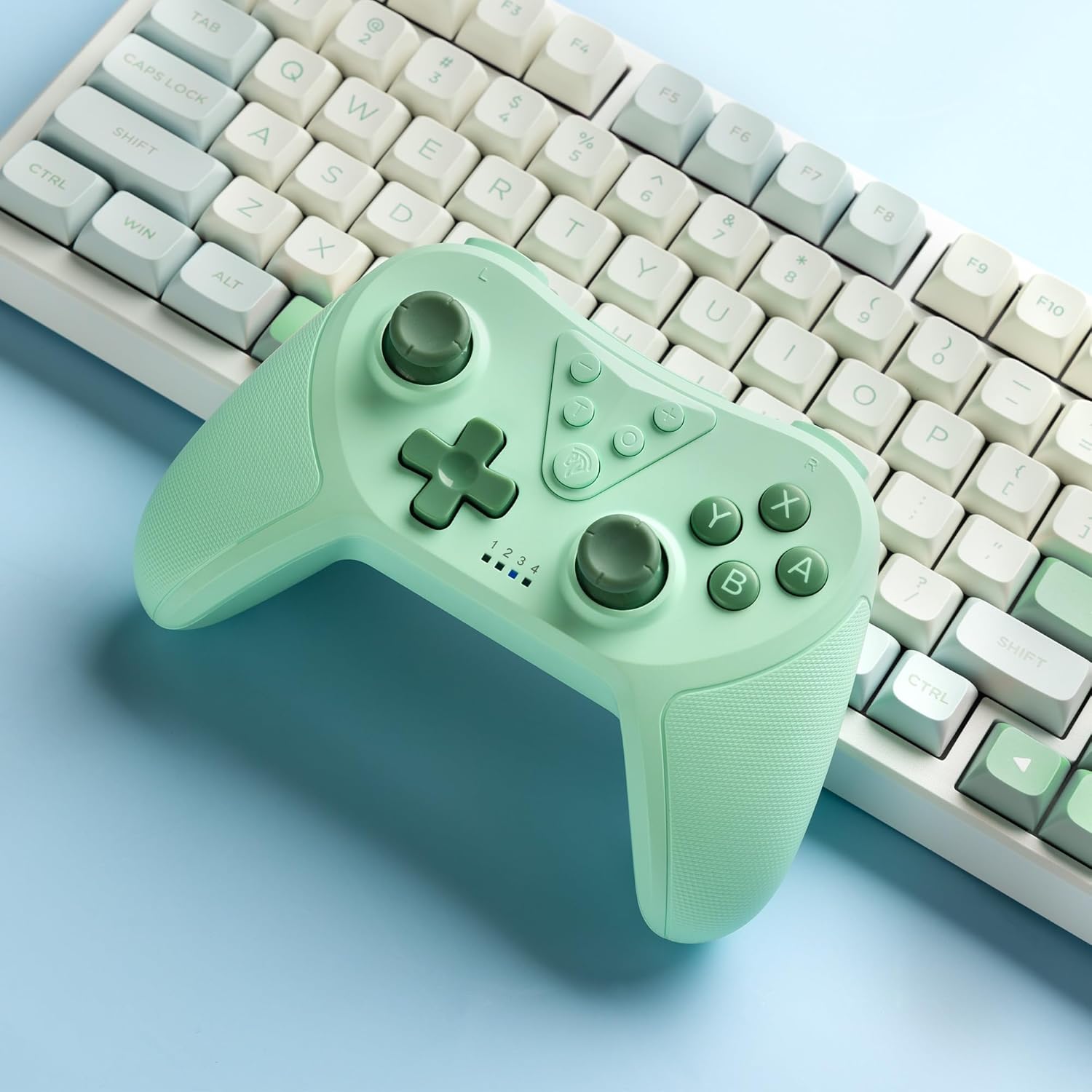
Image 4.2: Illustration of the Turbo function on the EasySMX T37 controller, showing the three adjustable speeds: 5, 12, and 20 shots per second.
०७ कंपन समायोजन
The controller features dual motors for adjustable vibration feedback, enhancing immersion in games.
- कंपन तीव्रता समायोजित करा: दाबा आणि धरून ठेवा टर्बो बटण, नंतर हलवा Left Analog Stick Up or Down to cycle through four vibration levels: 0% (off), 30%, 70%, and 100%.

Image 4.3: Visual representation of the Dual Vibration feature on the EasySMX T37 controller, indicating four intensity levels from 0% to 100%.
४.४ ६-अॅक्सिस गायरो मोशन कंट्रोल
The built-in 6-axis gyroscope provides precise motion sensing, allowing for intuitive control in games that support motion input.

Image 4.4: Illustration depicting the 6-Axis Gyro Motion Control feature of the EasySMX T37 controller, showing how it interacts with a game on the Nintendo Switch screen.
5. देखभाल
- स्वच्छता: कंट्रोलर स्वच्छ करण्यासाठी मऊ, कोरडे कापड वापरा. कठोर रसायने किंवा अपघर्षक पदार्थ वापरणे टाळा.
- स्टोरेज: थेट सूर्यप्रकाश आणि अति तापमानापासून दूर थंड, कोरड्या जागी कंट्रोलर साठवा.
- बॅटरी काळजी: बॅटरीचे आयुष्य वाढवण्यासाठी, कंट्रोलर वारंवार पूर्णपणे डिस्चार्ज करणे टाळा. तो बराच काळ वापरात नसला तरीही तो नियमितपणे चार्ज करा.
- थेंब टाळा: कंट्रोलरला थेंब आणि आघातांपासून वाचवा, ज्यामुळे अंतर्गत घटकांचे नुकसान होऊ शकते.
6. समस्या निवारण
५.३ कंट्रोलर कनेक्ट होत नाही
- कंट्रोलर चार्ज होत असल्याची खात्री करा.
- Verify the Switch console is updated to the latest system version.
- Try re-pairing the controller by following the steps in Section 3.1.
- If issues persist, try resetting the controller by inserting a thin object into the small reset hole (if present, usually on the back) for a few seconds.
6.2 Buttons Unresponsive or Lagging
- कंट्रोलर पूर्णपणे चार्ज झाला आहे याची खात्री करा.
- Move closer to the Switch console to ensure a strong wireless connection.
- बटणांभोवती कोणतेही भौतिक अडथळे किंवा मोडतोड आहे का ते तपासा.
- कंट्रोलर पुन्हा जोडा.
6.3 Controller Not Charging
- Ensure the USB-C cable is securely connected to both the controller and the power source.
- वेगळी USB-C केबल किंवा पॉवर ॲडॉप्टर वापरून पहा.
- वीज स्रोत कार्यरत असल्याची खात्री करा.
7. तपशील
- मॉडेल: T37
- कनेक्टिव्हिटी: वायरलेस (ब्लूटूथ)
- सुसंगतता: Nintendo Switch, Switch Lite, Switch OLED
- वैशिष्ट्ये: Dual Turbo Function, Adjustable Vibration, 6-Axis Gyro Motion Control, Ergonomic Design
- Product Identifier (ASIN): B0CTTWN84L
8. हमी आणि समर्थन
For warranty information, technical support, or further assistance, please refer to the official EasySMX webवेबसाइटवर जा किंवा त्यांच्या ग्राहक समर्थनाशी थेट संपर्क साधा. वॉरंटी दाव्यांसाठी तुमची खरेदी पावती जपून ठेवा.


