
परिचय
This manual provides essential information for the safe and efficient use of your Dopesplay DR158W 15.6-inch Portable Laptop Screen. Please read these instructions thoroughly before operating the device and retain them for future reference.
The Dopesplay DR158W is a versatile 15.6-inch portable touchscreen display designed to extend your workspace or enhance your mobile computing experience. It features a built-in battery, wireless charging capabilities, and multiple connectivity options, allowing you to transform your smartphone, mini-computer, or game console into a powerful workstation.
उत्पादन संपलेview
The Dopesplay DR158W combines a compact, portable design with a high-resolution display and integrated features for enhanced productivity and entertainment on the go.
प्रमुख वैशिष्ट्ये:
- 15.6-inch FHD 1080p IPS Display: Offers a clear and vibrant visual experience with a 1920 x 1080 resolution.
- टचस्क्रीन कार्यक्षमता: Provides intuitive interaction with compatible devices.
- Integrated Keyboard and Trackpad: Transforms your mobile device into a laptop-like setup.
- अंगभूत 12900 mAh बॅटरी: Ensures extended usage without external power.
- वायरलेस चार्जिंग: Conveniently charge compatible smartphones.
- Wired & Wireless Connectivity: Supports USB Type-C, Mini HDMI, Bluetooth, and Wi-Fi.
- 360-Degree Convertible Design: लवचिकतेसाठी अनुमती देते viewing मोड्स.
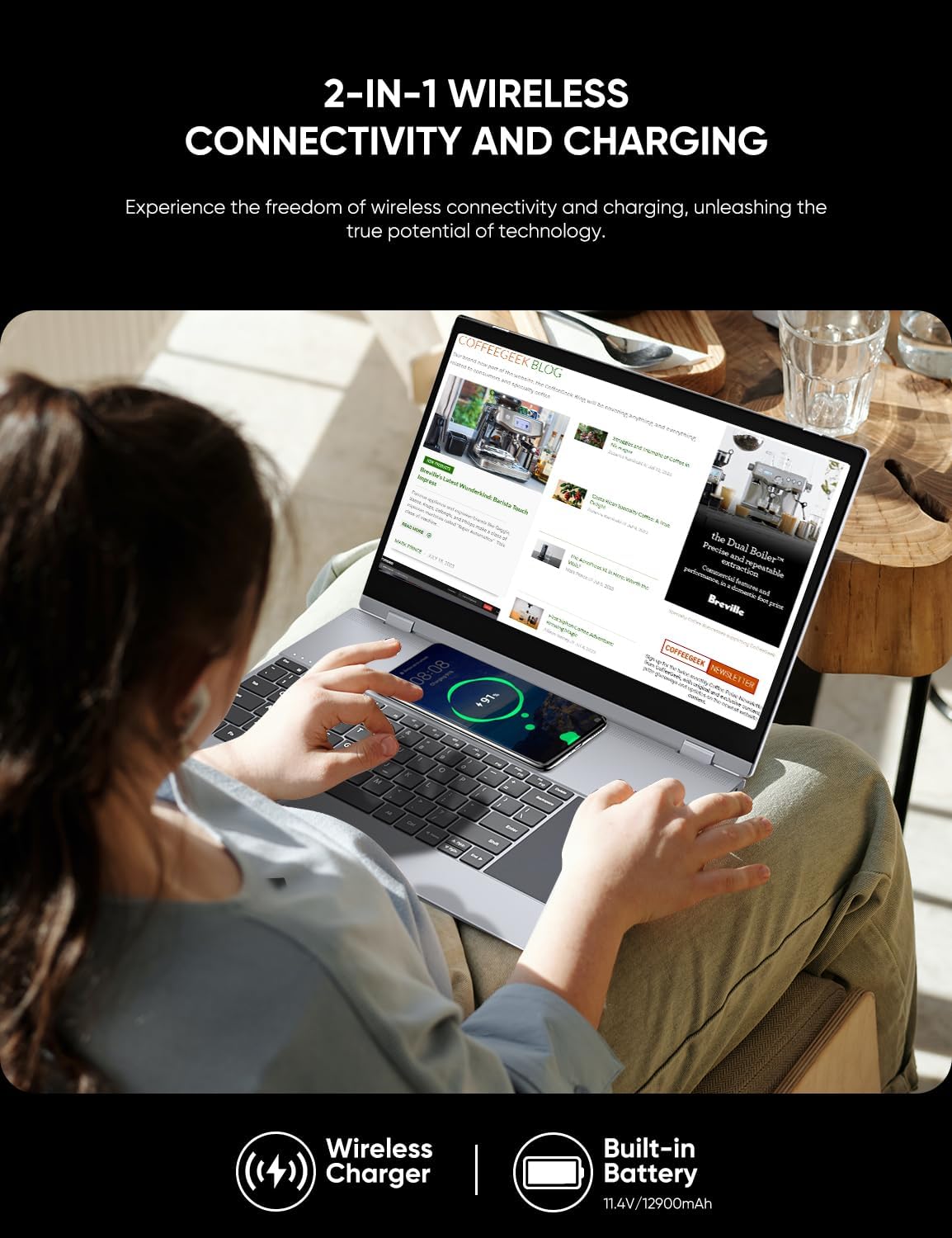
Image: Visual representation of the Dopesplay DR158W's display specifications, highlighting its 1920x1080 resolution, 15.6-inch IPS panel, 300 Nits brightness, 800:1 contrast ratio, HDR support, Low Blue Light feature, 16.7 million colors, 100% sRGB color gamut, and 60Hz refresh rate.

Image: The Dopesplay DR158W portable monitor displayed in multiple configurations, illustrating its 360-degree rotating capability for flexible use as a laptop, tablet, or presentation display.
सेटअप
Identifying Ports:
Familiarize yourself with the available ports on your Dopesplay DR158W to ensure correct connections.
प्रतिमा: सविस्तर view of the Dopesplay DR158W's connectivity ports. Labels indicate: A) Power on/off button, B) Micro SD card slot, C) Standard USB port, D) Headphone jack, E) USB-C port for charging, F) USB-C port for data input, and G) Mini HDMI input port.
तुमचे डिव्हाइस कनेक्ट करत आहे:
The DR158W offers both wired and wireless connection options.

Image: Illustration detailing the wired connection methods for the Dopesplay DR158W. It shows that devices with a full-functional USB-C port can connect with a single USB-C cable, while devices without can use a USB-A and HDMI cable combination.
- यूएसबी टाइप-सी कनेक्शन: If your device has a fully functional USB-C port (supporting video output and power delivery), connect it directly to the monitor using a single USB-C cable. This provides both power and display signal.
- HDMI आणि USB-A कनेक्शन: For devices without a full-functional USB-C port, connect the monitor via a Mini HDMI cable for video and a USB-A cable for power and touch functionality.
- वायरलेस कनेक्शन: The DR158W supports fast wireless connection via Bluetooth 4.1 and Wi-Fi 5.8 GHz. Refer to the 'Operating Instructions' section for detailed steps on wireless pairing.
पॉवर चालू:
Press and hold the Power On/Off button (A) located on the side of the device until the screen illuminates.
ऑपरेटिंग सूचना
वायरलेस कनेक्टिव्हिटी:
The DR158W allows for seamless wireless connection to your mobile devices, eliminating cable clutter.
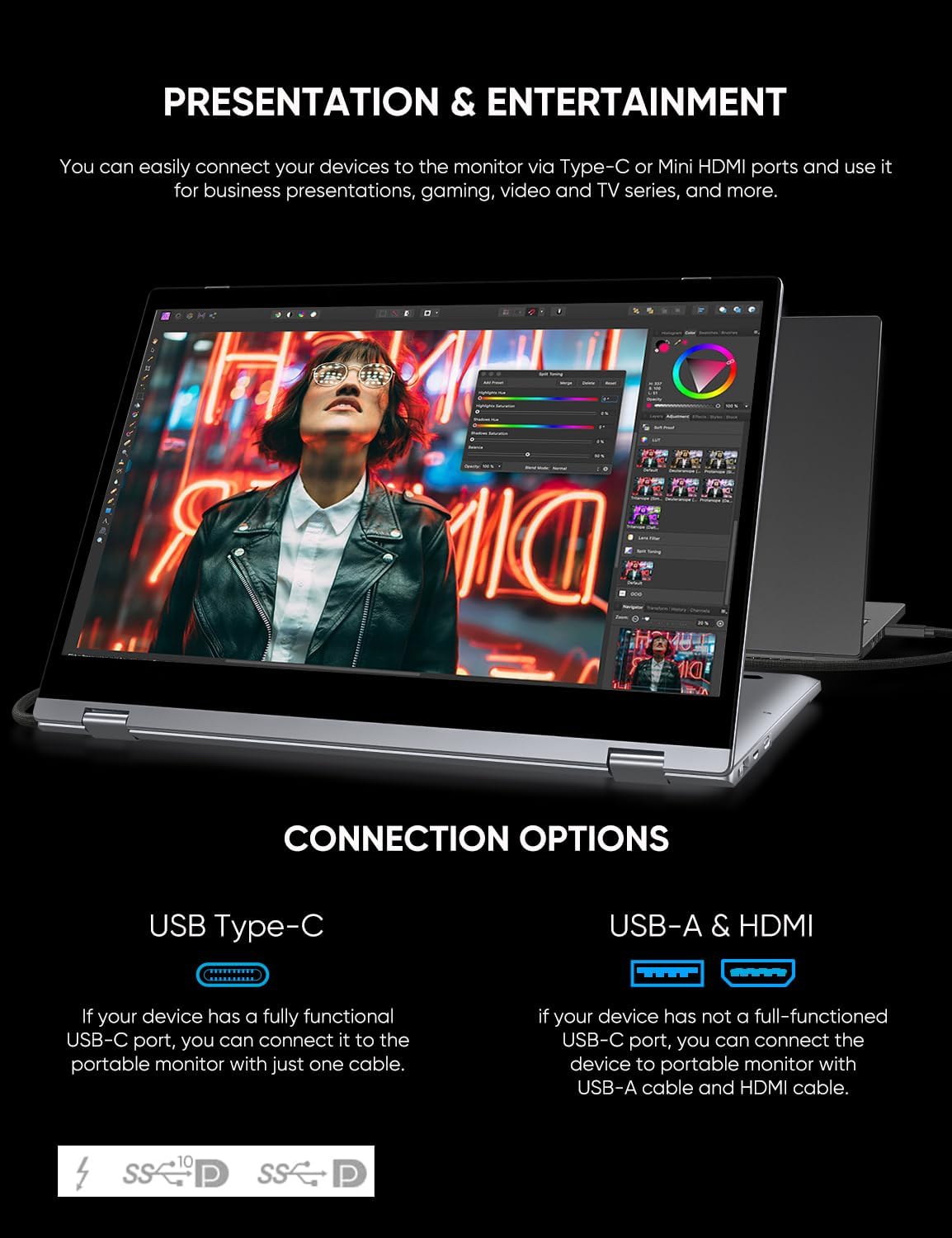
Image: A user interacting with the Dopesplay DR158W, which is wirelessly connected to a smartphone, demonstrating its use for productivity. The image emphasizes its Wi-Fi 5.8 GHz and Bluetooth 4.1 wireless connection features.
- Ensure both the DR158W and your mobile device (smartphone, tablet) have their wireless functions (Bluetooth, Wi-Fi) enabled.
- On your mobile device, search for available Bluetooth or Wi-Fi devices and select the DR158W.
- पेअरिंग प्रक्रिया पूर्ण करण्यासाठी कोणत्याही ऑन-स्क्रीन सूचनांचे अनुसरण करा.
- Once connected, your mobile device's display will be mirrored or extended to the DR158W.
Note: Touch functionality may vary or be unavailable for certain operating systems or devices when connected wirelessly (e.g., Mac and iPhone).
Using the Integrated Keyboard and Touchscreen:
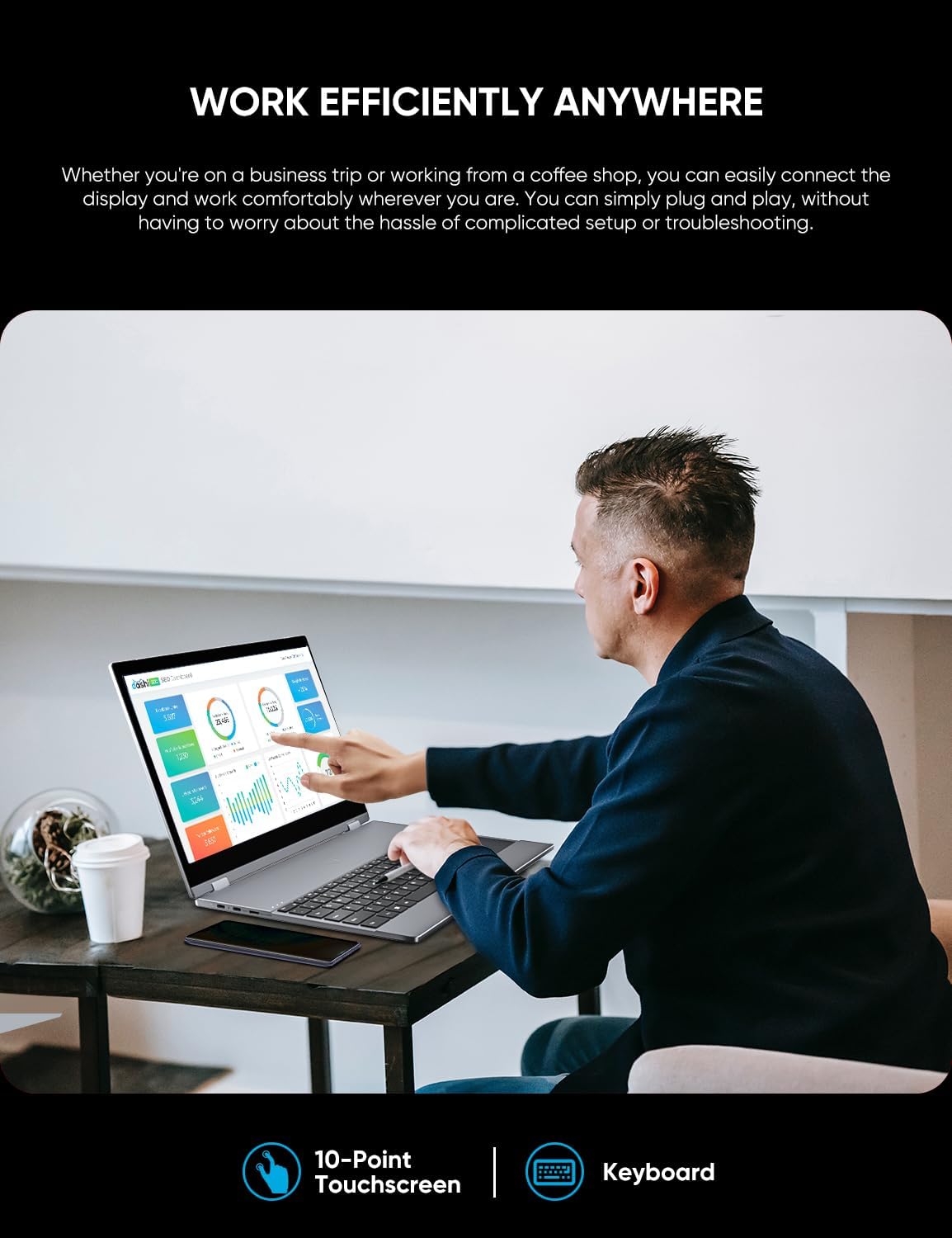
The DR158W features an integrated keyboard and a 10-point touchscreen for intuitive control.
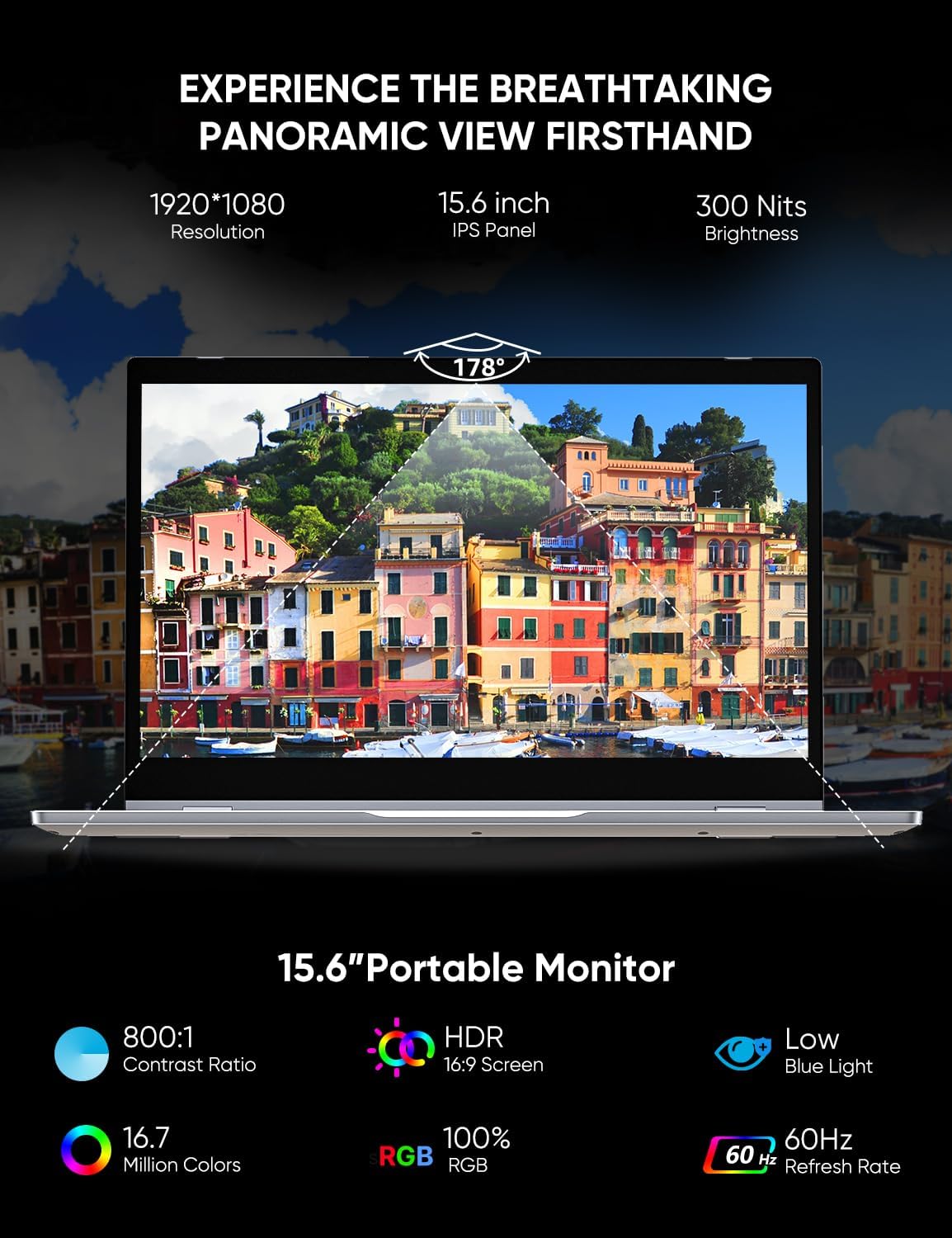
Image: A user operating the Dopesplay DR158W portable monitor, demonstrating its 10-point touchscreen and integrated keyboard for efficient work on a productivity application.
- कीबोर्ड: Use the physical keyboard for typing and text input, similar to a standard laptop.
- टचस्क्रीन: Interact directly with the display using touch gestures. The 10-point touchscreen allows for multi-touch commands.
- ट्रॅकपॅड: The integrated trackpad provides mouse-like control for navigation and selection.
वायरलेस चार्जिंग:
The DR158W includes a wireless charging pad for compatible devices.

Image: The Dopesplay DR158W portable monitor in use, with a smartphone placed on its keyboard area, actively charging wirelessly. This image also highlights the device's built-in 11.4V/12900mAh battery.
- Place your Qi-compatible smartphone on the designated wireless charging area, typically located on the keyboard deck.
- Ensure the phone is properly aligned for charging to begin. A charging indicator may appear on your phone's screen.
Note: Wireless charging speed may vary. For optimal charging, ensure the phone is centered on the charging pad.
देखभाल
- स्वच्छता: स्क्रीन आणि बाहेरील भाग स्वच्छ करण्यासाठी मऊ, लिंट-फ्री कापड वापरा. हट्टी डागांसाठी, किंचित डीampकापड पाण्याने किंवा स्क्रीन-सेफ क्लिनरने धुवा. कठोर रसायने किंवा अपघर्षक पदार्थ टाळा.
- स्टोरेज: वापरात नसताना, थेट सूर्यप्रकाश आणि अति तापमानापासून दूर थंड, कोरड्या जागी डिव्हाइस ठेवा.
- हाताळणी: Handle the device with care to prevent drops or impacts. Avoid placing heavy objects on top of the screen.
- बॅटरी काळजी: बॅटरीचे आयुष्य वाढवण्यासाठी, बॅटरी वारंवार पूर्णपणे डिस्चार्ज करणे टाळा. सतत वापरात नसले तरीही, डिव्हाइस नियमितपणे चार्ज करा.
समस्यानिवारण
| समस्या | संभाव्य कारण | उपाय |
|---|---|---|
| Screen does not turn on. | Low battery; Power cable not connected; Device not powered on. | Charge the device; Ensure power cable is securely connected; Press and hold the power button. |
| डिस्प्ले सिग्नल नाही. | Incorrect cable connection; Source device not outputting video; Incorrect input selected. | Check USB-C or HDMI cable connections; Ensure source device is configured for external display; Select correct input source on the monitor (if applicable). |
| वायरलेस कनेक्शन समस्या. | Bluetooth/Wi-Fi not enabled; Device out of range; Interference. | Ensure wireless functions are enabled on both devices; Move devices closer; Reduce interference from other wireless devices. |
| टचस्क्रीन प्रतिसाद देत नाही. | Incompatible device/OS; Loose USB connection (for wired); Software glitch. | Verify device/OS compatibility for touch; Reconnect USB cable; Restart both devices. |
| Screen is too dim. | Brightness settings; Power saving mode. | Adjust brightness settings on the monitor or connected device. Ensure power saving mode is not active. |
| वायरलेस चार्जिंग काम करत नाही. | Phone not Qi-compatible; Incorrect placement; Foreign objects. | Ensure phone supports Qi wireless charging; Realign phone on the charging pad; Remove any objects between phone and pad. |
तपशील
| वैशिष्ट्य | तपशील |
|---|---|
| ब्रँड | डोपप्ले |
| मॉडेल क्रमांक | DR158W |
| डिस्प्ले स्क्रीन आकार | 15.6 इंच |
| कमाल डिस्प्ले रिझोल्यूशन | १९२० x १०८० पिक्सेल (FHD १०८०p) |
| गुणोत्तर | १६:१० |
| स्क्रीन पृष्ठभागाचे वर्णन | चकचकीत |
| प्रतिमा कॉन्ट्रास्ट प्रमाण | High (specific value not provided) |
| प्रतिसाद वेळ | 5 मिलीसेकंद |
| रीफ्रेश दर | 60 Hz |
| विशेष वैशिष्ट्ये | Glossy screen, Touchscreen, Portable, Built-in speakers |
| रंग | चांदी |
| फॉर्म फॅक्टर | Laptop (referring to its convertible nature) |
| उत्पादन परिमाणे | 37.34 x 26.8 x 6.4 सेमी |
| आयटम वजन | 2.83 किलोग्रॅम |
| वायरलेस प्रकार | 5.8 GHz Radio Frequency (Wi-Fi), Bluetooth 4.1 |
| खंडtage | 5 व्होल्ट |
| अंगभूत बॅटरी | ५० mAh (12900V) |
हमी आणि समर्थन
For warranty information and technical support, please refer to the documentation included with your purchase or visit the official Dopesplay webसाइट. वॉरंटी दाव्यांसाठी तुमचा खरेदीचा पुरावा ठेवा.