
Baseus WM01
Baseus Bowie WM01 TWS Earphones User Manual
Model: WM01 (NGTW370001)
परिचय
Thank you for choosing the Baseus Bowie WM01 True Wireless Stereo (TWS) Earphones. This manual provides detailed instructions on how to set up, operate, maintain, and troubleshoot your earphones to ensure optimal performance and longevity.

Image: The Baseus Bowie WM01 TWS Earphones, charging case, and product packaging.
पॅकेज सामग्री
पॅकेज अनपॅक करताना कृपया त्यातील सामग्री तपासा:
- Baseus Bowie WM01 TWS Earphones (Left and Right)
- चार्जिंग केस
- USB-C चार्जिंग केबल
- सिलिकॉन इअर टिप्स (विविध आकार)
- वापरकर्ता मॅन्युअल

Image: All items included in the Baseus Bowie WM01 package: earphones, charging case, USB-C cable, and multiple sizes of ear tips.
सेटअप
१. सुरुवातीचे चार्जिंग
पहिल्या वापरापूर्वी, इयरफोन आणि चार्जिंग केस पूर्णपणे चार्ज करा.
- दोन्ही इयरफोन चार्जिंग केसमध्ये ठेवा.
- केसवरील चार्जिंग पोर्टला USB-C चार्जिंग केबल आणि दुसऱ्या टोकाला USB पॉवर अॅडॉप्टरशी जोडा (समाविष्ट नाही).
- केसवरील इंडिकेटर लाईट चार्जिंगची स्थिती दर्शवेल. एकदा पूर्णपणे चार्ज झाल्यावर, लाईट बदलेल किंवा बंद होईल.

Image: The Baseus Bowie WM01 charging case in its closed state, ready for charging.
२. डिव्हाइससोबत पेअरिंग
The earphones will automatically enter pairing mode when taken out of the charging case.
- Open the charging case and take out both earphones. They will automatically power on and enter pairing mode.
- तुमच्या डिव्हाइसवर (स्मार्टफोन, टॅबलेट इ.), ब्लूटूथ सक्षम करा.
- साठी शोधा "Baseus Bowie WM01" in the list of available Bluetooth devices.
- Select "Baseus Bowie WM01" to connect. Once connected, you will hear a confirmation tone.
टीप: If pairing fails, place the earphones back into the case, close the lid, wait a few seconds, and then repeat the steps.
ऑपरेटिंग सूचना
नियंत्रणांना स्पर्श करा
The Baseus Bowie WM01 earphones feature touch-sensitive areas for easy control of music and calls.
| कृती | कार्य |
|---|---|
| सिंगल टॅप (डावीकडे/उजवीकडे) | संगीत प्ले करा/थांबवा, कॉल उत्तर द्या/समाप्त करा |
| दोनदा टॅप करा (उजवीकडे) | पुढील गाणे |
| दोनदा टॅप करा (डावीकडे) | मागील गाणे |
| जास्त वेळ दाबा (डावीकडे/उजवीकडे, २ सेकंद) | व्हॉइस असिस्टंट सक्रिय करा |
| Long Press (Left/Right, 3s during call) | कॉल रिजेक्ट करा |

प्रतिमा: जवळून पाहिलेला फोटो view of the Baseus Bowie WM01 earbuds, highlighting their compact design and touch-sensitive surfaces.
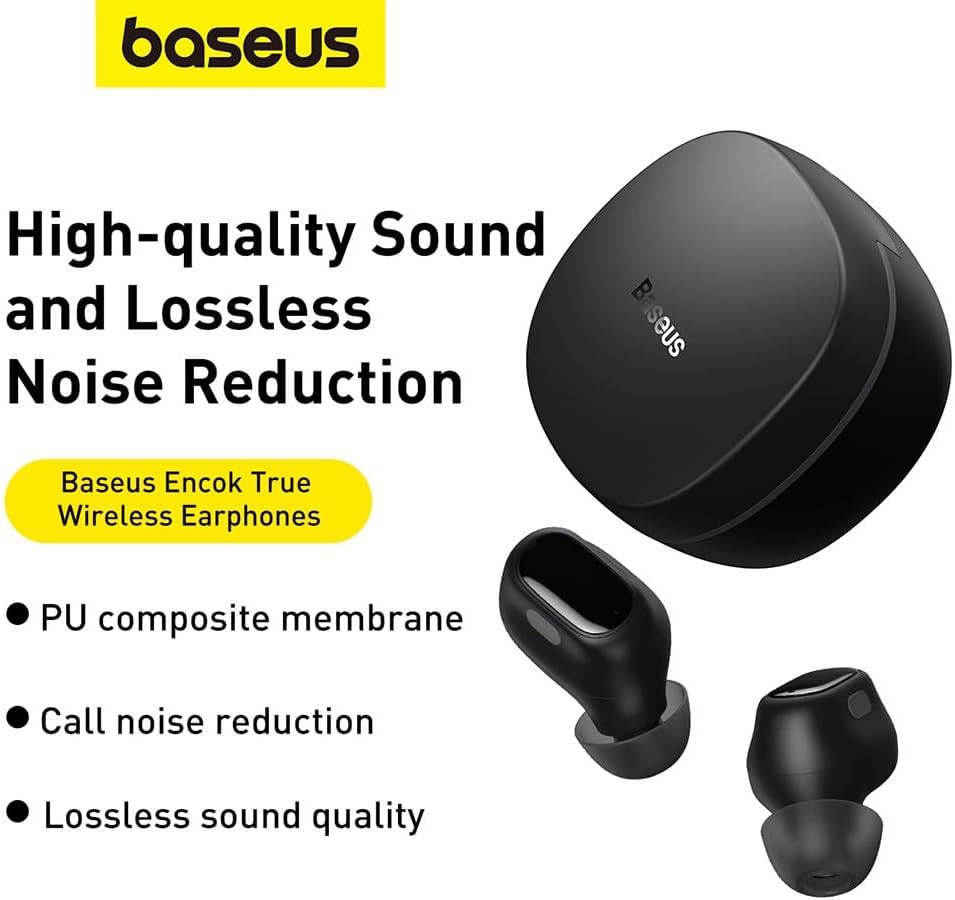
Image: The Baseus Bowie WM01 earbuds alongside their charging case, illustrating their sleek design.
देखभाल
Proper maintenance will extend the lifespan of your earphones.
- स्वच्छता: इअरफोन आणि चार्जिंग केस नियमितपणे मऊ, कोरड्या, लिंट-फ्री कापडाने स्वच्छ करा. कठोर रसायने किंवा अपघर्षक पदार्थ वापरू नका.
- कान टिपा: Remove and clean the silicone ear tips periodically with mild soap and water. Ensure they are completely dry before reattaching.
- चार्जिंग संपर्क: If sound quality or charging issues occur, gently clean the charging contacts on both the earphones and inside the case with a cotton swab dipped in rubbing alcohol.
- स्टोरेज: वापरात नसताना, इयरफोन्स सुरक्षित ठेवण्यासाठी आणि चार्ज ठेवण्यासाठी त्यांच्या चार्जिंग केसमध्ये ठेवा.
- अत्यंत अटी टाळा: Do not expose the earphones to extreme temperatures, humidity, or direct sunlight. Avoid dropping or subjecting them to strong impacts.
समस्यानिवारण
जर तुम्हाला तुमच्या बेसियस बोवी WM01 इयरफोन्समध्ये समस्या येत असतील, तर खालील उपाय वापरून पहा:
| समस्या | संभाव्य उपाय |
|---|---|
| इअरफोन जोडत नाहीत/कनेक्ट होत नाहीत |
|
| फक्त एकच इअरफोन काम करत आहे |
|
| कमी आवाज किंवा खराब आवाजाची गुणवत्ता |
|
| चार्जिंग समस्या |
|
तपशील
| वैशिष्ट्य | तपशील |
|---|---|
| मॉडेलचे नाव | बोवी WM01 |
| मॉडेल क्रमांक | एनजीटीडब्ल्यू३४०००१ |
| ब्रँड | बेसियस |
| रंग | काळा |
| कनेक्टिव्हिटी | वायरलेस (ब्लूटूथ) |
| उत्पादन परिमाणे | 10 x 5 x 1.27 सेमी |
| वजन | 50 ग्रॅम |
| बॅटरी प्रकार | लिथियम-आयन |
| समाविष्ट घटक | Earphones, Charging Case, USB Charging Cable, Ear Tips |

प्रतिमा: एक स्फोट झाला view illustrating the internal components of a Baseus Bowie WM01 earbud, including the driver and circuit board.
हमी आणि समर्थन
Baseus products are designed and manufactured to the highest quality standards. For warranty information and technical support, please refer to the warranty card included in your product package or visit the official Baseus webसाइट
For further assistance, you may contact Baseus customer service through their official channels. Please have your product model number (WM01 / NGTW370001) and purchase details ready.
Disclaimer: This manual is for informational purposes only. Specifications and features are subject to change without notice.
Ask a question about this manual
Ask about setup, troubleshooting, compatibility, parts, safety, or missing instructions. Manuals+ will review the question and use this page’s manual context to help answer it.