
1. परिचय
The Retevis RA89 is a high-performance dual-band amateur radio designed for reliable communication in various environments. Featuring high power output, IP68 waterproofing, and a 2500mAh battery, it is suitable for outdoor activities, hunting, and general amateur radio use. This manual provides essential information for setting up, operating, and maintaining your RA89 radio.
२. बॉक्समध्ये काय आहे?
Upon unpacking your Retevis RA89, please ensure all items listed below are present:
- Retevis RA89 Radio Amateur (x1)
- USB-C चार्जिंग केबल (x1)
- Multilingual User Manual (x1)
- बेल्ट क्लिप (x1)
- चार्जिंग बेस (x1)
- Battery (2500mAh) (x1)
- हाताचा पट्टा (x1)
- डेटा केबल (x1)

3. सेटअप
3.1 बॅटरी इंस्टॉलेशन
- बॅटरी रेडिओच्या मागील बाजूस लावा.
- बॅटरी सुरक्षितपणे जागी येईपर्यंत वरच्या दिशेने सरकवा.
४.२ अँटेना जोडणी
- रेडिओच्या वरच्या कनेक्टरमध्ये अँटेना घड्याळाच्या दिशेने स्क्रू करा जोपर्यंत तो बोटाने घट्ट होत नाही. जास्त घट्ट करू नका.
५.४ बेल्ट क्लिपची स्थापना
- Locate the two screw holes on the back of the radio.
- Align the belt clip with these holes and secure it using the provided screws.
3.4 बॅटरी चार्ज करणे
The RA89 features a 2500mAh high-capacity battery and supports Type-C charging for convenience.
- Insert the radio into the charging base.
- Connect the USB-C charging cable to the charging base and a suitable power source.
- Alternatively, you can directly connect the USB-C cable to the radio's Type-C port for charging.
- चार्जिंग इंडिकेटर लाईट चार्जिंगची स्थिती दर्शवेल.


4. ऑपरेटिंग सूचना
२.१ पॉवर चालू/बंद आणि आवाज नियंत्रण
- To power on the radio, rotate the power/volume knob clockwise.
- पॉवर बंद करण्यासाठी, नॉबला घड्याळाच्या उलट दिशेने फिरवा जोपर्यंत तो क्लिक करत नाही.
- समान नॉब फिरवून आवाज समायोजित करा.
4.2 Frequency Setting (VFO Mode)
The RA89 supports VFO (Variable Frequency Oscillator) mode, allowing manual frequency input.
- Enter VFO mode (refer to your radio's specific menu navigation for this step).
- Use the keypad to manually input the desired frequency.
- Confirm the frequency setting.

4.3 Dual Band Operation
The RA89 supports dual-band functionality, allowing simultaneous monitoring of 2m (VHF) and 70cm (UHF) frequencies.
- The radio can display two frequencies simultaneously.
- Use the A/B button to switch between the primary and secondary frequency for transmission.
६.३ प्रसारित करा आणि प्राप्त करा
- प्रसारित करण्यासाठी, रेडिओच्या बाजूला असलेले PTT (पुश-टू-टॉक) बटण दाबा आणि धरून ठेवा. मायक्रोफोनमध्ये स्पष्टपणे बोला.
- प्राप्त करण्यासाठी PTT बटण सोडा.
4.5 आवाज कमी करणे
The RA89 is equipped with a noise cancellation chip to ensure clear reception, even in noisy environments.

4.6 कीपॅड लॉक
To prevent accidental changes to settings, you can lock the keypad.
- Refer to your user manual for the specific key combination to lock/unlock the keypad.
4.7 आणीबाणी अलार्म
The radio includes an emergency alarm function for critical situations.
- Consult your user manual for instructions on activating and deactivating the emergency alarm.
4.8 Adjustable Brightness
Adjust the display brightness for optimal visibility in different lighting conditions.
- Navigate to the display settings in the radio's menu.
- Select the brightness level (typically 1-7).
5. देखभाल
5.1 स्वच्छता
Regular cleaning helps maintain the radio's performance and appearance.
- रेडिओचा पृष्ठभाग मऊ, डamp कापड
- कठोर रसायने किंवा अपघर्षक क्लीनर वापरू नका.
- Ensure the Type-C port cover is securely closed to maintain IP68 waterproofing.
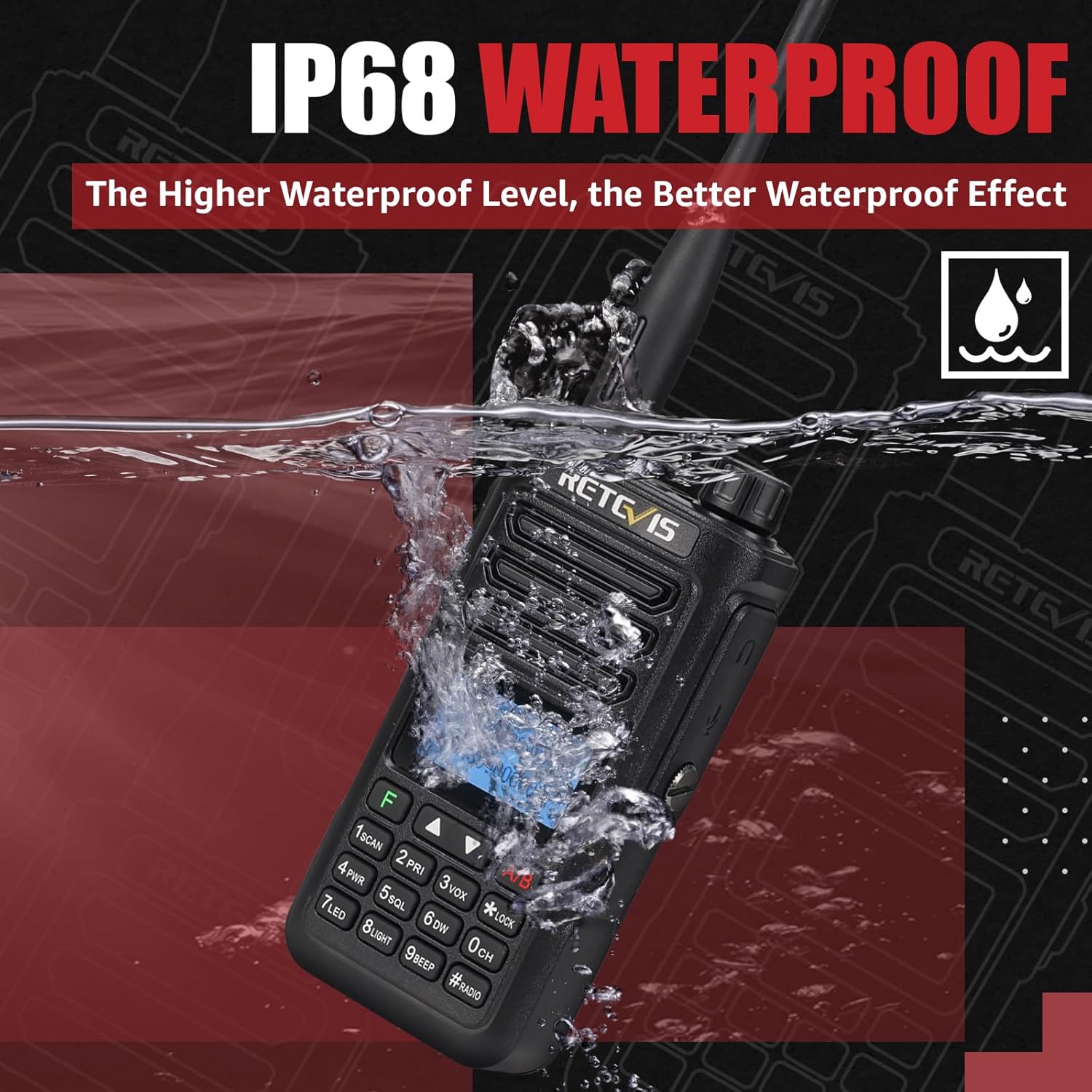
५.१ वॉटरप्रूफिंग (IP68)
The Retevis RA89 is IP68 rated, meaning it can withstand immersion in up to 1 meter of water for 1 hour.
- Always ensure all port covers and the battery compartment are properly sealed before exposing the radio to water.
- After exposure to water, dry the radio thoroughly before charging or opening any compartments.
6. समस्या निवारण
If you encounter issues with your Retevis RA89, please refer to the following common solutions:
- शक्ती नाही: Ensure the battery is fully charged and correctly installed. Check the power/volume knob is turned on.
- पाठवू/प्राप्त करू शकत नाही: Verify that the antenna is securely attached. Check that you are on the correct frequency and channel. Ensure the PTT button is functioning correctly.
- खराब ऑडिओ गुणवत्ता: Adjust the volume. Check for obstructions around the microphone or speaker. Ensure noise reduction settings are appropriate for your environment.
- कीपॅड प्रतिसाद देत नाही: Check if the keypad lock is activated. Refer to the manual to unlock it.
For further assistance, please contact Retevis customer support.
7. तपशील
| वैशिष्ट्य | तपशील |
|---|---|
| ब्रँड | Retevis |
| मॉडेल क्रमांक | RA89 |
| रंग | काळा |
| चॅनेलची संख्या | 200 |
| विशेष वैशिष्ट्य | ड्युअल बँड |
| वारंवारता श्रेणी | 144-146 मेगाहर्ट्झ; 430-440 MHz |
| कमाल श्रेणी | 5 किलोमीटर |
| खंडtage | 7.4 व्होल्ट |
| पाणी प्रतिकार पातळी | IP68 (जलरोधक) |
| उत्पादन परिमाणे | २८.७प x १११.६ली.x ७१.५ह सेंटीमीटर |
| बॅटरीची संख्या | १ लिथियम-आयन (समाविष्ट) |
| आवाज पातळी | ३० डेसिबल |
| कनेक्टिव्हिटी प्रोटोकॉल | VHF, UHF |
| आयटम वजन | 310 ग्रॅम |
8. हमी आणि समर्थन
8.1 हमी माहिती
Retevis offers a 2-year warranty for the radio body and a 1-year warranty for accessories. Additionally, a 30-day no-reason return policy is provided.
Beyond the warranty period, maintenance services are available, with buyers responsible for associated costs.
8.2 ग्राहक समर्थन
For any questions, technical support, or warranty claims, please contact Retevis customer service via Amazon. We aim to respond within 12 hours.